For people with a little PC-security experience running an all Microsoft setup (e.g. using Simple Windows hardening and Configure Defender) and feeling the need to add some additional protection (HIPS and Firewall), this is really a great add-on.


here is comparison chart between the various products they offer :What features is it lacking as compared to the paid version? Or maybe I should ask: what features does it have?
Last I remember, the free version was an anti-keylogger without kernel hooks. This looks quite different.

Here is what was changed in last free version.What features is it lacking as compared to the paid version? Or maybe I should ask: what features does it have?
Last I remember, the free version was an anti-keylogger without kernel hooks. This looks quite different.

 malwaretips.com

I think most important features free is lacking isWhat features is it lacking as compared to the paid version? Or maybe I should ask: what features does it have?
Last I remember, the free version was an anti-keylogger without kernel hooks. This looks quite different.
ad.1 I have to check it but I didn't notice that as I remeberI think most important features free is lacking is
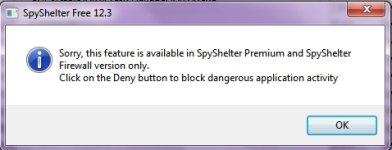
1. Ability to kill the process which is flagged by the HIPS or FW module. FREE can only block or allow the intercepted action (by HIPS or FW)
2. Not able to fine tune monitored actions by HIPS.
3. I suspect HIGH level monitoring does not had all protections enabled in FREE version
4. Less granularity in FW rules
For moderate experienced users like me only the first is something worth considering paying for premium.

 www.wilderssecurity.com

Why do think so? It's working on my Win 7 64-bit normaly in version 12.3 and earlier 12.0.is free still only for 32 bit? that's the way it used to be. i bought a lifetime many years ago and ardently like this software.
OK...agree with first point - it doesn't offers action "terminate"Ad1. Free does not allow to kill a process
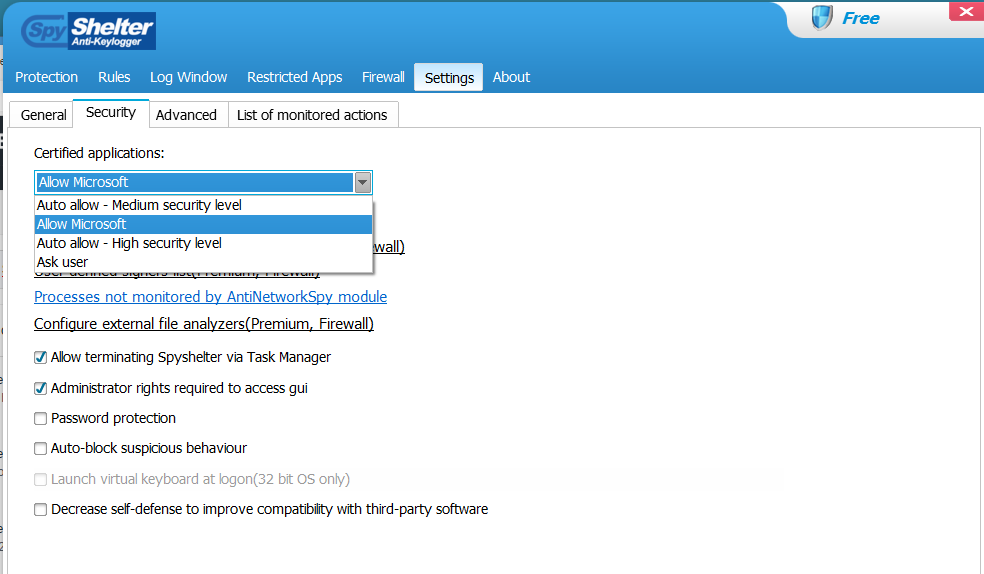
Ad2. Free does not allow to disable a monitored action in the rules section, meaning SpyShelter does not monitor that action for all processes.
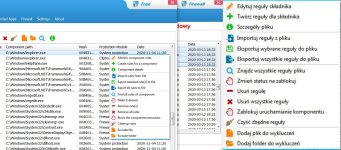

Yes, I think so...it allows@ichito you stated in changelog of free version of some features being added and some removed. Some firewall related features were removed but I don't understand technical details. I want to ask if the firewall in free version is still sufficient for regular users?

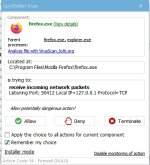
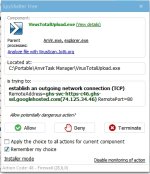
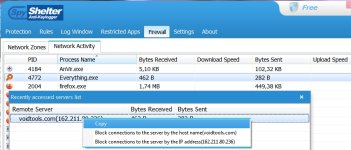
Thanks for the info.Yes, I think so...it allows
- detect internet connection in/out
View attachment 249190View attachment 249192
used also by parent/child processes
View attachment 249191
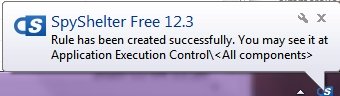
- it offers creation of custom single/group rules using advanced rules setting window and box on the top
- if you use zone settings you can choose "undefined" and by this way all accesses without rules are prompted
- in network activity tab you can enter into listed connection and see recent serwvers list...each one you can block (adress IP or host name)
View attachment 249206
Haha...it was an "attack by obfuscation"...first you wrote about rules tab not list of monitored@ichito A picture tells more than a thousend words
I liked the idea of auto-allowing Microsoft signed and enabling auto-blocking of suspicious actions. To prevent me from shooting myself in the foot I tried to enable only user-land based protection rules. I have set UAC to deny elevation of unsigned and running Microsoft Defender on Max, so executables are sort of whitelisted. Spyshelter HIPS could monitor user land / medium IL processes not turning rogue. This is only possible in the paid version (which I understand, not complaining).
 and yes...a picture is more informative Already I know what you mean. Yoe are right - disabling monitoring of an action is not allowed in free version but...always is some "but" ...sometime you can bypass this limitation editing advanced rules (if needed behaviour is avaliable).
It is so long ago I installed SpyShelter, but when my memory serves me right the setup offers an option to use WFP (Windows Filtering Platform) and or an óther driver (forgot the name). I know I use WPF for certain, but don't remember whether that was the default. I did not turnoff windows FW (thinking Windows FW also uses WFP).If using Spyshelter's firewall do I need to turn OFF Windows's default firewall or Spyshelter's FW needs Windows's default firewall to work?
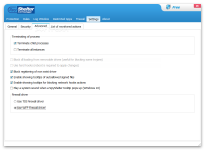
Sorry something lost in translation, I intended to post that I have kept it enabled.There's an image of Spyshelter free which I downloaded from the net. What does TDI firewall driver means? If I choose TDI firewall driver does that mean I can disable Windows firewall? Will Spyshelter auto disable Windows firewall here?
Assuming I choose WFP firewall driver does that means I can disable Windows firewall ie WFP CANNOT be disabled. Here can I still use Spyshelter firewall?