Solved Startup Processes

Status
Not open for further replies.

MrExplorer

Level 28
Thread author
Verified
Nov 15, 2012
1,765
3,059
2,667
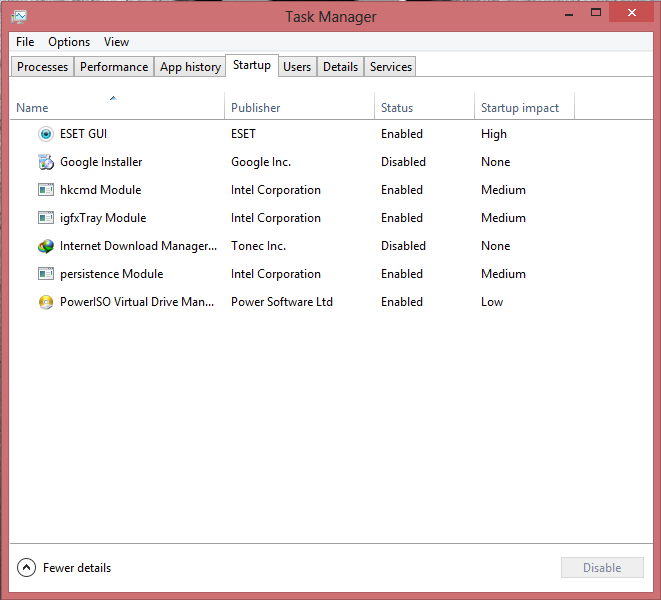
Here everyone can post there startup processes all the users will suggest you that which of the startup process you can disable for speed up your startup.
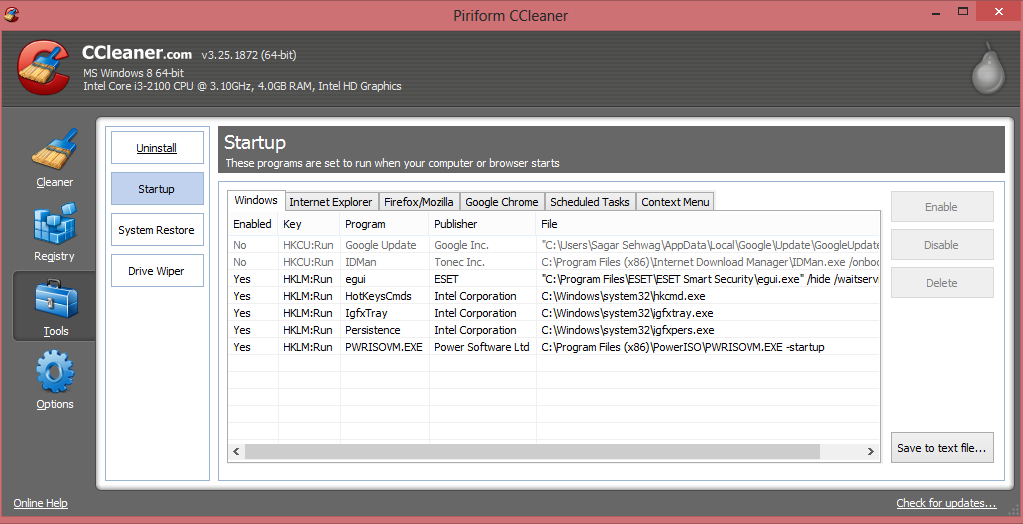
CCleaner_Starup.png


TM_Startup.png
 
  • Like
Reactions: Logethica
Windows 8 can natively ISO Mount, don't need PowerISO.

Unsure about the Intel-related start-up items, depends on their purpose is.

Edit: Autoruns shows more detail. Use with caution.

Edited
 
Upvote 0
Get rid of IGfxTray.
The igfx tray loads the graphic options tray icon. You can configure the options from inside or just use intels control panel.
I use the inbuilt graphic card and have disabled both. The other intel service is for hotkeys. You can use certain key combos to rotate screen etc. If you dont do that just disable.
You can try disabling persistance too but you may get stability issues. :)
And yeah power ISO is not needed.
 
Upvote 0
Some of PowerISO features are made redundant in Windows 8, as the OS can perform these operations without 3rd-party software.

Features new to Windows 8 said:
File Explorer also provides a built-in function for mounting ISO, IMG, and VHD files as virtual drives.

Source: Wikipedia.org
 
Upvote 0
Earth said:
Some of PowerISO features are made redundant in Windows 8, as the OS can perform these operations without 3rd-party software.

Features new to Windows 8 said:
File Explorer also provides a built-in function for mounting ISO, IMG, and VHD files as virtual drives.

Source: Wikipedia.org

Thanx but is there anyway to make an image through explorer any cd/dvd
 
Upvote 0
@Unknown, Please create a new thread for that discussion.


Exported from CCleaner:
Code:
Yes - HKCU:Run - F.lux
No - HKCU:Run - Google Update
No - HKCU:Run - googletalk
Yes - HKLM:Run - Apoint
Yes - HKLM:Run - Toolwiz TimeFreeze
Yes - HKLM:Run - ZALFree
Yes - Startup Common - RCR.lnk
No - Startup User - Forecaster.lnk
No - Startup User - Network Activity Indicator.lnk
 
Upvote 0
you asked how to create images/iso using file explorer.
So you must create new thread about this question and title that thread "How to create images/iso of CD/DVD in windows 8 :)
 
Upvote 0
Talking about the Intel ones, disable igfxtray as what malbky said, also persistence module if you have not opened the configuration of the display using Intel's app. If you have changed some settings in it (let's say contrast level), the settings will not be automatically applied each startup, you have to launch persistence module manually to get the changes back.

I have no idea about hkcmd, but I used to disable it always. I did not face any problem.

EDIT: hkcmd is for changing Display settings by using keyboard shortcuts. You can assign them by going to the Intel display settings. Disable it if not needed. Also if you disabled persistence module there is no need for this. But changing brightness from power options (or by the keyboard shortcut like Fn + F6 just for example, differs from a PC to another) has nothing to do with hkcmd.

Confusing explanation, sorry. :D
 
Upvote 0
Status
Not open for further replies.
