New Update Sublime Text Updates Thread

Office, email and business apps
5 Replies 1,288 Views

lokamoka820

Level 55
Verified
Top Poster
Well-known
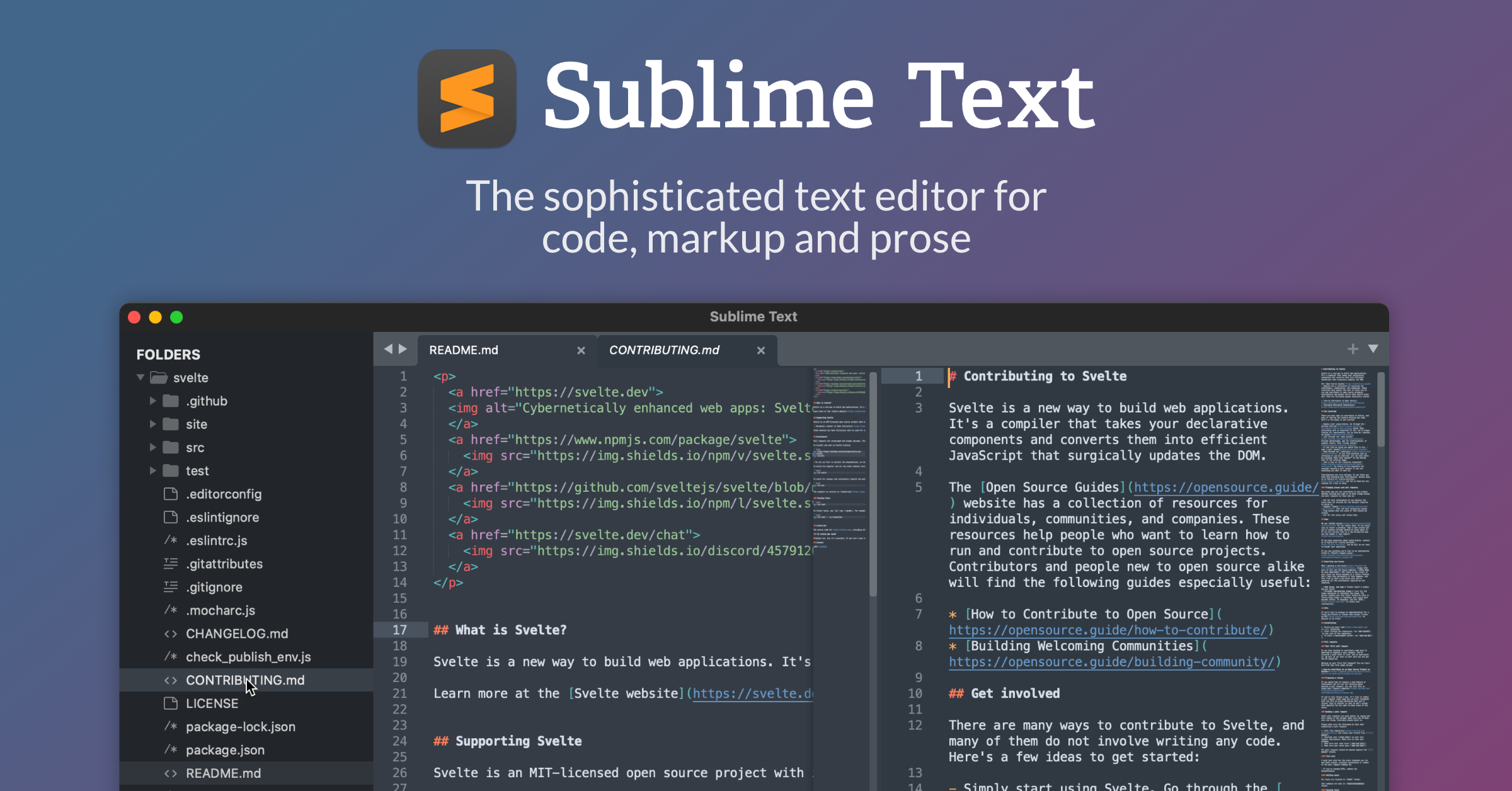
Sublime Text is a sophisticated text editor for code, markup and prose. You'll love the slick user interface, extraordinary features and amazing performance.
Screenshot 2024-12-21 at 18-34-14 Sublime Text Sleek editor with powerful coding tools Alterna...pngScreenshot 2024-12-21 at 18-34-20 Sublime Text Sleek editor with powerful coding tools Alterna...pngScreenshot 2024-12-21 at 18-34-25 Sublime Text Sleek editor with powerful coding tools Alterna...pngScreenshot 2024-12-21 at 18-34-31 Sublime Text Sleek editor with powerful coding tools Alterna...png
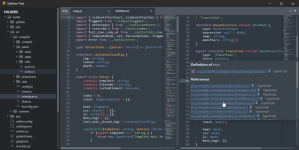
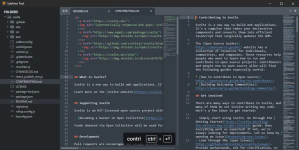
Effortlessly split panes and navigate between code
With the new Tab Multi-Select functionality, tabs become first-class citizens in the interface. A simple modifier when performing actions will split the interface to show multiple tabs at once. Works with the side bar, tab bar, Goto Anything and more!

Side-by-side mode for definitions
The Definitions popup now supports side-by-side mode via the icon, or holding Ctrl while clicking a link. Goto Definition, Goto Reference and Goto Symbol in Project also support side-by-side viewing. Explore the full definition, not just a summary in a small popup.

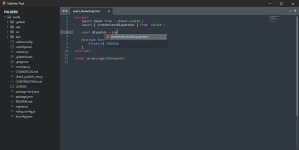
View definitions in auto complete
When an auto-complete word is a symbol with a definition, click the Definition link, or pressing F12 will open the definition to the right. When focus returns to the original file, the auto complete window will return to its last state.

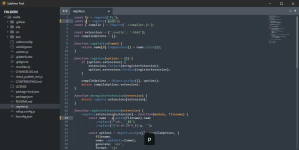
Use multiple selections to rename variables quickly
Here Ctrl+D is used to select the next occurrence of the current word. Ctrl+K, Ctrl+D will skip an occurence. Once created, each selection allows for full-featured editing.
 
Sublime Text 4 Build 4189
Dec 20, 2024
  • Fixed a performance regression when editing large files
  • Fixed laggy window resizing regression when text wrap is turned off
  • Fixed incorrect scroll extents when using fractional scaling
  • Fixed symbol icons missing in some cases
  • Fixed find_under_expand_skip clearing the selection when there's only one occurrence
 
Sublime Text 4 Build 4200
May 21, 2025
We're planning on making some changes to the supported plugin Python versions.
See the Blog post for more details.

New Features and Improvements​

  • Sidebar can now be moved to the right side using the "sidebar_on_right" setting
  • Build systems can now optionally have an input box by using "interactive": true
  • Added "disable_plugin_host_3.3" setting. This causes all plugins to run under 3.8
  • Rewritten syntax highlighting for SQL, ActionScript, Diff, Bash and Graphviz thanks to jrappen, michaelblyons, keith-hall and deathaxe
  • Added Zsh and TOML syntax highlighting thanks to deathaxe
  • Various syntax highlighting improvements
  • Improved git status performance
  • Significantly improved performance when editing with many selections
  • Commands passed via the command line are now delayed until files and plugins have loaded
  • Built-in color schemes now specially highlight string mapping keys
  • Improved behavior of copy/cut with multiple empty selections
  • Tab translation is now disabled when reading from stdin
  • Improved handling of saving files in non-existent directories
  • Added "default_font_size" setting
  • Added "reload_file_in_background" setting
  • Added "set_unsaved_view_name_for_syntax" setting
  • Allow variable expansion in a syntax's first_line_match regex
  • API: Added Window.create_io_panel and Window.find_io_panel
  • API: Added Selection.has_empty_region, Selection.has_non_empty_region and Selection.has_multiple_non_empty_regions

Fixes​

  • Fixed wrap_lines command not understanding newer ruler settings
  • Fixed bookmarks not toggling at EOF
  • Fixed an issue with click event handling on the scroll bar
  • Fixed build system errors not having the correct PATH
  • Fixed index crawler leaking shared memory in special cases
  • Fixed local transformed symbols having the wrong region
  • Fixed find_under_expand edge case
  • Fixed uneven indent guide rendering with fractional dpi scaling
  • Fixed certain minimap settings incorrectly affecting text rendering
 
Build 4213
Sublime Text now ships with Python 3.14 and Python 3.3. Python 3.3 is disabled by default and will be removed in a future version. If you're experiencing plugin compatibility issues you can re-enable 3.3 using the setting "disable_plugin_host_3.3": false.

New Features and Improvements​

  • Upgraded Python 3.8 to Python 3.14
  • Python 3.3 is now disabled by default
  • Various syntax highlighting improvements
  • Newly rewritten C# syntax highlighting thanks to deathaxe
  • Added file icon themes. See the documentation
  • Added open_terminal command for opening external terminal emulators
  • Scope selectors can now use > to explicitly match child scopes
  • Improved performance when saving many files
  • Improved performance of git status
  • Improved tab dragging behavior while using enable_tab_scrolling
  • Undo/redo history is no longer restored when the file has changed on disk
  • Fine tuned fuzzy matching logic to improve sorting in some cases
  • Added support for git reftables
  • Improved join line behavior with right-brackets
  • Improved ruler position when using a proportional font
  • Added "io_workers" setting

API​

  • Improved type hints
  • Added Sheet.name() and Sheet.set_name() for all sheet types
  • Added sublime.lib_path() function
  • sublime.load_resource will now throw FileTooLarge when the resource exceeds size limits
  • sublime.load_resource can now be passed a max_size parameter
  • Fixed find_syntax_for_file not handling paths on Windows
  • Fixed some edge cases when using NewFileFlags.REPLACE_MRU
  • Fixed View.syntax() returning None with specific syntaxes
  • Fixed command names not being snake_cased correctly
  • Fixed initialization when multi-inheriting classes

Windows​

  • The minimum required version is now Windows 10
  • Fixed a problem where rendering stops running
  • Fixed a code-signing issue that could result in spurious warnings
  • Fixed multi-instance handling when running ST as administrator
  • Limited the number of extensions shown in file dialogs
  • Fixed installer not removing all files after certain updates

Mac​

  • The minimum required version is now macOS 10.13
  • Added "click_through" setting
  • Fixed windows not restoring to workspaces
  • Fixed window styling for macOS 27
  • Fixed issues restoring minimized windows
  • Fixed incorrect window size when going from a maximized window to full screen
  • Made open_dir command work with no open windows

Linux​

  • Fixed modal dialogs blocking all open windows
  • Fixed drag-state becoming stuck after dragging text from chrome
  • Fixed incorrectly setting selection clipboard when multiple sheets are selected
  • Fixed modifier keys persisting after window close
  • Fixed KDE "alternate characters" input method not working as expected
  • Fixed tab dragging under Wayland causing an air-drop when not intended
  • PATH is now respected when looking up pkexec and gksudo

Fixes​

  • Fixed find-in-files not properly searching for folders starting with a dot
  • Fixed minimized windows popping up on quit
  • Fixed a case where close_project command corrupted the workspace file
  • Fixed close_project not closing windows when expected
  • Fixed a case where loading a project cleared the folder list
  • Fixed a false positive case in filesystem loop detection
  • Fixed sidebar resizing not working when sidebar is on the right and using non-integer DPI scaling
  • Fixed the side bar selection not begin updating in some cases
  • Fixed an issue with sidebar focus when animations are disabled
  • Fixed sheets not being focused when double-clicking in the sidebar with "preview_on_click" disabled
  • Fixed selection not being maintained when joining lines
  • Fixed caret disappearing when clicking off inline diffs
  • Fixed select_lines not scrolling to reveal the selection
  • Fixed Close Unmodified Tabs menu hiding when no tabs are modified
  • Fixed Goto Definition sometimes being scrolled incorrectly
  • Fixed ? matching / in wildcards
  • Fixed file encoding not being restored for unsaved files
  • Fixed non-integer "default_font_size" being rounded
  • Fixed build system variable "path" not working
  • Fixed a syntax engine crash
 
Build 4215
  • Fixed vintage "M" command not working
  • Mac: Fixed compatibility issue with macOS 10.13 and 10.14
  • Windows: Fixed installer giving an error message on arm64
  • Linux: Worked around issue where non-ascii text was being escaped under GNOME/Wayland
  • Linux: Worked around issue with drag-drop mime types under GNOME/Wayland
 
KEEP EXPLORING

Similar threads

Another perspective. Your next conversation.

Community
Security tip
Use a separate account. Give other people their own account when sharing a Mac. Separate accounts help keep personal files and settings from mixing during everyday use.
Back
Top