

The MalwareTips app
Your community, one tap away.
Open MalwareTips from your Home Screen or desktop. Follow discussions, find answers and pick up where you left off.
- Home Screen access
- Optional push alerts
- Your community
You're ready to explore.Explore what's new
Installation instructions
iPhone & iPad
- Open MalwareTips in Safari and tap Share. You may need to open the Page Menu first.
- Choose Add to Home Screen. If it is not listed, use Edit Actions to add it.
- Keep Open as Web App enabled if shown, then tap Add.
Android
- Open MalwareTips in Chrome or another browser that supports app installation.
- Open the browser menu and look for Install app, Install and create shortcut, or Add to Home screen.
- Choose Install and confirm. Wording varies by browser.
Desktop
- Chrome: use the install icon in the address bar, or the menu under Cast, save and share.
- Edge: open the menu, then More tools, Apps and Install this site as an app.
- Safari on Mac: choose Share or File, then Add to Dock. Firefox on Windows: look for the web apps button in the address bar.
If you cannot find an install option, update your browser or use its bookmark option to keep MalwareTips close.
Keep up with your conversations
After installation, open the app and sign in. Enable push notifications in Preferences if you want alerts. On iPhone and iPad, push requires a Home Screen web app and iOS or iPadOS 16.4 or later.
Sign in to manage notificationsInstallation is optional. Your notification settings stay under your control.
You are using an out of date browser. It may not display this or other websites correctly.
You should upgrade or use an alternative browser.
You should upgrade or use an alternative browser.
Advice Request SUMo alternatives (not really looking for one just want to see what else is out there sorry)
Share practical recommendations that address the author's needs.

Gandalf_The_Grey
Level 86
Verified
Honorary Member
Top Poster
Content Creator
Well-known
Forum Veteran
The first two that I can think of are Patch My PC and UCheck:
 patchmypc.com
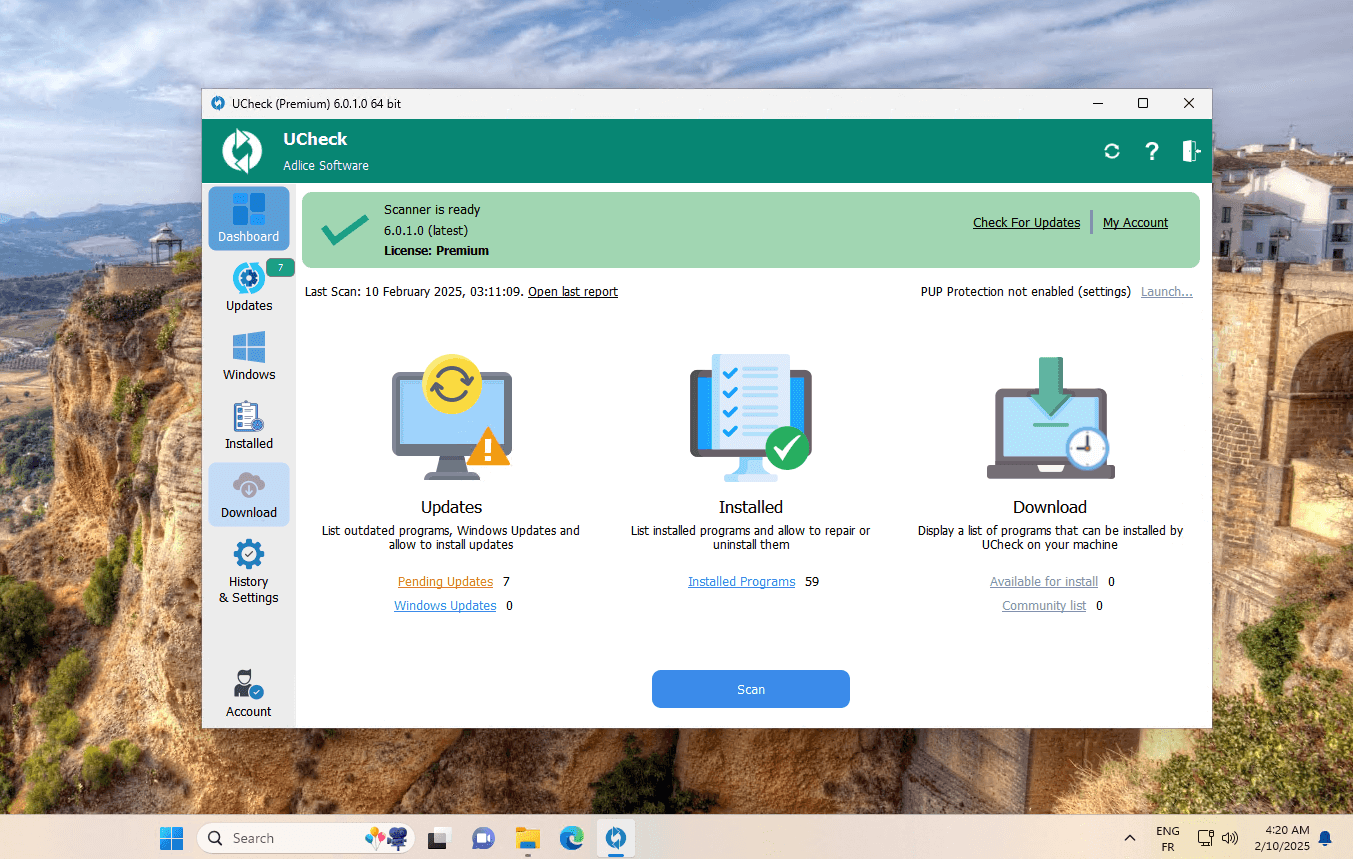
 www.adlice.com
Home Updater
Did you know your home device/computer needs regular updates to stay secure? Automate your patching for over 500+ applications free of charge.
patchmypc.com
UCheck — Free Software Updater
UCheck detects and updates your installed programs automatically, for free. Stay current, stay secure.
www.adlice.com
The first two that I can think of are Patch My PC and UCheck:
Home Updater
Did you know your home device/computer needs regular updates to stay secure? Automate your patching for over 500+ applications free of charge.UCheck — Free Software Updater
UCheck detects and updates your installed programs automatically, for free. Stay current, stay secure.
Thanks.
Gandalf_The_Grey
Level 86
Verified
Honorary Member
Top Poster
Content Creator
Well-known
Forum Veteran
I think any questions could be better asked and answered in its own thread here:UCheck looks interesting but the paid version seems to only work with supported programs to one click install all programs at once. May try the 30 day trial to be sure that is the case. Otherwise it is decent!

UCheck: Software Update Checker & Installer | MalwareTips
Homepage: UCheck Software Updater | Patch your Programs • Adlice Software Review by gHacks: UCheck: update checker and software installer by RogueKiller...
 malwaretips.com
I think any questions could be better asked and answered in its own thread here:
The developer @Tigzy also posts there.UCheck: Software Update Checker & Installer | MalwareTips
Homepage: UCheck Software Updater | Patch your Programs • Adlice Software Review by gHacks: UCheck: update checker and software installer by RogueKiller...
Cool good idea!


In case you want to stay on SUMo, i'm the developper and i've a dedicated thread on this forum to provide support and share feedback : SUMo v5.x Changelog
Recently browsing
Members who viewed this thread in the last 5 minutes


