System Informer 4.0
The first 4.0 release: a new kernel/user transport, a Process Monitor, Hybrid Analysis integration, a JSON settings store, a rewritten installer, and a year of fixes across the app, driver, plugins, and phnt headers.
Highlights
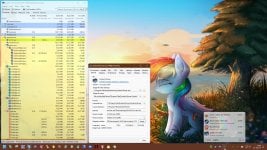
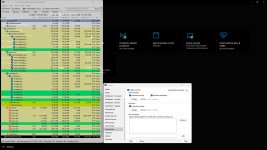
- Process Monitor (Tools menu): a driver-backed live log of process, thread, image, registry, file, handle and silo events with filtering, access-mask decoding, and configurable look-back.
- Hybrid Analysis integration (OnlineChecks): System Informer can now automatically check running processes and loaded images against Hybrid Analysis, showing verdicts directly in the process and module lists via a new Hybrid Analysis column. Unknown files can optionally be submitted for analysis. Results are cached locally so repeated lookups are free, and scanning is opt-in with per-service API keys, path exclusions, and rate handling built in.
- Ring-buffer informer transport in the kernel driver: large shared-memory ring instead of per-message port round-trips, with rate limiting and per-client statistics; informer callbacks run at APC/DPC level where possible.
- New installer: modern wizard with dark mode, DPI scaling, uninstaller, shortcut page, and atomic staged extraction with rollback — failed updates no longer leave a half-written directory.
- Updater: toast-notification flow with progress and actions; BITS, Delivery Optimization and Microsoft Store download back-ends.
- Low-latency mode (experimental, Windows 11): high-resolution provider timers.
- Per-monitor DPI and dark theme work throughout the app, plugins, and property sheets, including Windows 11 borders and much less resize flicker.
Application
New
- Users tab (logged-on sessions); process environment editor with multi-entry split editing; WMI tab gains MI support.
- Columns: Short user name, service Username, thread RPC usage, thread kernel stack, handle reference count/size, extended GDI/handle details, ALPC port state; GPU/NPU committed memory.
- Process tree: independent root/child sort options, Collapse/Expand All, aggregate-aware sorting; Ctrl-drag parent fix.
- Threads: Freeze/Thaw, suspended/wait-type highlighting; Modules: native/mapped highlighting and CLR metadata mapping.
- Memory strings search: parallel/bulk scanning, UTF-8, progress, sortable results.
- Services: multi-select start/pause with progress and retry; Run As: per-launch privilege selection and AppContainer launch.
- Handle protect/inherit changes without the driver; COM permission dialogs; desktop heap detection; UDP firewall-exempt port highlighting.
- System Information: reorderable sections, horizontal scrolling, per-CPU speed; overhauled tray mini-info window; energy statistics.
- Options: consolidated Highlighting page, per-tab layout persistence, advanced setting editor; settings.schema.json shipped for editors.
- Hold Shift at startup to launch the original Task Manager when System Informer is the replacement.
Fixed
- I/O delta columns sorting by cumulative values; page/IO priority in Threads tab; protection column sort; username column not updating.
- Process affinity regressions (single and multi processor groups); main window stealing foreground at startup; previous-instance restore and handle leak.
- Hangs opening the security editor and AFD socket properties; crashes on CPUs without rdtscp, in snapshot handling, on "Current Power Scheme", and with WSL info when no distro is installed.
- Settings not saving on network shares; User Notes not reloaded on restart; Windows 7 import resolution.
- Numerous memory and handle leaks, out-of-bounds reads (CPU info, syscall list, AVX search), and dark-theme painting bugs.
Kernel driver (KSystemInformer)
- Silo (container) informer; file informer now reports copy operations, access masks and image sizes; thread kernel-stack query; hash-result caching; dedicated system process for driver threads.
- Object protection reworked with broader handle-access stripping and on-demand protection; CID table population optimized; portable mode always unloads the driver on exit.
- Hardening: OBJ_DONT_REPARSE on all internal opens; message/dynamic-data validation and size math hardened; share-check/paging-file open options require MAXIMUM state; "securely created" state requires WinTcb/WinSystem creator; randomized minifilter altitude when load fails; rundown protection for hash/verify.
- Many correctness fixes: native-load race, ring-buffer signaling, informer state leak, file-op buffer/MDL handling, EPROCESS/VPB/pool-tag issues, image-mapping leak, registry post-op strings, thread handle guarantees.
Security hardening (user mode)
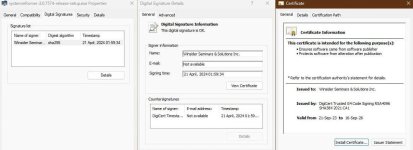
- Updater: the downloaded installer is now re-verified from disk and held with a deny-write handle until launched, failing closed otherwise.
- phsvc: the elevated helper now pins the client image to Systchecks integrity before accepting connections.
- Overflow-checked size math in ACL/security-descriptor, heap and config parsing; DbgHelpVerifyMicrosoftChain setting to verify the dbghelp/symsrv signing chain; remote environment address validation.
Hybrid Analysis & file reputation (OnlineChecks)
- Automatic reputation scanning of processes and modules with Hybrid Analysis; verdicts surface in a new Hybrid Analysis column and in the file properties.
- Optional automatic submission of unknown files to Hybrid Analysis for sandbox analysis.
- Opt-in setup flow with a Hybrid Analysis partner prompt; perd path exclusions so sensitive directories are never hashed orsubmitted; configurable startup delay.
- Batched hashing and requests with rate-limit handling, and a portable SQLite scan cache shared safely across multiple System Informer processes.
Plugins
- ExtendedTools: ACPI tables, TPM boot log (WBCL), Power Grid/ and Startup Tasks dialogs; per-adapter/per-node GPU columns and GPU memory mini-info; disk rate columns; better firewall monitor.
- WindowExplorer: rewritten on a window-provider model (pause/resume, message-only windows, snapshot finder); UI Automation and child-window property tabs; highlight overlay.
- ToolStatus: menu-bar mode, Find window, rendering and leak fixes.
- HardwareDevices: device-tree search and sort options; AMD RAPL fix; crash fix on driver-search page.
- NetworkTools: continuous-ping traceroute; refreshed GeoLite/IANA port data; WHOIS fixes.
- DotNetTools: rate-per-second counters; leak/crash fixes; updated CLR headers.
- All plugins: settings.json, clearer load-error messages, lower memory use.
peview
- Manifest, LoadLibrary/GetProcAddress, PDB symbol tree, dynamic-relocation tree, Resource Viewer, exception unwind, section slack and CLR metadata views; SymCrypt hashing; sort-crash and DPI fixes.
Build & project
- Rewritten CMake build (MSVC and clang-cl, x86/x64/ARM64) and build_cmake.cmd; EWDK/ESDK support; new build_msix.cmd, build_header.cmd, build_compile_commands.cmd.
- Third-party: SymCrypt, Zydis, PCRE2 SIMD added; PCRE, miniz, maxminddb, json-c, PresentMon updated.



 systeminformer.sourceforge.io