Hot Take The Correct Way To Use PrivaZer On SSDs

lokamoka820

Level 46
Thread author
Verified
Top Poster
Well-known
Mar 1, 2024
3,544
3
12,011
4,469
Banana Republic
PrivaZer is a popular junk file cleaner that includes additional privacy measures, such as secure deletion of files and securely wiping free space on drives. PrivaZer is my junk file cleaner of choice.

However, if you’re running an SSD, there are a couple of PrivaZer settings you should be aware of.
 
PrivaZer can be useful, but the SSD-specific concern is real.

Why SSDs are different

Traditional “secure overwrite” methods were designed for HDDs. On SSDs, wear-leveling and over-provisioning mean:
  • You cannot reliably guarantee that a specific physical cell was overwritten.
  • Repeated wiping can create unnecessary write wear.
  • Free-space wiping is generally less meaningful on SSDs than on HDDs.

Because of that, using aggressive wipe settings on an SSD is usually not recommended unless the vendor documents a safe SSD-aware method.

What to be careful with in PrivaZer

If the drive is an SSD, the settings that usually deserve caution are:
  • Secure deletion by repeated overwriting
  • Wiping free space
  • Any option that performs large amounts of unnecessary write activity

In general, TRIM plus normal deletion behavior is the more appropriate approach for SSDs, rather than repeated overwrite passes.

Practical guidance

A safer approach on SSDs is:
  • Use PrivaZer mainly for ordinary cleanup if you trust the program and need its features
  • Avoid repeated secure overwrite passes on SSD-stored data
  • Avoid routine free-space wiping on SSDs
  • Make sure TRIM is enabled in Windows
  • For full-drive sanitization, use the SSD manufacturer’s official utility or a documented secure erase/sanitize procedure

Important limitation

I cannot verify every current PrivaZer option or how its latest version handles SSD-specific operations without checking the official documentation for that exact release. So I would treat third-party advice cautiously and compare it against the PrivaZer manual and SSD vendor guidance.

Bottom line

The main point is correct: SSDs should not be treated like HDDs for secure deletion. Cleanup is fine, but repeated overwrite-style wiping and free-space wiping are generally the settings to avoid on SSDs.
 
The Correct Way To Use PrivaZer On SSDs
The Correct Way is to use RAMdisk. PrivaZer is just an overrated cleanmgr. If overwrite would work, you would not need Gutmann's 35 pass wipe, a single 🧻 would do.
I imagine this is the case for all Chromium? Any one check?
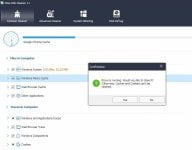
Aged cleaners are used to this, Wise asks to close browsers like Edge or Brave.

capture_05092026_143946.jpg

even then results are mixed, history/data survives.
I triple clean Edge's cache, except cookies.
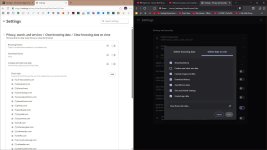
1. Clear browsing data on close
2. Wise Disk Cleaner
3. Manual Cleanup

Code:
taskkill /im brave.exe /f
taskkill /im chrome.exe /f
taskkill /im dllhost.exe /f
taskkill /im firefox.exe /f
taskkill /im librewolf.exe /f
taskkill /im mailbird.exe /f
taskkill /im msedge.exe /f
taskkill /im msedgewebview2.exe /f
taskkill /im onedrive.exe /f
taskkill /im rundll32.exe /f
taskkill /im steam.exe /f
taskkill /im tor.exe /f

rem Run Wise Disk Cleaner
start "" /wait "%ProgramFiles(x86)%\Wise\Wise Disk Cleaner\WiseDiskCleaner.exe" -a -all

rem Run Wise Registry Cleaner
start "" /wait "%ProgramFiles(x86)%\Wise\Wise Registry Cleaner\WiseRegCleaner.exe" -a -all

rem Trim Some Edges - edge://settings/privacy/cookies/AllCookies
rd "%ProgramFiles(x86)%\Microsoft\EdgeUpdate\Download" /s /q
del "%LocalAppData%\Microsoft\Edge\User Data\Default\*history*." /s /f /q
del "%LocalAppData%\Microsoft\Edge\User Data\Default\AccountBookmarks" /s /f /q
del "%LocalAppData%\Microsoft\Edge\User Data\Default\Affiliation Database" /s /f /q
del "%LocalAppData%\Microsoft\Edge\User Data\Default\Affiliation Database-journal" /s /f /q
del "%LocalAppData%\Microsoft\Edge\User Data\Default\arbitration_service_config.json" /s /f /q
del "%LocalAppData%\Microsoft\Edge\User Data\Default\BookmarkMergedSurfaceOrdering" /s /f /q
del "%LocalAppData%\Microsoft\Edge\User Data\Default\BrowsingTopicsSiteData" /s /f /q
del "%LocalAppData%\Microsoft\Edge\User Data\Default\BrowsingTopicsSiteData-journal" /s /f /q
del "%LocalAppData%\Microsoft\Edge\User Data\Default\BrowsingTopicsState" /s /f /q
del "%LocalAppData%\Microsoft\Edge\User Data\Default\Custom Dictionary.txt" /s /f /q
del "%LocalAppData%\Microsoft\Edge\User Data\Default\DashTrackerDatabase" /s /f /q
del "%LocalAppData%\Microsoft\Edge\User Data\Default\DashTrackerDatabase-journal" /s /f /q
del "%LocalAppData%\Microsoft\Edge\User Data\Default\default_cloud_config.json" /s /f /q
del "%LocalAppData%\Microsoft\Edge\User Data\Default\DIPS" /s /f /q
del "%LocalAppData%\Microsoft\Edge\User Data\Default\DIPS-journal" /s /f /q
del "%LocalAppData%\Microsoft\Edge\User Data\Default\Extension Cookies" /s /f /q
del "%LocalAppData%\Microsoft\Edge\User Data\Default\ExtensionActivityComp" /s /f /q
del "%LocalAppData%\Microsoft\Edge\User Data\Default\ExtensionActivityComp-journal" /s /f /q
del "%LocalAppData%\Microsoft\Edge\User Data\Default\ExtensionActivityEdge" /s /f /q
del "%LocalAppData%\Microsoft\Edge\User Data\Default\ExtensionActivityEdge-journal" /s /f /q
del "%LocalAppData%\Microsoft\Edge\User Data\Default\HubApps" /s /f /q
del "%LocalAppData%\Microsoft\Edge\User Data\Default\HubApps Icons" /s /f /q
del "%LocalAppData%\Microsoft\Edge\User Data\Default\HubApps Icons-journal" /s /f /q
del "%LocalAppData%\Microsoft\Edge\User Data\Default\InterestGroups" /s /f /q
del "%LocalAppData%\Microsoft\Edge\User Data\Default\LOCK" /s /f /q
del "%LocalAppData%\Microsoft\Edge\User Data\Default\LOG" /s /f /q
del "%LocalAppData%\Microsoft\Edge\User Data\Default\LOG.old" /s /f /q
del "%LocalAppData%\Microsoft\Edge\User Data\Default\Login Data" /s /f /q
del "%LocalAppData%\Microsoft\Edge\User Data\Default\Login Data-journal" /s /f /q
del "%LocalAppData%\Microsoft\Edge\User Data\Default\Login Data For Account" /s /f /q
del "%LocalAppData%\Microsoft\Edge\User Data\Default\Login Data For Account-journal" /s /f /q
del "%LocalAppData%\Microsoft\Edge\User Data\Default\MediaDeviceSalts" /s /f /q
del "%LocalAppData%\Microsoft\Edge\User Data\Default\MediaDeviceSalts-journal" /s /f /q
del "%LocalAppData%\Microsoft\Edge\User Data\Default\Network Action Predictor" /s /f /q
del "%LocalAppData%\Microsoft\Edge\User Data\Default\Network Action Predictor-journal" /s /f /q
del "%LocalAppData%\Microsoft\Edge\User Data\Default\Network Persistent State" /s /f /q
del "%LocalAppData%\Microsoft\Edge\User Data\Default\PreferredApps" /s /f /q
del "%LocalAppData%\Microsoft\Edge\User Data\Default\PrivateAggregation" /s /f /q
del "%LocalAppData%\Microsoft\Edge\User Data\Default\PrivateAggregation-journal" /s /f /q
del "%LocalAppData%\Microsoft\Edge\User Data\Default\Reporting and NEL" /s /f /q
del "%LocalAppData%\Microsoft\Edge\User Data\Default\Reporting and NEL-journal" /s /f /q
del "%LocalAppData%\Microsoft\Edge\User Data\Default\QuotaManager" /s /f /q
del "%LocalAppData%\Microsoft\Edge\User Data\Default\QuotaManager-journal" /s /f /q
del "%LocalAppData%\Microsoft\Edge\User Data\Default\SharedStorage" /s /f /q
del "%LocalAppData%\Microsoft\Edge\User Data\Default\Shortcuts" /s /f /q
del "%LocalAppData%\Microsoft\Edge\User Data\Default\Shortcuts-journal" /s /f /q
del "%LocalAppData%\Microsoft\Edge\User Data\Default\Top Sites" /s /f /q
del "%LocalAppData%\Microsoft\Edge\User Data\Default\Top Sites-journal" /s /f /q
del "%LocalAppData%\Microsoft\Edge\User Data\Default\uu_host_config" /s /f /q
del "%LocalAppData%\Microsoft\Edge\User Data\Default\Visited Links" /s /f /q
del "%LocalAppData%\Microsoft\Edge\User Data\Default\Vpn Tokens" /s /f /q
del "%LocalAppData%\Microsoft\Edge\User Data\Default\Vpn Tokens-journal" /s /f /q
del "%LocalAppData%\Microsoft\Edge\User Data\Default\WebAssistDatabase" /s /f /q
del "%LocalAppData%\Microsoft\Edge\User Data\Default\WebAssistDatabase-journal" /s /f /q
del "%LocalAppData%\Microsoft\Edge\User Data\Default\Web Data" /s /f /q
del "%LocalAppData%\Microsoft\Edge\User Data\Default\Web Data-journal" /s /f /q
rd "%LocalAppData%\Microsoft\Edge\User Data\Default\Asset Store" /s /q
rd "%LocalAppData%\Microsoft\Edge\User Data\Default\AssistanceHome" /s /q
rd "%LocalAppData%\Microsoft\Edge\User Data\Default\AutofillAiModelCache" /s /q
rd "%LocalAppData%\Microsoft\Edge\User Data\Default\AutofillStrikeDatabase" /s /q
rd "%LocalAppData%\Microsoft\Edge\User Data\Default\blob_storage" /s /q
rd "%LocalAppData%\Microsoft\Edge\User Data\Default\BudgetDatabase" /s /q
rd "%LocalAppData%\Microsoft\Edge\User Data\Default\Cache" /s /q
rd "%LocalAppData%\Microsoft\Edge\User Data\Default\ClientCertificates" /s /q
rd "%LocalAppData%\Microsoft\Edge\User Data\Default\Code Cache" /s /q
rd "%LocalAppData%\Microsoft\Edge\User Data\Default\Collections" /s /q
rd "%LocalAppData%\Microsoft\Edge\User Data\Default\commerce_subscription_db" /s /q
rd "%LocalAppData%\Microsoft\Edge\User Data\Default\Continuous Migration" /s /q
rd "%LocalAppData%\Microsoft\Edge\User Data\Default\databases" /s /q
rd "%LocalAppData%\Microsoft\Edge\User Data\Default\DawnGraphiteCache" /s /q
rd "%LocalAppData%\Microsoft\Edge\User Data\Default\DawnWebGPUCache" /s /q
rd "%LocalAppData%\Microsoft\Edge\User Data\Default\DNR Extension Rules" /s /q
rd "%LocalAppData%\Microsoft\Edge\User Data\Default\discount_infos_db" /s /q
rd "%LocalAppData%\Microsoft\Edge\User Data\Default\discounts_db" /s /q
rd "%LocalAppData%\Microsoft\Edge\User Data\Default\Download Service" /s /q
rd "%LocalAppData%\Microsoft\Edge\User Data\Default\DualEngine" /s /q
rd "%LocalAppData%\Microsoft\Edge\User Data\Default\EdgeCoupons" /s /q
rd "%LocalAppData%\Microsoft\Edge\User Data\Default\EdgeEDrop" /s /q
rd "%LocalAppData%\Microsoft\Edge\User Data\Default\EdgeHubAppUsage" /s /q
rd "%LocalAppData%\Microsoft\Edge\User Data\Default\EdgeJourneys" /s /q
rd "%LocalAppData%\Microsoft\Edge\User Data\Default\EdgePassageEmbeddings" /s /q
rd "%LocalAppData%\Microsoft\Edge\User Data\Default\EdgePushStorageWithConnectTokenAndKey" /s /q
rd "%LocalAppData%\Microsoft\Edge\User Data\Default\EdgePushStorageWithWinRt" /s /q
rd "%LocalAppData%\Microsoft\Edge\User Data\Default\EdgeTravel" /s /q
rd "%LocalAppData%\Microsoft\Edge\User Data\Default\EdgeUserUsage" /s /q
rd "%LocalAppData%\Microsoft\Edge\User Data\Default\EdgeWallet" /s /q
rd "%LocalAppData%\Microsoft\Edge\User Data\Default\EntityExtraction" /s /q
rd "%LocalAppData%\Microsoft\Edge\User Data\Default\Extensions" /s /q
rd "%LocalAppData%\Microsoft\Edge\User Data\Default\Extension Rules" /s /q
rd "%LocalAppData%\Microsoft\Edge\User Data\Default\Extension Scripts" /s /q
rd "%LocalAppData%\Microsoft\Edge\User Data\Default\Extension State" /s /q
rd "%LocalAppData%\Microsoft\Edge\User Data\Default\Feature Engagement Tracker" /s /q
rd "%LocalAppData%\Microsoft\Edge\User Data\Default\GPUCache" /s /q
rd "%LocalAppData%\Microsoft\Edge\User Data\Default\Feedback Reports" /s /q
rd "%LocalAppData%\Microsoft\Edge\User Data\Default\File System" /s /q
rd "%LocalAppData%\Microsoft\Edge\User Data\Default\IndexedDB" /s /q
rd "%LocalAppData%\Microsoft\Edge\User Data\Default\JumpListIconsRecentClosed" /s /q
rd "%LocalAppData%\Microsoft\Edge\User Data\Default\JumpListIconsRecentWorkspacesV2" /s /q
rd "%LocalAppData%\Microsoft\Edge\User Data\Default\JumpListIconsTopSites" /s /q
rd "%LocalAppData%\Microsoft\Edge\User Data\Default\Local Extension Settings" /s /q
rd "%LocalAppData%\Microsoft\Edge\User Data\Default\Local Storage" /s /q
rd "%LocalAppData%\Microsoft\Edge\User Data\Default\Managed Extension Settings" /s /q
rd "%LocalAppData%\Microsoft\Edge\User Data\Default\MediaFoundationCdmStore" /s /q
rd "%LocalAppData%\Microsoft\Edge\User Data\Default\Nurturing" /s /q
rd "%LocalAppData%\Microsoft\Edge\User Data\Default\optimization_guide_hint_cache_store" /s /q
rd "%LocalAppData%\Microsoft\Edge\User Data\Default\optimization_guide_model_metadata_store" /s /q
rd "%LocalAppData%\Microsoft\Edge\User Data\Default\OptimizationGuideAssetStore.db" /s /q
rd "%LocalAppData%\Microsoft\Edge\User Data\Default\parcel_tracking_db" /s /q
rd "%LocalAppData%\Microsoft\Edge\User Data\Default\Password_Diagnostics" /s /q
rd "%LocalAppData%\Microsoft\Edge\User Data\Default\Pdf" /s /q
rd "%LocalAppData%\Microsoft\Edge\User Data\Default\PDF Restore Data" /s /q
rd "%LocalAppData%\Microsoft\Edge\User Data\Default\PersistentOriginTrials" /s /q
rd "%LocalAppData%\Microsoft\Edge\User Data\Default\Platform Notifications" /s /q
rd "%LocalAppData%\Microsoft\Edge\User Data\Default\PriceComparison" /s /q
rd "%LocalAppData%\Microsoft\Edge\User Data\Default\Safe Browsing Network" /s /q
rd "%LocalAppData%\Microsoft\Edge\User Data\Default\Segmentation Platform" /s /q
rd "%LocalAppData%\Microsoft\Edge\User Data\Default\SemanticEncoder.db" /s /q
rd "%LocalAppData%\Microsoft\Edge\User Data\Default\Service Worker" /s /q
rd "%LocalAppData%\Microsoft\Edge\User Data\Default\Session Storage" /s /q
rd "%LocalAppData%\Microsoft\Edge\User Data\Default\Sessions" /s /q
rd "%LocalAppData%\Microsoft\Edge\User Data\Default\Settings Search" /s /q
rd "%LocalAppData%\Microsoft\Edge\User Data\Default\Shared Dictionary" /s /q
rd "%LocalAppData%\Microsoft\Edge\User Data\Default\shared_proto_db" /s /q
rd "%LocalAppData%\Microsoft\Edge\User Data\Default\Site Characteristics Database" /s /q
rd "%LocalAppData%\Microsoft\Edge\User Data\Default\Storage" /s /q
rd "%LocalAppData%\Microsoft\Edge\User Data\Default\Sync App Settings" /s /q
rd "%LocalAppData%\Microsoft\Edge\User Data\Default\Sync Data" /s /q
rd "%LocalAppData%\Microsoft\Edge\User Data\Default\Sync Extension Settings" /s /q
rd "%LocalAppData%\Microsoft\Edge\User Data\Default\VideoDecodeStats" /s /q
rd "%LocalAppData%\Microsoft\Edge\User Data\Default\WebrtcVideoStats" /s /q
rd "%LocalAppData%\Microsoft\Edge\User Data\Default\Web Applications" /s /q
rd "%LocalAppData%\Microsoft\Edge\User Data\Default\WebStorage" /s /q
rd "%LocalAppData%\Microsoft\Edge\User Data\Default\Workspaces" /s /q

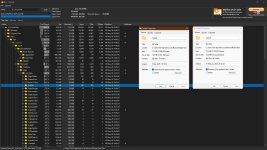
capture_05092026_143455.jpg capture_05092026_143808.jpg

Sadly 11 hates RAMdisk, moving caches and symlinks no longer work correctly, so I was forced to abandoned that approach. ☹️
 
The biggest problem with all cleaners is that they can no longer clean Edge unless you kill Edge and all it's processes even then results are mixed, history/data survives.
Does Microsoft Edge keep running in the background when you close it? If so, you can turn it off from the settings so that it closes completely when you close it.
I imagine this is the case for all Chromium? Any one check?
In my case, all Chromium browsers close completely when I close them, and I wonder why they close in the system tray for some users, which has never happened to me. Perhaps it has to do with extensions or settings.
3. Manual Cleanup
Does this code run the "Wise Registry Cleaner" program and delete the system registry without user intervention? If so, is this safe?
For PrivaZer, using it since the begining, never had any problem on SSD and Opertaing System, sure don't clean freespace and MFT (useless), otherwise nice cleaner.
What other options are you disabling?
 
Hello,

PrivaZer is completely safe and "okay" to use on an SSD because it changes how it operates depending on your drive type.

Here is exactly why it won’t ruin your SSD:
PrivaZer doesn't treat an SSD like a mechanical hard drive. It detects your hardware and adjusts its behavior.
The moment PrivaZer starts scanning, its algorithm identifies whether your drive is an HDD or an SSD.
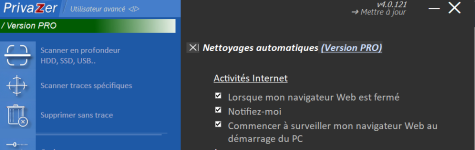
If PrivaZer detects an SSD, it uses TRIM by default as you can see here :
1779112828181.png


This tells your SSD controller exactly which blocks are no longer needed, allowing the drive to wipe them naturally through its own background garbage collection.

That's why PrivaZer is both secure and highly optimized for SSD health.​


You may also like...