Open MalwareTips in Safari and tap Share. You may need to open the Page Menu first.
Choose Add to Home Screen. If it is not listed, use Edit Actions to add it.
Keep Open as Web App enabled if shown, then tap Add.
Android
Open MalwareTips in Chrome or another browser that supports app installation.
Open the browser menu and look for Install app, Install and create shortcut, or Add to Home screen.
Choose Install and confirm. Wording varies by browser.
Desktop
Chrome: use the install icon in the address bar, or the menu under Cast, save and share.
Edge: open the menu, then More tools, Apps and Install this site as an app.
Safari on Mac: choose Share or File, then Add to Dock. Firefox on Windows: look for the web apps button in the address bar.
If you cannot find an install option, update your browser or use its bookmark option to keep MalwareTips close.
Keep up with your conversations
After installation, open the app and sign in. Enable push notifications in Preferences if you want alerts. On iPhone and iPad, push requires a Home Screen web app and iOS or iPadOS 16.4 or later.
Spycheck, a free and open-source tool, to determine if your system is vulnerable. If it is found to be vulnerable, Spycheck will guide you to recommendations on how to help protect your system. Download from below
Systems purchased before 2019:
No fix is available. For recommendations on how to help protect your system, please refer to protections against Thunderspy.
Systems purchased in or after 2019:
Your system might support Kernel DMA Protection, which partially mitigates Thunderspy. For instructions on how to verify whether your system ships this protection, please refer to Kernel DMA Protection.
Quote
Update 5/11/2020 3:13 PM ET: Intel has confirmed that the attack doesn’t work on computers that do have Kernal DMA protection enabled. “This attack could not be successfully demonstrated on systems with Kernel DMA protection enabled. As always, we encourage everyone to follow good security practices, including preventing unauthorized physical access to computers,” a spokesperson told Engadget in a statement. In addition, Intel has released a blog post giving its own perspective on the issue.
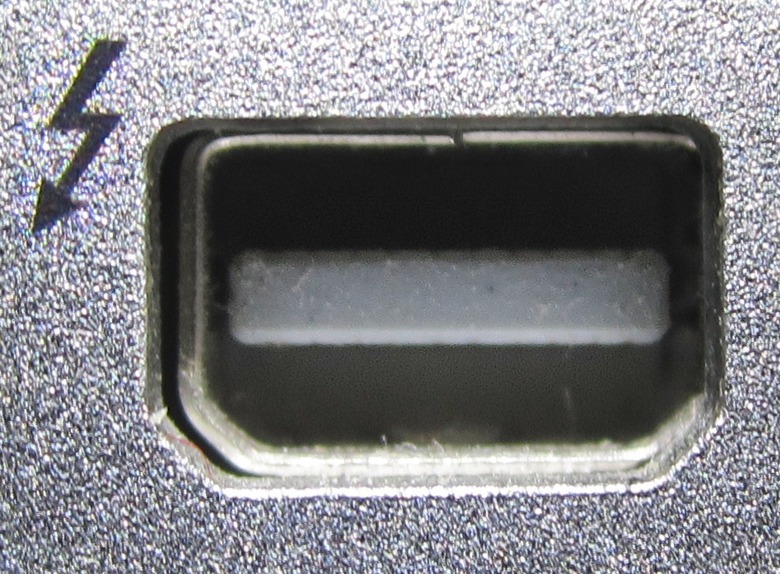
Attackers can steal data from Thunderbolt-equipped PCs or Linux computers, even if the computer is locked and the data encrypted, according to security researcher Björn Ruytenberg.

![[correlate]](/data/avatars/m/79/79653.jpg?1556985072)

![[correlate]](/data/avatars/s/79/79653.jpg?1556985072) Thread starter
[correlate]
Thread starter
[correlate]