Troubleshoot Trying to get OSRS to run Post MD block

Antimalware18

Level 13
Thread author
Verified
Top Poster
Well-known
Forum Veteran
Jan 17, 2014
627
3,010
1,168
36
USA
Briefly explain your current issue(s)
Game will not load
Steps taken to resolve, but have been unsuccessful
Uninstalled AV
Installed different AV
uninstalled Game launcher
reinstalled game launcher
Your current Antivirus
Bitdefender Free
Hello all,

the title may be confusing, but heres the issue. ive been a player of OldSchool Runescape recently (after quitting back in 2007) and I got my son into it
the issue is on my sons laptop i have MD with DefenderUI and every since i installed the jagex launcher and tried to get him set up MD popped up with this block
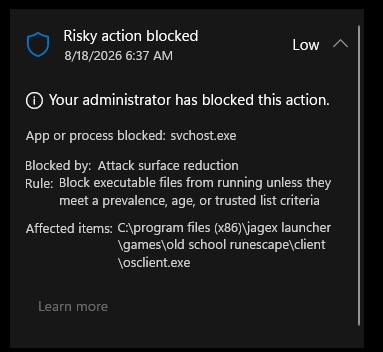
1.jpg


which led to this happening everytime i tried to open the launcher
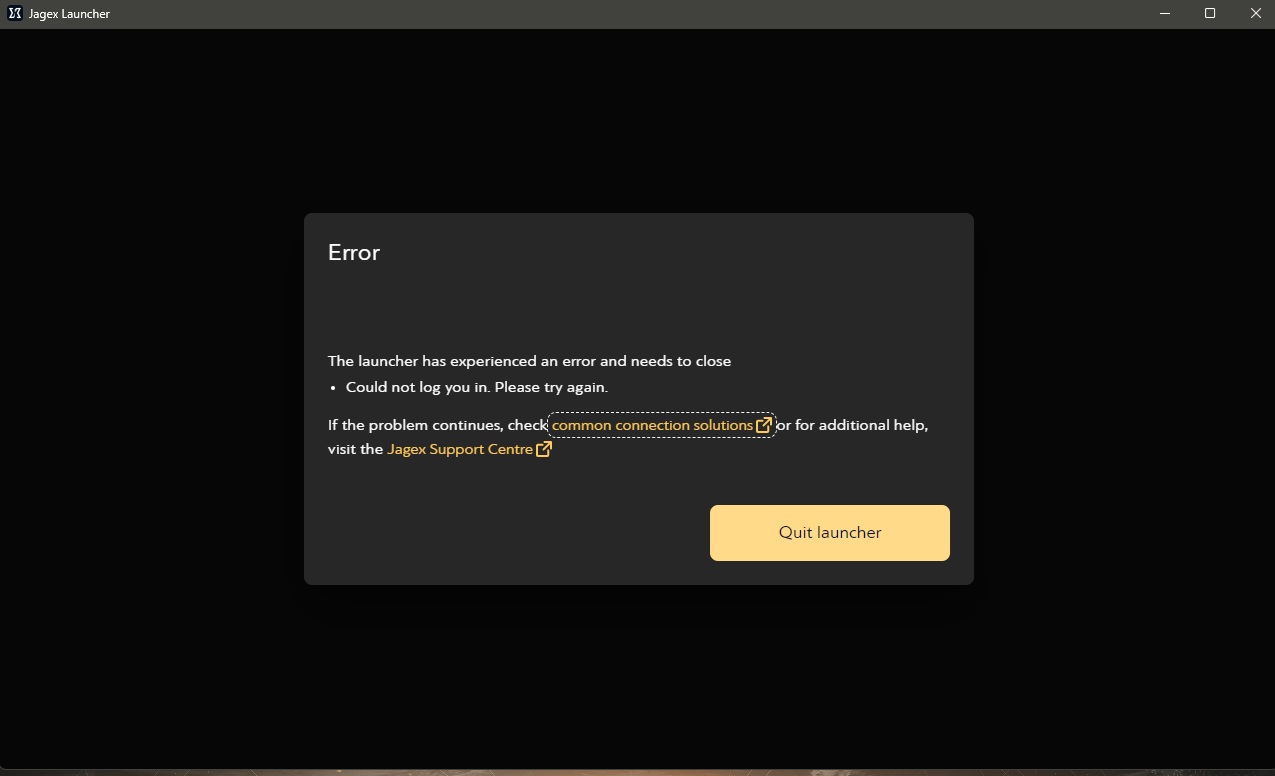
2.jpg


There is no way through MD to allow the action, so i decided to switch him to BD Free in which the launcher still isnt working
i have uninstalled/reinstalled (or the best i could, their built in uninstaller hangs and refuses to finish so i have to rip the app. out using HiBit)
and it still will not load

any help would be appriciated. thanks.
 
You mentioned using DefenderUI before—did you try resetting the MD settings to default and testing again? Even if you’ve installed new antivirus software, tools like DefenderUI can change Windows security settings that will remain in place regardless of the AV you use.

I took his laptop with me to work and so far thats a no go, the issue is they have a web filter here (i already had to restart the PC so a VPN is not a option currently) so i dont know if the launcher is not working now because it legit cant log me in (all game server adresses are blocked) or if its because of the original issue. I wont know til i can test at home tonight

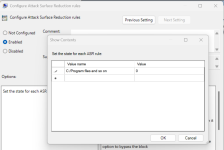
Add the whole jagger folder to exceptions of ASR rules.

From inside of the main MD program how would one do that?
 
Upvote 0
pardon my ignorance, but what is this in? it looks like Regedit. if it is what HKEY is that under?
I apply ASR rules and their exceptions using group policy editor.

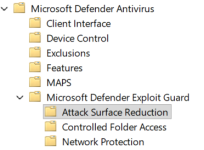
R click Windows icon, run "gpedit.msc", then Computer configuration: Administrative template: Windows components: Microsoft defender: Microsoft defender exploit guard: Exclude files and paths from attack surface reduction rules
 
  • Like
Reactions: Khushal
Upvote 0
R click Windows icon, run "gpedit.msc", then Computer configuration: Administrative template: Windows components: Microsoft defender: Microsoft defender exploit guard: Exclude files and paths from attack surface reduction rules

4.jpg


This is the point where i feel obligated to tell you...sometimes i just absolutely love computers 😈
 
  • Wow
Reactions: Parkinsond
Upvote 0
Upvote 0
@Antimalware18 - take @lokamoka820's advice and reset DefenderUI to defaults. Not with powershell, GPO or anything else.
I tried that, it was the first thing i tried (it seems to have not worked) which lead me to the post about it might not be working still because its unable to connect to the servers (site wide network filter) but im trying to set up everything before i can do a "Final" test after work today
 
Upvote 0
Case close guys, I tested my sons laptop as soon as i got home and resetting defender (because i couldnt really do any of the others) seemed to have worked, I got it loaded up, logged in and he's current playing it (y)(y)
 
Upvote 0

You may also like...