



- Describe the problem
- Bitlocker option does not appear.
- What have you tried?
- No steps taken so far.
I have an external hard drive that I would like to encrypt with Bitlocker. However, that option does not appear on the menu when I right click on the drive in File Explorer. Does anyone know why ?
I have tried re-formatting the drive- I somehow think it might be caused by my Windows settings ?
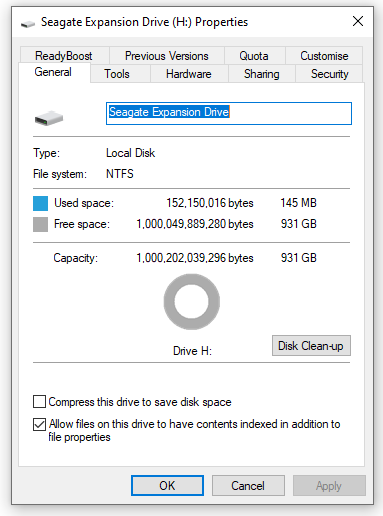
Below are the properties of the drive. Thanks for any ideas..
I have tried re-formatting the drive- I somehow think it might be caused by my Windows settings ?
Below are the properties of the drive. Thanks for any ideas..


