Advice Request Unknown system files found when trying to enable Trusted Application mode

Please provide comments and solutions that are helpful to the author of this topic.
Status
Not open for further replies.

Al-Faqir

Level 8
Thread author
Verified
Jul 24, 2018
379
1,001
668
Gaza Strip
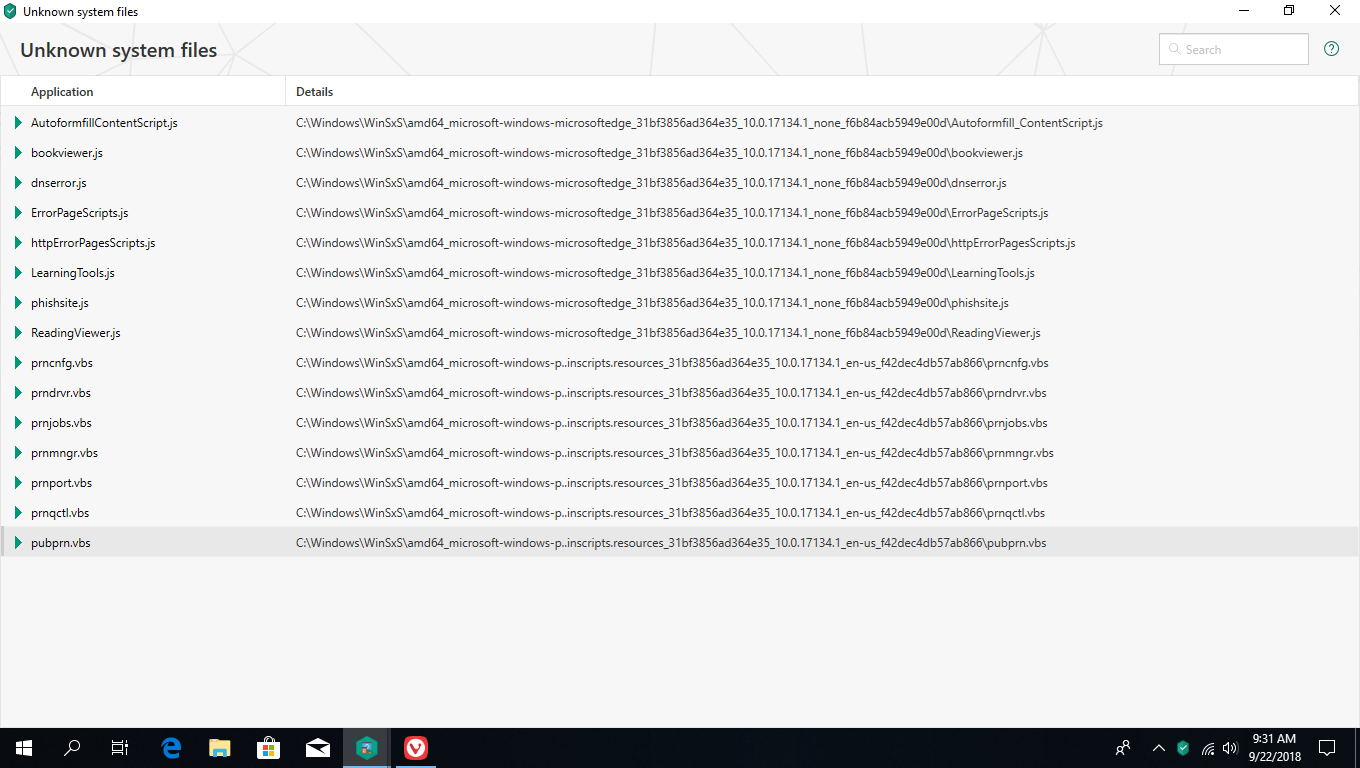
Hello! I wanted to try Kaspersky's Trusted Application mode on one of my devices. After the requirements scan finished, I got a result referring to some "unknow system files".
All files seem to be scripts. Is this familiar, and should I allow these files and enable the Trusted Application mode? Thank you
Screenshot (1).png
 
Hello! I wanted to try Kaspersky's Trusted Application mode on one of my devices. After the requirements scan finished, I got a result referring to some "unknow system files".
All files seem to be scripts. Is this familiar, and should I allow these files and enable the Trusted Application mode? Thank you

View attachment 197883

Those are Edge scripts. They are valid files.

Is your system properly querying KSN database ? Did you check networking ?

I just had KIS 2019 on a W10 system and enabled TAM and got 0 files identified as unknown.

The Kaspersky expert here is @harlan4096 .
 
Last edited by a moderator:
Check out pubprn.vbs... it is a digitally signed script. The certificate is from Microsoft and the signature is valid.

I know about this file because someone told me that scripts cannot be signed. I replied "Oh really ? ... you sure about that ? Look at this... pubprn.vbs"
 
Those are Edge scripts. They are valid files.

Is your system properly querying KSN database ? Did you check networking ?

I just had KIS 2019 on a W10 system and enabled TAM and got 0 files identified as unknown.

The Kaspersky expert here is @harlan4096 .
As @Lockdown said check Your network connection and KSN settings, all those files are seem "legit scripts" (AMD driver for Edge browser) so You may tick them all as trusted before enabling TAM...
Check out pubprn.vbs... it is a digitally signed script. The certificate is from Microsoft and the signature is valid.

I know about this file because someone told me that scripts cannot be signed. I replied "Oh really ? ... you sure about that ? Look at this... pubprn.vbs"

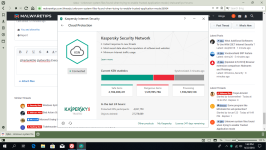
Thank you very much @Lockdown and @harlan4096. KSN status always shows as “synchronized 10 hours ago!” I’m noticing a delay in browsers too!
 
KSN 10 hours synchronizing is too long, usually 2 ~ 3 minutes... an issue with Your InterNet provider? :emoji_thinking:

TAM always finds something which still not in KSN databases
There are 2 ways to enable TAM: fast one (only scan Windows system files), and slow one (scan ALL FILES/APPLICATIONS, even those who are in external devices plugged)...
 
Last edited:
Status
Not open for further replies.