Tasneem Iqbal
New Member
My data has been encrypted by unknown hacker. Please guide me in decrypting my data.
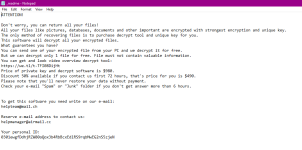
The notice after encryption is given below:
Best regards
The notice after encryption is given below:
Best regards


Open MalwareTips from your Home Screen or desktop. Follow discussions, find answers and pick up where you left off.
If you cannot find an install option, update your browser or use its bookmark option to keep MalwareTips close.
After installation, open the app and sign in. Enable push notifications in Preferences if you want alerts. On iPhone and iPad, push requires a Home Screen web app and iOS or iPadOS 16.4 or later.
Sign in to manage notificationsInstallation is optional. Your notification settings stay under your control.


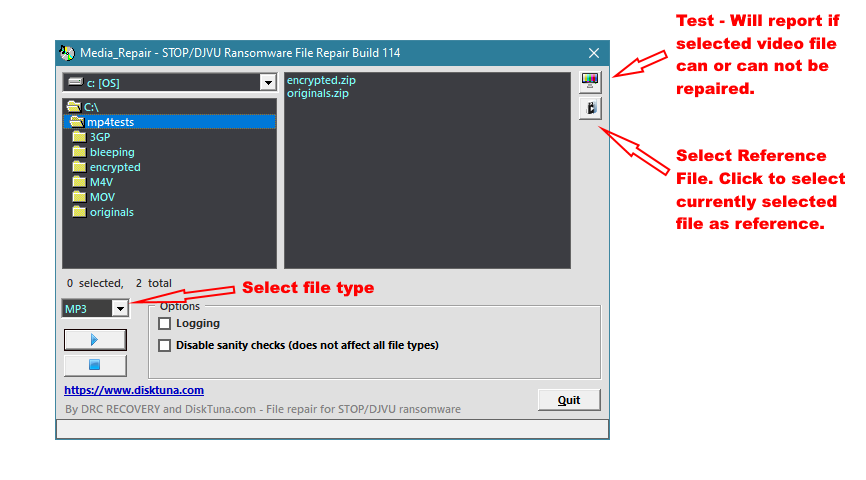

Now what should I do? Is it impossible to somehow recover my data?Those seem to be shockwave flash files. These aren't supported by browsers anymore. It's probably something your browser had in the cache at some point.
I am sorry it didn't work for you.
I am sorry, but there is nothing we can do at this point. The only people who can decrypt your files are the criminals and those aren't trustworthy. They might as well just take your money and leave.Now what should I do? Is it impossible to somehow recover my data?
So sad...... ok now please give me some suggestions or recommendations to secure my data in future from this hacking.I am sorry, but there is nothing we can do at this point. The only people who can decrypt your files are the criminals and those aren't trustworthy. They might as well just take your money and leave.
Thanks alot Sir. God bless you.STOP ransomware commonly arrives with bad software downloads, in most cases these are cracks, game cheats, patches, keygens. So to avoid this ransomware specifically, it is best to not use illegal programs.
The best strategy to avoid ransomware having a leverage on your files is the creation of regular backups, e.g., to an external drive that is not always attached to the system.
Below is a list of general infection prevention tips for all kinds of malware:
Do you have any remaining questions?
- Keep your programs always up-to-date, including the operating system, browsers, email programmes, everything that you use to interact with the web, and also your antivirus suite.
- Use exactly one antivirus suite. Several will get in the way of each other, fight for resources, and potentially detect each other as malicious due to the way antivirus has to monitor the system.
- Use browser plugins that prevent ads (aka adblockers) and execution of scripts, e.g., NoScript.
- Be careful with email attachments and links. Those can potentially contain malware or lead to phishing sites.
- Avoid using P2P software. This software is sharing files with lots of other computers. Infected files, especially worms, thrive in this environment.
- Enable to view file extensions in file explorer, so that you can recognize double extensions. These are used by malware to trick you into executing their files, e.g. my_great_movie.mp4.exe
Members who viewed this thread in the last 5 minutes


