
Although I've heard a lot about Sandboxie, I've never used it before. Has it been helpful to you in any way?Essentials: Sandboxie, Everything, AutoHotKey, Agent Ransack, CyberLock, Macrium Reflect, Terabyte Image for Windows.
Acadia


Open MalwareTips from your Home Screen or desktop. Follow discussions, find answers and pick up where you left off.
If you cannot find an install option, update your browser or use its bookmark option to keep MalwareTips close.
After installation, open the app and sign in. Enable push notifications in Preferences if you want alerts. On iPhone and iPad, push requires a Home Screen web app and iOS or iPadOS 16.4 or later.
Sign in to manage notificationsInstallation is optional. Your notification settings stay under your control.
Although I've heard a lot about Sandboxie, I've never used it before. Has it been helpful to you in any way?Essentials: Sandboxie, Everything, AutoHotKey, Agent Ransack, CyberLock, Macrium Reflect, Terabyte Image for Windows.
Acadia

It's my favorite security program. It sandboxes your browser and you can surf all over the place as you usually do. When you are done, you wipe out the sandbox which wipes out everything you did. It's quite literally as if you had never used the browser at all. Any malware is wiped out but you must understand that any bookmarks you created while sandboxed also get wiped out because EVERYTHING gets wiped out. If I find a site that I want to bookmark I make note of its URL and add it to my browser later when I am not on the web.Although I've heard a lot about Sandboxie, I've never used it before. Has it been helpful to you in any way?


I'll assume that if you use Google Chrome and Microsoft Edge as your browsers, you use the Google Translate extension with Edge. However, isn't Microsoft Edge's built-in translator superior?Google translate

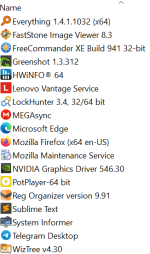
In order to decrease the attack surface, I have reduced the number of installed applications to the following:
View attachment 296457
Its a question, I dont know the answer too, I never compared them,I use Chrome about 90 percent of the time,I'll assume that if you use Google Chrome and Microsoft Edge as your browsers, you use the Google Translate extension with Edge. However, isn't Microsoft Edge's built-in translator superior?

I have tried both; equally good; the best available; other browers offer less pleasant experience regarding translation.Its a question, I dont know the answer too, I never compared them,I use Chrome about 90 percent of the time,
For RTL languages, MS Edge translator is superior, in my opinion.I have tried both; equally good; the best available; other browers offer less pleasant experience regarding translation.
For Russian, Yandex.For RTL languages, MS Edge translator is superior, in my opinion.


I'm not sure if it will satisfy all of your needs, but you can look at Visum Photo Viewer. Pictureflect Photo Viewer is another option, but it uses the built-in WebP codecs on Windows.Hi to all.
Does anyone know of or use an image viewer available for download from the Microsoft Store that natively supports WebP files, updates automatically, is free, lighter than Microsoft Photos, and displays thumbnails?
I'm not sure if it will satisfy all of your needs, but you can look at Visum Photo Viewer. Pictureflect Photo Viewer is another option, but it uses the built-in WebP codecs on Windows.

 www.windowscentral.com
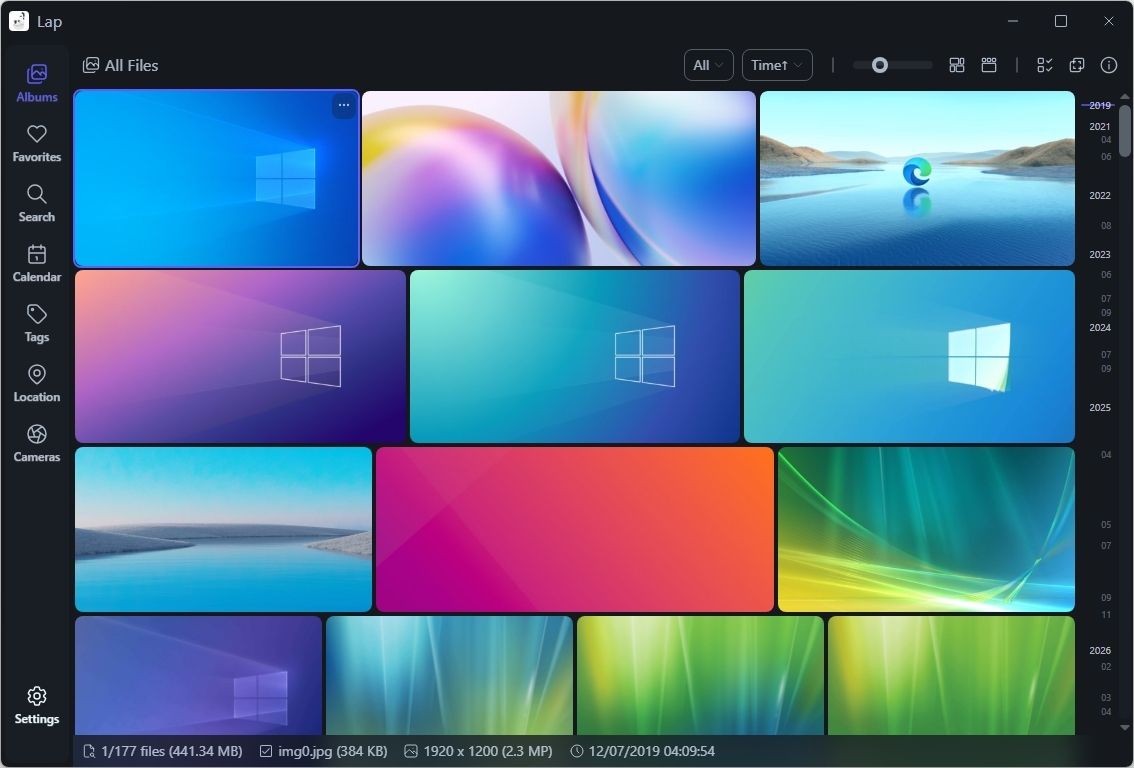
Another option, not tried it myself yet: LAP Photo Manager
I’m switching to this Windows 11 photo manager — it’s that good
Replace the Windows 11 Photos app with Lap, a local-first photo manager built for speed, privacy, and full control.


Try Phoxosee, one of the fastest image viewer that I have used that doesn't look like it was made in 1990s. Only con, not available in MS store.Hi to all.
Does anyone know of or use an image viewer available for download from the Microsoft Store that natively supports WebP files, updates automatically, is free, lighter than Microsoft Photos, and displays thumbnails?
Members who viewed this thread in the last 5 minutes

