Open MalwareTips in Safari and tap Share. You may need to open the Page Menu first.
Choose Add to Home Screen. If it is not listed, use Edit Actions to add it.
Keep Open as Web App enabled if shown, then tap Add.
Android
Open MalwareTips in Chrome or another browser that supports app installation.
Open the browser menu and look for Install app, Install and create shortcut, or Add to Home screen.
Choose Install and confirm. Wording varies by browser.
Desktop
Chrome: use the install icon in the address bar, or the menu under Cast, save and share.
Edge: open the menu, then More tools, Apps and Install this site as an app.
Safari on Mac: choose Share or File, then Add to Dock. Firefox on Windows: look for the web apps button in the address bar.
If you cannot find an install option, update your browser or use its bookmark option to keep MalwareTips close.
Keep up with your conversations
After installation, open the app and sign in. Enable push notifications in Preferences if you want alerts. On iPhone and iPad, push requires a Home Screen web app and iOS or iPadOS 16.4 or later.
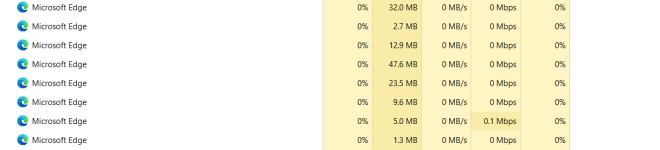
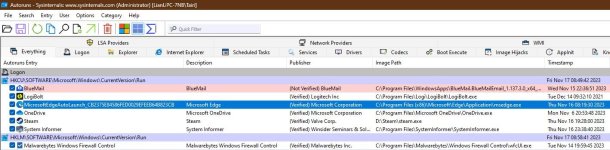
Anyone else have Edge still running in the background after its been closed? Startup boost and continue running background extensions are both disabled.View attachment 279423
For me it was the new Windows Copilot feature. It's reliant on MS Edge and keeps it running in the background. After turning it off Edge doesn't keep running anymore.
I had already disabled Copilot and assumed either a bug in Edge or I had missed something else, which turned out to be the case with the sidebar.
Give Edge another year or two and it will be more convoluted than Vivaldi