

The MalwareTips app
Your community, one tap away.
Open MalwareTips from your Home Screen or desktop. Follow discussions, find answers and pick up where you left off.
- Home Screen access
- Optional push alerts
- Your community
You're ready to explore.Explore what's new
Installation instructions
iPhone & iPad
- Open MalwareTips in Safari and tap Share. You may need to open the Page Menu first.
- Choose Add to Home Screen. If it is not listed, use Edit Actions to add it.
- Keep Open as Web App enabled if shown, then tap Add.
Android
- Open MalwareTips in Chrome or another browser that supports app installation.
- Open the browser menu and look for Install app, Install and create shortcut, or Add to Home screen.
- Choose Install and confirm. Wording varies by browser.
Desktop
- Chrome: use the install icon in the address bar, or the menu under Cast, save and share.
- Edge: open the menu, then More tools, Apps and Install this site as an app.
- Safari on Mac: choose Share or File, then Add to Dock. Firefox on Windows: look for the web apps button in the address bar.
If you cannot find an install option, update your browser or use its bookmark option to keep MalwareTips close.
Keep up with your conversations
After installation, open the app and sign in. Enable push notifications in Preferences if you want alerts. On iPhone and iPad, push requires a Home Screen web app and iOS or iPadOS 16.4 or later.
Sign in to manage notificationsInstallation is optional. Your notification settings stay under your control.
You are using an out of date browser. It may not display this or other websites correctly.
You should upgrade or use an alternative browser.
You should upgrade or use an alternative browser.
What's in your Downloads folder?

I have 2 folders, one called "Tools", the other : Downloaded Programs", these are where I keep my "stuff". Nothing in Download folder, normally when I download a program to update or install, i just do either and then delete it. Just keep the good stuff.

Weird stuff and memes.

Setup PCPC setup
Almost nothing. I figure by the time I need it again a newer version will be downloadable. I keep one version old video driver in case something goes sideways, which is an old habit since I haven’t needed to revert in a decade or so.
Setup PCPC setup
My Downloads folder is currently at 191 MB. It contains the installers for a few portable software like AdwCleaner, as well as installers for most (not all) third party software currently installed in case something on here goes south. I delete one-shot things like NVIDIA, Steam installer and Media Creation tool after they've been used. They don't need to be in there. I also delete old versions once they've been updated and the newer version is a keeper.
Not much use for a lot of downloads here.
Not much use for a lot of downloads here.
My Downloads folder has got hundreds of installers in it. I really should give it a proper cleanup and archive some of the files. But I just deleted around 250 installers, so that's a good start I guess.
I usually keep every file I download and then on rare occasions do a cleanup. Many of my downloads are done with download mangers and they get stored on my second SSD.
I usually keep every file I download and then on rare occasions do a cleanup. Many of my downloads are done with download mangers and they get stored on my second SSD.
Setup PCPC setup
I bet you just cleared more installers than I ever used on W10.My Downloads folder has got hundreds of installers in it. I really should give it a proper cleanup and archive some of the files. But I just deleted around 250 installers, so that's a good start I guess.
I usually keep every file I download and then on rare occasions do a cleanup. Many of my downloads are done with download mangers and they get stored on my second SSD.
A fair few of them were drivers I'd downloaded for various computers I've bought and sold recently.I bet you just cleared more installers than I ever used on W10.
F
ForgottenSeer 55474
In my Downloads Folder: A lot of Installers

Almost nothing; I use it only as a temporary inbox. I run a daily backup of downloaded files, then move them to their appropriate folders (installers, photos, news articles, etc.).

Mostly tv episodes lately.


I do the same. All downloads go to desktop; installers get deleted immediately after use and anything else gets moved to its appropriate place.My Desktop is my holding zone for downloads so I can't miss them sitting there obscuring my lovely wallpaper and forget to file or delete to them.

Desktop is not good destination for downloaded files and the reason is very simply - desktop is a part of the System and malware that can be hidden or unknown for installed and working AV engines can very easly compromise it. In this case system backup/snapshots are useless and worth of nothing. Much better is to allocate some space for downloaded content in non-system disk...I think everyone can do this by creating a special folder and set it in internet browser as default location.
Back to topic...my folder consists actualy everything - documents, pictures, installator, archives, etc that can be needed or used in few month. Then all files are sorted to another specific folders like Documents or Installators (both folders in non-system disk also). "Download" folder is also added to the list of restricted in SpyShelter what means that actualy nothing can be launched by itselves. If I want to run/check some files I have to copy it to the special folder on system disk called "temp" what allows me easly use virtualised system (by SD) and still be safe.
Back to topic...my folder consists actualy everything - documents, pictures, installator, archives, etc that can be needed or used in few month. Then all files are sorted to another specific folders like Documents or Installators (both folders in non-system disk also). "Download" folder is also added to the list of restricted in SpyShelter what means that actualy nothing can be launched by itselves. If I want to run/check some files I have to copy it to the special folder on system disk called "temp" what allows me easly use virtualised system (by SD) and still be safe.

In my Downloads Folder: A lot of Installers
Same this! i have Programs and Compressed in downloads folder i download .exe, zip and rar when i download movies or tv shows or other files i chose where to put, yea i keep them in downloads folder why would i delete them when i have 1TB SSD? or download it again? let them stay until install new Windows 10 (every year or so)

Setup PCPC setup
downloaded fiolder is more than 310 GB

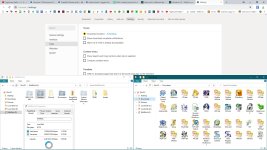
My Downloads folder is Desktop, I like to keep it iconless so it prevents me from hoarding, besides it is located in ramdisk (PC reset would remove anything good or bad), the size is limited as well, so I have no choice, but to keep it clean. If I want to download something bigger like ISO, I switch to D: temporarily.
I can clean it with a click of a button, so I can download, unpack and make all kind of a mess and then just get rid of all of it within a second.
As for the Downloads folder, I use for important files/shortcuts, used daily, because it is the only folder, that can be setup as a startup folder in Explorer.
I can clean it with a click of a button, so I can download, unpack and make all kind of a mess and then just get rid of all of it within a second.
Code:
del "%SystemDrive%\Users\Public\Desktop\*" /s /f /q
del "%USERPROFILE%\Desktop\*" /s /f /q
rd "Z:\Desktop" /s /q
md "Z:\Desktop"Attachments
Recently browsing
Members who viewed this thread in the last 5 minutes


