

The MalwareTips app
Your community, one tap away.
Open MalwareTips from your Home Screen or desktop. Follow discussions, find answers and pick up where you left off.
- Home Screen access
- Optional push alerts
- Your community
You're ready to explore.Explore what's new
Installation instructions
iPhone & iPad
- Open MalwareTips in Safari and tap Share. You may need to open the Page Menu first.
- Choose Add to Home Screen. If it is not listed, use Edit Actions to add it.
- Keep Open as Web App enabled if shown, then tap Add.
Android
- Open MalwareTips in Chrome or another browser that supports app installation.
- Open the browser menu and look for Install app, Install and create shortcut, or Add to Home screen.
- Choose Install and confirm. Wording varies by browser.
Desktop
- Chrome: use the install icon in the address bar, or the menu under Cast, save and share.
- Edge: open the menu, then More tools, Apps and Install this site as an app.
- Safari on Mac: choose Share or File, then Add to Dock. Firefox on Windows: look for the web apps button in the address bar.
If you cannot find an install option, update your browser or use its bookmark option to keep MalwareTips close.
Keep up with your conversations
After installation, open the app and sign in. Enable push notifications in Preferences if you want alerts. On iPhone and iPad, push requires a Home Screen web app and iOS or iPadOS 16.4 or later.
Sign in to manage notificationsInstallation is optional. Your notification settings stay under your control.
You are using an out of date browser. It may not display this or other websites correctly.
You should upgrade or use an alternative browser.
You should upgrade or use an alternative browser.
Advice Request Which browser consumes the least RAM memory? for an old PC!
-
 Thread starter
KIKIN
Thread starter
KIKIN
- Start date
- 18 Replies
- 4,951 Views
Share practical recommendations that address the author's needs.

KIKIN
Level 1
thanks, but I think there must be many other (not popular) = unknown browsers, that consume less ram! Those, the unknown, or unpopular ones, are the ones I'm looking ! Perhaps even those browser that are minimalist versions, can consume tiny RAM memoryMS Edge with sleeping tabs and performance settings. it's also had a great history in windows 10 s mode running on limited hardware for schools.

Stargazer_Steve
Level 1
MS Edge chromium consumes the least with the performance settings enabled, as kylprq stated.
LibreWolf is also light on memory, but Edge still beats it. There's a few tweaks you can do with Firefox/forks of firefox to lower memory usage, if that is your preference of browser:
browser.cache.disk.enable = false
browser.cache.memory.enable = false
browser.sessionhistory.max_total_viewers = 0
browser.sessionstore.max_tabs_undo = 3
network.prefetch-next = false
LibreWolf is also light on memory, but Edge still beats it. There's a few tweaks you can do with Firefox/forks of firefox to lower memory usage, if that is your preference of browser:
browser.cache.disk.enable = false
browser.cache.memory.enable = false
browser.sessionhistory.max_total_viewers = 0
browser.sessionstore.max_tabs_undo = 3
network.prefetch-next = false
slimjet, cent browser
use 32bit version -> low ram usage
use 32bit version -> low ram usage

Setup PCPC setup
Split, Epic, Stack, Comodo, Sidekick browsers are the ones that I have tried that use less resources. You can try all of them and see which fits your needs.

For an old PC!
Please tell us the specs that would be helpful.

On my 2016, $299 i3 laptop w/ 4 GB RAM:
Chromium for 64-bit Windows
using uBO Lite as a content blocker.
Try Opera 12.18. Last time I try it was using under 300MB and last Opera over 1GB for same web page. I know that doesn't work for all web pages because it is very old one.Hello!
Please:
Which browser consumes the least RAM memory? for an old PC! ....for example, OPERA is very bad at performance.
I don't know why Opera becomes hungry for memory. This is test for my web page:
1372 MB opera.exe (1405532KB)
713 MB firefox.exe (730832KB)
412 MB brave.exe (422072KB)
347 MB msedge.exe (356156KB)

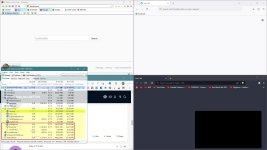
You need to load same web page for test in all browsers.
OP would need to test it, since his hardware and config matters. All browsers use pretty much the same amount, but K-Meleon uses 4 times less and you can disable javascripts/images on the spot, something that is not so easy in other browsers without extensions, which would add even more usage. By the way, lets not forget about Reduce Memory v1.6 and Process Lasso.You need to load same web page for test in all browsers.

OP would need to test it, since his hardware and config matters. All browsers use pretty much the same amount, but K-Meleon uses 4 times less and you can disable javascripts/images on the spot, something that is not so easy in other browsers without extensions, which would add even more usage. By the way, lets not forget about Reduce Memory v1.6 and Process Lasso.
Was about to say. K-Meleon would get my vote.

I wanted to test it on another computer but K-Meleon's page won't open and has an error ERR_CONNECTION_REFUSED
Have you tried the latest RC version 76? 75 was last updated in 2016. Try the portable one, it will not leave mess behind.but K-Meleon's page won't open

Last edited:
KIKIN
Level 1
On my 2016, $299 i3 laptop w/ 4 GB RAM:
Chromium for 64-bit Windows
using uBO Lite as a content blocker. Hello! Thanks for your help! Please: What is: uBO Lite ? is other program?
Both are low in CPU and memory !slimjet, cent browser
use 32bit version -> low ram usage
KIKIN
Level 1
Slimjet is the best for me ! (Windows 7 Ultimate, SP1, RAM: 1,5 Gb). Thank you to all ! With the other recommended browsers, they gave me a lot of trouble. They work fine on certain pages and many others do not, especially to use WhatsApp web, and access bank accounts, ...and I tried them ALL !!!
Last edited by a moderator:
Recently browsing
Members who viewed this thread in the last 5 minutes
You may also like...
-

-
-

-
 Software Review F-Secure Internet Security 2026
 -
