
A default installation of Windows 11 includes dozens of Microsoft apps. Which ones are worth keeping, and which ones should you uninstall?


Open MalwareTips from your Home Screen or desktop. Follow discussions, find answers and pick up where you left off.
If you cannot find an install option, update your browser or use its bookmark option to keep MalwareTips close.
After installation, open the app and sign in. Enable push notifications in Preferences if you want alerts. On iPhone and iPad, push requires a Home Screen web app and iOS or iPadOS 16.4 or later.
Sign in to manage notificationsInstallation is optional. Your notification settings stay under your control.

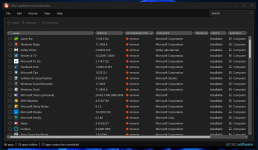
If you use O&O ShutUp10++ Copilot will be disabled by default.I have all three installed and no signs of Copilot.
Well, one less thing I have to disable...

I don't use any programs for blocking telemetry, just what Windows offers me in the settings.If you use O&O ShutUp10++ Copilot will be disabled by default.

This sounds really good, any link you recommend that shows how to do this?You can carefully prep your setup, harden it and install all necessary applications and so on, then make a golden drive image. Then you can simply re-image with that golden image whenever you need a clean machine, no? No tradeoffs necessary.

I got rid of the in-built and new apps, except for these few.
App Installer
Calculator
HEIF Image Extension
HEVC Video Extensions from Device Manufacturer
Microsoft Edge
Microsoft Store
Paint
Raw Image Extension
Store Experience Host
VP9 Video Extensions
Web Media Extensions
Web Image Extensions
Windows Notepad
Windows Security
Windows Web Experience Pack
Windows Terminal
Click Start->Type "installed apps" and check if you have Microsoft CoPilot and Windows CoPilot MSIX pack over there.I have all three installed and no signs of Copilot.
Well, one less thing I have to disable...


 borncity.com

 www.techcentral.ie
 www.neowin.net
No signs in installed apps and in task bar settings either.Click Start->Type "installed apps" and check if you have Microsoft CoPilot and Windows CoPilot MSIX pack over there.
Have you disabled the icon on taskbar? Right click on taskbar->taskbar settings->check if you have CoPilot in Windows (preview).
Do you have the latest 23H2 version of Windows 11?
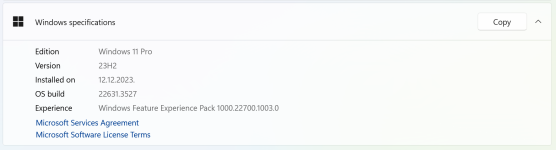
Oh, that's why! It's not that I want it, but seeing everyone saying they have to disable it, I asked myself if there's something wrong with my Windows installation. LOLAs far as I know, there is no CoPilot in the EU:
Breaking news: Microsoft abandons ChatGPT in EU after AI recommendation
[German]Microsoft’s plans to roll out its AI solution Copilot worldwide with its products do not seem to be working out very well at the end of the day. Following extreme headwinds in US congress and…Microsoft Copilot not likely to make European consumer debut before March - TechCentral.ie
CES saw a range of new PCs enter the market with a dedicated key for Copilot. However consumers in the EU won’t be getting the benefits of Microsoft’s helper AI European Union (EU) was excluded for now because of the Digital Markets Act (DMA). The EU added Microsoft Windows along with 22 other...Windows Copilot is not available the EU due to Digital Markets Act but there's a workaround
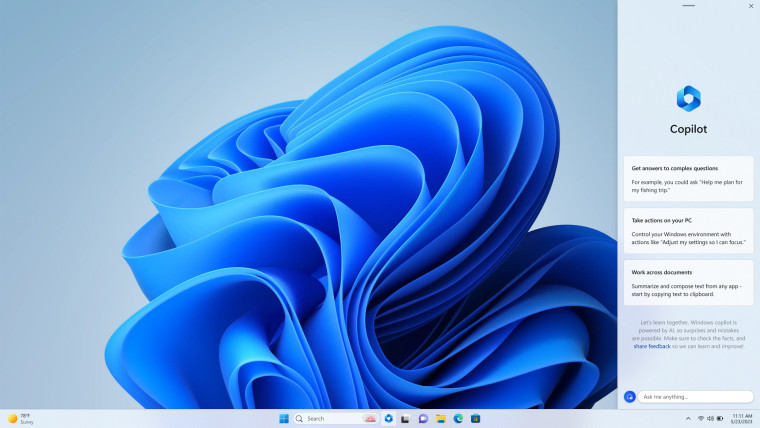
Last night, Microsoft released Windows Copilot with the Moment 4 update. The feature is now available to everyone except users in the EU due to the Digital Markets Act but there is a way to use it.

Edge also uses them.You wouldn't need those extensions if you are using a good media player like PotPlayer or an image viewer like FastStone/noMacs
I currently use VLC and FastStone Image Viewer. I used to remove those extensions, but I realized that sometimes an image or video wouldn't open because of a missing extension. So, I started keeping the extensions just in case. However, I can always re-download them if needed.You wouldn't need those extensions if you are using a good media player like PotPlayer or an image viewer like FastStone/noMacs
I removed the apps with "extension" in the name. Also removed the three mentioned apps. Didn't notice any problems.I currently use VLC and FastStone Image Viewer. I used to remove those extensions, but I realized that sometimes an image or video wouldn't open because of a missing extension. So, I started keeping the extensions just in case. However, I can always re-download them if needed.
In my system, I still have three manufacturers' apps installed - Intel Graphic Command Center, Realtek Audio, and Dolby. I don't actually use these apps and rely on Windows settings instead. Should I remove these apps?
Yes PotPlayer can play all format.Can PotPlayer play all formats, like VLC, or do I require OpenCodec?
I don't know about Store Experience Host and Windows Web Experience Pack, but you can remove Windows Package Manager Source (winget) safely without problems, if you don't use it or use WingetUI.Should I remove Store Experience Host, Windows Web Experience Pack, and Windows Package Manager Source (winget)?
I believe you need winget to be installed in order to use WingetUI?Yes PotPlayer can play all format.
I don't know about Store Experience Host and Windows Web Experience Pack, but you can remove Windows Package Manager Source (winget) safely without problems, if you don't use it or use WingetUI.
Try playing some .H265 formats and see if it plays well on PotPlayer without OpenCodec. If it does, then all good. If it doesn't then try switching the renderer from the PotPlayer UI (right click->video->renderer) to Madshi and check if it works again (It's the best video renderer in the world). If it doesn't, run the PotPlayer installer again and install OpenCodec or leave OpenCodec and use my settings below.I removed the apps with "extension" in the name. Also removed the three mentioned apps. Didn't notice any problems.
I replaced VLC with PotPlayer and liked it. Can PotPlayer play all formats, like VLC, or do I require OpenCodec? I didn't install OpenCodec, which PotPlayer mentioned during installation.
Should I remove Store Experience Host, Windows Web Experience Pack, and Windows Package Manager Source (winget)?

The old FOSSPod podcast interviewed Jean-Baptiste Kempf and it is really interesting. It seems Will and Brad are not making the FOSSPod anymore, but this episode is great. It made me really appreciate VLC more and how hard it is to direct FOSS development.VLC will always be my go-to media player. Just because it's open source and made in EU.
Yes you need winget for wingetUI, and it will be automatically installed by WingetUI installer if it is deleted by the user.I believe you need winget to be installed in order to use WingetUI?

I uninstalled Store Experience Host, Windows Web Experience Pack, and Windows Package Manager Source (winget) using HiBit Uninstaller.I don't know about Store Experience Host and Windows Web Experience Pack, but you can remove Windows Package Manager Source (winget) safely without problems, if you don't use it or use WingetUI.
Just found that FastStone doesn't display heic images, if the extension is uninstalled on Windows. On the other hand, XnView image displays them without the extension. It's a shame, as FastStone is probably the fastest viewer I have used.I currently use VLC and FastStone Image Viewer. I used to remove those extensions, but I realized that sometimes an image or video wouldn't open because of a missing extension. So, I started keeping the extensions just in case. However, I can always re-download them if needed.
In my system, I still have three manufacturers' apps installed - Intel Graphic Command Center, Realtek Audio, and Dolby. I don't actually use these apps and rely on Windows settings instead. Should I remove these apps?
I don't know why, but I never feel comfort with XnView, and always back to FastStone, IrfanView is good as a viewer but not as a manger or organizer for me.Just found that FastStone doesn't display heic images, if the extension is uninstalled on Windows. On the other hand, XnView image displays them without the extension. It's a shame, as FastStone is probably the fastest viewer I have used.
Members who viewed this thread in the last 5 minutes

