Troubleshoot Windows 10 System Sounds doesn't Work

YuanJiawj

Level 12
Thread author
Verified
Top Poster
Well-known
Forum Veteran
Oct 9, 2014
579
3,159
1,069
37
Unknown
Briefly explain your current issue(s)
no windows sound system
Steps taken to resolve, but have been unsuccessful
Reinstallled driver, restoring point
Hello everyone!

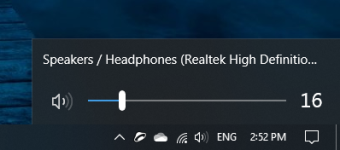
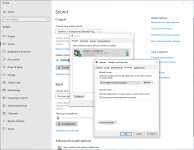
Several days ago the Windows 10 system sounds doesn't work properly, I have re-installed driver sound from the official website (Dell Optiplex 7010), and restored and it still does not work. somebody could help me?
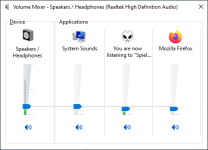
 

Attachments

  • 01.PNG
    01.PNG
    21.9 KB · Views: 402
  • 02.png
    02.png
    66 KB · Views: 371
  • 03.PNG
    03.PNG
    82.4 KB · Views: 355
  • Like
Reactions: [correlate]
Great tips and hints in this thread, but have the speaker/headset itself been tested and confirmed working in another PC or device?
Yes, The only thing that doesn't work are the windows sounds system (notifications, when you try to overwrite a file within a program).
 
  • Like
Reactions: upnorth
Upvote 0

Clicking the right button the "Playback devices" option is not in the options to be selected. The rest I have tried.
The audio output works, the only thing that doesn't work are the sounds system (notifications, error, overwrite files within programs, warnings).
 
Upvote 0