


Gandalf_The_Grey
Level 85
Thread author
Verified
Honorary Member
Top Poster
Content Creator
Well-known
Forum Veteran
Windows 11 KB5120998 is now available, and it’s one of the biggest updates of the year, particularly if you care about the Taskbar, Start menu, and Search more than anything else. You can install it via Windows Update, or Microsoft has also posted direct download links for KB5120998 offline installers (.msu).
KB5120998 is an optional update, and it won’t download and install automatically for good reasons, but it’s almost as stable as the Patch Tuesday releases in most cases. It shows up as “2026-08 Preview Update (KB5120998) (26200.8973)” and can be downloaded by clicking on Download & install.
The update is automatically installed in the background if you have enabled the “Get the latest updates as soon as they’re available” toggle. In our tests, Windows Latest observed that KB5120998 bumps Windows 11 25H2 to Build 26200.9278 and version 24H2 to 26100.9278.
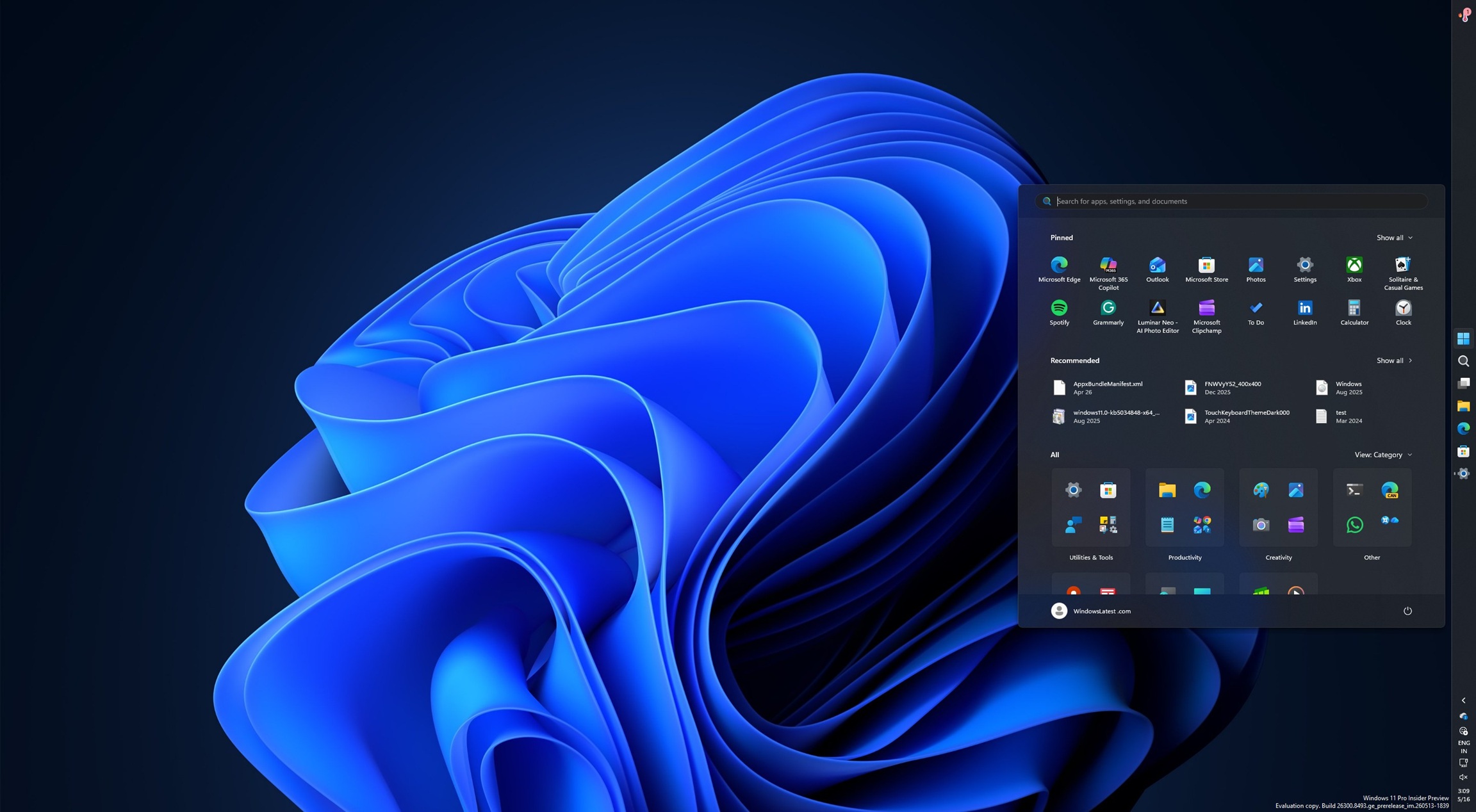
Windows 11 KB5120998 out with major new features, direct download links for offline installer (.msu)
Windows 11 KB5120998 is now available, and it’s one of the biggest updates of the year, particularly if you care about the Taskbar, Start menu, and Search more than anything else. You can install it via Windows Update, or Microsoft has also posted direct download links for KB5120998 offline...
 www.windowslatest.com


