
New Update Windows 11 KB5121767 released to fix shutdowns, overheating, but you don’t need it unless you own these PCs

Gandalf_The_Grey

Level 85
Thread author
Verified
Honorary Member
Top Poster
Content Creator
Well-known
Forum Veteran
Apr 24, 2016
7,868
6
83,502
8,389
55
The Netherlands
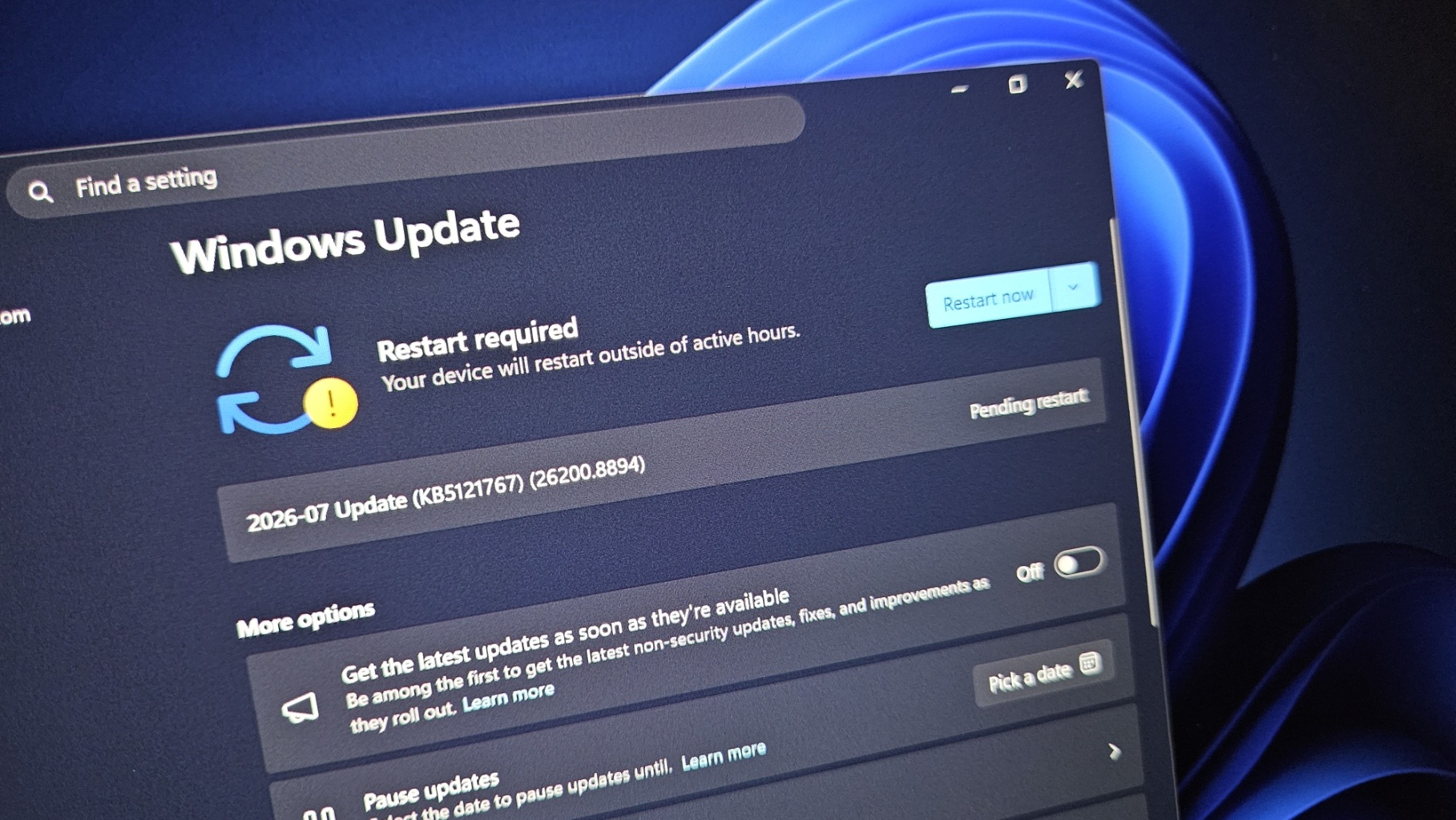
Microsoft just dropped Windows 11 KB5121767, an emergency update that replaces the July 2026 cumulative update on PCs affected by unexpected shutdowns, poor performance, overheating, and battery drain. This update shows up as “2026-07 Update (KB5121767) (26200.8894) and is available for everyone, including those unaffected.

Microsoft says the new out-of-band update is recommended only for affected Dell PCs, but Windows Latest observed that it may automatically download and install on other PCs when a specific Windows Update toggle is enabled.

Microsoft hasn’t published the list of affected PCs yet, but Windows Latest has managed to obtain it from our sources.
According to our sources, the following Dell PCs are affected and should automatically receive today’s emergency update:
  • Dell Pro Max 14 Premium MA14250
  • Dell Pro Max 16 Premium MA16250
  • Dell Pro Precision 7 14 PW714260
  • Dell Pro Precision 7 16 PW716260
  • Precision 5470, Precision 5480, Precision 5490, and Precision 5770
  • XPS 17 9720 and XPS 17 9730
Although Microsoft recommends Windows 11 KB5121767 only for affected devices, Windows Latest observed that the update begins downloading and installing on all PCs where the “Get the latest updates as soon as they’re available” toggle is turned on.

If you have already installed it without experiencing any problems, you do not need to worry. However, this is another reminder to turn off the toggle if you do not fully understand how it works. Some of you may end up unnecessarily installing today’s out-of-band update because of how it is distributed and labeled.
 
Important verification note

I cannot independently verify the claims in this article, including whether KB5121767, build 26200.8894, or the listed Dell models are genuine and currently distributed. The article is dated July 2026, so its information is also time-sensitive.

Before installing or removing anything, verify the update through official sources:

  • Check Settings > Windows Update > Update history and confirm the exact KB number and build.
  • Search the Microsoft Update Catalog for KB5121767.
  • Check the Dell Support page for your exact model and current BIOS, chipset, and driver guidance.
  • Review Microsoft’s official Windows release health documentation for known issues.

The “Get the latest updates as soon as they’re available” setting can cause a device to receive non-security updates and fixes earlier than the normal staged rollout. Disabling it is reasonable if you prefer to wait for broader validation, but it does not prevent all normal security updates.

If KB5121767 is already installed and the computer is working normally, there is no general reason to uninstall it solely because it is described as an emergency or out-of-band update. Create or verify a restore/recovery option first, and only consider removal if you are experiencing a documented problem that began after installation.

The key point is to confirm the update in Microsoft Update Catalog and Windows Update before relying on the article’s claims or taking corrective action.
 
I have had that particular setting switched off for as long as I can remember. And yet in Windows Update there was the question if I wanted to download and install it. (I clicked the X to close.)

OK, typical... Microsoft recommends this update only for people with an affected Dell as seen in the list of the opening post. And as mentioned, I never had that particular setting activated, but I just saw that every time I close that update and leave the update menu... that update is back, waiting to get downloaded and installed. Microsoft Logic... yes, that makes sense. :rolleyes:
 
I was experiencing shut downs, and wondered why, Thanks once again Gandalf for researching this and posting
I hope your problems are resolved after this update.
For me it was optional but installed it and I have no problems to report.
 
I installed this update and I have no problems with the computer's operation, even though I have a Dell laptop.
but thanks for the information.
 
  • Like
Reactions: Morro