New Update Windows Firewall Control - Updates Thread

My favorite firewall software. I have been using it since before it was acquired by Malwarebytes. In fact, I still have its license key. :D
 
⚠️Version 6.28.0.0 and 6.29.0.0 don't display notification connection anymore, you should stay with the 6.26.0.0 until the issue is gone.
 
  • Hundred Points
Reactions: silversurfer
For the record... let's see if another version (with fixes) might be released soon
What's new in version 6.29.0.0 (March 09, 2026)

- Fixed: Learning Mode behavior is automatically enabled in version WFC 6.28 if there is no notification exception defined while Display notifications is enabled.

 
Windows Firewall Control 6.30.0.0
What's new in version 6.30.0.0 (March 20, 2026)
  • Improved: When Learning Mode is enabled and the tray process is not elevated, a notification will be displayed even if the program is digitally signed, otherwise such programs are silently ignored.
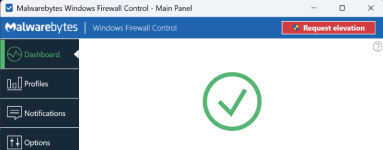
  • Improved: Request elevation button was re-added in the Main Panel to give a hint that the program requires elevation before being able to change the settings which are disabled in the user interface.
  • Fixed: Auto closing countdown timer is not displayed anymore in the notification dialog when the tray process is not elevated.

 
Windows Firewall Control 6.30.1.0 Beta
What's new in version 6.30.1.0 (March 28, 2026)
  • Fixed: Mounting a volume in VeraCrypt while wfcUI.exe is elevated, does not refresh the Windows Firewall state and the existing firewall rules defined for files located on the encrypted drive do not work unless you manually switch the profile.
  • Fixed: A warning message is logged repeatedly in WFC event log if the service is stopped and the tray app can't connect to the service.
  • Fixed: Requesting elevation and cancelling the request triggers an unhandled exception in the tray app if the service is stopped.
  • Improved: Reduced workload on service side when notifications are disabled.

Download: https://binisoft.org/download/beta/wfc6setup.exe
 
Windows Firewall Control 6.30.2.0 Beta
What's new in version 6.30.2.0 (April 2, 2026) - Beta channel release only
  • Fixed: If auditing of allowed and blocked events is disabled on purpose or after a Windows Update, WFC service does not reapply the settings and you have to manually enable the auditing of those events by unchecking and checking the Log Connections checkboxes inside Connections Log.

Download: https://binisoft.org/download/beta/wfc6setup.exe
 
Windows Firewall Control 6.31.0.0
What's new in version 6.31.0.0 (April 17, 2026)
  • New: Added support for creating temporary rules from Connections Log through the right click context menu.
  • Fixed: If auditing of allowed and blocked events is disabled on purpose or after a Windows Update, WFC service does not reapply the settings and you have to manually enable the auditing of those events by unchecking and checking the Log Connections checkboxes inside Connections Log.
  • Fixed: Mounting a volume in VeraCrypt while wfcUI.exe is elevated, does not refresh the Windows Firewall state and the existing firewall rules defined for files located on the encrypted drive do not work unless you manually switch the profile.
  • Fixed: A warning message is logged repeatedly in WFC event log if the service is stopped and the tray app can't connect to the service.
  • Fixed: Requesting elevation and cancelling the request triggers an unhandled exception in the tray app if the service is stopped.
  • Improved: Reduced workload on service side when notifications are disabled.
https://www.binisoft.org/changelog.txt

 
Windows Firewall Control 6.31.2.0 Beta
What's new in version 6.31.2.0 (April 21, 2026) - BETA CHANNEL RELEASE ONLY
  • New: Secure Access checkbox was added inside the Security tab. This allows toggling the requirement of elevation of the system tray process. Keep it enabled for improved security, write access requires elevation like in recent WFC versions. Keep it disabled for convenience, like it was in older WFC versions. Make a choice based on your own security vs. convenience needs.
  • Fixed: Uppercase notifications exceptions are not processed if Notifications mode is set to Disabled.

Download: https://binisoft.org/download/beta/wfc6setup.exe
 
Windows Firewall Control 6.32.0
What's new in version 6.32.0.0 (May 1, 2026)
  • New: Secure Access checkbox was added inside the Security tab. This allows toggling the requirement of elevation of the system tray process. Keep it enabled for improved security, write access requires elevation like in recent WFC versions. Keep it disabled for convenience, like it was in older WFC versions. Make a choice based on your own security vs. convenience needs.
  • Fixed: Uppercase notifications exceptions are not processed if Notifications mode is set to Disabled.
  • Fixed: When restarting wfcUI.exe, previous opened windows are not restored.
  • Fixed: Sometimes, the update process does not preserve the notifications exceptions list.


You may also like...