Windows process 32bit virus?

kstyle6228

New Member
Thread author
Jan 5, 2018
4
0
1
texas
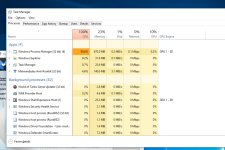
Ok i have tried everything by searching online to fix this problem but i am having no luck whatsoever. For some reason i think i downloaded something with this virus and can't get rid of it. it is using 100 percent of my cpu and i am not able to play games and so forth. is there a way to remove this? I tried adwcleaner and malawarebytes anti-rootkit to fix the problem but it never did. i even tried going into safe mode to use these programs to remove the cause but also not having any luck. Please help!
 

Attachments

  • virus.jpg
    virus.jpg
    137.5 KB · Views: 6
  • virus1.jpg
    virus1.jpg
    49.7 KB · Views: 7
also i can't go into safe mode while pressing shift+restart? may I ask why I can't do that? it just restarts my computer
 
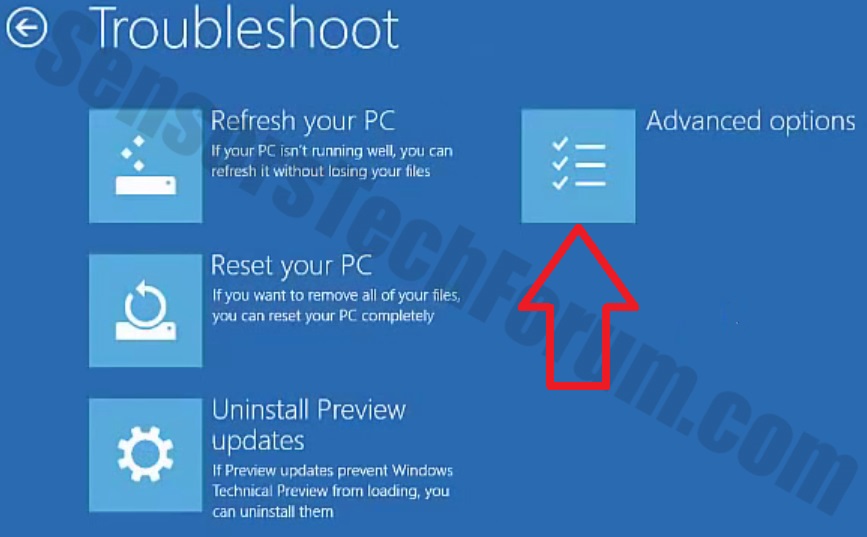
I can't get into this sceen to troubleshoot by pressing shift+restart. is there a fix to this also?
 

Attachments

  • troubleshoot.jpg
    troubleshoot.jpg
    58.1 KB · Views: 5
Hello,


Please download Farbar Recovery Scan Tool x64 and save it to a flash drive.
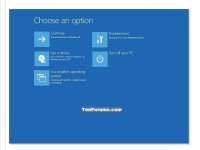
  • Now you should get a window like this where you need to click Troubleshoot.
Windows-10-2.jpg

  • In the next window, click Advanced options and select Command Prompt.
  • Now you should log in into your account and after that Command Promptwindow.
notepad.png
Access the notepad and identify your USB drive

In the Command Prompt please type in:
Code:
notepad
and press Enter.
  • When the notepad opens, go to File menu.
  • Select Open.
  • Go to Computer and search there for your USB drive letter.
  • Note down the letter and close the notepad.


FRST.gif
Scan with Farbar Recovery Scan Tool

Once back in the command prompt window, please do the following:
  • Type in e:\frst64.exe and press Enter.
    You need to replace e with the letter of your USB drive taken from notepad!
  • FRST will start to run. Give him a minute or so to load itself.
  • Click Yes to Disclaimer.
  • In the main console, please click Scan and wait.
  • When finished it will produce a logfile named FRST.txt in the root of your pendrive and display it. Close that logfile.

Transfer it to your clean machine and include it in your next reply.