


Winhance is a C# application designed to optimize and customize your Windows experience. From software management to system optimizations and customization, Winhance provides functions to enhance Windows 10 and 11 systems.
Winhance features most of the same enhancements as UnattendedWinstall without needing to do a clean install of Windows.
Current Features
Software & Apps
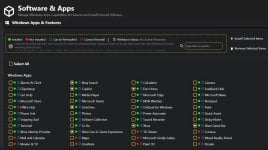
- Windows Apps & Features Section
- Searchable interface with explanatory legend
- Organized sections for Windows Apps, Legacy Capabilities, and Optional Features
- One-click removal and installation of selected items
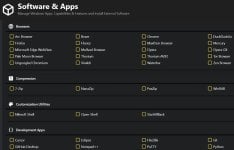
- External Apps Section
- Install various useful applications via WinGet
- Categories include Browsers, Multimedia utilities, Document viewers, and more
Optimize
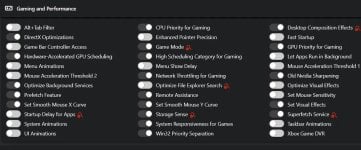
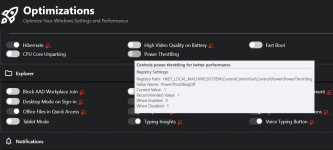
- Searchable interface with status indicators
- Toggle switches for each setting for better control
- Set UAC Notification Level
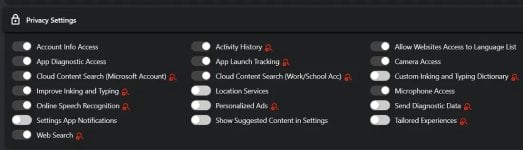
- Privacy Settings
- Gaming and Performance Optimizations
- Windows Updates
- Explorer Optimizations
- Power Settings with Power Plan selection
- Sound Settings
- Notification Preferences
Customize
- Searchable interface with status indicators
- Toggle switches for each setting for better control
- Windows Theme selector (Dark/Light Mode) via dropdown
- Taskbar Customization
- Start Menu Customization
- Explorer Customizations
Other Settings
- Manage Your Winhance (and Windows) Settings with Wihance Configuration Files:
- Save settings currently applied in Winhance to a config file for easy importing on a new system or after a fresh Windows install.
- Toggle Winhance's theme (Light/Dark Mode)
 ROADMAP/TODO
GitHub - memstechtips/Winhance: Application designed to optimize, customize and enhance your Windows experience.
Application designed to optimize, customize and enhance your Windows experience. - memstechtips/Winhance
 github.com


