New Update WinMerge Updates Thread

lokamoka820

Level 37
Thread author
Verified
Well-known
Mar 1, 2024
2,654
3
7,894
3,569
Banana Republic

What is WinMerge?​

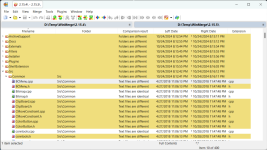
WinMerge is an Open Source differencing and merging tool for Windows. WinMerge can compare both folders and files, presenting differences in a visual text format that is easy to understand and handle.

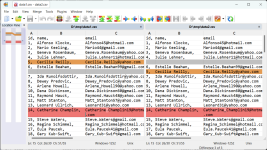
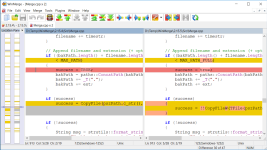
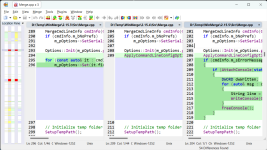
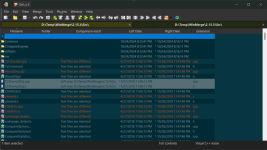
Screenshot​

Screenshot 2024-10-29 at 05-28-19 Screenshots - WinMerge.pngScreenshot 2024-10-29 at 05-28-24 Screenshots - WinMerge.pngScreenshot 2024-10-29 at 05-28-29 Screenshots - WinMerge.pngScreenshot 2024-10-29 at 05-28-36 Screenshots - WinMerge.pngScreenshot 2024-10-29 at 05-28-57 Screenshots - WinMerge.png

Features​

WinMerge is highly useful for determining what has changed between project versions, and then merging changes between versions. WinMerge can be used as an external differencing/merging tool or as a standalone application.

In addition, WinMerge has many helpful supporting features that make comparing, synchronising, and merging as easy and useful as possible:

General​

  • Supports Microsoft Windows XP SP3 or newer
  • Handles Windows, Unix and Mac text file formats
  • Unicode support
  • Tabbed interface

File Compare​

  • 3-way File Comparison New!
  • Visual differencing and merging of text files
  • Flexible editor with syntax highlighting, line numbers and word-wrap
  • Highlights differences inside lines
  • Difference pane shows current difference in two vertical panes
  • Location pane shows map of files compared
  • Moved lines detection

Folder Compare​

  • Regular Expression based file filters allow excluding and including items
  • Fast compare using file sizes and dates
  • Compares one folder or includes all subfolders
  • Can show folder compare results in a tree-style view
  • 3-way Folder Comparison

Image Compare New!​

  • Support many types of images
  • Can highlight the differences with blocks
  • Overlaying of the pictures is possible

Table Compare New!​

  • Shows CSV/TSV file contents in table format
  • Text can be wrapped for each column

Version Control​

  • Creates patch files (Normal-, Context- and Unified formats)
  • Resolve conflict files

Other​

  • Shell Integration (supports 64-bit Windows versions)
  • Archive file support using 7-Zip
  • Plugin support
  • Localizable interface
  • Online manual and installed HTML Help manual
 
  • Like
Reactions: brambedkar59
WinMerge 2.16.44
Oct 27, 2024

General​

  • Added Medium size (24px) option to Toolbar icons

Webpage compare​

  • BugFix: Differences panel for Webpage mode (winwebdiff#7)

Plugins​

  • BugFix: Floating-point precision issue in CompareMSExcelFiles.sct plugin (#2494)

Translations​

  • Translation updates:
 
  • Like
Reactions: brambedkar59
WinMerge 2.16.46
Jan 27, 2025

General​

  • BugFix: ALT-F4 opens Tools menu instead of exit from WinMerge (#2592)
  • BugFix: Fixes an issue causing a momentary drawing shift when launching
    WinMerge with Windows animation effects enabled and the window maximized.

Folder compare​

  • BugFix: Compare - Text files different and case also different - bug when delete and copy (#2599)
  • Add a Prompt to Copy Only Differences in Folder Comparison (PR #2622,#198,#1168,#1350,#1995)

Plugins​

  • BugFix: Fixes an issue where the Plugins → Prediffer menu is not displayed
    correctly since version 2.16.43.
  • BugFix: Fixed an issue in the CompareMSPowerPointFiles.sct plugin that
    caused error 0x80048010 when comparing PowerPoint files
  • Enable per-file plugin application with file number specification (PR #2598)
  • Some Plugins window fixes (PR #2621)

Manual​

  • BugFix: Typos and minor errors in WinMerge manual (#2597)

Translations​

 
v2.16.50.2

File compare​

  • BugFix: WinMerge 2.16.50 regression: Crashes when doing "Show only comparison
    results (not file contents)" for large binaries. (#2874)

Folder compare​

  • BugFix: After Install of v2.16.50 Folder: Filter is now only being applied to
    1st folder path and not the 2nd and 3th folder paths (#2875)

Filters dialog​

  • BugFix: Fixed a crash in the Filters dialog's File Filters tab after installing or creating a new filter.

Translations​

 
WinMerge 2.16.54
Jan 27, 2026
General:
  • BugFix: Cyrilic shortcuts do not work for main menukeyboard shortcuts
  • BugFix: 2 recent-entries per project (#2990)
  • Updated expat to version 2.7.3
Folder compare:
  • Add logInfo, logWarn, logError functions to filter expressions (PR #3131)
  • Add new filter expression functions
  • (if, ifEach, choose, chooseEach, andEach, orEach, notEach) (PR #3132)
  • Add BaseName/IsFolder and new string transformation functions to filters
  • (PR #3146)
  • Add experimental customizable rename/move detection for folder comparison
  • (PR #3126)
Options window:
  • Adjusted the height of the Options dialog and the position of the Defaults
  • button
Shell extension:
  • BugFix: Add-AppxPackage fails if path ends with backslash (PR #3145)
Installer:
  • Removed build-time tools (lemon.exe, re2c.exe) from the installer package.
Translations:
  • New translation: Vietnamese (PR #3142)
Translation updates:
  • Brazilian (PR #3150)
  • Chinese Simplified (PR #3156)
  • French (PR #3137)
  • German (PR #3148)
  • Hungarian (PR #3149)
  • Italian (PR #3147)
  • Japanese
  • Korean (PR #3125,#3127)
  • Lithuanian (PR #3144,#3153)
  • Polish (PR #3154,#3155)
  • Turkish (PR #3152)
  • Ukrainian (PR #3130)
 

You may also like...