

Woomera's Setup
- Thread starter woomera
- Start date
You are using an out of date browser. It may not display this or other websites correctly.
You should upgrade or use an alternative browser.
You should upgrade or use an alternative browser.

Good configuration, in my opinion Bitdefender IS can leave it alone since its a suite and covers everything.
On some case Bitdefender IS and Emsisoft can go well so its ok.
On some case Bitdefender IS and Emsisoft can go well so its ok.

Nice setup! Have you got any backup options?
If not here are a few backup options.
If not here are a few backup options.

TBH they didnt go well together at first, as you might know bitdefender doesnt like it at all when you have any other security related software installed even if they are not running or have any real-time scanners. in fact they wont even give you any support if they see anything else installed in the logs.jamescv7 said:Good configuration, in my opinion Bitdefender IS can leave it alone since its a suite and covers everything.
On some case Bitdefender IS and Emsisoft can go well so its ok.
but after few restarts and figuring out the order in which installations should take place i made it all works just fine.
i have tried EASEUS free, Paragon free & advance free but i never liked any of them.i actually never needed to use a backup in my years of using windows. it was always either a new installation like when i bought a new pc/laptop or repairing using other methods.Nice setup! Have you got any backup options?
anyway even though i never really liked other products im using built-in backup of win7. daily incremental's and once a month or every other, a system image.
woomera said:anyway even though i never really liked other products im using built-in backup of win7. daily incremental's and once a month or every other, a system image.
Great, if you keep doing the backups, you will be set to go
 Nice config.
-i uninstalled sandboxie after a month, too much performance sacrifice.ranget said:i would add sandboxie Free for the Browser with Autodelete and Drop Admin Right
also if you can change from chrome to More secure Chromium Browser Like Comodo Dragon
-i am using drop my rights though, forgot to mention it. using it to run chrome mainly.
-i have thought about chromium itself or comodo dragon but never seen any review or comparison, though i know that chromium doesnt have inside sandboxing like chrome does. not sure about comodo dragon.
-dont know what autodelete is but im guessing its history cleaner, if true i like to do that manually usualy


i had the same addons installed in FF and no, in neither of them i had issues.its working just fine.muhammadariif said:Nice config

Looks good to me.......So you didn't encounter any problems while running BIS 2012 with EAM 6?I'm asking because I know that BIS and EAM both have very strong and sensitives behavior blockers....
How's this combo on the system impact?
How's this combo on the system impact?
Jack said:Looks good to me.......So you didn't encounter any problems while running BIS 2012 with EAM 6?I'm asking because I know that BIS and EAM both have very strong and sensitives behavior blockers....
How's this combo on the system impact?
at first successful try my big file transfer got really slow so i made these changes:
-added all the running process's of each suite in the other's exclusion list.
-set bitdefender to not scan network shares and also only scan new and changed files,archived files under 5 MB
-in bitdefender also disabled auto scanning of USB drives and cd/dvd (i always do it but manually)
-in EAM i set it to only scan based on extensions and only when being written or modified and disabled protection when user not logged in (i realized not setting these 2 in EAM can cause major performance issue when using with BIS). so with these i set EAM to do a full system scan once a week.
without these settings file transfer are a pain but this way all is good and speed is also fine specially after a whole system scan with both and let them run for a week.

NSG001 said:Woomera, also i suggest you give Comodo Dragon a trial, I did recently and haven't looked back.
i always welcome new suggestions. gonna download it right now and gonna do a comparison myself

That's a very solid config. What do you think about adding EMET: http://support.microsoft.com/kb/2458544
What do you think about adding EMET: http://support.microsoft.com/kb/2458544
WinAndLinuxTutorials said:That's a very solid config.
already using, im just so forgetful
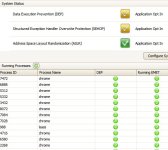
.gonna edit the list, also forgot to mention CCE which i scan with once a month.Attachments

Actually after few days AVG started to slow my computer alot (bitdefender didnt have this issue but eventually stopped working cause they cant make quality products) thats why i removed AVG AV and tried Bullguard but slowdows as well then tried Kaspersky AV and im impressed with how well this setup is doing. KAV didnt add any slowdowns at all and no warnings during setup while having comodo,eam,zemana installed. they have improved by ALOT.
already ordered a license and i will update my setup status
already ordered a license and i will update my setup status
oh thats easy to spot actually, with all the changes i made in the past 6 month one thing was always there! Emsisoft!
if i could only efford one i would choose EAM. the reason why i wanted to have another AV was simply because ive noticed in the past few month that the only samples eam miss's are detected by either kaspersky or bitdefender which is included in gdata and bullguard and f-secure.
bitdefender itself doesnt work with my other softwares and been a gdata user before, not that better than bitdefender so gave bullguard a try and rest on...
if i could only efford one i would choose EAM. the reason why i wanted to have another AV was simply because ive noticed in the past few month that the only samples eam miss's are detected by either kaspersky or bitdefender which is included in gdata and bullguard and f-secure.
bitdefender itself doesnt work with my other softwares and been a gdata user before, not that better than bitdefender so gave bullguard a try and rest on...
You may also like...
-

-
 Question Can I change the "Device Setup Region" in Windows 11 without reinstalling the operating system?
- Started by lokamoka820
- Replies: 9
-

-
 Security News Trust Wallet says 2596 wallets drained in $7 million crypto theft attack
- Started by enaph
- Replies: 1
-
