

The MalwareTips app
Your community, one tap away.
Open MalwareTips from your Home Screen or desktop. Follow discussions, find answers and pick up where you left off.
- Home Screen access
- Optional push alerts
- Your community
You're ready to explore.Explore what's new
Installation instructions
iPhone & iPad
- Open MalwareTips in Safari and tap Share. You may need to open the Page Menu first.
- Choose Add to Home Screen. If it is not listed, use Edit Actions to add it.
- Keep Open as Web App enabled if shown, then tap Add.
Android
- Open MalwareTips in Chrome or another browser that supports app installation.
- Open the browser menu and look for Install app, Install and create shortcut, or Add to Home screen.
- Choose Install and confirm. Wording varies by browser.
Desktop
- Chrome: use the install icon in the address bar, or the menu under Cast, save and share.
- Edge: open the menu, then More tools, Apps and Install this site as an app.
- Safari on Mac: choose Share or File, then Add to Dock. Firefox on Windows: look for the web apps button in the address bar.
If you cannot find an install option, update your browser or use its bookmark option to keep MalwareTips close.
Keep up with your conversations
After installation, open the app and sign in. Enable push notifications in Preferences if you want alerts. On iPhone and iPad, push requires a Home Screen web app and iOS or iPadOS 16.4 or later.
Sign in to manage notificationsInstallation is optional. Your notification settings stay under your control.
You are using an out of date browser. It may not display this or other websites correctly.
You should upgrade or use an alternative browser.
You should upgrade or use an alternative browser.
Advanced Security Xeno1234's PC Security Config
-
 Thread starter
Xeno1234
Thread starter
Xeno1234
- Start date
- 41 Replies
- 8,869 Views
Archived configuration (not current) · expand details
Thread details
- Last updated
- Jul 1, 2023
- Main use of this computer
- For home and private use
- Operating system
- macOS 15 Sequoia
- On-device encryption
- Not applicable
- Device sign-in security
- Account password
- Security updates
- Allow security updates and latest features
- Update channels
- Allow stable updates only
- User Account Control (UAC)
- Always notify
- Smart App Control
- Off
- Network firewall
- N/A
- Router and network details
- idk bruh
- Real-time protection
- Kaspersky Premium
- Device firewall
- Other - Internet Security (3rd-party)
- Custom security settings
- Default Deny Intrusion Prevention - Restrictions on trusted applications that are not system based. Blocked tampering of Kaspersky.
- Periodic malware scanners
- NPE, Emisoft.
- Malware sample testing
- I do not participate in malware testing
- Environment for malware testing
- N/A
- Browsers and extensions
- Ublock Origin, Kaspersky Password Manager.
- Secure DNS
- N/A
- Desktop VPN
- Kaspersky VPN
- Password and passkey manager
- Kaspersky Password Manager
- File and photo backups
- N/A
- System recovery
- EaseUS Todo Backup
- Usage and exposure
- Visiting familiar websites
- Visiting unknown or untrusted websites
- Making audio/video calls
- Online shopping and card payments
- Downloading software and files from reputable sites
- Downloading files from unknown or untrusted sources
- Gaming
- Gaming with third-party mods
- Streaming audio/video content from trusted sites or paid subscriptions
- Streaming from untrusted sites
- Coding and development
- Downloading malware samples
- Computer specs
- Corsair Vengeance i8200 - RTX 4090, i9-14900k, 64gb RAM, 4TB SSD.
- Notable changes
- Changed Checkpoint to Kaspersky Premium
Default Deny setup with Kaspersky, Hardened Intrusion Prevention for Trusted Applications (Cannot Tamper with Kaspersky)
- Feedback preference
Detailed suggestions and alternatives welcome
A
Azazel
- Something that is always recommended is to have UAC: Always Notify.
- I would say replace Emisoft with Kaspersky Virus Removal Tool. (NPE and KVRT are the best)
- For password manager move to a third party one not connected to an AV vendor such as Bitwarden or 1Password. (It's a hussle when you move to a new AV product and tranfer all your passwords.)

Xeno1234
Level 14
Going to switch back to Kaspersky afterwards, there is no need for KVRT if I have kaspersky lol. Checkpoint also uses Kaspersky's engine.
- Something that is always recommended is to have UAC: Always Notify.
- I would say replace Emisoft with Kaspersky Virus Removal Tool. (NPE and KVRT are the best)
- For password manager move to a third party one not connected to an AV vendor such as Bitwarden or 1Password. (It's a hussle when you move to a new AV product and tranfer all your passwords.)
Once Kaspersky ends I also plan on moving to Bitwarden.
Last edited by a moderator:

No backup data nor full image system?

Can you check your Windows UAC settings?
If you are unable to upgrade to Windows 11, at the bare minimum are you running Windows 10 version 22H2?
If you are unable to upgrade to Windows 11, at the bare minimum are you running Windows 10 version 22H2?
The final version of Windows 10 is version 22H2, which will reach end of servicing on October 14, 2025. - Source
Xeno1234
Level 14
Have latest windows 10. Dont like windows 11 cause I cant move taskbar to the top of the screen.Can you check your Windows UAC settings?
If you are unable to upgrade to Windows 11, at the bare minimum are you running Windows 10 version 22H2?

I didn't test it but it was literally just one google search away.Have latest windows 10. Dont like windows 11 cause I cant move taskbar to the top of the screen.

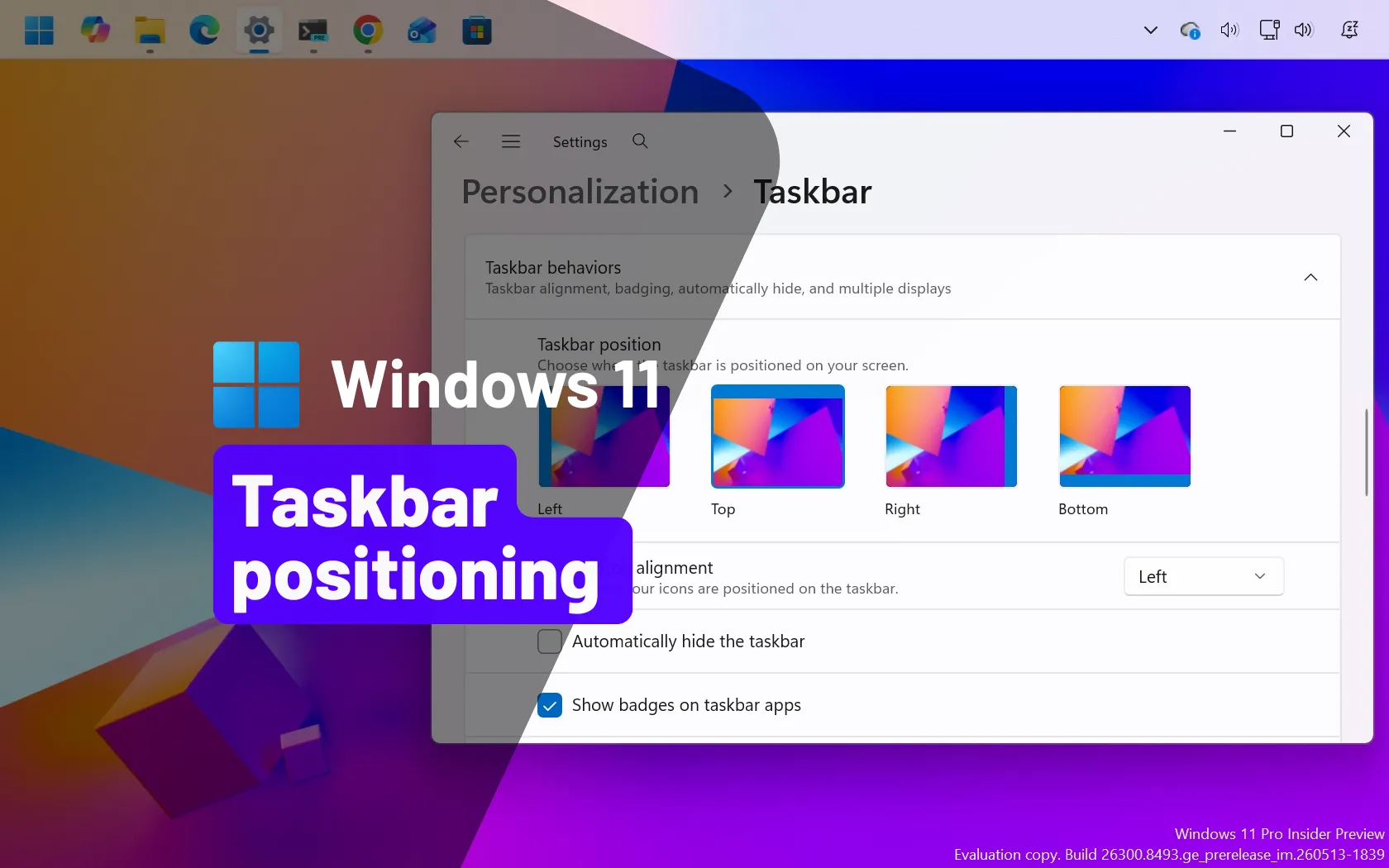
You can’t move the Taskbar in Windows 11 anymore, unless you do this
Move the Windows 11 Taskbar to the top, left, right, or bottom using native controls and WindHawk, ExplorerPatcher, or Start11.
 pureinfotech.com
Xeno1234
Level 14
I tried that however it did absoultely nothing.I didn't test it but it was literally just one google search away.
You can’t move the Taskbar in Windows 11 anymore, unless you do this
Move the Windows 11 Taskbar to the top, left, right, or bottom using native controls and WindHawk, ExplorerPatcher, or Start11.
Windows Hello biometrics are more secure than using a Local password/code.
Can you confirm the Windows UAC settings?Have latest windows 10. Dont like windows 11 cause I cant move taskbar to the top of the screen.

RoboMan
Level 39
Verified
Honorary Member
Top Poster
Content Creator
Well-known
High Reputation
Forum Veteran
Given the fact that you surf and download files from unknown and shady websites, and the huge deal that you download malware samples for testing, you may be at risk.
- You shouldn't be switching antiviruses like you are (I have this one, then going to this one, when trial ends going back to other one). You should stick to one solid solution for your security and your system's stability.
- You should define ASAP a system recovery solution and a file backup solution. Your surfing habits tend to infect machines, therefore you should be prepared for the worst.
Xeno1234
Level 14
I dont engage in malware testing - I just like get a file and put it into sandboxes if someone suspects something as being infected.Given the fact that you surf and download files from unknown and shady websites, and the huge deal that you download malware samples for testing, you may be at risk.
- You shouldn't be switching antiviruses like you are (I have this one, then going to this one, when trial ends going back to other one). You should stick to one solid solution for your security and your system's stability.
- You should define ASAP a system recovery solution and a file backup solution. Your surfing habits tend to infect machines, therefore you should be prepared for the worst.
Also I do plan on sticking to one solution once the trial ends, its Kaspersky for like 8 months then something else once that ends.
Xeno1234
Level 14
I changed UAC settings to always notify.Windows Hello biometrics are more secure than using a Local password/code.
Can you confirm the Windows UAC settings?

I used to avoid system backups for years, but you would not believe how useful it can be, especially when you are out of time.
I can reinstall Windows plus install everything within 2 hours, but it will not beat 1 min system restore, when really really needed.
I can reinstall Windows plus install everything within 2 hours, but it will not beat 1 min system restore, when really really needed.
Xeno1234
Level 14
How do you create restore points?I used to avoid system backups for years, but you would not believe how useful it can be, especially when you are out of time.
I can reinstall Windows plus install everything within 2 hours, but it will not beat 1 min system restore, when really needed.
EaseUS Todo Backup Free, but the smaller the system partition is, the better. You should keep the system partition separate from your data, keep data backed up using a cloud service.How do you create restore points?
Attachments
F
ForgottenSeer 100397
How do you create restore points?
You should try the Hasleo Backup Suite. I started using it recently, and I posted about it on the HBS thread.EaseUS Todo Backup Free, but the smaller the system partition is, the better. You should keep the system partition separate from your data, keep data backed up using a cloud service.

Discussion Thread - Hasleo Backup Suite 3.0 launches with file backups and other improvements
Given the purpose of the software, backup software must work more reliably than security software. We hope that the software will grow to handle data more reliably than it does at high speed.:)
 malwaretips.com
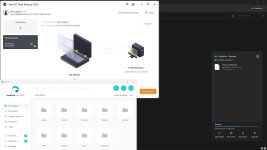
You can add the changes by clicking Edit Thread, as seen in the screenshot below.I changed UAC settings to always notify.
Xeno1234
Level 14
Added SWH (Default Settings)
Changed Checkpoint Harmony to Kaspersky Premium
Kaspersky Setup - Default Deny, Isolated Browsers, Non System Applications cannot tamper with Kaspersky (Intrusion Prevention)
File AV set to scan all files with deep heuristics.
UAC Set to "Always Notify"
Added System Restore/Backup Software
Also I am now starting to use Intellix and Kaspersky Opentip apon recieving files that arent trusted by Intrusion Prevention.
Changed Checkpoint Harmony to Kaspersky Premium
Kaspersky Setup - Default Deny, Isolated Browsers, Non System Applications cannot tamper with Kaspersky (Intrusion Prevention)
File AV set to scan all files with deep heuristics.
UAC Set to "Always Notify"
Added System Restore/Backup Software
Also I am now starting to use Intellix and Kaspersky Opentip apon recieving files that arent trusted by Intrusion Prevention.

Shadowra
Level 42
Verified
Top Poster
Content Creator
Malware Tester
Well-known
High Reputation
Forum Veteran
Added SWH (Default Settings)
Changed Checkpoint Harmony to Kaspersky Premium
Kaspersky Setup - Default Deny, Isolated Browsers, Non System Applications cannot tamper with Kaspersky (Intrusion Prevention)
File AV set to scan all files with deep heuristics.
UAC Set to "Always Notify"
Added System Restore/Backup Software
Also I am now starting to use Intellix and Kaspersky Opentip apon recieving files that arent trusted by Intrusion Prevention.
"If you've applied @harlan4096 's configuration regarding Kaspersky, SWH is overkill."
Recently browsing
Members who viewed this thread in the last 5 minutes
You may also like...
-
 Advanced Security Bill7's PC Security Config
 -
 Advanced Plus Security harlan4096's PC Security Config
 -
 Basic Security zJcoNz6R's PC Security Config
 -
 Advanced Plus Security devjitdutta2025's PC Security Config
 -
 Advanced Security RoxasDev's PC Security Config