


I hope it works for youA main-powered PC with 16 GB of RAM.
ZoneAlarm stopped working altogether, so I uninstalled it, but it left a folder on my PC called CheckPoint and it won't let me delete it. It contains a bunch of other folders containing files belonging to the anti-ransomware tool. Where should I ask for assistance? The ZoneAlarm forums are useless. Can someone from MalwareTips help me?
ZoneAlarm® version 15.6.028.18012
- Thread starter I3rYcE
- Start date
You are using an out of date browser. It may not display this or other websites correctly.
You should upgrade or use an alternative browser.
You should upgrade or use an alternative browser.


I was using the pro Firewall not long ago and like it very muchIs the firewall decent and worth using these days?

i tried the free Zonealarm AV + FW....it ran smooth on my system and the learning firewall was very responsive.
I think this will be my alternative free AV.....if I someday change my current combo
I think this will be my alternative free AV.....if I someday change my current combo

Gery79,
Download and try ZA uninstaller tool: http://download.zonealarm.com/bin/free/support/download/CLEAN.exe
Download and try ZA uninstaller tool: http://download.zonealarm.com/bin/free/support/download/CLEAN.exe

I did a bit of searching online and managed to uninstall the anti ransomware component and to delete the folders that remained. Here's what worked for me:i discovered that i still have the anti ransomware installed . task manager revealed it to me . tried uninstalling it with revo uninstaller but still dealing with it
Reinstall ZoneAlarm's Extreme Security trial version. Use their removal tool to uninstall it:
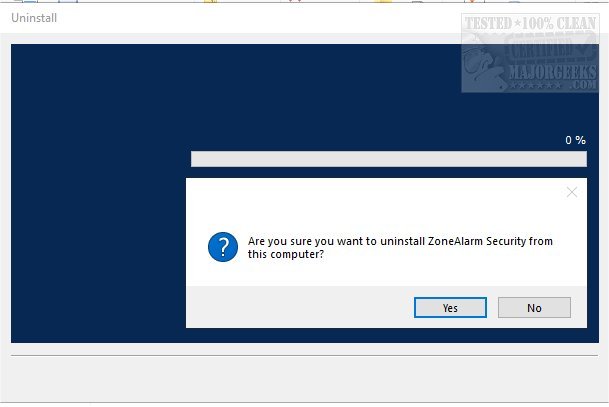
Download ZoneAlarm Uninstall - MajorGeeks
ZoneAlarm Uninstall is a handy application that was created to help you quickly remove all traces of Zone Alarm products from your computer.
www.majorgeeks.com
Then go to
C:\Program Files (x86)\CheckPoint\Endpoint Security\TPCommon\Cipolla
and launch the uninst.exe file. That should remove the anti-ransomware component. If it gives you any errors, post here. It prompted several errors before finally completing the uninstallation.
ZoneAlarm Support Center
this was my golden rule to uninstall without any problems.
- After ZoneAlarm window appears, Click on the Tools dropdown and select Preferances. Uncheck the box "Load ZoneAlarm at startup" Then click OK.
Close ZoneAlarm. - Reboot your computer.
- After your computer has rebooted ZoneAlarm will no longer automaticlly start.
- Now click Start, Control Panel, Programs, select the ZoneAlarm program at the bottom of the list and click Uninstall.

I still have 2 unused licenses for this software. One day i may use them as this firewall is still one of the best on the market.I was using the pro Firewall not long ago and like it very much
You may also like...
-
 New Update Announcing ZoneAlarm Anti-Ransomware for Mac (BETA)
- Started by Trident
- Replies: 6
-

-

-
On Sale! Avast Premium Security 1 Device 1 Year 9.99€
- Started by Brownie2019
- Replies: 0