



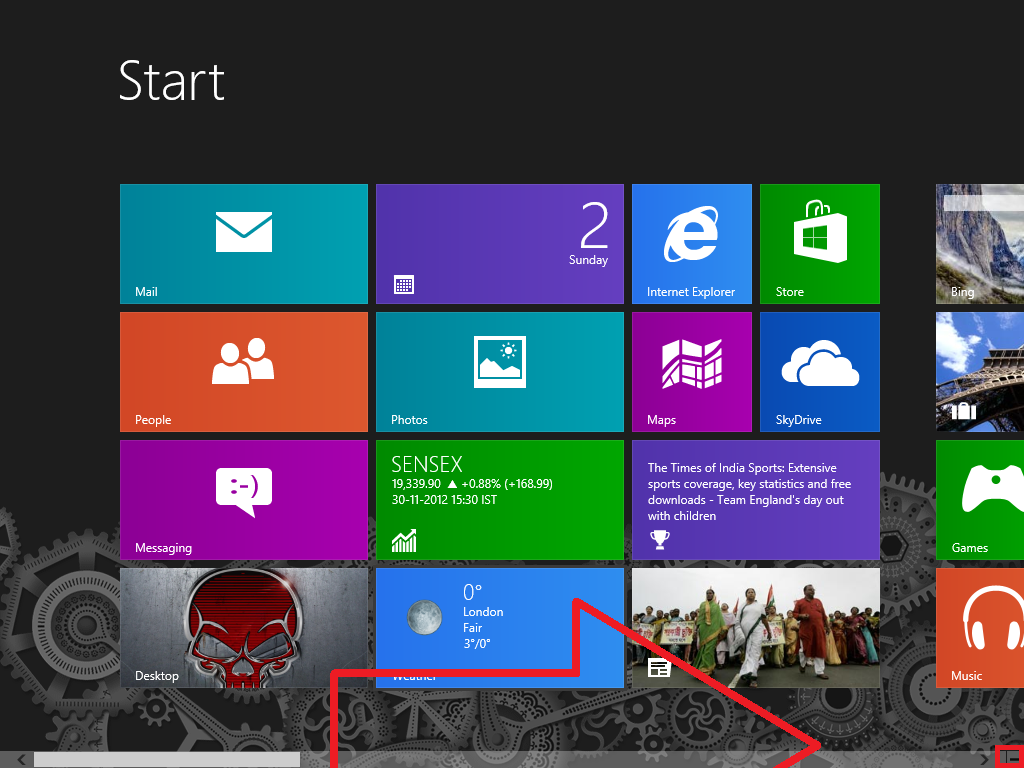
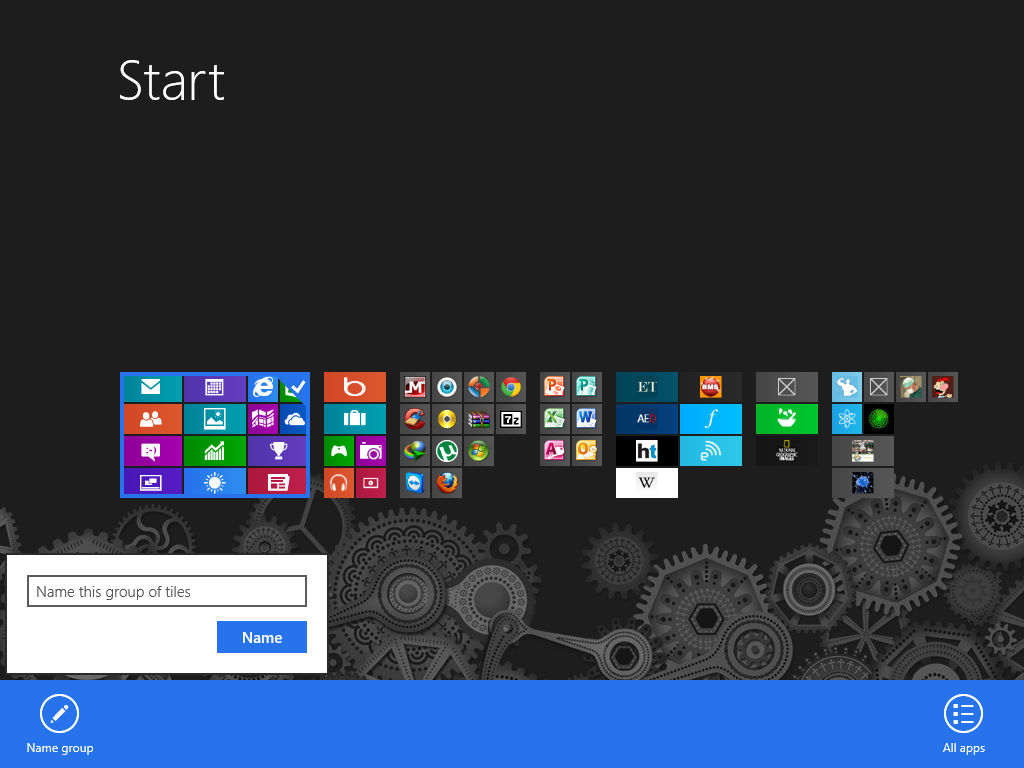
Here below there is a MrXidus Start Screen & many users don't know how to label the columns.
Steps:
1. Firstly go to your Start Screen
2. You will be able to see a - sign Click on it
3. Right Click on one of Column than you will be able to see one option NameGroup & type the name you want to give to the selected columns


Thanks for Reading
Steps:
1. Firstly go to your Start Screen
2. You will be able to see a - sign Click on it
3. Right Click on one of Column than you will be able to see one option NameGroup & type the name you want to give to the selected columns
Thanks for Reading


