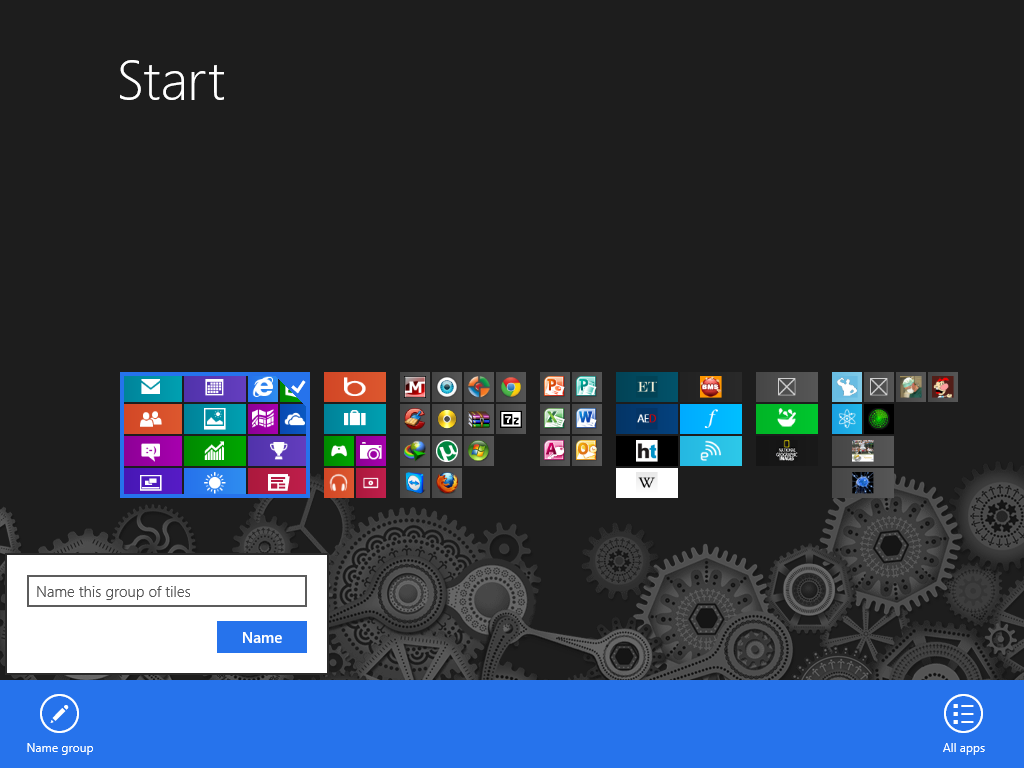
Guide How to Label the Columns in Windows 8 Start Screen

This guide may include member-written or external content. Check the steps before applying them.

MrExplorer

Level 28
Verified
Here below there is a MrXidus Start Screen & many users don't know how to label the columns.
Steps:
1. Firstly go to your Start Screen
2. You will be able to see a - sign Click on it
3. Right Click on one of Column than you will be able to see one option NameGroup & type the name you want to give to the selected columns

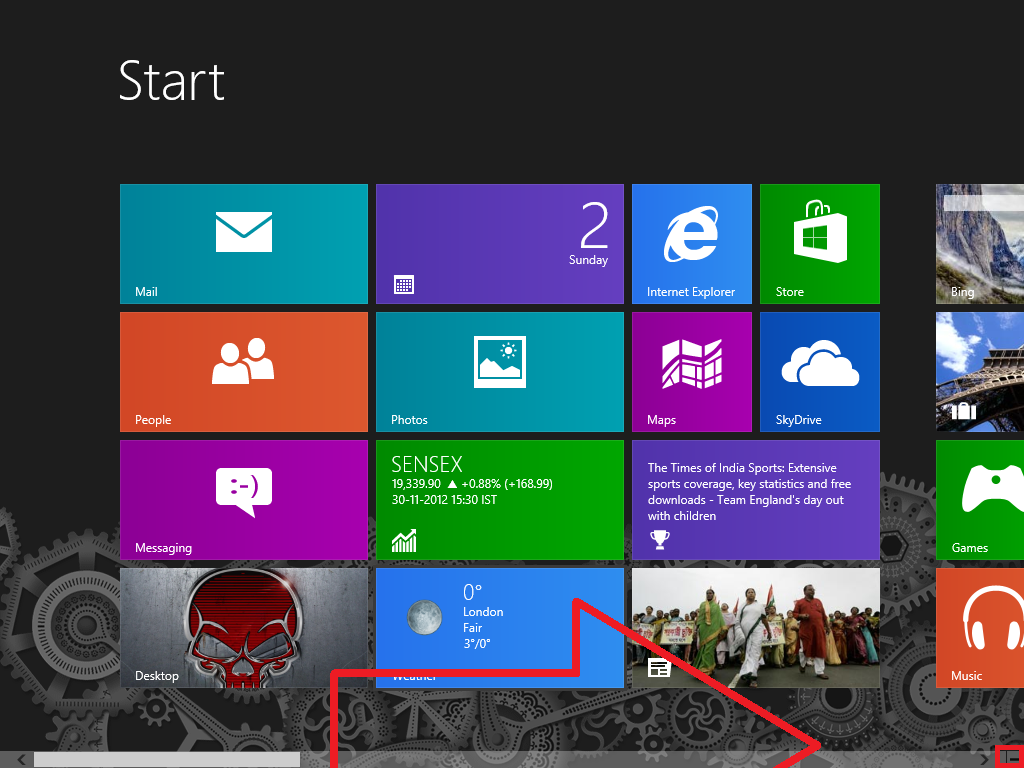
8Z8sX.png


image.png

image.png

fI6qK.png


Thanks for Reading
 
No mention bro. I also learnt it by myself in the first day. Also for searching just go to the start screen and start typing. It will auto load results.
 
malbky said:
No mention bro. I also learnt it by myself in the first day. Also for searching just go to the start screen and start typing. It will auto load results.

that thing i know but thanx
 

MalwareTips community

Join the discussion

Create a free account to reply to this thread, ask your own questions and get help from the community.

  • Reply and ask questions
  • Get alerts when someone answers
  • Free malware removal help

Join 75,669 members who help each other for free, since 2010.

Create free account
or continue with

Recently browsing

Members and guests who viewed this thread in the last 5 minutes

Back
Top