


A search for your name turns up a BlockShopper page with a home address and a sale. The site also offers a switch labeled Do Not Sell My Personal Information.
The switch and the property page address two different kinds of information. Start by identifying which detail you want changed and where it actually appears.
Overview
The switch changes a website advertising preference
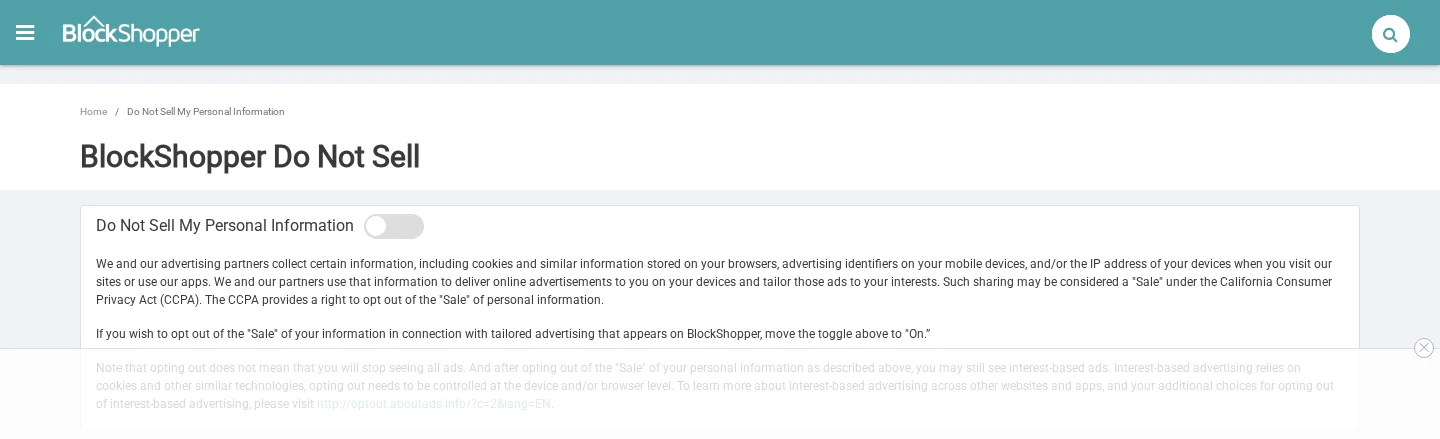
BlockShopper’s Do Not Sell page describes cookies, device identifiers and tailored ads. Its toggle is not a form for a deed, an owner’s name or a sale price.
The property history comes from a different source
BlockShopper says it obtains real estate data from government sources, including assessor and recorder offices. Its public FAQ says it generally leaves those records up but describes exceptions.
Identify the change you want before contacting anyone
- Use the switch to limit the described ad-related sharing in that browser or on that device.
- Use the listed correction or privacy contact for a page that shows incorrect information or needs a safety review.
- Ask the county about the original document if the problem began in a recorded deed or assessment, not just in a web copy.
How to Use the BlockShopper Opt-Out for Ads
Step 1: Open the site’s own preference page
Start at blockshopper.com and use the footer’s Do Not Sell My Personal Information link. The direct path shown for that preference is blockshopper.com/donotsell.
Look for the switch beside the page’s privacy label. The text underneath identifies the type of sharing this control addresses and doesn’t ask for a property address.
Don’t put your name, title documents or account details into an unrelated site offering to activate the switch for you. The official control is on BlockShopper itself.
Step 2: Turn the preference on and check its state
Move the switch to the on position to make the choice described on the page. Check the switch itself to see whether the interface shows your selection.
BlockShopper says this choice concerns tailored ads on its site. Seeing an advertisement afterward does not show that the switch failed, because it does not promise to block advertisements.
Repeat the choice on another browser or device you use if needed. The company says its browser-level opt-out may need to be set again after you delete cookies.
Test the screen with the browser you actually use, not with a private session that will discard its settings. Don’t assume the preference follows you to a different device.
Step 3: Treat the property page as a separate case
Open the exact result and note whether it is a property page, an owner page or a sale article. Keep the link somewhere you can access privately.
If you found it in a search engine, check the destination domain and copy the individual page URL. The homepage won’t tell the company which detail you mean.
Record only enough to identify your own concern. For example, note whether the page shows your old mailing address as current or assigns your name to the wrong property.
If more than one page exposes the same information, record each URL before making the request. A change to one page may not update a separate article or index page.
Use the URL of a page about your own property or record. Don’t send a page for someone with a matching name just because it appears next to yours.
A property page may mention multiple transactions, so note the sale date if the name or price is shown beside a specific purchase. Don’t assume all entries are current.
What BlockShopper Says About Removing a Property Listing
The FAQ describes BlockShopper’s role as publishing records received from public sources. The company says it does not normally eliminate those records simply because someone wants anonymity.
That policy is not the end of every request. The same FAQ discusses exceptions for some public safety roles, people under court protection and people facing documented threats.
It also asks readers to report errors so it can look into them. A correction request for a false attribution is different from asking to hide an accurate sale.
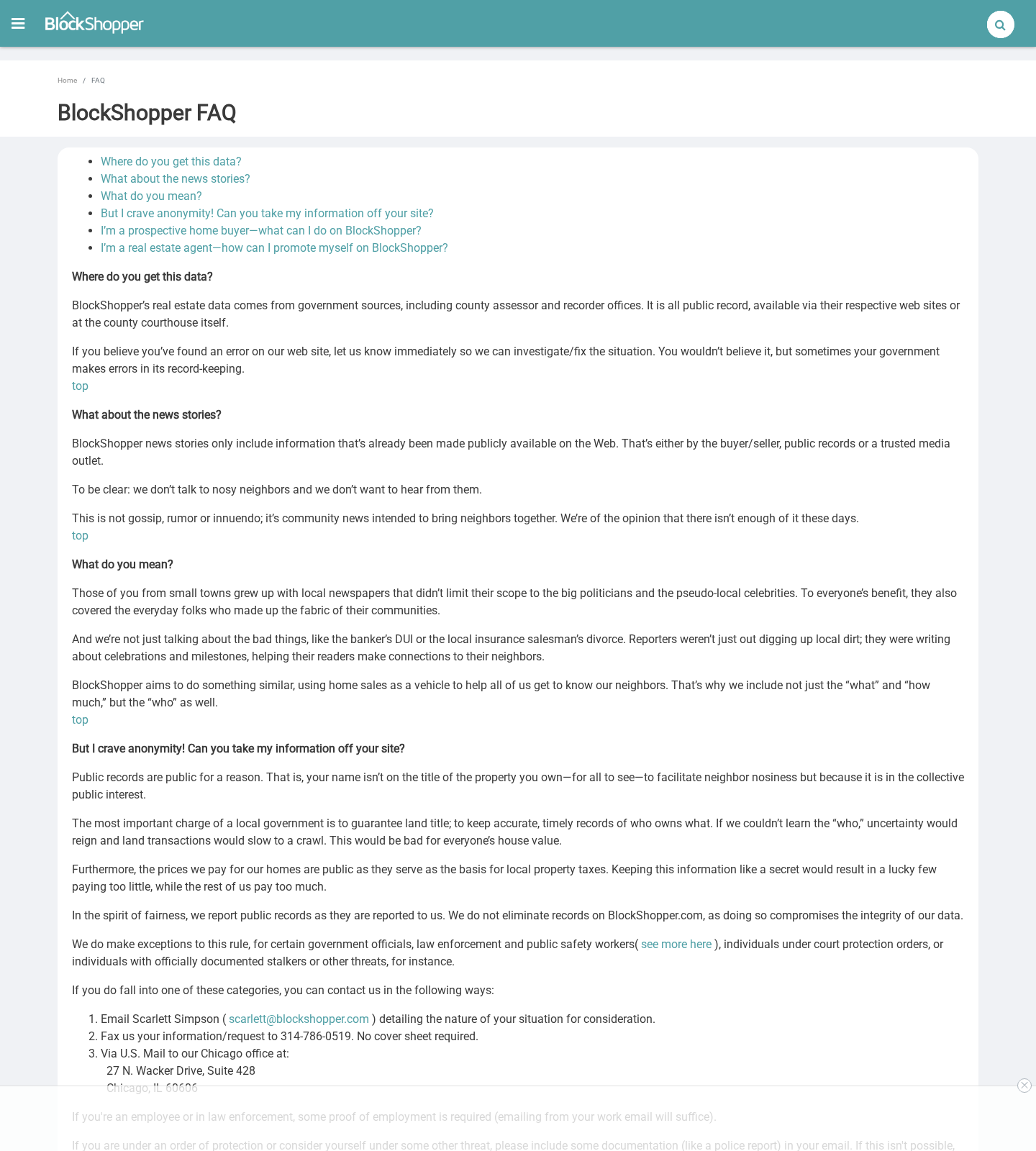
Open the FAQ’s anonymity question to find the channel it currently lists for an exception request. Explain the kind of exception and ask what verification is needed before attaching documents.
If BlockShopper linked your name to the wrong parcel, use the Errors/Omissions contact on its Contact Us page. Say exactly what the page got wrong.
If you intend to make a formal California privacy request, use the contact under Exercising Your CCPA Data Protection Rights in its published privacy policy.
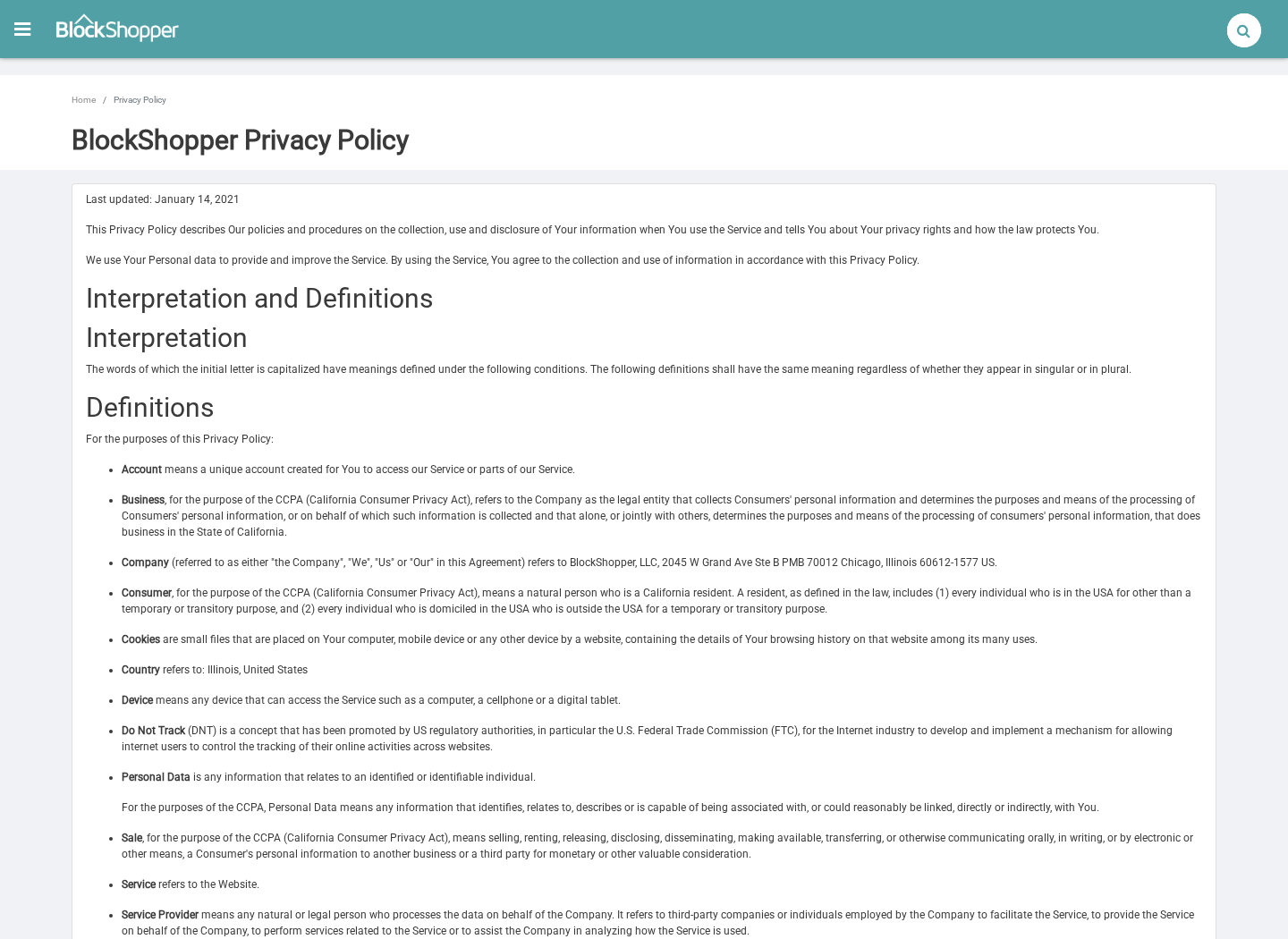
The privacy policy lists a West Grand Avenue mailing address for California rights, while the public FAQ lists a North Wacker Drive office for its exceptional cases.
Check the address in the section you intend to use rather than relying on an old directory listing. Ask how to send evidence securely if the answer is unclear.
One published contact is for requesting a change to data; another is for errors in what the site displays. You can make both requests if they describe separate problems.
For an advertising question, mention the browser and whether the switch still shows your choice. For a listing problem, include the page and the affected field instead.
What to Include Without Giving the Site More Information
A tax bill mailing address is not always the property address
Before requesting removal, label which address the page shows. The street location, a former owner’s address and the destination for property tax mail can refer to different places.
If you moved, ask to correct a wrong current label rather than disputing the sale. A past transaction may accurately show who owned the property then.
If the information is accurate and the concern is safety, that is a separate request. Ask whether the site can withhold the specific address or association that creates the risk.
A public URL is enough to identify the page in a first message
Copy the exact URL into a private note and record the unwanted detail. If you capture the page, keep the screenshot local until you know who needs it.
Give the company a reply channel that is safe to use. If you cannot receive mail at the listed address, say so without putting a protected address into the message.
If someone replies asking for payment or a scan of both sides of your identification, verify the request through the official page before sending money or documents.
A broader California request still has limits
CalPrivacy’s explanation of California rights distinguishes access, correction, deletion and opting out of sale or sharing. Tell BlockShopper which action you are asking it to take.
Don’t ask for a cookie setting when you want to find out what records the site has. A request about your data can identify a different issue from the listing.
Likewise, don’t claim that every record in a government office must be removed because the same information appears online. Ask for the basis of any refusal about your particular request.
What to Do If Your Name or Address Appears on BlockShopper
-
Identify the exact change you want. Name the page and detail you want corrected or withheld. Ask for a written decision instead of an open-ended account inquiry.
If the problem is your name being wrong, include the correct fact and how it can be verified. If the concern is physical safety, ask about restriction rather than correction.
-
Write to the channel that handles that change. Start with the public page URL, the issue, the requested action and a safe way to reply.
For an exception, say whether it involves a protected role, a court order or a safety threat. Don’t put your new or confidential address in the first message.
Before sending a protection order or identity document, ask whether less sensitive evidence will do and how to send it safely. Keep third-party details out of the request.
-
Check the notice for the rules on privacy requests. BlockShopper says it needs enough information to verify the request and determine that the information belongs to you.
Its California privacy policy describes a 45-day response period for the required disclosure after a verifiable request, with a possible extension. It doesn’t promise listing removal by that date.
Ask whether BlockShopper is treating the request as a correction, a safety exception or a data deletion request. Record the date you sent it and the reply you received.
-
Verify any change on the page you reported. Check the same URL and the same detail rather than assuming a reply affects every page that mentions the property.
If the page changed but a related article or owner page still shows the detail, send that second URL. A case number can help support find the prior decision.
When the Source Is a County Record, Not Just a Website
Find out which official record supplied the detail
An assessor’s property record and a recorded deed serve different purposes. Identify the document or record behind the disputed detail before asking one office to change another office’s copy.
For example, the Los Angeles County assessor’s address page explains how to update assessment correspondence. That is not an instruction for editing a recorded deed or a private website.
Ask the appropriate office whether the issue is an outdated mailing address, an inaccurate assessment entry or a recorded instrument that needs a different correction procedure.
If the county corrects its record, ask what proof it can provide. Send BlockShopper the relevant confirmation instead of assuming it will automatically pick up the new version.
If an exposed address creates an immediate safety problem
Don’t wait for a privacy inbox if you are in immediate danger. Contact local emergency services, or use a trusted local victim service to make a safety plan.
Ask a local advocate or the appropriate record office about address confidentiality where you live. A request to BlockShopper alone doesn’t protect addresses in government files or other copies.
California’s Safe at Home guidance describes a substitute mailing address and a procedure eligible participants can ask about for certain real property documents.
That example does not apply automatically to every owner or every past record. Follow the official program’s eligibility and procedural directions before making changes to property documents.
Ask whether the public page is using a previously recorded document or a recent assessment. Address protection can work differently depending on the record and when it was filed.
Keep the program’s confirmation and other safety documents in a secure place. Don’t publish those documents or the private address to show other sites where they made a mistake.
If only the search result is outdated
Open the BlockShopper page directly and check if the detail remains. If the page changed but the search snippet didn’t, you are dealing with a separate copy.
Copy the address of the changed BlockShopper page. In Google’s refresh tool, start with Request refresh and select Page, not the image option.
Paste the page address, use Submit, and return to the tool to check the request. Use the specific result rather than the main BlockShopper domain.
If BlockShopper is still publishing the information, continue the request with the site. Google’s refresh workflow doesn’t remove information from an otherwise unchanged page.
Keep separate notes for the county, the private website and the search engine. If one confirms a change, check the other places yourself before assuming they’re clear.
For evidence of the publisher’s change, re-open the same page while logged out. A disappearance from a search engine alone doesn’t confirm that the site changed its own record.
Frequently Asked Questions
Does the BlockShopper opt-out switch remove my home sale?
The switch addresses advertising-related information on the device or browser. It does not ask you to select a home sale, and it is not a property removal request.
Can I ask BlockShopper to correct the wrong owner’s name?
Yes, the site lists an errors contact. Provide the page, explain the incorrect attribution and identify where the correct information can be checked without publishing private documents.
Does BlockShopper remove every listing after a privacy request?
Its FAQ describes a general policy against removing public records and gives examples of exceptions. A request is not a guarantee, even when the site acknowledges it.
What if an accurate property record puts me at risk?
Use the site’s safety-exception route and ask an advocate or the record office about confidentiality at the source. Get immediate help if you are in danger.
Will a county correction update BlockShopper automatically?
There is no guarantee that a copy updates as soon as the source changes. Keep the county’s confirmation and ask BlockShopper to verify or correct the specific page.
Should I send a full court order with my first request?
Start by asking what proof is necessary and how to send it safely. A document can expose protected details about you or people who aren’t part of the request.
The Bottom Line
Use the BlockShopper opt-out for its advertising preference. If the actual problem is a property page, send the exact URL to the appropriate correction, privacy or safety contact.
When the detail comes from a county record, ask the responsible office what can be changed there. Then check the private page and any outdated search result separately.

Join the discussion
0 commentsShare your experience or ask a question about this article.
Community experiences
Did this happen to you?
Your experience could help someone recognize the same scam. Submit a private report for our team to review.
I experienced this tooReports are reviewed before publication. Sharing publicly is always your choice.
Discussion
Start the conversation
Have a question or something useful to share? Add the first comment.