


A phone can be up to date today and still have a history you need to understand. With a report about targeted spyware, the distinction matters.
Landfall raises two questions that sound similar at first. One is whether your Samsung phone has the fix. The other is whether it needs a closer look.
Overview
Landfall was a targeted Samsung Galaxy spyware campaign
Palo Alto Networks Unit 42 traced Landfall to a flaw in Samsung’s Android image processing. The researchers described historical attacks against selected Samsung Galaxy devices before a fix was available.
Samsung addressed the underlying issue in its April 2025 security release.
Which update you can install depends on the actual device, its region and coverage, not simply when you bought it.
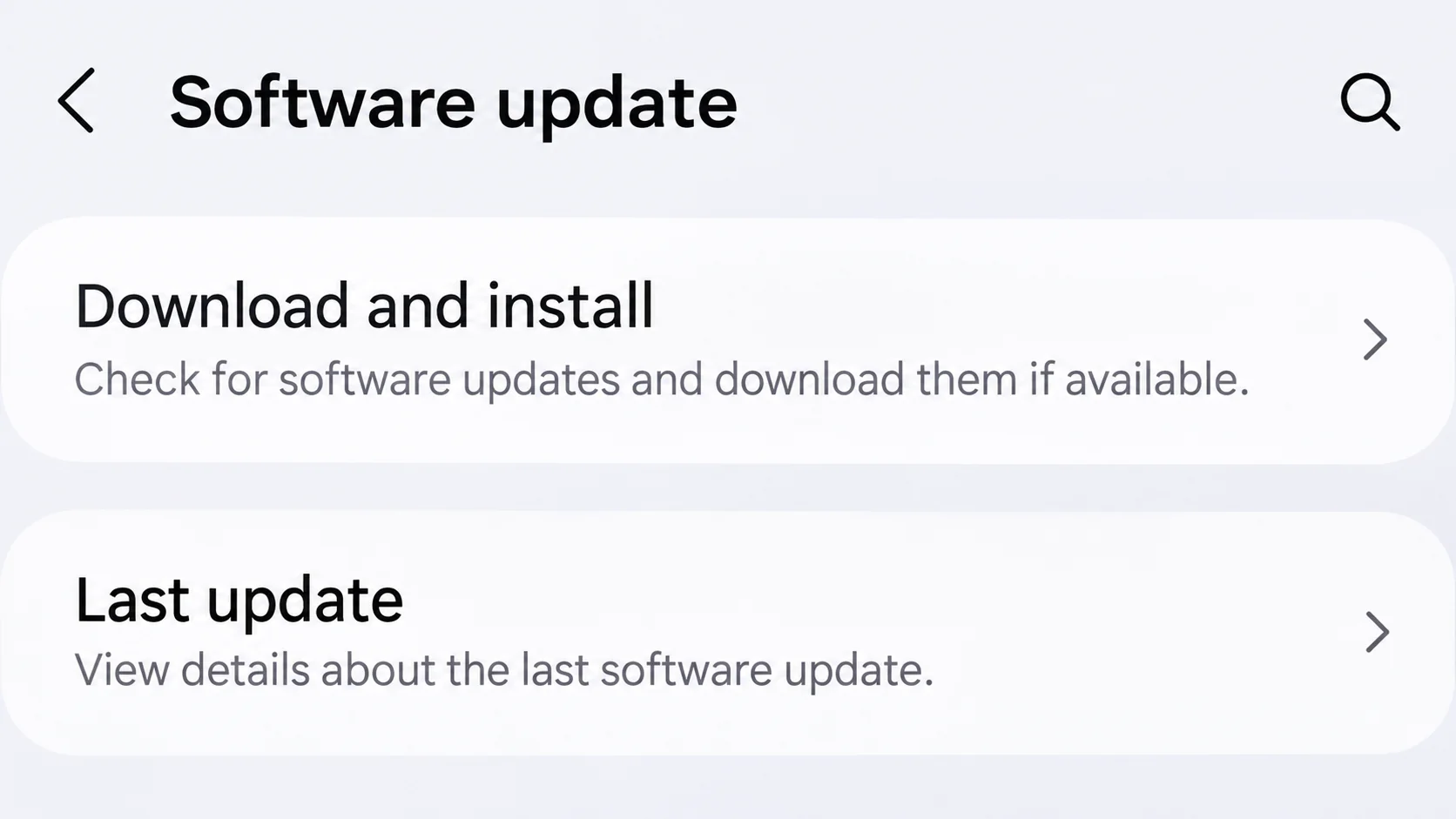
The image above recreates where a Galaxy user may check for an update. It isn’t a picture of a detection or a record of which phone was affected.
The messaging route was a research finding with limits
Researchers recovered malicious image samples and found evidence that the images may have been sent through WhatsApp. Their analysis did not identify a new vulnerability in WhatsApp itself.
They described possible delivery without interaction. That is more serious than a conventional attachment scam, but it does not establish that any ordinary message compromised the recipient.
Don’t share or reopen a suspicious file to test the theory. If you have a credible reason to think you were targeted, ask about preserving it safely before deleting anything.
A routine update and a targeted incident require different decisions
A manual update is sensible for an ordinary owner whose device may be behind. It does not answer whether spyware ran before the update was applied.
A person who has received a credible warning or faces a high-risk situation needs a different plan. Speak to trusted support on another device before altering the suspect phone.
Consider what you can actually confirm:
- Check the model and security patch information rather than relying on a marketing name.
- Match the phone’s history to any credible warning or unusual contact you can independently verify.
- Keep sensitive communication off a device you believe may have been targeted while you arrange safe help.
- Treat an update as protection against a fixed route, not proof that the phone’s history is clear.
What the Landfall Report Does and Doesn’t Establish
A Galaxy model name is a starting point
The published research identified samples crafted for selected Samsung phones. A list of example Galaxy S and foldable models isn’t a list of affected owners.
Your phone may have a similar name without the same build. Check Settings > About phone for the model, then open Software information for the security patch level.
Keep the exact model and current patch date for support. You don’t need to publish the device serial number to ask whether your phone supports current updates.
An Android patch date is different from an app version
Updating WhatsApp is good maintenance, but it doesn’t replace the operating system update that addresses the Samsung component. Likewise, a new chat app version can’t assess an old device incident.
Check the app and the phone separately. On a Galaxy phone, Settings > Software update > Download and install is the usual route to look for a system update.
If you can’t see that menu, use Settings search or verify the model on the manufacturer’s support site. Managed devices may use an update policy controlled by the organization.
An old compromise and an unpatched phone aren’t the same finding
If the issue is outdated software alone, install the latest supported release rather than searching for an old individual patch file. Don’t use unofficial firmware packages from discussion threads.
If a credible forensic warning points to an earlier compromise, note the warning and talk to a qualified responder. Installing an update is not a substitute for interpreting that evidence.
When you can’t trust the phone’s current state, don’t use it to open your safety plan or ask about the people you think may be affected.
How to Decide Whether You Need a Specialist
Work from the warning you actually received
A message that claims to be a spyware warning may itself be deceptive. Verify the sender from a separate device using contact details you already know or obtained independently.
Do not use the message’s link to arrange help or install an app. Treat an apparent notice and the evidence of targeting as separate things until someone verifies them.
If the warning came from a security team, ask which device, date and indicator they are concerned about. That helps you find the phone without sharing unrelated contact records.
Think about where the information may matter
Researchers described possible audio, location and contact exposure. That changes the first call for a journalist, attorney, source or employee handling sensitive correspondence.
Consider who could be affected by messages, appointments or contact details already on the device. You don’t need to warn everyone at once or expose a source while seeking help.
Use a separate device and a known channel to speak to someone authorized to assess the risk. Keep a short timeline that does not name unrelated people.
Don’t diagnose by ordinary phone behavior
Lag, overheating or a dying battery can have many causes. These symptoms don’t distinguish Landfall from a hardware issue or ordinary software problem.
A clean app list also can’t settle the matter. The campaign targeted a system flaw and was not presented as a normal app everyone could see and uninstall.
If you have only ordinary symptoms and no credible targeting signal, keep the phone supported and updated. Seek a normal device diagnosis rather than assuming a spyware incident.
What to Do if You Suspect Landfall on a Samsung Phone
-
Use a safer device for sensitive conversations. Don’t call sources, contact a bank or reset your email from a phone you reasonably suspect is under surveillance.
Move to a previously trusted channel before telling people what happened. Avoid turning a confidential incident into a group message with many recipients.
-
Record the warning, timing and phone model without replaying anything. Write down the approximate events and patch history if known, and preserve the original alert privately.
If a responder wants to examine a suspicious message or file, let them tell you how to provide it. Don’t upload it to an ordinary chat or consumer forum.
-
Check what type of help you need before changing the phone. An organization may have an incident team that can preserve data and arrange a replacement device.
Eligible civil-society members can contact Access Now’s Digital Security Helpline from a trusted device. Explain whether you face a specific risk and avoid transmitting sensitive attachments unless requested.
-
Review separate account exposure when appropriate. With help, check which accounts and trusted devices could be affected. Use providers’ own settings to review access from another device.
If removing a session or changing a phone number might create risk for someone, agree on timing with your responder. Not every protective action has to happen at once.
-
Make a clean communication plan before returning the handset to use. Know how you will receive important calls and account approvals without restoring the suspect environment.
If a replacement is needed, verify what data can transfer safely. Avoid moving the entire phone backup onto another device before that decision.
How to Secure a Samsung Phone After a Landfall Concern
Step 1: Verify support and record what is already installed
On a phone with no credible indication of prior compromise, start with Settings > About phone > Software information and note the Android security patch level.
Compare the device and its update policy against Samsung’s guidance. A phone can say no update is available because no further releases are offered for its model or region.
If you are being advised about a targeted incident, follow that advice before checking settings or changing the device. Routine maintenance doesn’t have to come before evidence preservation.
Step 2: Install the available system update when it is safe
Open Settings > Software update > Download and install. Follow Samsung’s genuine instructions and recheck the patch level after the update restarts the phone.
Samsung’s security bulletin documents the April 2025 fix. Install the latest supported update, rather than stopping at that month.
If the device no longer receives security fixes, plan a move to supported equipment for sensitive work. Do not assume an app store update will fill that gap.
Step 3: Review the affected phone with support, not random app removals
When a team believes the device may already have been compromised, ask whether to preserve it and use another phone while it is examined.
Check confirmed findings only when authorized. Don’t try to remove system files, turn off the employer’s management or erase a conversation because you read a malware description.
A basic Android app inspection may still help identify other unwanted software, but not seeing an unfamiliar icon can’t rule out the case reported here.
Step 4: Use a normal app scan only as a supplementary check
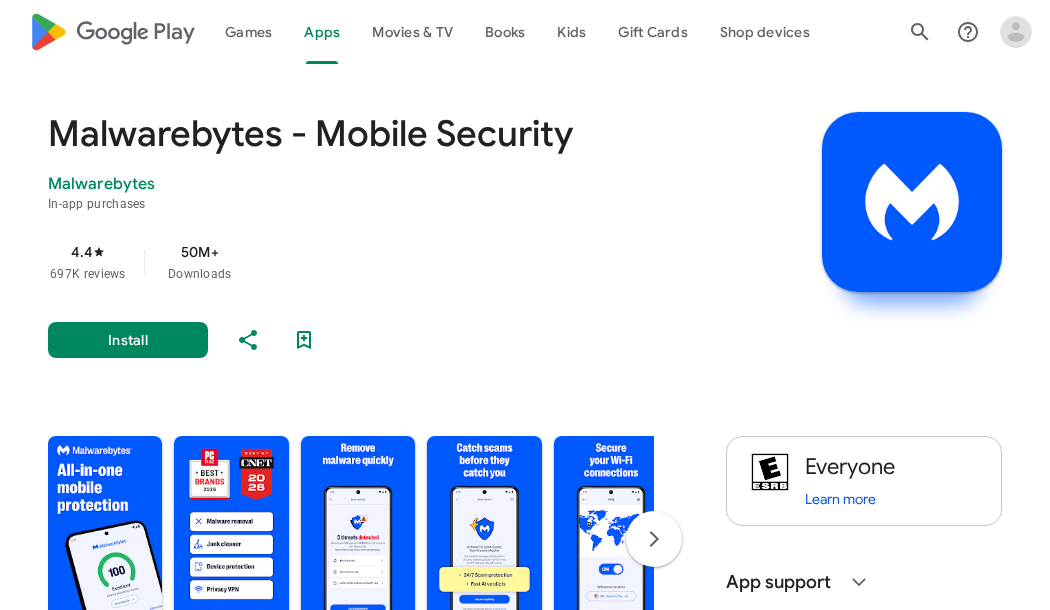
If support recommends it after preservation, open the official Malwarebytes Play listing and verify the publisher. Don’t install anything from the message you suspect.
Check whether Play Protect is on by opening the Play Store profile menu and selecting Play Protect. Run a check only when the device can safely reconnect.
The Malwarebytes Android offer is an optional affiliate link. An ordinary scanner is neither required nor sufficient for a specialist determination of past spying.
Step 5: Follow any detection without treating the scan as a clearance certificate
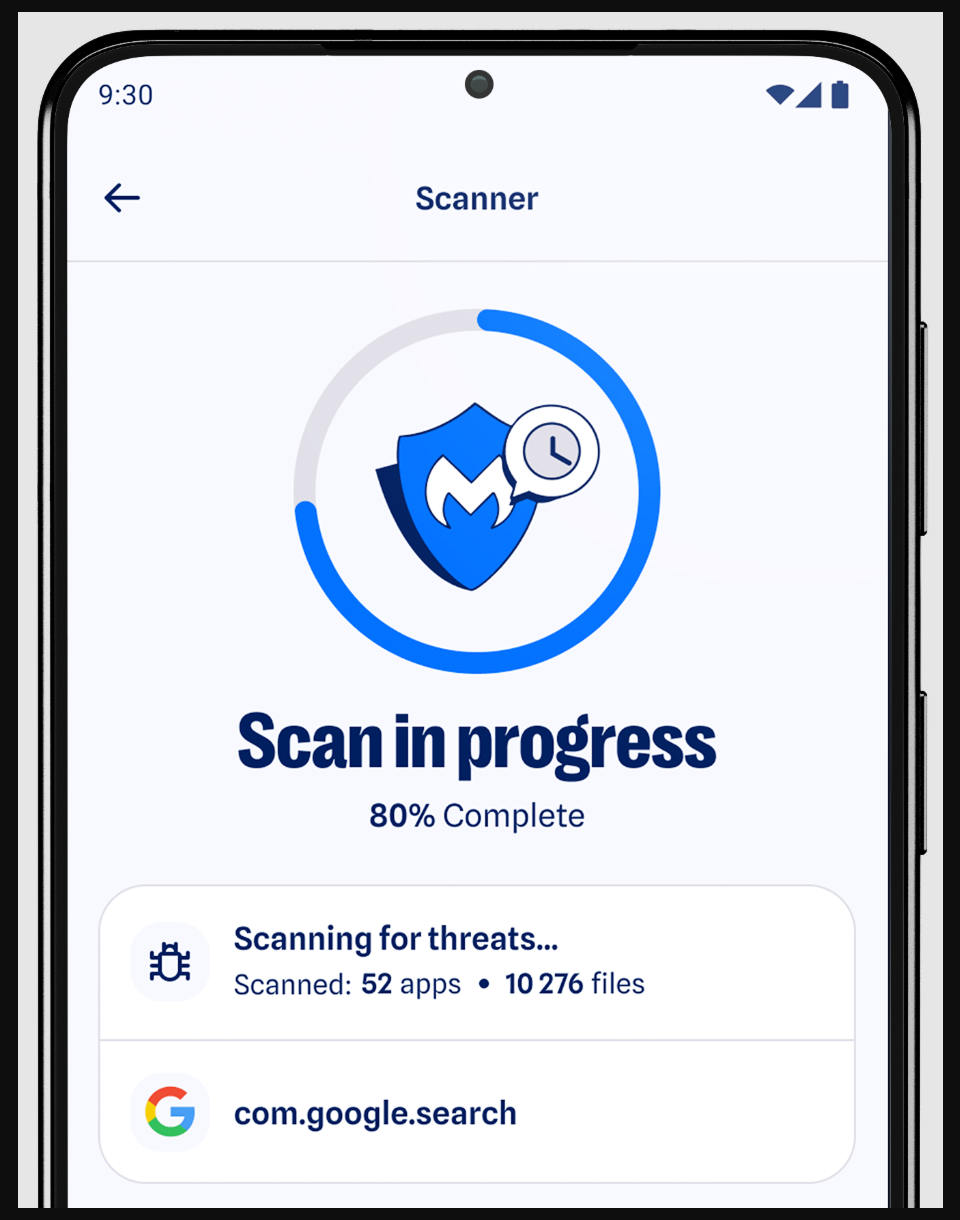
In Malwarebytes, choose Device > Scan now. Read the result and keep a record of any finding, then follow the confirmed removal action if your responder permits it.
If it finds another unwanted app, record that result separately. A second issue doesn’t establish or disprove Landfall, and it may need different cleanup.
Do not base the decision to reconnect to a source on the scanner’s result alone. A technician may ask to review the phone or move sensitive work to another device.
Step 6: Decide how to return to service or replace the phone
If specialists advise resetting or replacing it, plan account recovery before erasing anything. Verify that you have approved methods for calls, messages and multifactor access.
Use trusted stores and current firmware to set up the clean device. Retain only the files and settings your responder says are safe to restore.
If you use a managed profile or a work identity, let the organization issue fresh access. Check that the old enrollment no longer controls how you receive sensitive approval prompts.
How to Retire an Unsupported Galaxy Without Losing Access
If you have an older phone, check its update eligibility before planning a reset. Resetting a device doesn’t add security patches that the manufacturer no longer supplies.
Write down the services that currently send approvals or account recovery requests to it. Use approved routes to move those methods before you stop relying on the handset.
If the old phone contains confidential material or still needs forensic review, don’t trade it in or hand it to a repair shop without discussing what to retain.
Set up the replacement as a separate device and verify the security update from Settings. Keep suspect message attachments out of any manual transfer until a responder has advised you.
Check that you can reach essential services from the replacement before giving up access to the older phone. Keep a private note of which recovery methods you moved.
Frequently Asked Questions
Is this a WhatsApp vulnerability I can fix by updating WhatsApp?
The identified underlying flaw was in Samsung’s image processing. Updating apps and the underlying phone software are separate tasks, and Unit 42 didn’t establish a new WhatsApp vulnerability here.
Does a supported Samsung phone still need the April 2025 update itself?
Install the latest official update available for the device rather than locating an old package. Confirm the device’s software and security patch status afterward.
Do I have to open a file for Landfall to be a concern?
Researchers said the delivery might have needed no click. A message alone still doesn’t establish infection, and you should not replay it to check.
Should I delete the message before asking for help?
If you have credible targeting concerns, ask a responder first. They may need to preserve the message or the phone, and deleting material can narrow what they can review.
Does a new clone or backup tell me whether the phone is clean?
Copying data is not an assessment of prior access. Have a qualified person verify what can move to a new phone without copying unnecessary apps or settings.
Does a clean mobile scan prove there was no surveillance?
A clean result does not establish what happened earlier. Use verified warnings, device history and specialist evidence when the situation calls for it.
The Bottom Line
Keep a supported Galaxy phone current through Settings. If you have credible evidence of targeting, move sensitive conversations to a safer device and ask for qualified help before changing anything.
Treat patching, incident investigation and account recovery as separate tasks. An update can close the known route without telling you whether someone used it in the past.

Join the discussion
0 commentsShare your experience or ask a question about this article.
Community experiences
Did this happen to you?
Your experience could help someone recognize the same scam. Submit a private report for our team to review.
I experienced this tooReports are reviewed before publication. Sharing publicly is always your choice.
Discussion
Start the conversation
Have a question or something useful to share? Add the first comment.