


A conference invitation can look completely ordinary to someone who receives them for work. Even an invitation you remember opening may leave surprisingly little to show afterward.
If a security team mentions Dante or ForumTroll, don’t guess what they mean from the name alone. Start with the events that can still be checked.
Overview
The invitation was part of a targeted Windows incident
Kaspersky investigated a March 2025 wave that used personalized messages made to look like invitations to the Primakov Readings forum. The messages reached selected organizations rather than random readers.
Some related attacks involved a commercial spyware product the investigators identified as Dante. The March wave and the older attacks don’t all describe identical activity on every computer.
The fact that a real conference name was used does not make the organizers the source of the malicious email. Verify invitations with the organization through an independent route.
Opening the link could be the important event
Kaspersky reported that visiting the malicious site with an affected Chromium-based browser could be enough in the March campaign. No subsequent installer click was required in that observed path.
Google issued a fix for the Chrome vulnerability the investigators reported. A current browser is a preventive measure, not proof about the software version in use at the time.
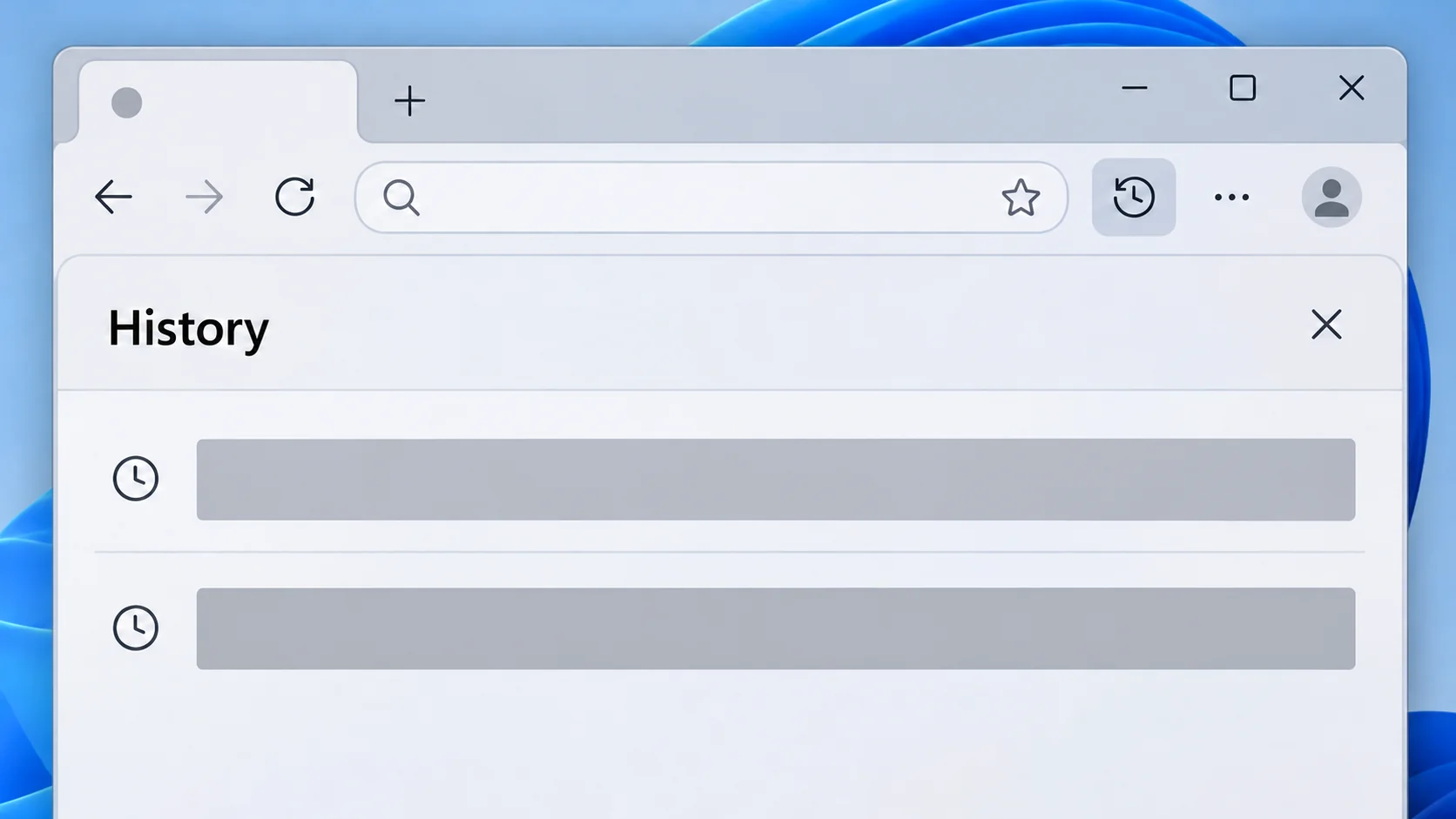
The image is a reconstruction of browser history, not evidence of an individual compromise. It shows the sort of record that may help a responder establish when a visit occurred.
Dante and LeetAgent aren’t two words for the same thing
Investigators linked the March incident to LeetAgent and found separate related clusters. They reported examples where LeetAgent launched the more sophisticated spyware identified as Dante.
A report naming one component therefore doesn’t tell you which other software was present. Nor does it identify everything the computer’s user may have exposed.
Some practical distinctions help with a first call:
- Receiving an invitation isn’t equivalent to visiting the site it points to.
- The browser’s version today may not match the version at the time of the visit.
- A real page opening later doesn’t establish what the link showed earlier.
- The team investigating an affected PC may also need to check work accounts and other devices.
How the Reported ForumTroll Invitation Worked
Step 1: The message made sense for the recipient’s work
Invitation wording can be well written without being trustworthy. Kaspersky reported messages that looked plausible to people working in sectors such as research, government and media.
Saving the message is useful if it has reached a target organization.
Before asking whether it is genuine, compare it with an old trusted contact or the conference’s independently published details.
An invitation from a real organizer could still be handled through your existing calendar or mailing list. Don’t let a polished email be the only evidence of who sent it.
Step 2: The visit mattered more than whether an attachment opened
The observed March attack used a malicious destination rather than an ordinary software download disguised as a meeting client.
Report if you opened it even if Windows never asked to install software.
Avoid visiting the link for a second look.
The original research noted that the site later redirected visitors toward the actual forum, which could tell them little about the prior visit.
A later legitimate page does not mean the email itself was legitimate. Save the approximate time, browser and alert without using the page as an experiment.
Step 3: Investigators treated what happened afterward as its own question
Kaspersky found a persistent loader and LeetAgent in the investigation. The capabilities it described include collecting files and recording typed input, but individual incidents still require verification.
Dante came from analysis of related cases, including instances where the two tools were observed together. Don’t infer that every targeted recipient had the complete set of malware.
If you see a detection from your workplace or a trusted security tool, ask what generated it.
A malicious URL finding and a finding on an actual PC give different evidence.
What to Verify Before a Windows Cleanup
Keep an incident timeline without clearing the browser
Record when the invitation arrived and when you opened it. If you aren’t sure whether your browser was updated before the visit, say that in the incident record.
Don’t clear the browser history just to remove the questionable address. A responder may need to compare it with messages, system alerts and other records.
The relevant date is the visit, not just the date you installed the latest update. On a workplace device, an administrator may have records of the old version.
Identify who is responsible for affected work and accounts
If your employer issued the PC, tell security which work profile, email identity or remote-access account the device used.
Avoid opening those services on the suspect PC to make a list.
If it was your own machine, think about accounts you used for sensitive work.
A genuine work account may still require attention even if the laptop doesn’t belong to the organization.
A quiet PC does not signal that access wasn’t obtained. If a confirmed incident involves sensitive files or accounts, let the person responsible for them assess their own logs.
Avoid rounding up unrelated users and files
If colleagues received similar invitations, tell the security team so it can compare the messages privately. Do not forward the personalized link to people who haven’t seen it.
Describe which files or systems you could reach, without inferring that all of them were read. Follow approved evidence-sharing procedures instead of posting a directory list in public.
For people whose work could put them at risk, communicate through another known device. Ask what to preserve before taking actions that could change the evidence.
What to Do if You Have Fallen Victim to This Scam
-
Report the visit through your organization if applicable. Give security the approximate time, affected device and browser, and whether any alert appeared.
Use a separate trusted device to report it. Don’t reproduce the action or reconnect the machine just to provide a screenshot.
-
Protect the system while preserving its state. Follow your responder’s instructions for isolation. On a personal PC with credible signs of compromise, disconnect the network while arranging help.
Ask whether logs, the browser history or other evidence should be collected first. A quick restart, deletion or scan can change what is available.
-
Review sensitive account access outside the affected computer. Start with your primary identity, email and work account if they were in use on the PC.
Ask administrators about ending sessions, invalidating other access and checking activity. Reissue credentials through a trusted route rather than signing back into the original browser.
-
Keep records in a location the PC doesn’t control. Record the evidence, who received it and which account changes are still pending.
Tell any affected organization what you know about possible file access. Avoid attributing a particular loss to the spyware until there is evidence.
-
Protect future browsing without assuming it resolves the past. Once the system is cleared for update, install a supported browser release through the approved route.
If the PC is rebuilt instead, use approved media and restore only verified files. Let your organization confirm which account and device enrollments are safe to re-enable.
How to Respond to Dante Spyware on Windows
Step 1: Decide what needs forensic review before cleanup
If the PC belongs to an organization, don’t make changes based on an ordinary removal guide. Tell its security team why Dante or LeetAgent was mentioned.
For a personal machine, keep it disconnected while a technician assesses a credible detection. A full rebuild may be appropriate when you cannot establish what else ran.
If there is no credible alert and no visit, treat a similar-looking email as suspicious and report it. Don’t make unnecessary changes to a healthy Windows installation.
Step 2: Record security findings instead of editing system components
Use the security tool that raised the finding to get its exact name and action. Microsoft describes Protection History for notifications recorded by Windows Security.
Report whether a threat was blocked or already active. Don’t delete system files, scheduled items or registry entries based on their appearance or a name mentioned online.
A scan can be appropriate on a personal PC after preservation. If your responder wants to acquire data first, wait for that direction before installing anything.
Step 3: Use a verified setup route for a supplementary scan
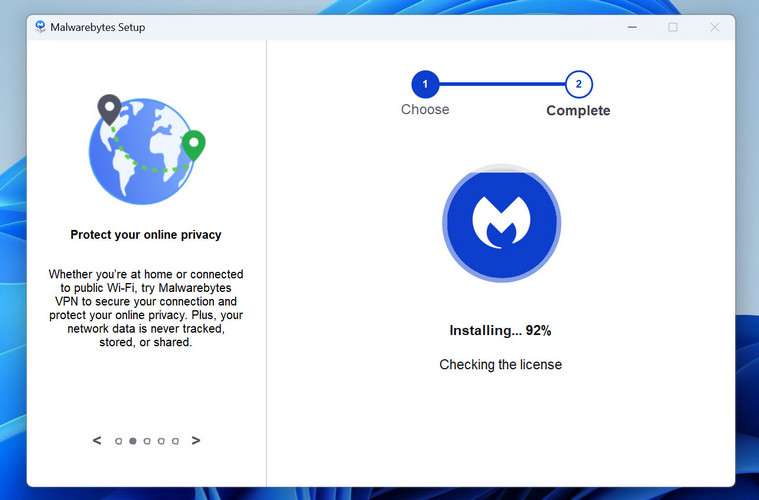
On a clean machine, get the Malwarebytes installer for Windows. Get approval before transferring files or installing software on a managed computer.
Only run the verified setup package once the system is cleared for that change. Confirm the publisher in the Windows prompt and follow the installer directions.
Keep the installer separate from your evidence and your protected backup. If it needs connectivity, get qualified help instead of restoring ordinary network access for convenience.
Step 4: Review the scan and what it cannot tell you
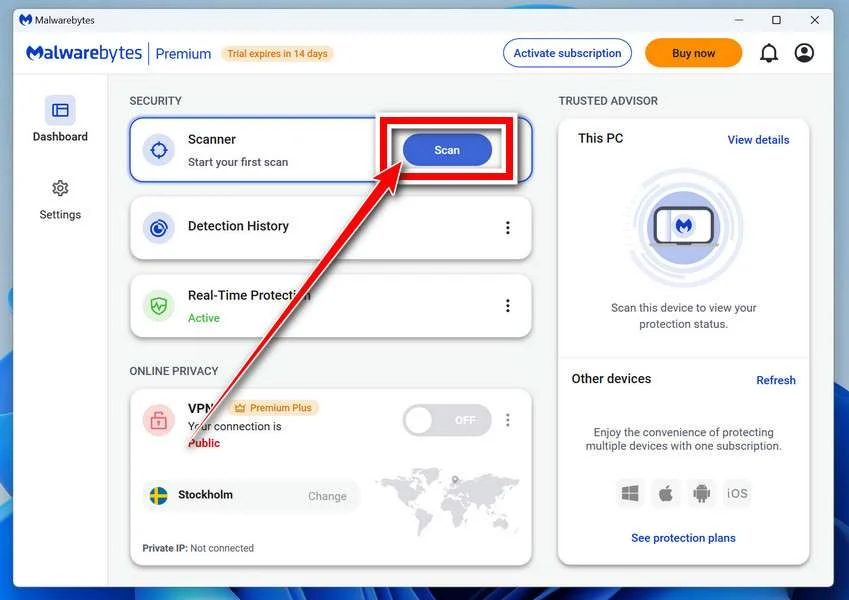
Open Malwarebytes and select Scan on the Scanner card. Review the result and record each confirmed unwanted item before you authorize quarantine.
Restart only when safe and check for returning findings. A clean scan doesn’t prove that the affected browser never executed anything or that sensitive data stayed private.
The Malwarebytes Premium option is optional and uses an affiliate link. Paying for protection is not a substitute for investigating a targeted incident.
Step 5: Apply a supported update before routine use
When the computer is authorized for use or rebuilt, open Chrome’s menu, then choose Help > About Google Chrome. Let it check for updates and relaunch if prompted.
For managed Chrome or another Chromium browser, follow the software owner’s approved update process. An old version shown in a report is not the newest release to install today.
Use the official Chrome update guidance if you can’t verify the menu behavior. Do not use a download offered by the invitation.
What an Incident Team Can Check Even After the Link Stops Working
Record the information you can still obtain from somewhere else
Your organization may still have the original mail event even if the destination no longer responds. The arrival time and case reference help a responder find the correct record.
Ask whether security can compare the browser version held in device inventory against the time of the visit. A user-visible About page only describes the currently installed version.
If the browser came from a company build instead of Google, say which managed product was in use. An administrator may know how that product received the fix.
Review account decisions before bringing the computer back
If you used a separate profile for regulated or confidential work, identify the owner of that profile. Don’t sign back in to see whether changes were already made.
Ask IT whether restoring browser sync would bring old settings or extensions back. Restore normal access only once the team knows which settings and credentials it intends to reissue.
If another person used the same machine, handle their account review separately. Record when they had access without circulating the suspect link or identifying private activity unnecessarily.
Separate the incident note from the warning you give coworkers
A short warning can tell people to report the unexpected invitation without sharing the destination. If the organization needs exact details, send those privately to its assigned responder.
An old calendar entry can help verify the organizer and meeting dates in the future. Don’t change that record to make it look like the suspicious invite never arrived.
Give the responder a way to contact you when the affected PC isn’t online. A different device and known channel can keep recovery instructions available while the computer stays isolated.
Frequently Asked Questions
Did the real Primakov Readings forum send the malware?
The researchers described a malicious imitation of a conference invitation. A real event name or a later redirect to its site does not establish that it sent the malicious message.
Did everyone involved receive the same malware?
The research distinguished different clusters and combinations of tools. Treat Dante and LeetAgent as separate findings unless evidence establishes both on a particular device.
I never installed anything, so can I rule out a compromise?
That would miss the reported March delivery route on affected browsers. If you visited the suspicious site, tell your security team even if there was no installer interaction.
Will updating Chrome undo an earlier incident?
The update addresses the browser vulnerability, not the history of a device already affected. Account access and possible personal data exposure still need their own review.
Can I send the invitation to a colleague to get a second opinion?
Use your organization’s official reporting process instead. Include the details privately without encouraging someone else to open the link.
Can I depend on a single scan to return to work?
Have a qualified responder decide the scope and whether a rebuild is needed. Removal findings, data exposure and confidence in the restored computer are separate decisions.
The Bottom Line
Verify conference invites through known channels and keep the browser supported and current. If you visited a suspect site in a targeted incident, report the visit even without a download.
Preserve the Windows evidence and handle sensitive accounts from another device. Follow an approved cleanup or rebuild plan before using the PC for confidential work again.

Join the discussion
0 commentsShare your experience or ask a question about this article.
Community experiences
Did this happen to you?
Your experience could help someone recognize the same scam. Submit a private report for our team to review.
I experienced this tooReports are reviewed before publication. Sharing publicly is always your choice.
Discussion
Start the conversation
Have a question or something useful to share? Add the first comment.