

Caoefe.shop is an online store that claims to sell various products such as outdoor chairs, strollers, chess tables, child seats and more at extremely low prices. However, there are several reasons to doubt the legitimacy of this website and to suspect that it is a scam.
Is Caoefe.shop a scam?
Before you place an order on Caoefe.shop, you should be aware of some red flags that indicate it might be a scam.
First of all, Caoefe.shop is a very new website that was registered on 2023 March 08. This means it has not established a reputation or trust among online shoppers. Moreover, the domain name does not match the name of the website or the products it sells, which is a sign of a lack of professionalism and credibility.
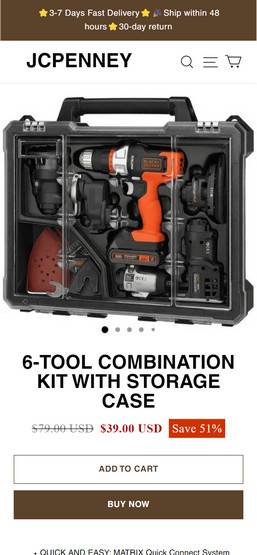
Secondly, Caoefe.shop offers products that are too good to be true. For example, it claims to sell a 2023 New Inspiron 17 7000 2-in-1 Laptop for only $39 USD, which is way below the market price of such a device. Similarly, it offers a Graco PremierTM 4Ever® DLX Extend2Fit® 4-in-1 Car Seat featuring Anti-Rebound Bar for only $591 USD, while the same product costs over $4000 USD on other websites. These unrealistic prices are likely to lure unsuspecting customers into paying for products that they will never receive or that are of poor quality.
Thirdly, Caoefe.shop does not provide any information about its owner, location, contact details or customer service. The only way to reach them is through an email address that is also used by other suspicious websites. The website also does not have any social media presence or customer reviews, which makes it hard to verify its legitimacy or reliability.
How to avoid scam websites like Ansposl.com?
If you want to shop online safely and avoid falling victim to scam websites like Ansposl.com, here are some tips that you can follow:
- Always check the domain name of the website and make sure it matches the name of the company and the products it sells. Avoid websites that have misspelled words, random letters or numbers or extensions that are not common.
- Always research the website before you buy anything from it. Look for customer reviews, ratings, complaints, contact information, policies and terms and conditions. If you find any negative feedback or red flags, stay away from the website.
- Always use a secure payment method when you shop online, such as PayPal or a credit card. Avoid using direct bank transfers, wire transfers, gift cards or cryptocurrencies as these are not traceable or refundable in case of fraud.
- Always use antivirus software and firewall on your device when you browse the internet. This will help you detect and block any malicious websites or links that might harm your device or steal your information.
What should you do if you have shopped from Ansposl.com?
- Contact your bank or financial institution: If you have paid with your credit card or debit card, you should contact your bank or financial institution as soon as possible and request them to cancel the transaction and refund your money. You should also report the website as a fraudulent site and ask them to block any future charges from it.
- Change your passwords: If you have created an account on Caoefe.shop or used the same password for other online accounts, you should change your passwords immediately. You should also enable two-factor authentication for your accounts if possible. This will prevent hackers from accessing your accounts and stealing your personal information.
- Beware of phishing emails: You might receive emails from Caoefe.shop or other sources claiming to be related to your order or offering you discounts or refunds. These emails are likely to be phishing attempts that aim to trick you into clicking on malicious links or downloading attachments that can infect your device with malware or steal your information. You should delete these emails and do not open any links or attachments from them.
- Use a browser-based content blocker, like AdGuard : Content blockers help stop malicious ads, Trojans, phishing, and other undesirable content that an antivirus product alone may not stop.
- Scan your device for malware. If you suspect your device might be infected with malware, you can run a free scan with Malwarebytes Anti-Malware Free.
Caoefe.shop Final Thoughts
Based on these red flags, we can conclude that Caoefe.shop is not a legitimate store but a scam. We advise you to avoid shopping from this website and look for other reliable and trustworthy online stores instead. If you have already shopped from this website and have been scammed, you should report it to your bank or credit card company and try to get your money back.








