

A notice about a class action settlement can feel like found money. ClaimMoney.com packages that possibility into a simple search experience, with a button promising to help you claim.
The useful question is what happens between discovering a possible match and receiving a payment. That journey has more moving parts than the homepage suggests.
Overview
What ClaimMoney actually offers
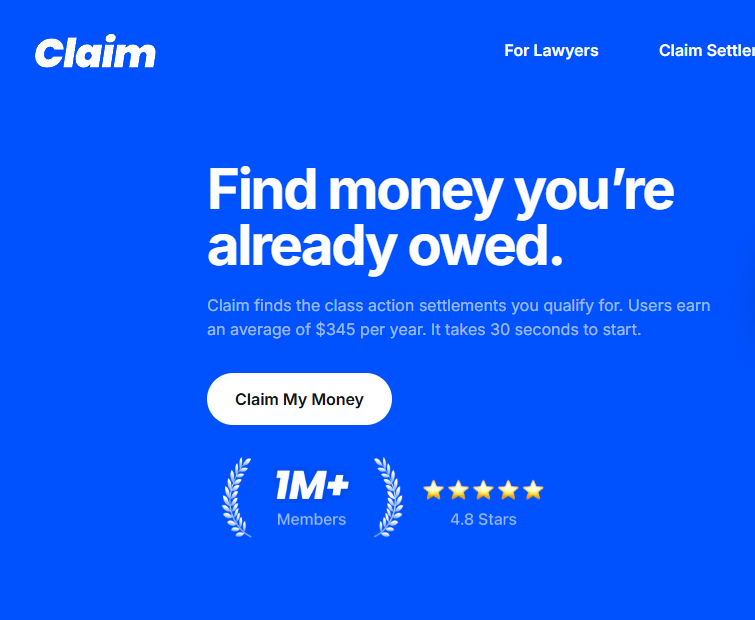
ClaimMoney.com, branded as Claim, is a settlement-finder and assistance platform. Its homepage says it can identify potential matches, simplify requirements, and help with claims.
That is different from being a court, claims administrator, or law firm. The site’s terms say eligibility and payment decisions belong to the relevant administrator or court.
A listing on Claim can be a useful lead. It is not proof that you qualify, that a claim will be approved, or that a payout will arrive.
- Settlement listings are visible on the public website.
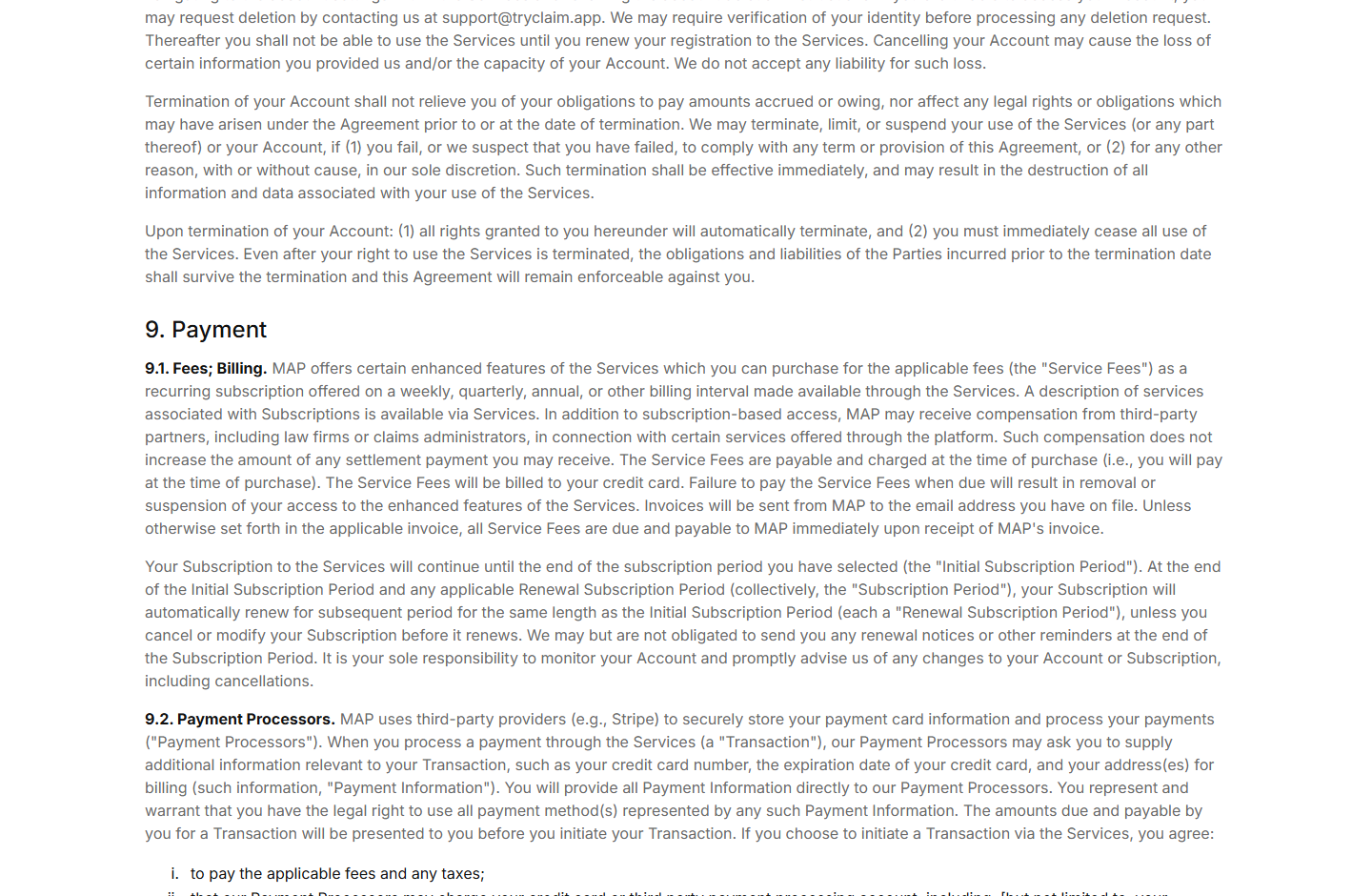
- Some enhanced features are offered through recurring subscriptions.
- Subscriptions can renew weekly, quarterly, annually, or at another displayed interval.
- Filing through an official settlement administrator is generally a separate, free path.
The cost is not one fixed website-wide price
The terms do not name one universal subscription price. They say applicable fees and billing intervals are shown through the service when an enhanced feature is purchased.
That means a review quoting one old price cannot tell you what your own checkout will charge. Read the exact offer on your screen before submitting payment details.
The agreement says subscriptions renew automatically unless canceled before renewal. It also says the service may not send renewal reminders at the end of a period.
These are material billing terms, not proof that Claim is fake. They are precisely the details to inspect if you expected a one-time payment.
When a subscription can be refunded
For a subscription bought directly from the company, the terms allow a refund request within 30 days of the initial purchase only if no claim was prepared, submitted, or transmitted.
The terms exclude refunds after substantial claim preparation or submission. They also say subscriptions beginning with a free trial are not eligible for a refund, unless law requires otherwise.
Cancellation generally stops a later renewal, not a charge already paid for the current period. A buyer should distinguish these two requests in any support message.
Why Settlement Listings Are Easy to Misread
Class action notices often mention a fund, an estimated payment, or a maximum benefit. Those figures do not necessarily describe the amount any individual claimant will receive.
Some settlements pay only people who meet precise date, purchase, residence, or documentation requirements. Others reduce payments when more people file.
Deadlines can also change. A third-party directory may summarize a case, but the court-approved notice and administrator’s site control the actual rules.
If a listing interests you, confirm the case name, official settlement address, filing deadline, proof requirements, and administrator before sharing sensitive information.
Be especially skeptical of an unsolicited message promising a guaranteed payout. The FTC warns that recovery scams commonly demand payment or personal information to release money.
How the ClaimMoney Journey Works
Step 1: A payout headline gets your attention
The homepage presents potential settlement ranges and an invitation to “claim my money.” That phrasing makes a broad directory feel personal and immediate.
In reality, a listed settlement may not apply to you. It could involve a purchase you never made, a limited time window, or a required notice you did not receive.
Treat the listing as an investigative lead. The court-approved documents, not the headline range, determine what can actually be claimed.
Step 2: The platform asks for details
Claim says it asks questions to match users with settlements. Its homepage also discusses connecting an email address for alerts.
Before providing personal data, understand which information is required for a match and which is optional. Do not give a banking password to a generic web form.
Check the privacy policy for retention, partners, and deletion options. A service can be real and still collect more information than you wish to share.
Step 3: A match is not an approval
The platform can help translate eligibility criteria. It cannot decide how an administrator interprets those criteria or whether supporting documents are sufficient.
Compare Claim’s summary with the official claim form. Names of the parties, deadlines, accepted proof, and benefits should line up.
If a settlement has a free official website, you may be able to file there without paying a third-party assistance service. Decide whether the convenience is worth its cost.
Step 4: Enhanced features can introduce billing
The legal terms describe recurring subscriptions for certain enhanced features. Billing periods can vary, and the actual amount should appear in the offer presented to you.
Do not assume every click on the site is paid. Public settlement pages can be browsed; the question is whether you accepted a separate premium transaction.
Before paying, photograph or screenshot the price, trial length, renewal interval, cancellation route, and current refund rule. Those details are more useful than a general review score.
Step 5: Claim assistance does not guarantee payment
The terms say the company may help prepare and submit application materials when authorized. The administrator or court still decides eligibility and any amount paid.
A claim can fail because of missing proof, a late submission, an ineligible purchase, or a settlement rule that differs from the directory’s summary.
Track the official claim confirmation number. If you used a third party, know whether it submitted anything and whether the administrator accepted the submission.
Step 6: Renewal may continue unless stopped
The subscription renews for a period equal to the initial period unless you cancel or modify it first. The terms place responsibility on the user to monitor that deadline.
If you no longer need the service, cancel through the account or the app store that billed you. Keep a dated confirmation and check the next card statement.
Deleting a browser bookmark does nothing to a paid subscription. Account deletion and subscription cancellation can also be separate actions, so verify both.
Is ClaimMoney.com a Scam?
We found a functioning site, public listings, and detailed terms identifying a settlement-assistance service. The evidence does not support calling ClaimMoney.com a fake website.
The caution is about expectations. The homepage’s payout language can make a possible settlement feel certain, while the terms describe optional recurring fees and limited refunds.
A reader who only wants to file an official settlement claim may not need a paid intermediary. Check the administrator’s site first, then weigh any added convenience.
Separately, a scammer could impersonate Claim or an administrator. A text or email demanding a fee to release guaranteed money should be checked independently.
Use a manually entered address or a court-approved notice. Do not trust a link simply because it contains the word “claim” or repeats a real case name.
Company and Checkout Checks
Identify the company in the terms
The site’s agreement identifies MAP as the service operator. Check that this name, the payment receipt, and the card descriptor make sense together.
A third-party payment processor can appear on a statement, but support should still explain which service was purchased and who is responsible for a refund.
Do not confuse a service address with a court
A settlement directory is not the administrator for every case it lists. The official case site should identify its own administrator and contact address.
Do not mail identity documents to an address taken from an ad or social post. Verify where a specific settlement requires documents to go.
Use support for billing specifics
The terms list an account-deletion support address and explain subscription cancellation. Ask support to identify your plan, renewal date, and all recent transactions.
Submit the request in writing. A timestamped record can resolve confusion about whether you canceled before the next billing period.
Trace what information the platform handles
Instead of a physical product supply chain, the issue here is data. Know which personal, email, financial, or claim records the service can access.
Review permissions and revoke connections you no longer need. Deleting an account should be confirmed separately from stopping a payment plan.
How to Use a Settlement Directory Safely
Start with the official settlement notice. It usually explains who is included, what evidence is needed, where to file, and when the deadline falls.
Use a directory to discover opportunities, then verify them. A concise third-party summary can save time, but it should not replace the governing documents.
Never pay a surprise “release fee” to collect an approved settlement. If someone contacts you unexpectedly, look up the administrator independently.
If you choose a paid service, record why. Some people value deadline reminders or help organizing claims, while others can complete the official form themselves.
Check renewal dates as carefully as claim deadlines. A low initial fee can become expensive if it renews long after the original claim was filed.
A Safer Way to Verify a Settlement
Read the case name carefully. A familiar company may face several unrelated lawsuits, each with different class periods, benefits, and administrators.
Next, find the court-approved notice. It should identify the parties, court, case number, administrator, settlement website, and deadline.
Search for those details independently instead of trusting a single button. Copycat pages can imitate a real settlement while routing users toward a fee or data collection.
Compare the official eligibility rules with your purchase or account records. A likely match is not enough if the class definition requires a specific date or state.
Some forms ask for receipts; others accept a declaration under penalty of perjury. Do not invent a purchase to qualify for a possible payment.
When you file, save the submission confirmation and claim ID. A screenshot of the completed form can help if you later need to verify what you entered.
Check whether the administrator will contact you by email, postal mail, or a secure claim portal. Unexpected payment links deserve independent verification.
It is normal for approved settlements to take months. Appeals, objections, and claim review can affect the schedule after the filing deadline.
A directory’s payout estimate cannot account for every delay. If the case offers a status page, use that official channel for timing.
Do not confuse a claim confirmation with approval. The administrator may ask for more proof or reject a submission that falls outside the settlement rules.
Paid assistance can make this process easier for some people, but its value depends on the service delivered and the actual cost. Compare both before enrolling.
If you can complete the official form in a few minutes, a recurring fee may make little sense for that particular claim. Other users may value reminders.
The right decision is personal. What should never change is the separation between the official settlement process and an optional intermediary’s billing contract.
What to Do if a ClaimMoney Charge Surprised You
- Find the original offer. Save the signup page, receipt, plan name, trial terms, and the charge on your statement. Identify whether payment came through the website or an app store.
- Cancel the next renewal. Use the appropriate account or store controls. Keep the confirmation and verify that the effective date precedes the next billing date.
- Ask for a refund promptly. The direct-purchase policy has a 30-day initial window with conditions. Explain whether any claim was prepared or submitted and request a written decision.
- Separate the settlement from the subscription. Obtain the official administrator’s case number and claim confirmation. Canceling an assistance plan should not be confused with withdrawing an official claim.
- Contact your issuer for an unauthorized or incorrect charge. Provide screenshots showing the amount and billing terms you accepted. Ask about dispute deadlines, rather than assuming cancellation reverses past charges.
- Review connected accounts and messages. Change a reused password and remove unneeded permissions. Malwarebytes can check a device if you clicked a suspicious imitation site; AdGuard may block similar malicious ads.
- Report an impersonator. If an email or text demanded a fee to release settlement money, report it to the platform, administrator, and consumer authorities. Do not pay a recovery agent upfront.
Frequently Asked Questions
Is ClaimMoney.com an official settlement administrator?
No. It is a third-party discovery and assistance platform. The administrator or court controls eligibility, documentation, approval, and payment.
Do I need to pay ClaimMoney to file a class action claim?
Generally, official administrator claim forms can be filed directly without a third-party subscription. Verify the instructions for the specific settlement.
Does ClaimMoney charge everyone?
No universal website-wide charge is established by its terms. Public listings are visible, while enhanced features may carry a displayed recurring fee.
Will a subscription renew automatically?
According to the current terms, yes, unless canceled or modified before renewal. The interval depends on the offer you selected.
Can I get a refund after a claim is submitted?
The terms generally exclude subscription refunds after a claim has been prepared or submitted. Ask support about your circumstances and applicable law.
Does a displayed payout range mean I will receive that amount?
No. Your eligibility, proof, administrator’s decision, and settlement rules determine whether and how much you receive.
The Bottom Line
ClaimMoney.com is a real settlement-finder service, not the court or administrator behind every listing. It can help you discover opportunities, but it cannot guarantee payment.
Check official case documents before filing, and read any premium plan’s price, renewal, and refund terms before paying.
If a charge surprises you, cancel future billing and document the dispute promptly.

Reviews & discussion
0 commentsShare a firsthand experience, or ask a question.
Community reviews
claimmoney.com
Moderated reader experiences, not an editorial verdict.
Start the conversation
Have a question or something useful to share? Add the first comment.