


You got a new debit card after a scam. Months later, your bank says unfamiliar purchases were made in person through a digital wallet.
You still have your phone and your replacement card. To understand what happened, ask the bank about the device behind those purchases.
Overview
A declined purchase sends a customer to the bank app
A Chase customer said they found more than $8,000 in unfamiliar debit card purchases after their own card was declined. The charges appeared at several stores around Los Angeles.
The customer said a bank representative identified the purchases as in-person transactions made through a digital wallet.
That detail changed the question from who had the card to which wallet was used.
The customer reported that the wallet identifier linked to the unfamiliar purchases differed from the one associated with their own purchases. They then asked when the unfamiliar wallet was added.
A past phishing report gives the bank another date to check
According to the customer, the enrollment date matched an older toll-text phishing incident. They remembered receiving a wallet alert and calling the bank at the time.
The customer said they received a new card after the earlier incident.
When the later charges appeared, they used the old call record and wallet enrollment date to ask for another review.
The customer reported receiving a refund after escalation. The bank’s internal case records are unavailable, so the report cannot establish exactly what happened during the earlier review.
A digital wallet can stay linked after a replacement
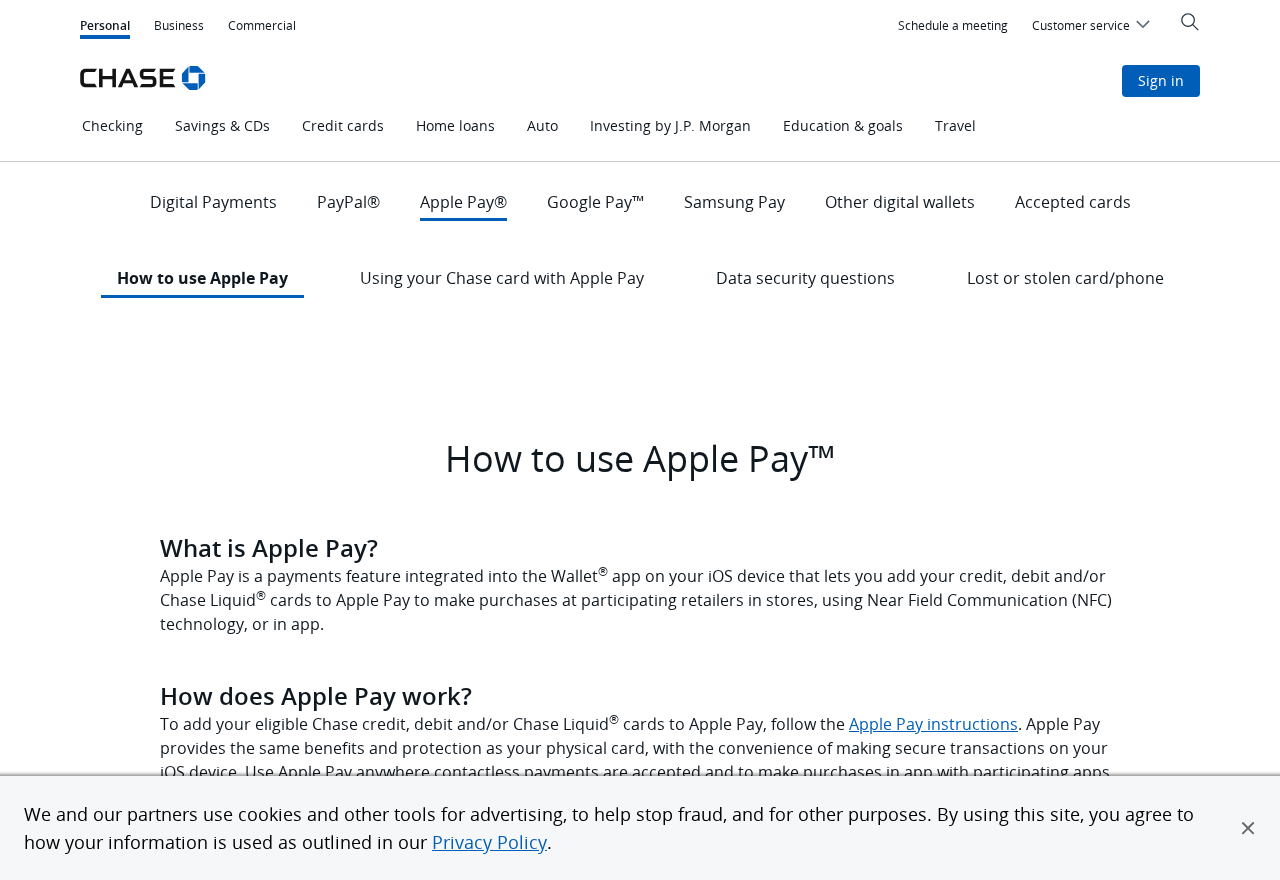
The image shows Chase’s Apple Pay help area. Its lost-or-stolen card guidance says an existing Apple Pay device account number can usually stay associated when an eligible card is replaced.
That feature lets customers keep using a wallet they recognize. If a device is unfamiliar, ask the bank to check its enrollment separately from the physical card.
- A digital wallet may use an identifier with different last digits from the card.
- Several devices you own may each have a wallet association.
- A replacement card can update a wallet already linked to your account.
- An unfamiliar device enrollment or an unexplained in-store transaction warrants a direct call to your issuer.
- The bank can tell you what it can review, suspend, or remove for your particular card.
How the Scam Works
Step 1: A routine-looking message brings the card into play
The customer recalled responding to a text about an unpaid toll. Toll payment messages can seem ordinary if you regularly drive on roads where bills arrive electronically.
Chase’s fraud guidance describes cases where scammers obtain payment details or security information and use it to add a card to a digital wallet.
The public report does not explain exactly what the victim entered on the earlier page. The enrollment alert is the detail they later connected to the unfamiliar spending.
If a text says you owe a toll, reach the agency through a known site or app. An urgent payment request can wait while you find the correct account.
Step 2: The card appears in an unfamiliar wallet
Chase’s wallet explanation says Apple Pay uses a device account number, also called a token, in place of the number on the card.
Think of the token as the reference for a particular wallet. It lets the system process an eligible purchase without giving the merchant the plastic card’s number.
A token is normal on a device you recognize. A notification about enrollment at a time you were doing nothing with your wallet deserves attention, even without a purchase alert.
Save that notification and call the issuer through the bank app or your card. Ask which enrollment the alert refers to and whether the bank can disable it.
Step 3: The issuer replaces the card
The customer said they called after the first enrollment notice and received a replacement. They believed the earlier fraud concern had been handled, as many people would.
The practical difference is that a card replacement and the removal of a wallet enrollment can be separate actions. The issuer can tell you which action it took.
Visa explains that a token can be updated when the underlying card is reissued. It does not say every token carries across every replacement.
When you call about fraud, say whether you saw a device enrollment, an unfamiliar payment, or both. That tells the representative what to look for beyond the card number.
Step 4: Transactions appear even though the plastic is still at home
The customer said the bank identified purchases made through a wallet at physical stores. The customer still had the card, which initially made those transactions difficult to explain.
A contactless payment record can identify a wallet as the payment method.
The next question is whether the transaction used your own wallet or a different one tied to the account.
The last digits on a store receipt may help the bank distinguish the payments. Keep them alongside the merchant, amount, date, and dispute reference.
If the bank says the payment was made at a terminal, tell it whether you visited that store and which devices could have made a payment you recognize.
Step 5: A timeline gives the issuer specific evidence to revisit
The customer said a representative distinguished two wallet identifiers and supplied the enrollment date for the unfamiliar one. That date pointed back to the earlier phishing report.
A call log and an old alert can help connect separate disputes. Look for the date of the notice, the time you called, and any replacement-card confirmation.
The customer said they requested another review and later received a refund. A refund in that case does not predict what another investigation will find.
Give the bank enough information to evaluate the particular payments. A statement that someone used a wallet does not explain when that wallet was enrolled or whose device it was.
What to Ask Your Card Issuer to Check
Start with the transactions you did not make. Give the bank the merchant names, amounts, and dates from the actual statement or app.
Ask whether the payment went through a wallet and whether the issuer can distinguish that wallet from the ones you use. Request the relevant enrollment date if available.
Identify your own devices first. A phone and watch can both hold the same card. Replacing a phone may also leave older devices worth checking.
Ask what happens to existing wallet enrollments when this specific card is reissued. The answer may vary by issuer, wallet, and type of replacement.
Ask the issuer to revoke unfamiliar enrollments and confirm which entries it removed. If it has to remove all wallet associations, check how to add back the devices you control.
Deleting a card from your own phone changes your phone’s wallet. If another device is involved, the issuer needs enough information to review that separate connection.
If you recognize a device but no longer control it, tell the issuer. It may handle a lost device differently from a new enrollment created without your knowledge.
If the first representative cannot see wallet records, ask for the fraud team handling digital wallet transactions. Give it the existing case reference so it can follow the same timeline.
Keep the replacement notice and any record of revoked wallet access. If another charge appears, you will have a clearer account of what the bank already changed.
## How to Read a Wallet Fraud Dispute
A statement usually gives you the amount, merchant, and date. It may not show the wallet identifier. Ask the issuer what additional detail it can provide for the disputed purchase.
Sort payments you recognize beside payments you dispute. If both came through digital wallets, the difference between the wallet records may be more useful than the card digits they share.
Record whether the bank listed a transaction as pending, posted, refunded, or reversed. A pending authorization can disappear or change. Keep the original alert so you know what it showed.
If several purchases happened over a weekend, list them one at a time. A single total makes it harder to match your report against the bank’s records for each merchant.
Ask for the date the issuer disabled the unfamiliar wallet. If a later charge appears, ask when it was authorized. The posting date can be different from the purchase date.
Keep your old case number beside the date of the card replacement. An agent reviewing a new claim may need that reference to locate the earlier report.
If a bank representative says the charges came from a wallet you used before, ask whether they mean the same device or just a card from the same account.
When you supply supporting documents, use a channel the bank has verified. Keep the version you sent so you can refer to the same timeline in a follow-up.
What to Do if You Have Fallen Victim to This Scam
Contact the issuer as soon as you see an unfamiliar enrollment or purchase. Use the banking app or the published number on your card or statement.
-
Report the unfamiliar wallet and payments separately. State when you got the enrollment alert and identify the charges you did not make or approve.
-
Ask the issuer to secure the card and review wallet connections. Tell it which devices you own. Ask it to revoke any enrollment you cannot verify.
-
Save the alert and transaction details. Keep the date, merchant, amount, any visible wallet reference, and the time of your first call.
-
Open a dispute through the issuer. Ask how to submit your records and what to expect if a temporary credit is applied or removed.
-
Follow up in writing if the explanation leaves a gap. Ask the bank which records it relied on and whether it considered the wallet enrollment date.
-
Review the rest of the account. Check contact details, devices, and recent payments. Update a banking password through the genuine app if you exposed it.
The Consumer Financial Protection Bureau’s debit transaction guidance explains how to report unauthorized activity. It also explains that additional federal protections may apply to electronic transfers.
If the issuer denies a claim, keep the decision and any documents it sends. State which facts remain unclear, such as whether the purchases came from a device you controlled.
Make a short list of recurring bills due soon if money has been withdrawn from checking. Ask the bank what options are available while it investigates the disputed charges.
If you receive a new caller offering to help recover the funds, return to your existing case through the genuine bank. Avoid sharing codes with someone who contacts you unexpectedly.
Frequently Asked Questions
Can a digital wallet still work after my bank sends a new card?
In some cases, yes. Chase says an existing Apple Pay device account number can generally remain associated with a replacement card, which helps keep ordinary wallet payments working.
Ask your issuer how your particular replacement was handled. Make sure it reviews any unfamiliar enrollment as well as the physical card.
Is every unfamiliar set of last digits evidence of fraud?
Wallets can use a different number from the card. Your phone and watch can also have different references. Compare the payment with what you actually did before drawing a conclusion.
If you do not recognize the device or the purchase, ask the issuer to match the transaction against its records. Avoid trying to identify a device from four digits alone.
Will removing the card from my phone remove it from every wallet?
A removal made on your phone concerns that phone. The issuer may need to address a separate enrollment on a different device.
If a device is missing or unknown, call the bank and ask which wallet entries remain active. Follow the device maker’s security guidance for a device you own.
What if I got a wallet alert but there are no charges yet?
Save the alert and call the issuer. A suspicious enrollment is worth reporting before you see spending, especially if it followed an unexpected payment text or phone call.
Ask whether the issuer can confirm that the request failed or the enrollment was removed. Check your statements and app notifications afterward for activity you do not recognize.
Does an in-person wallet payment prove I was at the store?
It describes how the merchant accepted the payment. If you dispute being there, ask which wallet identifier was used and what the bank can establish about the enrollment.
Keep any records that establish where you were or which devices were with you. Provide them through the bank’s dispute process if they are relevant.
What if the bank already replaced my card?
Check what happened to the wallets linked to it. Ask the bank to review and remove any unfamiliar association and confirm how it treated your previous fraud report.
Use the new card normally once your issuer tells you the affected accounts are secure. Keep the claim reference in case an unexpected payment appears later.
The Bottom Line
After suspected digital wallet fraud, ask your card issuer about both the replacement card and any unfamiliar wallet enrollments. Confirm which devices are still authorized to make payments.
If charges have already appeared, report them promptly. Save the enrollment alert and transaction dates so the bank can check whether they belong to the same incident.

Join the discussion
0 commentsShare your experience or ask a question about this article.
Discussion
Start the conversation
Have a question or something useful to share? Add the first comment.