


A delivery email says your parcel is waiting at Dutch customs. You may already be expecting something, and nobody wants an order sent back over a missed notice.
The message gives you 72 hours and asks you to use a QR code. Before reaching for another device, check who’s asking.
Overview
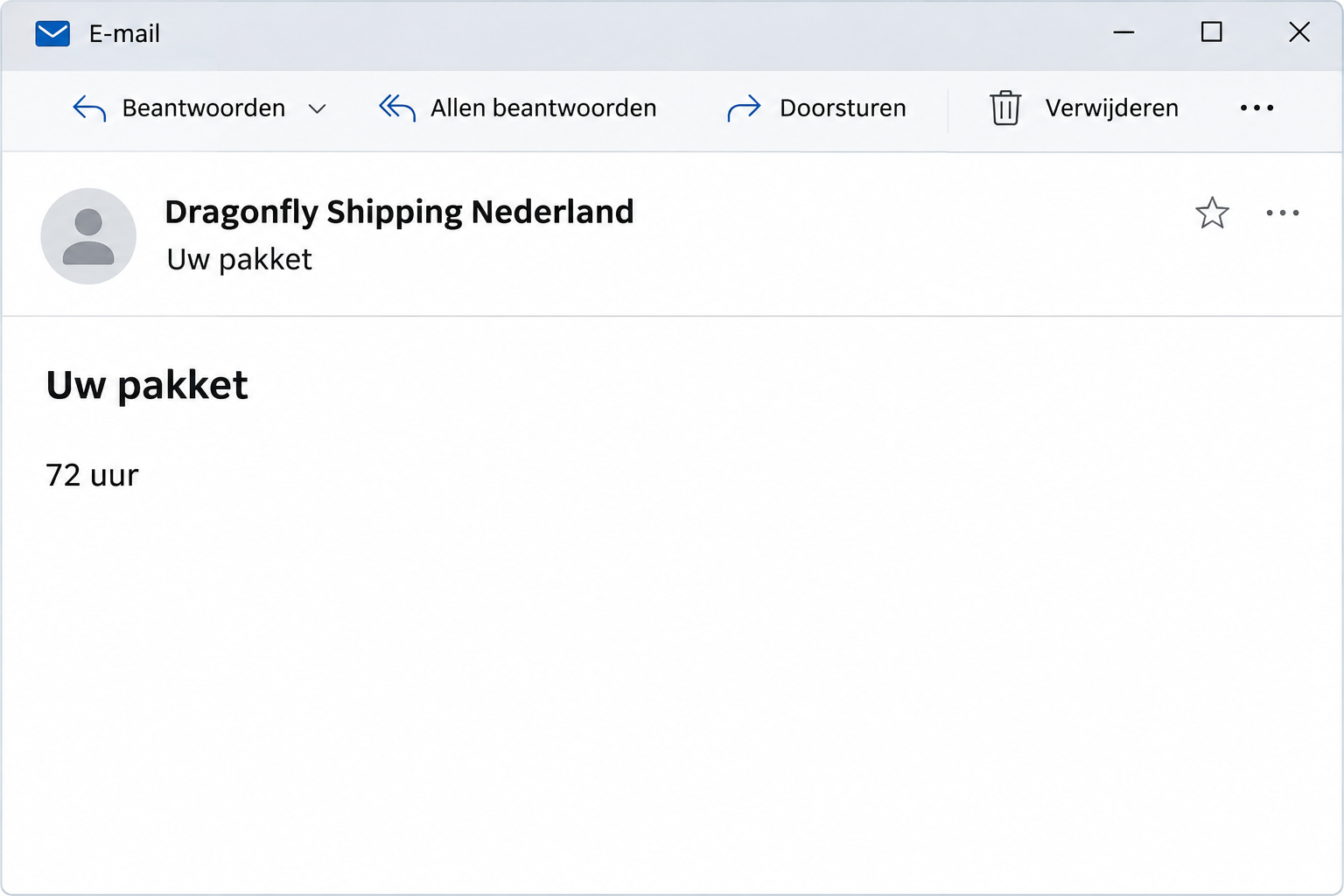
What the Dragonfly Shipping email says
The Dragonfly Shipping customs email scam is a Dutch-language message claiming a parcel cannot be delivered until import duties are paid. It threatens to return the package within 72 hours.
The request uses Dragonfly’s name and asks the recipient to scan a code rather than find an order through an existing tracking record.
The deadline is part of the lure. An independently opened tracking record is a better place to find out whether any real delivery action is pending.
The most useful independent check comes from Dragonfly itself.
Its Netherlands fraud FAQ says it won’t request personal or financial information for a delivery, or collect a payment from the recipient.
That directly contradicts this notice’s story. The fraudulent email does not establish that your parcel is held, that a customs bill exists, or that Dragonfly sent it.
The details that distinguish this message
The notice is more specific than a generic missed-delivery text. It borrows the language of customs administration and makes the carrier appear responsible for collecting a charge.
- The sender presents itself as Dragonfly Shipping Nederland.
- The body says Dutch customs is holding a parcel awaiting duties.
- An invoice number appears in the long Dutch subject.
- The request directs the reader to a QR code.
- The message threatens a return to sender within 72 hours.
A company name and an invoice reference are easy to print inside an email. Neither supplies a verified link between the request and an order you actually placed.
The payment story and the limits of the case
The reported code was intended to take recipients to a false payment portal. The destination was inaccessible when documented, so its exact current payment fields cannot be confirmed.
No payment amount in this article is an actual charge assessed on your parcel. You should not infer that anyone who received the email paid or gave away card details.
Customs charges can exist for legitimate imports. This warning concerns the false Dragonfly demand, not a claim that every request related to import charges is fraudulent.
You can check a real parcel without scanning the code. Use your retailer’s order record, then reach the actual carrier through a website or app you already know.
How the Dragonfly Shipping Customs Email Scam Works
Step 1: A customs hold explains why your delivery has not arrived
Waiting for a parcel leaves room for uncertainty. The email offers a reason for the delay and makes the recipient responsible for getting the shipment moving again.
It does not have to know which item you ordered. Someone expecting a purchase may connect the notice to that order before checking whether any details match.
A familiar carrier name can also make the demand seem like a normal handoff between delivery companies. Check your original order to see who is actually handling it.
If you are not expecting anything, don’t scan to identify the mystery parcel. Ask the retailer or known sender about an actual shipment instead.
Step 2: The message claims the carrier has authority to collect duties
The note says Dragonfly collects charges on behalf of Dutch customs before delivery. It uses that explanation to turn an unfamiliar payment into a supposed standard step.
But the real company’s published guidance contradicts the demand. It is not enough that some other carriers sometimes collect import charges or ask for information.
A real payment question should be checked against the service responsible for your parcel. You do not need to decide the tax treatment yourself to question an unexpected notice.
If another carrier is handling the order, follow that carrier’s verified process. Don’t let this email choose either the carrier or the way you will pay.
The retailer’s order record may show an international carrier before a local handoff. Ask the retailer about that relationship if you’re unsure who is responsible.
Step 3: The QR code moves the request to a separate browsing session
A code is another way to carry a web address. Scanning it doesn’t turn the site it points to into an official payment service.
Moving from an email on a computer to a browser on another device can make the destination harder to compare with the original order.
Don’t switch devices just to complete the demand. Check the order independently rather than carrying the email’s payment route into another browser.
Do not scan the code just to see whether it looks convincing. You already have a safer route through the order confirmation and the carrier’s own support.
If you scanned but didn’t open the previewed address, stop there. Viewing a camera preview is a different action from submitting card details on a page.
Step 4: The 72-hour warning discourages a normal verification check
A return to sender sounds expensive and inconvenient. The threat is meant to make the unfamiliar process feel like the fastest route to getting your purchase.
The email does not establish when a parcel would be returned. Treat the deadline as part of the demand until you verify it with the actual carrier.
If a real order is delayed, tell the retailer through your existing account. Ask where the parcel is and whether an authorized request for information is pending.
A legitimate delay doesn’t make this notice authentic. Keep the real tracking problem separate from the suspicious payment request even if both arrive on the same day.
Step 5: Information entered on the false portal creates a separate risk
The scam’s immediate objective is a payment or personal information. A real-looking card page can receive data even though no customs authority benefits from it.
If a page rejected the payment, don’t assume the information stayed private. Report what you entered, not just whether a successful payment message appeared afterward.
The same applies to a one-time bank prompt. If you approved one while using the page, tell your bank exactly what the prompt described.
There is no need to reopen the site to confirm what happened. Use your banking app and saved transaction records to establish whether money moved.
How to Check the Parcel and Any Real Import Charge
Start with the retailer’s record
Open your order history through the store’s real website or app. Find the carrier and tracking reference that were assigned to that specific order.
If the order was a gift, ask the sender for its tracking information through your usual conversation. Don’t send them the suspicious code as a way to check.
If the seller sent several items, check which tracking record applies to each one. An actual split shipment can explain a delay without authenticating this separate charge.
For an order handled by a marketplace, use the transaction’s support tools if the seller and tracking disagree. Keep the order number available when you ask.
If Dragonfly is the carrier, read its fraud and payment FAQ. Its guidance is more relevant than a payment explanation written in an unsolicited email.
Understand what “with customs” actually means
Dutch Customs explains that a parcel’s postal or courier service handles the declaration and can tell you where it is. Customs itself is not the ordinary parcel-tracking desk.
The Dutch Customs parcel guidance also explains why a genuine courier might contact someone about information or payment during import processing.
That general possibility does not override Dragonfly’s own warning. Confirm which carrier actually holds your shipment before deciding whether any notice applies.
Don’t search for an unfamiliar invoice in the email’s portal. Start with the actual tracking record and ask the service responsible for that record.
Keep any legitimate payment on a verified route
If your real carrier confirms a fee, ask where it is recorded and what it covers. Compare it with the order before paying through an authenticated service.
Keep a copy of the legitimate invoice and receipt. A later demand for the same parcel should be checked against those records, not paid just because it looks urgent.
If a retailer says duties were included in the purchase, give that information to its support team. Ask it to resolve the discrepancy with the actual carrier.
Do not send an identity document to the email sender to prove you own the parcel. Your verified retailer or carrier can explain any genuine documentation requirement.
What to Do if You Have Fallen Victim to This Scam
-
If you only received it, report the email and leave the code alone.
Use the reporting instructions on Dragonfly’s verified fraud page or your mail client’s phishing control. Preserve the original if the carrier or your employer requests it.
If an order really is overdue, open a separate inquiry with the retailer. Don’t mark the package paid, delivered, or returned based on this message.
-
If you scanned the code, think about what happened afterward.
Did you only see a preview, open a website, or enter information? Make a note of that distinction without returning to the page to reproduce it.
Close the site if it is open. A scan alone doesn’t give the sender your payment card or show that a program was installed.
-
If you entered card details, contact the bank or card issuer.
Use the app or number on the card and explain that the details went to a false delivery-fee page. Ask about securing the card and monitoring charges.
Tell the bank if the attempt failed, if you tried another card, or if you approved a payment prompt. Those details can matter even without a visible completed transaction.
-
If you paid, keep the transaction details and ask about recovery options.
Record the amount, date, displayed merchant, and reference from your account. Ask the provider what can be disputed or stopped under that payment method.
Don’t pay another fee to release a refund or cancel the first charge. A later message may reuse the same parcel story.
-
Protect any login you used on the payment page.
If the portal asked you to create or use a password, change it on any real service where it was reused. Use a trusted address or app.
If you submitted personal or identity details, ask your bank or relevant identity authority about the next steps for the information involved.
-
Tell the people responsible if a work card or device was involved.
Give your company the email, the time of the interaction, and the kind of data entered through its approved reporting channel. Don’t share credentials in the report.
If you installed anything from a later page, report that separately. Device help may be appropriate, but a scan cannot reverse the payment or replace an exposed card.
Frequently Asked Questions
Does Dragonfly collect a customs fee through this email?
The company’s Netherlands fraud guidance says it doesn’t request payment or personal information for delivery. The customs claim in this email contradicts that guidance.
Find your delivery through a trusted tracking record. If another company is handling it, use that company’s legitimate process instead of the Dragonfly-themed notice.
Does the 72-hour warning mean the parcel will be returned?
Not on the strength of this email. It is a threat inside a fraudulent payment request, not a verified carrier update tied to your order.
If the real carrier gives a deadline, it should be possible to confirm that independently. Ask through the order or carrier account you already use.
Can I get scammed just by previewing a QR code?
A preview can reveal an address without opening it. That is different from visiting a page, submitting details, authorizing a payment, or downloading something.
If you already scanned, describe what you did next. Don’t assume a preview exposed your bank account, but don’t ignore information you entered after following it.
Are all Dutch customs payment notices fake?
No, import taxes and genuine courier contact can be part of bringing a parcel into the country. The responsible service and the specific request still need checking.
This particular message misuses Dragonfly’s name and conflicts with its payment guidance. You can verify the shipment without paying through the supplied code.
What if the invoice number matches something in my inbox?
Look up the original order or invoice independently and compare its actual sender and purpose. A reference in an email is not proof that the payment destination is genuine.
If someone copied a real number, the known retailer or carrier can still confirm what is due. Do not use the suspicious message to settle the question.
Will deleting the email cancel an actual delivery?
Deleting a fraudulent message does not cancel a shipment. Any genuine delivery instruction belongs in the real carrier’s or retailer’s system.
If you need to update a delivery preference, open that system yourself. If you already disclosed card details, secure the payment method separately.
The Bottom Line
Don’t scan or pay through the Dragonfly customs notice. Verify the shipment from your order record and use Dragonfly’s own fraud guidance to check the claim.
If you submitted card details or authorized a payment, contact your bank now. The parcel investigation can continue separately while the financial exposure is addressed.

Join the discussion
0 commentsShare your experience or ask a question about this article.
Community experiences
Did this happen to you?
Your experience could help someone recognize the same scam. Submit a private report for our team to review.
I experienced this tooReports are reviewed before publication. Sharing publicly is always your choice.
Discussion
Start the conversation
Have a question or something useful to share? Add the first comment.