


Your caller-identification app shows a familiar name, and the person speaking sounds like customer support. Then they mention an account problem that needs your attention.
It’s tempting to let the name on the screen settle your doubts. Before following their instructions, separate what the app identifies from what the caller wants.
Overview
Truecaller is a legitimate service, not the fraud described here
Truecaller scam calls are impersonation attempts aimed at people who use caller identification. The fraudulent part is the caller’s false identity or deceptive request, not the app.
A caller may pretend to represent a bank, mobile provider, public agency, or support department. They want you to act before checking with that organization yourself.
The practical danger begins when an on-screen name is treated as permission to disclose information, approve a request, or transfer money.
An identification tool can provide useful context without deciding whether a particular payment, password request, or account-change instruction is legitimate.
Different identity signals should not be confused
An ordinary displayed name, a community suggestion, and a verified profile aren’t interchangeable. Truecaller describes additional checks and distinct indicators for different kinds of identity verification.
Its impersonation-prevention explanation also warns users not to share sensitive banking information merely because a caller’s name or picture looks familiar.
Keep these questions separate when a call arrives:
- What kind of name or identity indicator is actually displayed?
- Did you request contact from this organization through a channel you trust?
- What action does the caller want you to take?
- Can the issue be checked independently without continuing this conversation?
- Would the request expose a security code, password, or payment you didn’t intend?
The request matters even when the display looks reassuring
A convincing name doesn’t change the purpose of a bank code. Nor does a familiar logo make a transfer into an unknown recipient’s account safe.
The Reserve Bank of India’s fraud-awareness guidance describes callers using personal details and urgent account problems to extract confidential information.
That is the trap: an unexpected caller wants you to follow their instructions instead of your bank’s normal process. Check with your bank before going further.
What the Name on Your Screen Actually Tells You
A listed name isn’t the same as an employment check
Truecaller explains that names can involve information supplied by users and suggestions from the community. That can help identify unfamiliar callers and correct inaccurate information.
But recognizing a person’s name doesn’t establish their employer, department, authority, or reason for calling. Those are separate claims that the conversation itself introduces.
Consider someone whose name is genuinely correct. That still doesn’t prove that the person is handling your card dispute or authorized to request a banking code.
The same distinction applies when a caller knows your name. Knowing a detail about you isn’t evidence that the caller has permission to manage your account.
Verified personal and business identities have different meanings
Truecaller describes optional Aadhaar-based name verification for individuals in India, shown with a blue tick. It separately describes verified business calls with green caller identification.
Those signals add information; they aren’t simply decorative versions of an ordinary name. Don’t assume a plain label carries the same verification as a business indicator.
Equally, don’t conclude that verified business identity has been defeated whenever someone reports a suspicious call. This article doesn’t establish a bypass of that verification process.
Whatever identity appears, examine the request independently. A real organization’s contact can still be misunderstood, and an unsolicited instruction shouldn’t replace the controls protecting your own account.
A recent name change is context, not a conviction
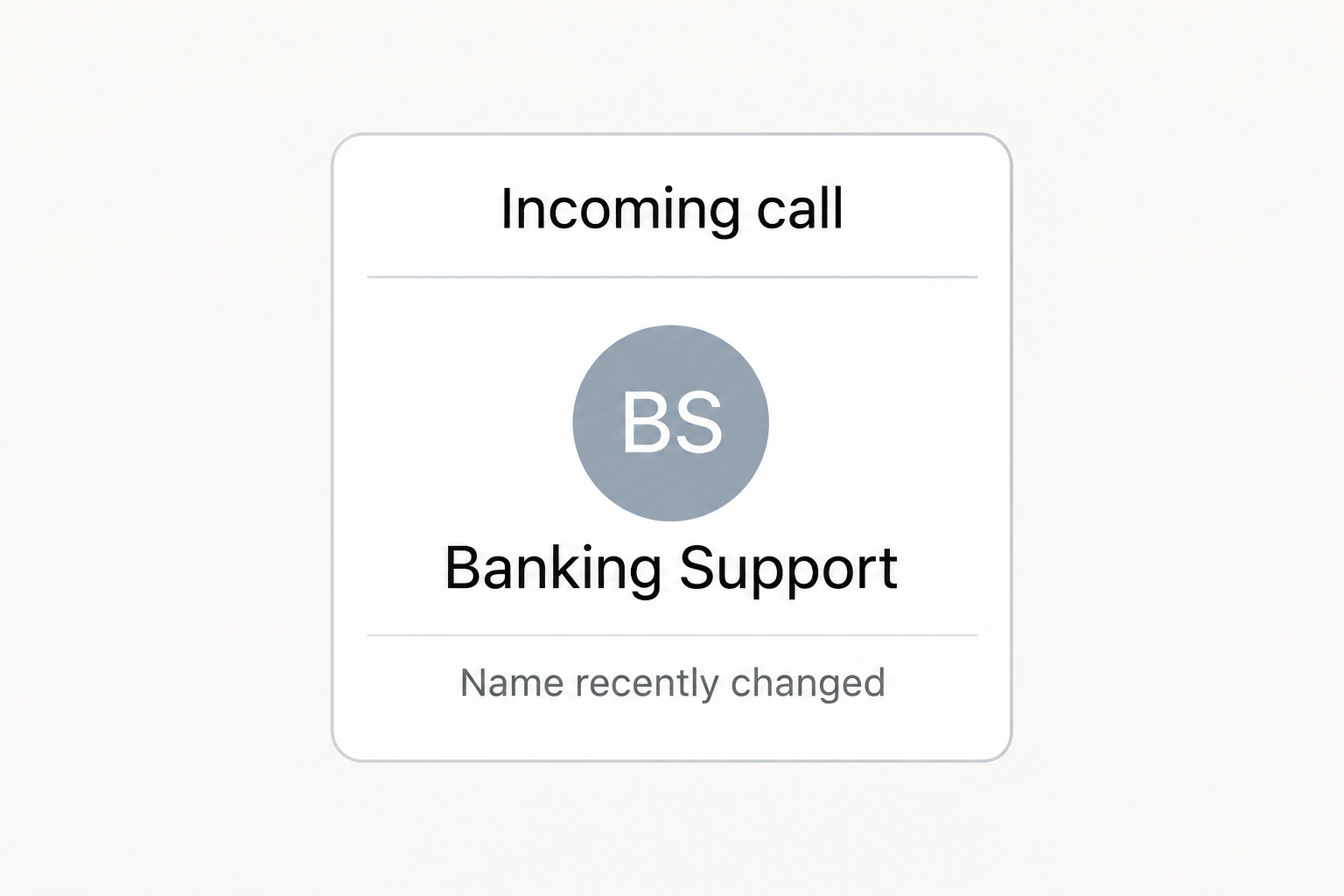
Truecaller may display a notice when a caller’s profile name changes. That can be useful when the current identity doesn’t fit what you expected.
There are innocent reasons to correct a name, too. A change notice alone doesn’t prove fraud, and the absence of one doesn’t authenticate the caller.
The opening illustration is an unbranded reconstruction of caller-identification information, not a captured Truecaller call. It demonstrates the reading problem without documenting a particular suspect.
How the Caller-Impersonation Scam Works
Step 1: An unexpected call arrives with a plausible identity
The caller introduces themselves as someone whose help you might need. The name could belong to banking support, a mobile service team, or an official-sounding department.
At first, you may only be deciding whether to answer. Once the conversation starts, that small decision can quietly become a much larger assumption about trust.
The caller might refer to a recent transaction, an expiring verification, or suspicious activity. An ordinary account issue becomes the reason to keep listening.
You don’t need to determine immediately how the display acquired its name. You can end the call and check the claimed issue through your own account.
Step 2: A problem creates pressure to cooperate
The caller says something valuable could be lost: access to your number, a payment, your account, or time to stop an unauthorized transaction.
This changes the emotional question from whether the caller is genuine to whether you can afford to delay. That’s precisely when independent checking matters most.
A genuine problem should survive a callback through the organization’s published route. You don’t have to keep an unexpected caller connected while confirming their story.
Be particularly cautious if the caller discourages speaking with your branch, family, or usual support team. Isolation removes people who might notice the inconsistency.
Step 3: Verification is redefined as giving the caller access
An impersonator may ask you to read a one-time password, disclose a PIN, or enter credentials through a link they supply.
The explanation often makes the disclosure sound protective. You’re supposedly confirming identity or stopping a transaction, while the requested information may enable access or approval instead.
Truecaller’s OTP scam guidance identifies this pattern in false bank, telecom, and customer-support approaches.
Read the complete message accompanying any code, but don’t share it with the unexpected caller. A genuine message from your bank doesn’t authenticate the person requesting it.
Step 4: The caller moves you into a transaction or another channel
Some attempts seek an immediate transfer. Others move the conversation into messaging, a website, or an account process that the caller continues to direct.
Before approving anything, inspect the destination, amount, and purpose on your own screen. A spoken promise about cancellation cannot change a displayed payment into a refund.
If the instruction includes installing software or sharing your screen, stop rather than experimenting. Support should be reached independently before granting any access to your device.
Do not send a test payment to verify the caller. A successful small transfer proves that a destination can receive money, not that it belongs to your bank.
Step 5: Reassurance postpones the discovery of account activity
After receiving information or money, an impersonator may say the issue is resolved or under review. That can discourage you from checking the real account promptly.
Look at the actual account record instead of waiting for a promised callback. An unfamiliar transfer, recipient, session, or recovery change deserves immediate attention.
If someone contacts you afterward claiming to reverse the first interaction, verify them afresh. Details from the earlier call don’t make the new contact independent.
The useful endpoint isn’t finishing the caller’s instructions. It’s returning control to your own bank, mobile provider, or account through a route you selected.
How to Verify a Caller Without Trusting the Caller
Separate the callback route from the incoming contact
Use the number on your bank card, an established app, or the organization’s independently opened website. Don’t rely on a replacement number supplied during the call.
A search for the incoming number can add context, but it isn’t equivalent to contacting the organization. Reports can be incomplete, outdated, or about a different interaction.
Explain what the caller claimed and ask whether there is an issue on your account. You need confirmation of the problem, not merely recognition of a name.
If you’re genuinely expecting a callback, verify the case through the account where you requested help. Expectation makes a call plausible, but doesn’t validate every instruction.
Look for inconsistencies in the job the caller claims to perform
A person investigating fraud shouldn’t need you to surrender the credentials that protect your money. Someone discussing an account shouldn’t need a transfer to a stranger.
An official-sounding title can also overstate an agency’s powers. In India, TRAI says it doesn’t contact customers to threaten mobile-number disconnection.
That warning concerns a specific impersonation, not every telecom call. Billing or identity issues should be checked with the actual mobile provider through its authorized support.
Don’t try to win an argument with the caller. Ending the conversation protects your ability to verify calmly without responding to each new explanation.
Treat missing information as a reason to check, not proof either way
A number with no reports might be new, rarely used, or simply unreported. The absence of a warning cannot establish that a request is safe.
A spam label also isn’t a court finding about the subscriber. Report the suspicious behavior accurately without publicly accusing an unrelated person who may be associated with the number.
Caller-ID spoofing and an inaccurate app name are different issues. Neither should be diagnosed from a display alone, and neither requires you to continue a dangerous conversation.
What to Do if You Have Fallen Victim to This Scam
-
End contact before supplying another code or approval.
Don’t let the caller supervise your recovery. Use a separate trusted route to reach the bank, provider, or service that may have been affected.
If you only answered and shared nothing sensitive, blocking and reporting the call may be enough. Answering alone doesn’t prove your accounts were compromised.
-
Tell your bank exactly what you disclosed or approved.
Identify any password, card information, verification code, transfer, or new recipient involved. The bank needs the actual sequence to select the right protective measures.
Ask about restricting access, stopping pending transactions, disputing completed charges, and replacing exposed payment credentials. Don’t wait for the impersonator’s promised investigation to finish.
-
Regain control of any account the caller targeted.
Change exposed passwords through genuine account settings and check recovery information. Review unfamiliar sessions and use the service’s own controls to remove access you don’t recognize.
Check more than the password if a code was involved. Depending on the message, it may have approved a login, recovery change, or transaction.
-
Contact your mobile provider if service unexpectedly stops.
Use another connection or visit an authorized service location when necessary. Explain the suspicious call and ask the provider to check for unauthorized changes.
Do not assume every outage is a SIM takeover. Prompt checking can establish the cause while preventing a real account change from going unnoticed.
-
Keep a private record of the call and its consequences.
Save the displayed number, caller label, time, messages, payment references, and a short account of what happened. Separate what appeared on-screen from what the caller claimed.
Redact private banking details before sharing evidence outside official reporting channels. Don’t publicly post a security code, identity document, or another person’s unverified details.
-
Report the incident through the appropriate official routes.
In India, TRAI’s reporting instructions direct cybercrime victims to 1930 or cybercrime.gov.in. Suspicious communications can be reported through Sanchar Saathi’s Chakshu facility.
Elsewhere, use your local police or official fraud-reporting service. Keep complaint references, and remember that reporting doesn’t replace notifying the bank about ongoing financial exposure.
-
Use Truecaller’s reporting tools without treating them as account recovery.
Report the relevant call through the app’s available options, describing the conduct accurately. This can help its review process but cannot itself reverse a transfer.
Don’t pay an unsolicited support contact to clear a report, recover money, or restore verification. Reach Truecaller’s actual support independently if your own profile needs assistance.
-
Get additional help if the caller obtained device access.
Tell the affected services that remote control or screen sharing was involved. Stop sensitive activity on that device and seek cleanup guidance through trusted support.
Review exposed account activity from another trusted device when possible. Removing an unwanted application doesn’t automatically revoke a stolen password or restore money already transferred.
Frequently Asked Questions
Is Truecaller itself a scam or fake application?
No, Truecaller is a legitimate caller-identification and spam-protection service. The scams discussed here involve impersonators and deceptive requests, not evidence that the service operates a fraud.
Does a familiar caller name prove my bank is calling?
A name alone doesn’t establish employment or authorize the request. Check what identity indicator is shown, then verify any sensitive account issue through your bank independently.
Does a blue tick mean the caller is a verified bank?
Not necessarily, because Truecaller describes blue ticks for verified individual names in India. Its business verification is separate, and personal identity doesn’t establish banking authority.
Is every recent profile name change suspicious?
No, because people also correct inaccurate names. The notice provides context for your decision; evaluate the caller’s conduct and confirm the claimed issue through a trusted route.
Can I safely share a code if the displayed business looks genuine?
Don’t share security codes with an unexpected caller. Use the organization’s official process yourself, and never let a reassuring display override what the code’s accompanying message says.
Should I delete Truecaller after receiving an impersonation call?
Receiving a fraudulent call doesn’t establish that the app was compromised. Secure any exposed accounts, report the behavior, and keep caller identification separate from payment authorization.
The Bottom Line
Don’t follow an unexpected caller’s banking instructions because their Truecaller name looks familiar. Identity information can help you assess a call, but it doesn’t approve the request.
Hang up and verify through the institution itself. If you disclosed a code, password, or payment details, contact the affected service immediately and check actual account activity.

Join the discussion
0 commentsShare your experience or ask a question about this article.
Community experiences
Did this happen to you?
Your experience could help someone recognize the same scam. Submit a private report for our team to review.
I experienced this tooReports are reviewed before publication. Sharing publicly is always your choice.
Discussion
Start the conversation
Have a question or something useful to share? Add the first comment.