


An email about losing your mailbox can feel more personal than it sounds. Losing the address could mean losing appointments, confirmations, and a way back into other accounts.
This notice says an unfinished check will put the whole mailbox at risk. You can find out whether the clock is real without starting over from its link.
Overview
A verification process you don’t remember starting
The Email Account Verification In Progress scam tells you an account check is pending. It threatens to delete unverified accounts for inactivity and gives you 48 hours to act.
The two explanations pull you in different directions. If the account is inactive, why should a form linked in a surprise message hold the only record of its status?
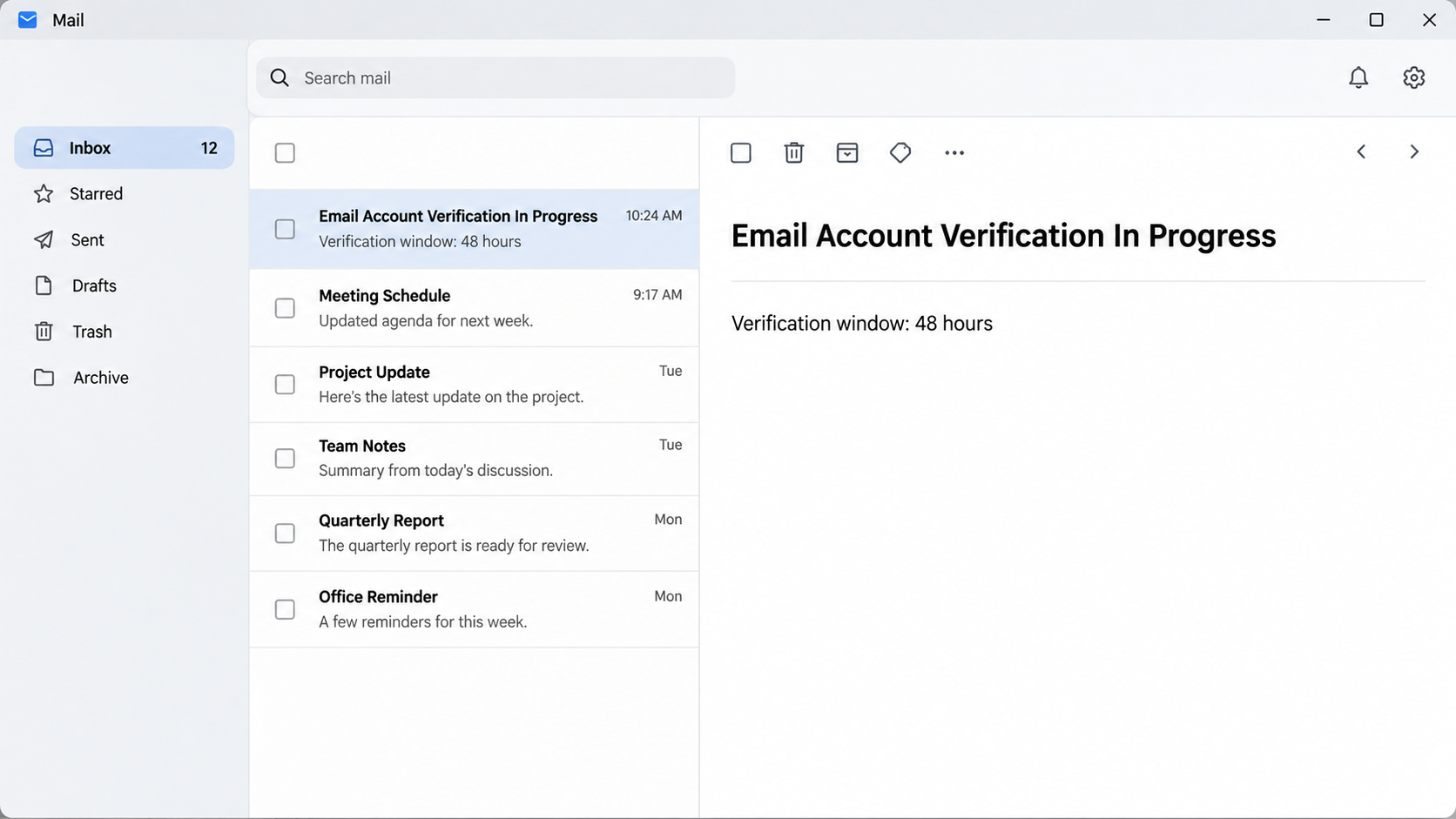
The image above reconstructs the subject and deadline without reproducing the original email. The useful detail is the invented clock, not how closely the original matched your inbox.
A copied Google page is not your account
Following the reported link opened a page that imitated a Google sign-in and showed the recipient’s email address. The site was unrelated to Google.
A prefilled address doesn’t mean your provider recognizes you. Anyone who already has the address to send a message can put that same information in front of you again.
The main danger in this example is disclosure of a password. The reported page was not an installer, and receipt of the email doesn’t indicate a compromised computer.
Separate actions that look similar in the moment
Before changing settings, remember what actually occurred. It is easy to say you opened the scam when you might mean the message, its link, or the form.
- Reading the warning didn’t authenticate it or surrender your password.
- Seeing your address already displayed isn’t the same as entering a secret.
- Approving a real sign-in prompt you did not start can matter even if you typed nothing.
- A sent code or reused password can put a separate service at risk.
For a school or employer address, don’t assume the warning describes Google’s policy for personal accounts. Administrators can have their own retention and access rules.
How the Email Account Verification In Progress Scam Works
Step 1: An unfinished task is passed off as yours
The sender claims a process has already started, rather than openly asking you to begin one. That small shift makes the notice sound like the second half of something routine.
A new device, address change, or ordinary security check may come to mind. The message doesn’t need to know which event you remember, only that you can imagine one.
Start with a simpler question: did you begin a verification procedure through your provider, and can you find it if you open the account independently?
Step 2: The deadline makes it expensive to hesitate
The 48-hour window makes the risk feel immediate. The sender doesn’t need to prove that deletion has started if you are afraid to wait for a second opinion.
For providers with real inactivity rules, the relevant evidence is published service policy and the state shown in your actual account. The offer of a shortcut isn’t either one.
Don’t reply to ask for more time. If your account really has a restriction, your provider or administrator can explain it without the impersonator mediating the conversation.
Step 3: The link changes the place where you enter your password
The browser shows a familiar sign-in layout with the address already filled in. The page looks like a continuation of the earlier notice, even though it’s a different site.
Check the actual domain if you can see it without proceeding. A company name in a page title, or a lock icon in the browser, doesn’t identify the site’s operator.
The better move is to leave that page entirely. Use a saved app or an address you know, and check the account’s security section from there.
Step 4: The risk extends to accounts that trust your inbox
Anyone who obtains working access to email can look for password reset messages and other useful records. The first visible sign may be activity at a different service.
Access to a mailbox can also let somebody send a convincing message from a real account. A recipient may trust it because they’re used to seeing your name.
Some mailbox rules keep warnings out of sight. During recovery, check the account’s settings and activity instead of using a quiet inbox as evidence nothing happened.
How to Verify a Real Account Warning
Check the account before the email
On a familiar device, open the mail app you usually use. If you need a browser, type your provider’s address yourself or use a bookmark you already trust.
For Google, open your Google Account and select Security & sign-in. Under Recent security events, choose Review security events and check for anything you didn’t authorize.
If you cannot sign in normally, start the service’s recovery flow from its official help. An error after following the email link doesn’t prove who owns the page showing it.
Don’t confuse personal-account inactivity with a workplace deadline
Google’s Inactive Google Account Policy uses a two-year inactivity period for personal accounts. It doesn’t turn any random 48-hour inbox warning into an authentic notice.
A school or employer can close an account when somebody leaves or when an access policy changes. Ask the help desk through its established portal if the timing makes sense.
For a mailbox you stopped using, check the account itself rather than relying on whether a reminder arrived. Old forwarding or recovery details may make email history incomplete.
Know where a real notice would be visible
Security alerts, account history, and organization support have different roles. An account history may show recent activity, while a workplace support team can confirm an administrative deadline.
If your employer asks for an ID or other verification through a known process, re-enter that process from the trusted portal. Never send the mailbox password as proof of identity.
What to Do After an Email Account Verification Message
-
If you only received the email, report it from your inbox. On Gmail in a desktop browser, open the message menu and choose Report phishing.
Managed accounts may have a dedicated reporting button. If your administrator asks for the original, preserve the message through its approved process rather than sending it to coworkers.
-
If you only visited the page, leave it without entering anything. If the browser offered to remember, download, or open something, decline and note what it showed.
A suspicious message or a bare visit isn’t evidence of software installation in this campaign. Tell IT if you see a download, unexpected extension, or security alert.
-
If you typed your real password, act from a trusted device. Change it at your provider and replace it elsewhere if you used it on another account.
For Google, follow the compromised account recovery guide if you’re locked out. Use the normal recovery flow, not a reply to the suspicious message.
-
Review sessions and recent alerts after regaining access. Open the account’s security settings, look for unfamiliar devices, and sign out the ones you cannot account for.
A location can look odd for ordinary network reasons. Compare the device, time, and activity instead of taking the location alone as a verdict.
-
Check who receives the mail and how they get in. Review recovery contacts, connected apps, unfamiliar sign-in methods, and forwarding or filter settings.
Keep enough evidence for support before undoing unauthorized changes. On a work account, don’t remove rules that an administrator is still investigating.
-
Warn the right people if the account sent messages. Use a separate way to reach anyone who got a strange attachment, payment instruction, or request for a reset code.
Review the most important services that use the mailbox for recovery. If financial transfers or documents were involved, contact the responsible service or employer through known details.
Look for Changes That a Password Reset Does Not Explain
Review Gmail forwarding and filters
On desktop Gmail, select Settings > See all settings. Open Forwarding and POP/IMAP and see whether mail is being sent to an address you don’t recognize.
If forwarding was added without your approval, note the destination and turn off that forwarding if you control the account. Save changes and check that the setting stayed off.
Then open Filters and Blocked Addresses. Look for recent filters that skip the inbox, delete messages, or send selected mail to another destination.
Use Google’s forwarding controls guide to distinguish account-wide forwarding from a rule that only applies to some messages. One setting doesn’t necessarily show both.
Check delegated access and account recovery separately
In Settings > See all settings > Accounts and Import, look for Grant access to your account if available. Review any delegate you don’t recognize.
A fresh password doesn’t tell you whether a forwarding rule, delegated mailbox, or app authorization is still active. Check each place for an actual change.
In the Google Account security section, confirm that recovery phone numbers and addresses are still yours. Review extra verification methods and remove only clearly unauthorized entries.
If you’re unsure whether a method was assigned by your organization, ask first. Removing your only working recovery route creates a second problem without resolving the first.
If you find a second phone or an old recovery address, record enough to tell it apart from your current one. Use the provider’s controls to remove unauthorized methods.
When new settings require confirmation, finish that step through the account itself. Don’t act on an email requesting a code that would hand another person access.
Check whether a second account was affected
Review email alerts and account histories for important services such as banking, commerce, cloud storage, and work. Choose services you actually use rather than resetting everything blindly.
If a colleague sees a message that you don’t find in the Sent folder, don’t assume they imagined it. Ask them for the subject and time, not a reopened link.
Check the Trash, Spam, and archive for warnings you didn’t see earlier. A missing message could have several explanations, so record it alongside other account activity.
Turn on stronger verification when you’ve confirmed that the settings and recovery options belong to you. Don’t approve unfamiliar prompts just because you’ve begun a password change.
Prioritize the Accounts That Depend on This Address
Find the services that use email to reset access
Start with the handful of services where an unauthorized password reset would matter most. That often means work, banking, cloud storage, and an account used for payments.
Open each service through an official app or a known address. Check the recovery options for changes and look for sign-in notices you didn’t request.
If you use separate addresses for sign-in and recovery, check both. Someone can affect access without changing the email address displayed in your profile.
Give trusted contacts enough context to recognize an impersonator
If you use the mailbox for a club, small business, or family expense, consider who would act on a message apparently sent by you.
Contact those people outside the affected mailbox if you see evidence it sent something strange. Give them the subject and date rather than asking them to open the original.
If you can still see an unauthorized message in Sent, preserve its details before cleaning up. An administrator or provider may need it to identify the affected recipients.
Plan ahead if the mailbox is actually ending
An employer or school may have a legitimate end date for access. Ask whether you may export your own material or change recovery addresses before the account closes.
Don’t forward work files to a personal account unless the organization permits it. A genuine retention deadline doesn’t cancel the rules for private or employer-owned material.
Frequently Asked Questions
Will an email account really be deleted in 48 hours?
The deadline is part of this phishing lure. If you’re worried about a real workplace deadline, have the provider or your administrator check it separately.
Why did the copied Google screen already know my address?
The people sending the message already had an address to target. Displaying it again doesn’t demonstrate identity verification or access to your mailbox.
Is a password change necessary if I only read the notice?
Not because of reading this particular message. If you entered credentials, approved an unexpected request, or see unexplained account activity, take the relevant recovery steps.
Can a password change remove an unauthorized Gmail filter?
It doesn’t edit your Gmail rules for you. Check forwarding, filters, and delegates directly after securing your sign-in.
What if a work address was shown on the copied Google page?
Contact your organization’s support team using known details. Tell them what you entered or approved and which device you used so they can check the right account.
Do I need to scan my device after this email?
The documented page asked for credentials, not an installation. If you also ran a file, installed an extension, or saw a security warning, handle that exposure separately.
The Bottom Line
Don’t verify a mailbox through this notice. Open your account yourself or ask your real administrator whether there’s a pending action.
If you entered credentials, change them from a trusted device and check for unfamiliar sessions and mail rules. Keeping the address is only part of taking back control.

Join the discussion
0 commentsShare your experience or ask a question about this article.
Community experiences
Did this happen to you?
Your experience could help someone recognize the same scam. Submit a private report for our team to review.
I experienced this tooReports are reviewed before publication. Sharing publicly is always your choice.
Discussion
Start the conversation
Have a question or something useful to share? Add the first comment.