


An Avici airdrop page tells you the claim has opened. If you’ve seen Avici’s name while looking at crypto cards or wallets, the headline may feel familiar.
There were two versions of this offer, and they didn’t even look alike. The useful question isn’t which page looks more polished, but what ties either one to Avici.
Overview
Two addresses, one borrowed token name
The fake Avici airdrop scam used two separate domains to pitch free tokens. One was getavici[.]today, with a dark landing page and a badge calling the offer official.
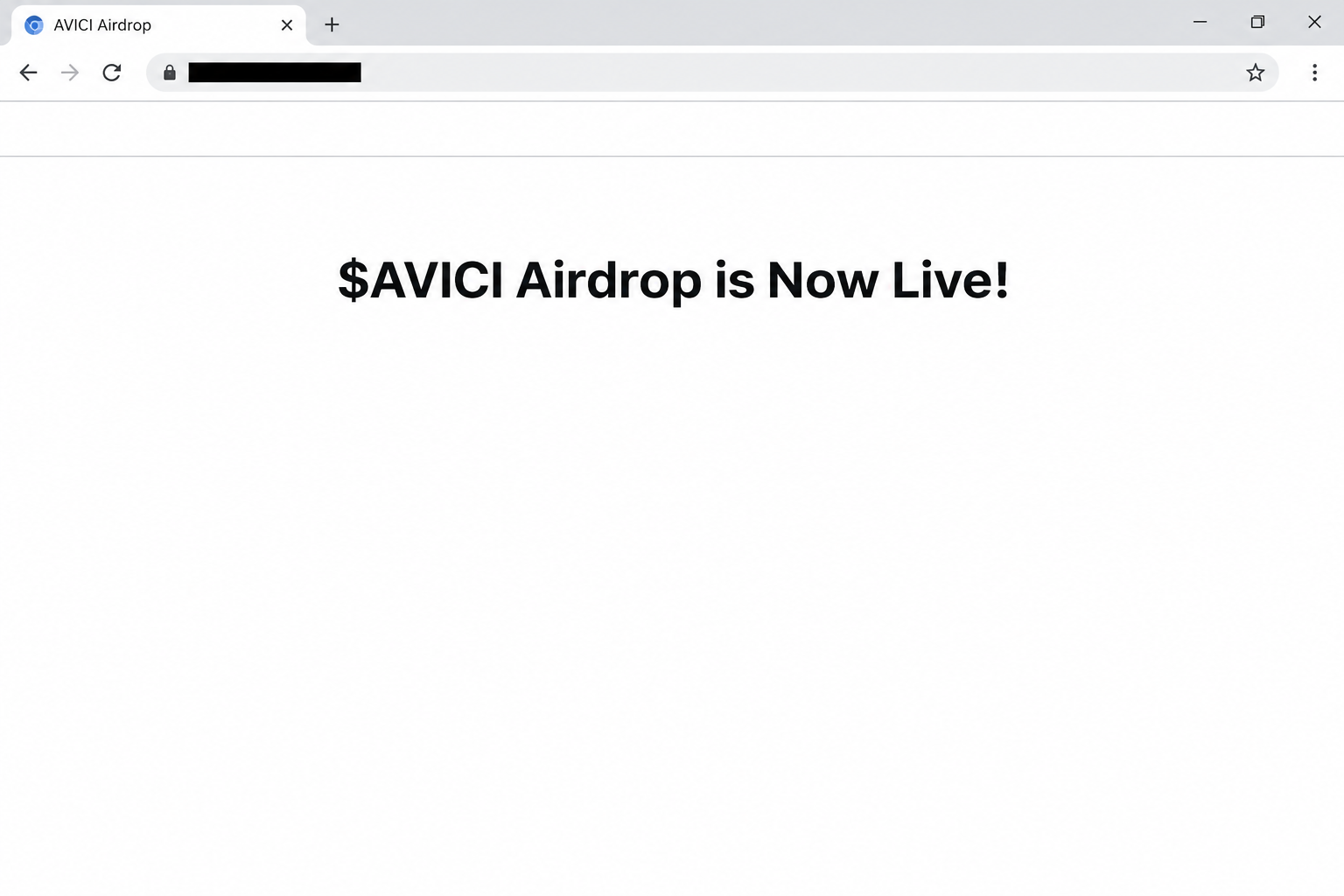
The other was airdrop-avici[.]money, a white page that announced an active claim. Instead of emphasizing a broad rewards site, this version gave readers a single eligibility question to answer.
Neither address belongs to the avici.money domain.
The second looks closer because it ends in .money, but airdrop-avici is the name registered before that ending, not a section of the Avici website.
The documented interaction stops at the wallet picker
The dark page’s recorded interaction reached a wallet picker. It displayed several recognized wallet names, making the request look like a standard sign-in rather than a stranger’s invitation.
A wallet picker is not a transaction record. It shows what the page wanted readers to open, not which later action they approved or whether anyone lost assets.
- The dark page borrowed Avici branding and offered Solana rewards.
- The white page announced a live claim on a different, lookalike address.
- The recorded wallet picker appeared on the dark version.
- Neither screenshot demonstrates an approved transaction, a stolen recovery phrase or confirmed loss.
What the real Avici service offers
Avici’s website describes an app with card and wallet features. Its own wallet documentation describes supported networks, sign-in, passkeys and a transaction history inside the app.
That real app is not evidence for either giveaway. Nothing about the copied pages proves that Avici made these offers, had a breach or signed users up for anything.
The image above shows a redacted recreation of the shorter headline. Its purpose is recognition; the different domains and recorded wallet picker are the evidence to pay attention to.
The Hyphen Is the Part That Matters
Read the full name from right to left before interpreting words such as claim or airdrop. If the registered name changed, you’re dealing with a different destination.
A familiar ending is especially distracting in this case. On a narrow screen, airdrop-avici[.]money can look like an official page devoted to a promotion rather than its own site.
A subdomain would come before the genuine avici.money name and be separated by a dot. Putting a hyphen inside the name does not create that relationship.
The other example is less subtle once you know where to look. Getavici[.]today changes both the name and the ending, despite placing an Avici logo on the page.
A secure-connection symbol doesn’t settle either question. It tells you about your connection to the domain that opened, not whether the company whose name appears on-screen authorized it.
The safe check doesn’t require a visit to either lookalike. Open Avici from the trusted app or website you already use and look for a matching announcement there.
If someone says there’s a legitimate claim but can only send you back to one of the imitations, leave the offer alone.
How the Fake Avici Airdrop Scam Works
Step 1: Turn a real product name into an unverified invitation
Airdrops sound like something a crypto project might run. Starting with a name that already has a website and an app lets the fake offer borrow that expectation.
The dark sample used a label calling the airdrop official. The word did all the work a real announcement would normally do, without an authenticated publisher behind it.
The offer also referred to other opportunities across Solana. That is a different proposition from using Avici’s documented card or viewing transfers inside its own app.
Look for a matching announcement before asking whether you’d qualify. The promotion shouldn’t get to authenticate itself by making the same claim in two places on its own page.
Step 2: Repackage the reward in two different layouts
The dark design bundled a free Avici claim with language about following other projects. It put the token’s name at the center of a larger rewards story.
The white design was more direct. It announced that the claim had opened and positioned an eligibility check as the next thing a visitor should try.
Those pages don’t need to look alike to create the same problem. Both try to make the token name, rather than the source of the offer, your reason to continue.
A similar dark layout also appeared in a separate fake SURGE offer. The landing-page text and artwork followed the same pattern while switching the project name and coin symbol.
That resemblance is useful for spotting a template. It doesn’t identify an operator, show that the legitimate projects are related or prove that the same software ran behind both pages.
Step 3: Make an account decision look like a routine check
In the recorded dark version, the offer opened a list of wallets. Seeing yours there may feel reassuring, but the page remains on an unrelated domain.
Nothing about a logo in that list authenticates the site. The list is an invitation to interact, not a guarantee that the wallet provider vetted the promotion.
The shorter page gets to the same point rhetorically by asking whether you qualify. You can decide the claim isn’t trustworthy without answering that question through the page.
No one needs your seed phrase to check a public address. Stop if any website asks you to type backup words, export a key or scan a supposed wallet-recovery code.
Step 4: Move the important decision inside the wallet
There is a difference between viewing a page, choosing a wallet, connecting it and approving a request inside it. Try to remember which screen you actually reached.
A basic connection can reveal a public wallet address and let a site request further actions. It isn’t itself a record that tokens moved from that address.
A later approval may authorize a transaction or ongoing access to tokens. The label on the web page does not describe what the wallet request will actually do.
The recorded Avici sample does not show a completed approval, so there is no basis to assign every visitor the same outcome. Read your own activity before assuming loss.
If the wallet preview names a transfer you didn’t intend or access you don’t recognize, reject it. You don’t have to sign something to find out whether a reward exists.
Step 5: An unchanged balance can hide a different kind of exposure
A transfer and a permission don’t look the same when you check your account. A transfer can move funds immediately; an active permission may matter even before money moves.
An exposed recovery phrase is a separate problem again. Someone who has the phrase may be able to control the wallet without coming back through the original browser session.
That’s why the response starts with the action you took, not with how large the alleged airdrop was. Don’t repeat an action just to see which category it fits.
A card or email problem shouldn’t be assumed from wallet exposure either. Check those separately if you entered card details, exposed a sign-in or noticed actual activity there.
What to Do if You Have Fallen Victim to This Scam
-
Stop at the furthest action you remember. Close the claim page and reject any open requests from it. Write down the domain, approximate time and wallet you selected.
If you only viewed the offer or closed the picker, don’t open it again to collect proof. Preserve any existing screenshot or link from the message without visiting it.
If you signed something, can’t remember whether you approved it or see funds missing, check your wallet from the application you normally use.
-
Disconnect the site from the wallet you used. In Phantom on mobile or desktop, select your avatar, then open Settings and Connected Apps.
Select the unfamiliar entry, choose Disconnect, then return to the list and check it’s gone. Look on the device and platform used to make the connection.
Closing the tab or clearing a browser’s history does not establish that an app was disconnected. Disconnecting also doesn’t remove a spending approval you’ve already granted.
If there’s no entry, check the account and platform before drawing a conclusion. A connection made in the mobile app might not be listed in the browser extension.
-
Check the activity on the correct network. In the Phantom extension, open History using the clock icon. On mobile, select your avatar and then History.
Open the unfamiliar transaction and select View on Solscan for Solana. Check the status, sending and receiving addresses, token and amount, and copy the signature for your records.
If you can’t find the transaction in Phantom, copy only your public address and search it on Solscan. Check the transfer tabs and match the time and asset.
You don’t need to connect a wallet to read an explorer. If the details don’t match what you expected, preserve the record before contacting a provider.
-
Remove any unfamiliar spending approvals that are still active. If you suspect a Solana token approval, use the revocation route linked from Phantom’s instructions, not a search ad.
Open the documented Famous Fox revoker, connect the affected Phantom account and review the permissions. Its Revoke all option removes existing approvals, including legitimate ones you may use.
Review the wallet’s request before approving the revocation. Stop if it asks for a phrase or a transfer to a third party instead of removing permissions.
Confirm the revocation completed and refresh the permissions list. Get help through the verified wallet provider if you cannot identify the transaction or the same permission remains active.
-
Treat a shared recovery phrase or key as compromised. Keep access to the old wallet while you prepare a genuinely new wallet on a trusted device.
For a new Phantom recovery-phrase wallet, reach Phantom’s download page independently. In a fresh browser installation that doesn’t contain the old wallet, choose Create a New Wallet.
Select Create a Recovery Phrase Wallet and follow the setup. Write the new phrase down privately and confirm the backup before moving funds.
Do not import the phrase that was exposed, since that would reopen the same wallet rather than give you a new address you alone control.
In the new Phantom extension, open Receive, choose Solana and copy your new address. Verify that you control it and that the asset you’re moving uses Solana.
In the old wallet, use Send, pick a known token, enter the new address and amount, then choose Next. Review the network and address before confirming.
Leave enough SOL for any necessary network fees. Check the transaction status and the new wallet’s balance. Don’t move an unknown token or abandon access while funds remain.
If staking or another position prevents an ordinary transfer, get help from the real wallet or service provider. Don’t approve a stranger’s recovery prompt to unlock those assets.
-
Report actual losses and secure any separate account exposure. Save the sending and receiving addresses, transaction signature, date, token and amount. Don’t include backup words, keys or passcodes.
If an exchange was involved, send its support team the transaction details through its official app or support site. U.S. readers can report cryptocurrency fraud through IC3.
If you use Avici, open the installed app and check the transaction list on its home screen. Select an entry to see its status, time and transaction ID.
If a card charge also appears, contact support from your real app or call your issuer. Explain what you recognize and keep its case number for follow-up.
Nobody can promise to reverse a confirmed Solana transfer. Do not pay an unsolicited recovery agent or give them control of the wallet to demonstrate the loss.
Frequently Asked Questions
Is airdrop-avici[.]money part of the real Avici website?
No, that is a separate domain with a hyphen in its registered name. Avici’s own website uses avici.money, without the word airdrop and the hyphen.
Is the Avici app itself being called a scam?
No, the warning concerns two specific pages that borrowed the project’s name. It isn’t a review or endorsement of the real app, card or token.
Can choosing Phantom in the wallet picker transfer anything?
Opening the picker is not a transfer. If you connected, disconnect the site and review your activity. If you signed a request, check what it authorized.
What if the page showed that my claim failed?
The web page’s message isn’t your transaction history. Check your real wallet for approvals or transfers before relying on the error or trying another wallet.
Does disconnecting the site undo an approval?
It removes that connection, not a separate permission already granted on the network. Check for any existing approvals and revoke the ones you didn’t intend to give.
Can a scammer offer a real-looking token name?
Yes, a ticker or logo alone doesn’t prove which project issued the token. Start with the project’s own announcement and don’t treat an unsolicited claim link as evidence.
The Bottom Line
Leave both Avici lookalike pages alone. Neither establishes a claim through Avici, and a familiar wallet picker does not make the offer any safer.
If you already interacted, disconnect the site and check what you authorized. If money moved or you shared a key, act on that exposure without returning to the claim page.

Join the discussion
0 commentsShare your experience or ask a question about this article.
Community experiences
Did this happen to you?
Your experience could help someone recognize the same scam. Submit a private report for our team to review.
I experienced this tooReports are reviewed before publication. Sharing publicly is always your choice.
Discussion
Start the conversation
Have a question or something useful to share? Add the first comment.