


A message arrives with what looks like an Amazon return code. The problem is that you don’t remember starting the return it describes.
It might belong to an order, a gift, or no transaction at all. Find the return in your account before treating the code as instructions.
Overview
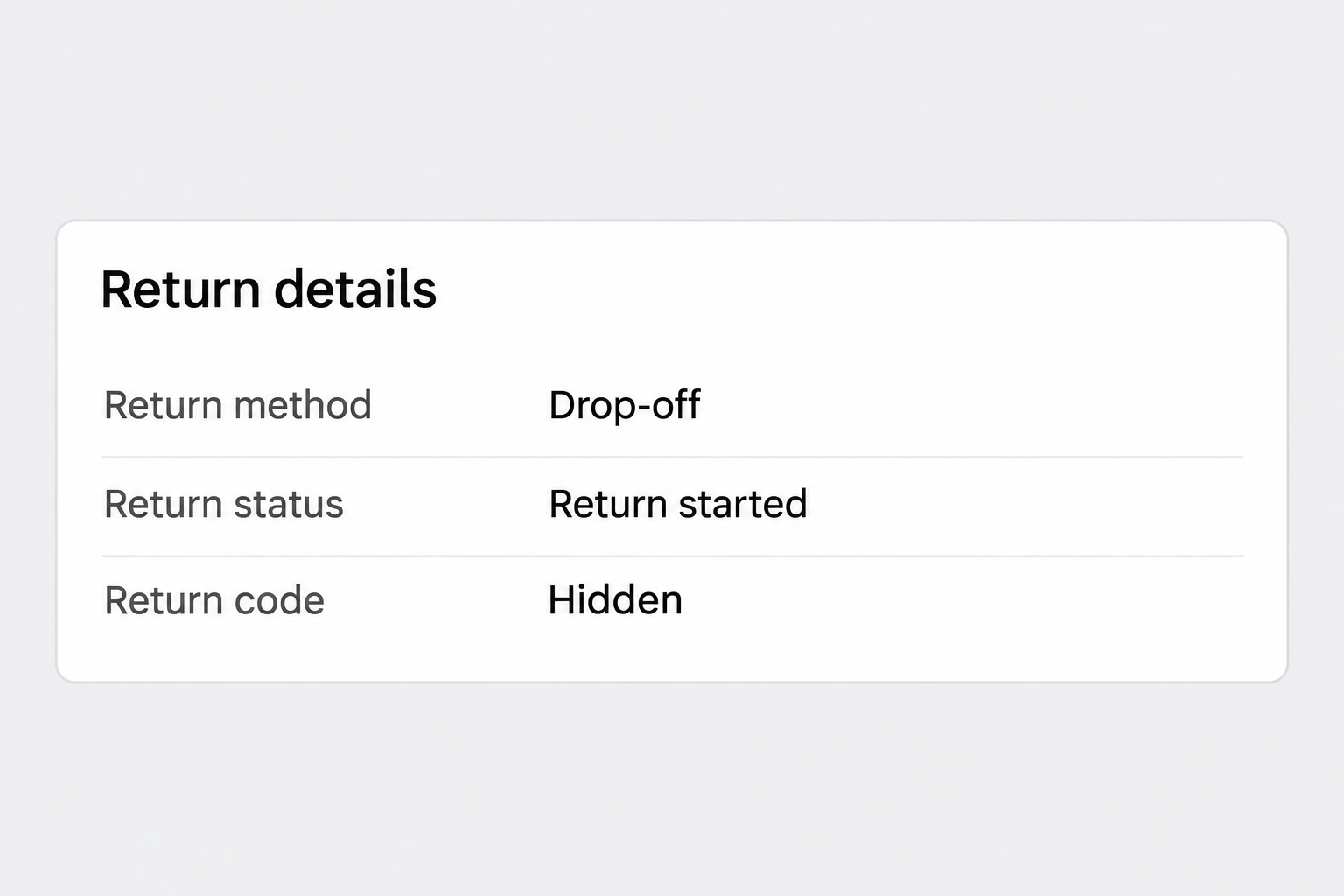
Illustration: Check the return method before you use the code.
A return code is tied to a specific return
A genuine Amazon return QR code can be part of a label-free drop-off. That does not make every code arriving in email, text, or a parcel genuine.
Amazon’s return instructions explain that eligible returns are normally started through Your Orders. A QR code may follow after you choose a supported drop-off option.
The expected place to use it is the selected drop-off location, with the item. A separate prompt to scan a code to confirm your bank card isn’t that procedure.
Check the order, method, and destination separately
- Open Amazon independently and find the item in the right account. Verify whether its return is already started or only available to start.
- Open its return details and compare the actual drop-off or pickup method. A new message doesn’t override the instructions attached to the order.
- Use the code, label, or other document generated for the matching return. Leave the unsolicited one unused until the account helps explain it.
Actual choices depend on your item, seller, region, and reason for returning it. Expect differences between orders rather than using one screenshot as a universal template.
Two related fraud warnings explain why this matters
The FTC’s Amazon refund text warning documents messages promising money back after a supposed quality issue or recall. Links lead to phishing, not a real refund.
A separate FTC warning about unexpected parcels describes QR codes enclosed with a package, sometimes claiming to help process a return. It does not say every package came from Amazon.
Neither alert proves a specific unsolicited Amazon code in your inbox is fake. They explain why it is worth checking the order before you scan.
What a Real Return Request Looks Like in Your Account
Find the item before looking for a code
Open the Amazon app you already use and go to Your Orders. On the website, navigate to Amazon yourself, sign in, and open the order history.
Select the exact item, not just the overall order if several things arrived together. Compare the seller, variant, purchase date, and what you intended to send back.
Look for the return information on that item. If the account only offers to start a return, that isn’t evidence that one has already been requested.
If someone in your household placed the order, ask them to check their account. Don’t ask them to send you their sign-in details or verification code.
Match the method the order actually offers
Amazon’s U.S. instructions explain that you first choose the item and reason, then select an available return option and follow the instructions for that method.
For a printed-label return, follow the packing and label directions attached to your request. The carrier and package instructions may be different for the order next to it.
For a label-free, box-free return, show the return code for that item at the drop-off location selected in the return flow. Follow the actual instructions the account gives you.
If your return lists pickup, check the pickup details there. Don’t switch to a different carrier, address, or payment route because an unsolicited message offers to reschedule it.
Keep the return and the refund as distinct events
A code can show that a return was arranged without showing that the seller received the item or issued money back. Track those events separately in your order history.
You can check the return or refund status by opening the item in Your Orders. Amazon’s refund status instructions explain where to find the latest information.
Save any handoff receipt or carrier tracking that your method provides. You may need it if the return status later differs from what happened at the counter.
When You Have an Actual Return but the Message Doesn’t Match
Compare whose label, which item, and where it goes
A label can be real and still belong to the wrong item. Amazon’s instructions say each return label is assigned to a specific return.
If you have several returns going out, match each item to its own code or label before you pack it. Don’t assume similar-looking labels are interchangeable.
Read the drop-off or pickup instructions from the order you opened yourself. If you can’t find the correct code or location, ask support from that return.
If someone sends a replacement label, check whether the genuine account recognizes the change. Don’t ship valuable goods to an address that only appears in an unsolicited message.
Don’t mistake every fee for the same thing
Return options and costs vary by order, seller, and reason. A fee you see in the approved return flow isn’t the same as a text demanding card data.
If a charge appears, read how the actual return describes it. Ask support about the amount and where it will be shown before you approve anything unfamiliar.
A third-party seller can have a different return process. Open the order and use the marketplace’s own return request or messaging route to verify the next step.
If the seller wants you to move the transaction elsewhere, don’t do it because the email seems urgent. Keep the order history and support conversation together.
Handle a missing code without scanning what showed up
If a genuine return has started but you can’t see the code, sign in to the purchasing account and reopen the return details for the item.
Check whether you selected a printed label rather than a box-free drop-off.
If the method shown is different from what you need, ask how to change it through the original return.
If the code displays but the counter cannot process it, show the return details, verify the location, and contact Amazon through the app. Don’t pay a stranger for a replacement.
Keep the item until the real return route is clear. A wrong destination or missing handoff receipt is harder to correct after the package leaves your hands.
If There Is No Matching Order or Return
An order you can’t find may belong to someone else
Ask whether someone close to you bought the item, used another household account, or sent it as a gift. A missing order isn’t automatically fraud.
If it is a gift, Amazon offers a gift-return route. Open it through the actual retailer rather than scanning a code printed on a note you didn’t expect.
If no one recognizes the item and you didn’t order it, ask Amazon to investigate the package through its own support. Keep a private copy of the shipping label.
A QR image doesn’t tell you what the destination will do
A code can merely open a web address. The image itself won’t show whether the destination will ask you to sign in, pay, or provide information.
Do not test an unsolicited code by scanning it on a second device. For a return you can verify in your account, use only the code from that verified record.
If you opened the page but didn’t interact, close it and return to the official account. If you entered anything, move to the recovery steps below.
A refund message may be the wrong kind of refund
A supposed refund for an item that failed a quality check is a different story from a return you started and dropped off. Verify the order and claim separately.
If the message says no return is necessary, don’t treat that promise as permission to enter bank information. Check notices on the item you actually bought.
A separate MalwareTips investigation covers the Amazon refund text. This guide is about checking the code and the return method, even when there is a real order.
Check the Return Again at Handoff
Prepare the item using its own instructions
Open the actual return details before leaving home.
If you have more than one item, note which code or label goes with each one instead of relying on the purchase date.
Check whether the selected location accepts that exact method. A drop-off counter that takes one carrier’s package may not be the location shown for a box-free return.
If you need to print a label, download it from the verified order and read its packing instructions. An unexpected email attachment is no substitute for that record.
Do not share the genuine return code publicly when asking for help. Leave order references, tracking numbers, and return labels in the private conversation you initiate with the retailer.
Save something that shows the carrier or counter accepted it
Ask what receipt the counter can give you. If you have several returns, write down which confirmation applies to each item while the details are still easy to remember.
A carrier’s pickup notice isn’t the same as a record of pickup. Save the status showing the parcel was accepted, along with any tracking number you were given.
If a counter can’t scan the code, confirm you are in the right place and that the item matches the return. Ask the actual retailer for help with that request.
Don’t leave the package just to meet a deadline in an unfamiliar message. If the verified return is about to expire, tell the retailer directly what went wrong.
Read the refund history before responding to another message
Separate the order’s refund status from what posted on your card. If you paid with more than one method, check the refund destinations shown for the item.
If the amount differs from what you expected, ask support what was refunded or deducted. Have the original charge, return information, and proof of handoff ready.
A caller who offers to correct a refund by getting control of your bank session isn’t resolving your order. Close the conversation and contact the provider independently.
If somebody says they sent you too much, don’t use their screenshot as proof. Compare the confirmed Amazon refund with transactions you can actually see in your own account.
When you’re returning a gift, identify which process created the return before expecting the purchase amount to land on a particular card. A gift return route can work differently.
If you used the wrong label, tell support which package and tracking number were involved. Starting a fresh return doesn’t automatically route the first package correctly.
What to Do if You Scanned the Code or Used the Label
- If you only opened an unexpected page, close it. Open the real Amazon account and check the order rather than continuing from the scan.
- If you entered your Amazon password or a security code, secure the account from its genuine app or website. Review contact details, recent orders, and any changes you didn’t make.
- If you entered card information or sent money, contact the card issuer or service that processed it. Separate the original order payment from any later charge.
- If you sent an item using a label you now suspect, contact the carrier and Amazon promptly. Keep the label, tracking, and handoff receipt so they can identify the parcel.
- If your real return has a deadline, ask Amazon through the actual order what to do next. Do not create overlapping shipments just to get a new code.
- Report the suspicious message using Amazon’s scam reporting instructions. In the United States, you can also report it to the FTC.
How you respond depends on what left your control. A suspicious notification, a disclosed card, and a package already headed to an unknown address are different problems.
Frequently Asked Questions
Does Amazon use real QR codes for returns?
Yes, Amazon describes a label-free and box-free option for eligible returns at selected locations. Find the code in the return process you started rather than relying on a surprise message.
Should I scan a return code from an unexpected Amazon parcel?
Do not scan it just to identify the sender. Ask the retailer through a known channel and check with household members before acting on an enclosed note.
What if a text says I need to pay before the pickup?
Compare the request with the pickup instructions in your actual return. If the fee isn’t confirmed there, don’t pay through the text or give it card information.
Can I use one return label for two similar orders?
Use the instructions for each specific order. Amazon assigns labels to particular returns, which is why you should match the item, label, and packaging instructions before shipping.
Why do I see a return but not a pending refund?
Starting a return doesn’t guarantee a refund has posted. Check the item’s refund status and keep proof of the handoff in case the account doesn’t update as expected.
Does a gift return always appear in my regular orders?
Not necessarily, because someone else may have placed the order. Use Amazon’s actual gift-return process and confirm the details with the giver when you can.
The Bottom Line
Don’t scan an unexpected Amazon return QR code to find out whether the return exists. Open Your Orders and use the code or instructions attached to the specific return.
If you already paid, disclosed account details, or sent the package, act on that exposure first.
Keep the message and any shipping or payment record so the right provider can help.

Join the discussion
0 commentsShare your experience or ask a question about this article.
Discussion
Start the conversation
Have a question or something useful to share? Add the first comment.