


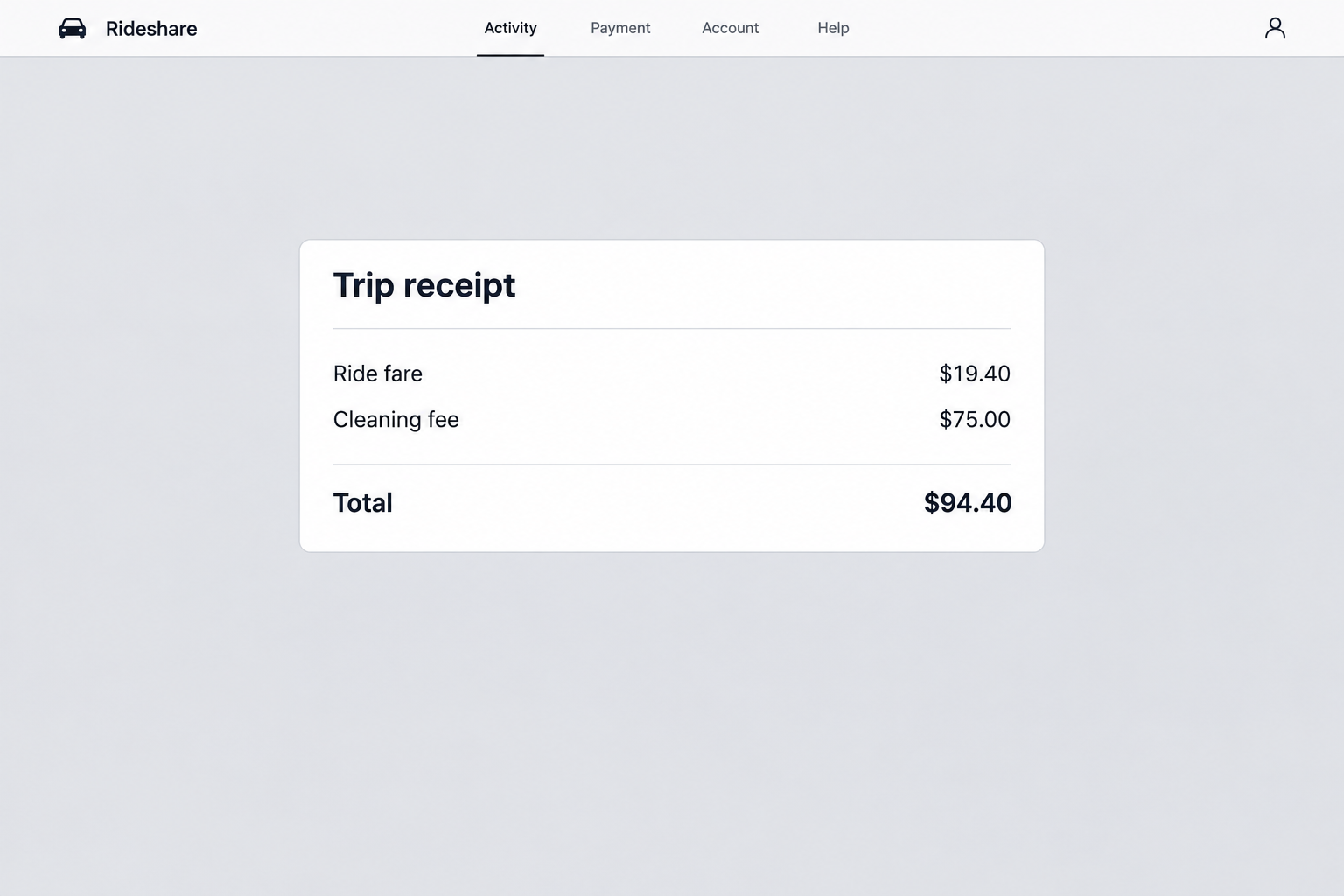
You took an ordinary ride and checked the receipt later. The pickup and drop-off look right, but the price now includes a cleaning fee you don’t recognize.
The fee raises two different questions. Did Uber or Lyft add the charge to your trip, and does the evidence show that you caused the damage?
Overview
The trip can be real while the claim is wrong
An Uber or Lyft cleaning fee can appear after you get out. It may be included in an updated trip total rather than billed as a separate transaction.
That timing makes a disputed fee confusing. You recognize the ride, so the payment looks authorized at first glance, even if you disagree with the added charge.
Open the trip record directly rather than following a receipt link. The app can tell you whether the platform billed the fee. It cannot settle whether the claim is accurate.
Drivers can legitimately seek reimbursement for damage or a mess that needs extra cleaning. An authentic receipt is not a reason to accept an inaccurate charge without asking for review.
Find which of these three problems you have
- If the platform shows a cleaning or damage fee on a ride you took, dispute that specific adjustment from the trip record.
- If an email or text claims you owe a fee but the app shows none, treat the message as suspicious and confirm separately with support.
- If your bank shows a ride you don’t recognize, check family or shared accounts first, then report an unrecognized transaction without assuming it was a cleaning charge.
The distinctions matter because one issue concerns a disputed service charge, another may be an impersonation attempt, and the third may involve unauthorized use of a payment method.
What a credible review needs to answer
A photo of a dirty back seat can show a mess without showing who caused it. Ask whether the photo, vehicle, location inside the vehicle, and timing fit your ride.
A claim posted after your ride could concern another passenger or the wrong trip. Ask the platform to compare its records before deciding why the fee was added.
You don’t have to prove a photograph was generated by artificial intelligence to contest a charge. Start with the facts the reviewer can actually compare.
A Real Fee Policy Is Not Proof of a Valid Fee
Uber’s rider cleaning fee policy says the amount depends on the extent of the damage.
Uber says it sends an updated receipt and asks riders to request fare adjustments within 30 days.
Lyft’s driver damage policy describes a report with ride details, timing, and photos from different angles.
Its 24-hour reporting window is for drivers, not a deadline for riders to dispute a fee.
Lyft distinguishes qualifying damage from routine cleaning. That matters if the stated reason is ordinary wear, an unpleasant smell, or another issue its policy does not reimburse.
Neither policy says a disputed fee should be accepted because it came from the platform. The appropriate question is whether the charge matches the incident, trip, and policy.
A disputed Lyft charge in Boca Raton
In a 2026 report, WSVN interviewed a Florida father who disputed a $75 damage fee after his daughters took a Lyft. His family said a photo appeared to be generated.
That is an attributed account, not a forensic finding that every image in the claim was synthetic.
The reason to examine it is narrower: a rider challenged what the photo represented.
A visible icon may justify asking questions, but a compressed or oddly lit image is not enough to identify the software that made it. Keep guesses out of your dispute.
A stronger statement is that the claim describes damage in a place you never occupied, or that the visible upholstery doesn’t match the car you entered.
What to Compare Before You Contact Support
Start with the original ride and receipt
Save the first receipt if you have it. Then open the app and save the current receipt, which may include the reason for the fare adjustment.
Write down the ride date, pickup and drop-off, original fare, new total, and disputed amount. Include whether the charge is pending or posted with your bank.
If the first receipt isn’t available, the updated one still gives support something to locate. Report the adjustment amount you can see instead of guessing the original total.
Check whether you actually paid the revised fare or merely received a notice. With a shared card, ask who booked the trip before labeling it unauthorized.
Separate the picture from the timeline
Record where you sat, who else was with you, and whether the driver mentioned any problem at drop-off. Ask a companion to write what they remember independently.
A statement from a passenger is not the same as a dated photo, but it gives the reviewer a detail to check alongside the driver’s report.
If support shares photos, note the differences that matter: seat fabric, flooring, the side of the car, or whether the image shows an area you never used.
Do not publish the photo with the driver’s name or personal details. Send relevant material through the private support case, where it can be tied to your trip.
Keep bank and app evidence separate
A card statement tells you what posted, but it may not break out a ride adjustment. Lyft also explains that final charges can combine rides under some payment settings.
Save the individual receipt even if you can see the same amount in your bank app. A reviewer needs the trip, not only the date the bank processed it.
If you see one pending authorization and one final charge, don’t add them together and assume you paid twice. Ask the issuer which amount actually settled.
How to Dispute a Cleaning Fee in the App
Uber: ask for a review tied to the trip
Open your Uber account directly, use your activity or trip history, and pick the ride whose receipt changed. Open the help options for that specific trip.
Look for the fare or fee review option. If that menu isn’t offered in your app, use Uber’s cleaning or damage fee form, sign in, and select the correct ride.
State the fee amount and why it is inaccurate. Ask the reviewer to compare the original driver report, its timing, vehicle details, and the ride assigned to the claim.
Once you submit, keep the confirmation and look for the reply in your support conversation.
If the form sends you back to the trip selection, verify you chose the right account.
Uber says to request the fare adjustment within 30 days of completing the trip. Don’t wait for extra screenshots if doing so would cost you that window.
Lyft: dispute the charge from Ride history
Open Lyft and select your profile. Under Account, choose Ride history, open the affected ride, and select Dispute ride charge near the bottom of the screen.
Use the Lyft rider charge instructions to confirm the route if your app labels differ. Starting from the ride keeps the adjustment tied to its receipt.
Give the rider support team the amount, the date, and the damage description provided. Request a review of whether the incident and photos belong to that ride.
Save the support reply and check Ride history again. A written promise to adjust a fee and an actual credit on your card are separate things.
A message that gives the reviewer something to verify
Start with the transaction, not the accusation. For example, explain that you took the ride but are disputing the later cleaning adjustment, not the original transportation charge.
Say exactly what doesn’t fit the ride. If the photo shows the front seat and nobody sat there, ask support to compare locations.
If support denies the first request without addressing a mismatch, reply in the existing case where possible. Quote the relevant finding, specify what wasn’t reviewed, and ask for reconsideration.
Don’t open several tickets just because the first response is slow. One complete thread lets a reviewer see the documents, replies, and dates without piecing them together.
Read the Reviewer’s Answer Before Closing Your Case
If support says the charge was correct
Look for a reason that actually addresses your dispute. A reply that says fees are allowed under policy may not explain why this particular trip was charged.
Ask the reviewer to verify the connection between the incident and your ride again. Focus on missing or conflicting details, rather than repeating that the charge feels unfair.
If company policy limits what it shares, ask for an explanation without the driver’s private information. You can request the basis of the decision without asking for someone else’s records.
If support issues a partial credit
Compare the credit with the disputed portion, not just the entire fare. You might receive an adjustment for part of the bill while the ride itself stays fully charged.
If the revised receipt and the bank transaction don’t match yet, ask which amount should ultimately post and when.
Keep the written answer rather than assuming the first credit is final.
Don’t discard an updated receipt after downloading the first one. Both versions help establish what was changed, especially if the platform later provides a third total.
If the person who took the trip isn’t the cardholder
The rider may be able to see the trip while the payer only sees a bank entry. Ask them to compare those records privately before either person opens a dispute.
A business or family organizer may have ordered the ride for you. Tell them the date and your objection rather than trying to access their account or payment method.
If the Charge Exists Only in a Message
An email claiming a fee is overdue may be a separate attempt to collect money outside the ride platform.
A screenshot of a receipt sent by a stranger doesn’t settle the question.
Open the genuine app without using the message. If you find no fee, do not pay, enter card details, or provide a login code to the sender.
If the app and receipt disagree, ask support from the known ride record before assuming either one is right.
A receipt could have been sent to another address on your account.
A driver asking for a direct payment is not the same as a cleaning fee posted by the platform. Leave any disagreement with the driver for support to review.
What to Do if You Were Charged
- Save the receipt and the card entry with their dates. Keep the support case number so you can connect an eventual credit to the fee you questioned.
- Tell the platform whether you’re disputing a cleaning adjustment, a ride you didn’t take, or a request that never appeared in your account.
- If a fee is reversed, compare the corrected fare with the bank credit. Note whether the merchant refunded the adjustment or replaced the entire charge with a corrected total.
- If the platform won’t resolve a posted charge, contact your card issuer promptly. Explain that you recognize the ride but dispute the cleaning portion, if that’s what happened.
- For a qualifying U.S. credit card billing error, follow the issuer’s written dispute instructions. The CFPB explains the general 60-day notice window after the statement showing the error was sent.
- If you shared your card details through a fake notice, tell the issuer that separately. Ask how to secure the card and report any unauthorized transactions.
Debit cards and other payment methods can have different deadlines and protections. Don’t assume the time you have with the ride company also applies to your bank.
Frequently Asked Questions
Does an updated receipt prove I caused the damage?
No, it shows what the company billed. The review still needs to match the reported damage to the correct vehicle, trip, circumstances, and rider.
Can I dispute the fee without a photo of the back seat?
Yes, explain what happened and request a review. Your receipt, seat location, timing, and a companion’s independent recollection can still give support a basis to investigate.
Should I tell support the damage photo was made with AI?
Only state what you can substantiate. If something is visibly inconsistent, point it out and ask support to check the original evidence rather than asserting how it was made.
Is every unexpected cleaning charge a scam?
No, drivers can file legitimate claims when riders cause damage. An unfamiliar amount, incomplete description, or unexpected receipt is a reason to check the charge, not an automatic fraud finding.
Can I pay the driver directly to settle the issue?
Don’t send money to a separate account on the strength of a message. First confirm with the platform whether there is a claim and use its official process.
What if the ride was booked by someone else?
Ask the person who booked it to check their trip record and open the support case.
If the card is yours, verify which amount posted and contact your issuer if necessary.
The Bottom Line
Dispute an inaccurate cleaning fee from the trip it belongs to. Compare the original and updated receipts, identify what doesn’t match, and ask Uber or Lyft to review it.
If the demand exists only outside the app, don’t pay it. If a disputed fee already posted, keep the platform’s response and contact your card issuer before its deadline.

Join the discussion
0 commentsShare your experience or ask a question about this article.
Discussion
Start the conversation
Have a question or something useful to share? Add the first comment.