


An email with the CommBank name says a change needs your attention. It gives you a number and says the fraud team can help.
Calling to check a banking alert is a sensible instinct. In this case, the decision that matters comes one step earlier: where did you get the number?
Overview
A bank alert tells the customer to call back
An Australian cardholder reported getting a convincing email that appeared to come from Commonwealth Bank. It asked them to review a change by calling the supposed fraud team.
The customer called the number provided and shared credit card details. They then contacted the genuine bank to lock the card and dispute a charge they did not recognize.
The customer was unsure whether they had also shared a one-time code. The account provides no final dispute outcome and does not establish precisely how the charge was approved.
The number in the email is part of the deception
The callback feels safer than a link because you initiate the conversation. But whoever supplied the number gets to choose who answers the call.
A real alert and a fake one can both use a bank logo, the language of fraud prevention, and a familiar name. The number needs to come from somewhere else.
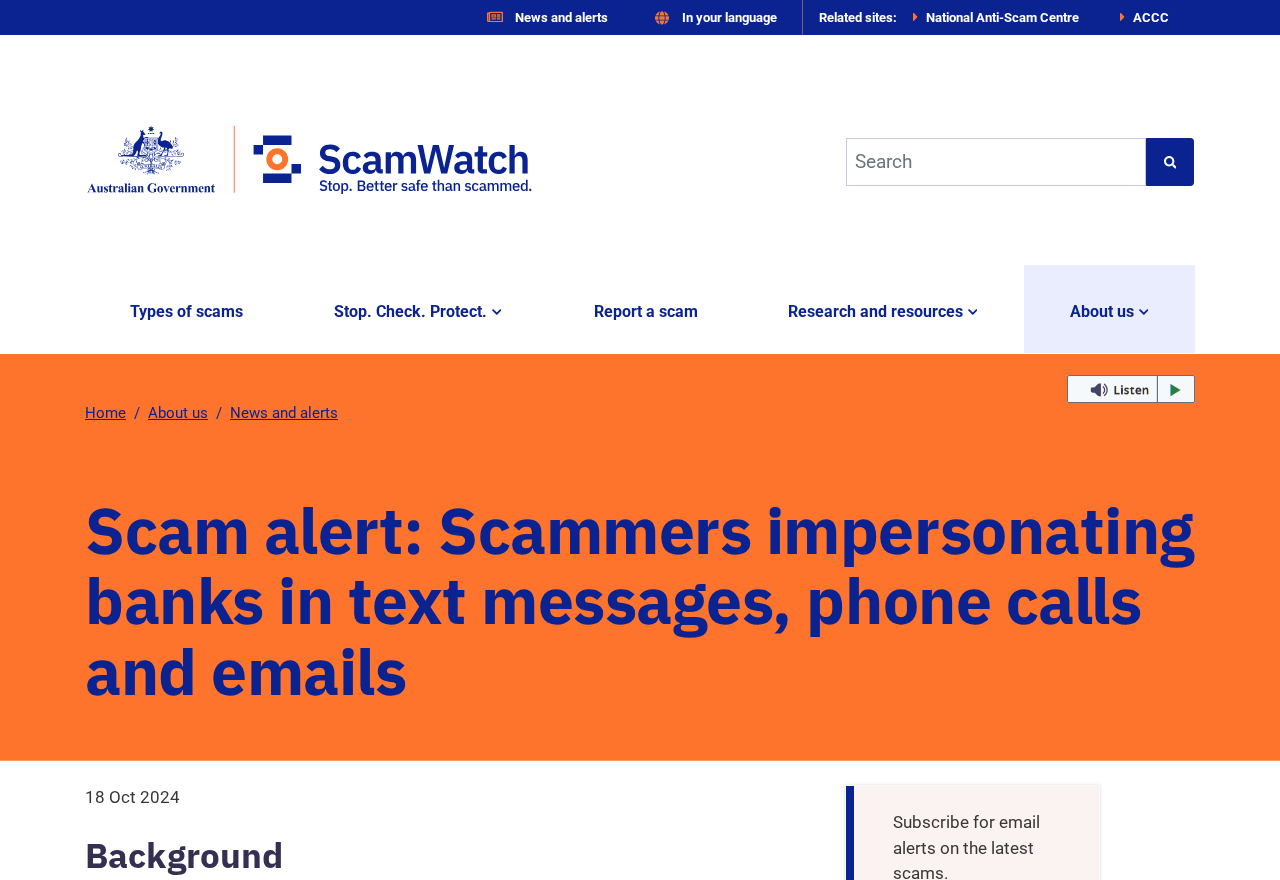
The image above shows Australia’s Scamwatch warning about bank impersonation. It covers criminals who claim to work for a bank’s fraud department and ask for financial information.
CommBank’s security page identifies requests for card details, banking passwords, and one-time codes as warning signs in an unexpected contact. It directs customers to its official app and contact details.
There are two ways to check a real problem
You can open the CommBank app yourself and look for recent activity.
You can also contact the bank using a number printed on your card or listed on its official site.
These routes still work if the email happens to describe a genuine problem. They allow you to ask about it without relying on the person who sent the message.
- The email claims a change or transaction needs a fraud review.
- The sender asks you to call a number printed in the message.
- Someone at that number presents themselves as bank staff and asks for card details.
- A request for a security code or an approval can affect your account even when the caller describes it as a check.
- The real bank can verify activity and secure your card through a separate contact channel.
How the Scam Works
Step 1: A fraud alert creates a reason to respond quickly
An unfamiliar payment or account change can demand attention in a way a sales email cannot. The sender uses a problem you would normally want the bank to fix.
The first thing to check is whether the change exists in your actual account. Open your banking app independently and review messages and recent activity there.
If the app is unavailable, use a phone number you already trust. There is no need to decide whether the email is authentic before checking your account safely.
The reported email looked convincing to its recipient. The public account does not reproduce it, so there is no basis for claiming a particular sender address or exact wording.
Step 2: The message routes you to a fake fraud team
The email can make a callback seem like a precaution. You dial voluntarily, and someone picks up expecting a question about your bank account.
The person on that line is in a position to continue the same story. They can refer to the problem in the message because their operation supplied it.
If you have already called, hang up and start a separate call to the official bank. Avoid asking the person on the first call to transfer you.
Saving the email and call time can help the real bank understand what happened. You can retain that evidence without reopening the message to click or call again.
Step 3: The fake team asks for card details
A caller posing as fraud staff can describe sensitive details as a routine verification step. The person in the reported case said they gave their credit card information.
When your card details have been disclosed, keeping the plastic in your wallet offers limited protection. The bank needs to know which card was exposed and what you shared.
Explain if you only gave part of the number, the expiry date, the security code, or the full set of details. That helps the genuine bank assess the exposure.
Someone may say they need the details to cancel a transaction. End the call. The actual fraud department can examine the account without relying on the stranger’s instructions.
Step 4: An approval can add to the exposure
A request for a one-time code can follow a request for the card details. The person asking may describe it as cancellation, identification, or a routine security check.
Read any message from your bank in full. A code or an in-app prompt can relate to an action you never intended to take, such as authorizing a purchase.
The reported customer was unsure whether a code was shared. If that happens to you, tell the bank exactly what you remember and let it check its records.
If you see an unexpected payment request or security approval while someone is talking you through it, leave the approval unanswered. Contact the bank from the app you opened yourself.
Step 5: The real bank has to sort out the transaction
After the call, the customer reported contacting CommBank to secure the card and dispute a charge. This is where the bank can check the actual account activity.
Tell the bank when you called the number, what information you provided, and what appeared in the genuine app. Each event may have a different timestamp.
Save the merchant name and amount as the bank displays them. The email’s original story can be entirely separate from the actual transaction that later appears.
If a charge is pending, report the compromise immediately. Ask when the bank can open a dispute for the specific transaction and what to do while it is still pending.
How to Check a CommBank Call or Email
Open the app the same way you ordinarily do. Review recent card activity, then use its support or messaging option if you need to ask about a fraud alert.
If you prefer to call, look up the bank’s contact details in the app or use the number on your card. Leave the email’s number out of the decision.
For an unexpected incoming call, CommBank explains how CallerCheck works. Follow the bank’s instructions within the genuine app. If you are unsure about the call, hang up.
Keep CallerCheck separate from a transaction approval. A caller asking you to approve a payment, disclose a NetCode, or read out a card security code is asking for something else.
A real fraud alert can arrive while you are already dealing with a scam. Check the action it describes directly in your account or with the actual fraud team.
If you share an account, speak to other authorized cardholders through a contact you know.
They can confirm a transaction or tell the bank that their own card was also affected.
Look at any statement or alert alongside the app’s account history. Merchant names can be abbreviated or unfamiliar, which is another reason to verify the activity independently.
People traveling outside Australia should use the current overseas contact information published by the bank. Avoid searching for a replacement number supplied by anyone in the original conversation.
What to Record for the Dispute
Write down the time the email arrived, when you called its number, and when you first saw activity in the genuine banking app. Use the device’s call history where possible.
Write down which card was affected, using only its last few digits in your notes. That helps you distinguish several cards without saving a full card number.
If a security message is available, preserve the text and timestamp for the bank. In your notes, distinguish a code you saw from one you remember reading out.
Keep a record of the last normal card transaction you recognize. That can help you and the bank separate ordinary spending from payments you started investigating after the call.
If the fraud team gives you a case number, note which account and disputed payment it covers. A replacement-card request and a transaction investigation may have different references.
If the bank asks for evidence, confirm the submission route in the app or during your verified call. Record what you sent and when so you can answer follow-up questions.
Avoid closing the issue just because an unfamiliar charge disappears from the pending list.
Ask the bank what happened to it and whether it still needs action on the exposed card.
What to Do if You Have Fallen Victim to This Scam
If you gave a caller your card details, treat that as urgent even if the account still looks normal.
The bank can help you assess access and act on the card.
-
End the call and contact CommBank independently. Open the genuine app or call a number you verified separately. Explain that you called a number from an email.
-
Report the exposed card. Lock it in the app if available and ask the bank about cancelling it, replacing it, and checking recent payments.
-
Tell the bank about any codes or approvals. Include NetBank credentials, one-time codes, payment prompts, and personal details you shared. Say if you are unsure.
-
Ask the bank how to dispute any unfamiliar charge. Save the date, merchant, amount, and case number. Confirm the next step for a pending transaction.
-
Save the email and call record. Keep a screenshot, the sender details, the number you called, and the times. Avoid including full card information in public posts.
-
Report the impersonation to Scamwatch. If identity documents or other sensitive information were exposed, IDCARE can help you work through what to protect.
CommBank publishes separate guidance on transaction disputes. If you have several unfamiliar payments, keep a list so you can identify which are pending and which have posted.
If the bank replaces a card, check the recurring payments you recognize. Follow the bank’s instructions for moving them to the replacement once the original card is secure.
A follow-up message may claim to have your refund or offer to reopen your case. Check it against the existing case through your own route to the bank.
If all you did was call, preserve the number and note whether you said anything sensitive. The action you need depends on what was disclosed or approved during the call.
Frequently Asked Questions
Is a CommBank fraud email always fake?
Banks do contact customers about account activity. The safer way to confirm a message is to open the real app or call an independently verified number.
You can do that even if the message gets your name or some account details right. Personal information in the email does not verify the sender.
What if I called but gave no card information?
Hang up, keep a record of the number, and check your account through the genuine app. Report the email through CommBank’s published scam reporting route.
Think through the whole call. If you gave a code, approved a request, or shared login details, tell the bank even if you never read out a card number.
Do I need a new card if it is still in my possession?
Tell the bank what was shared and ask whether the card needs replacing. Someone may use exposed card details without having the physical card.
A temporary lock can help while you make contact. Follow the bank’s advice about cancelling the card and checking for payments linked to it.
What should I do if I cannot remember sharing a code?
Tell the bank you are unsure. Look for any real messages or app notifications from the time of the call and keep them available to the fraud team.
Avoid guessing that a code was used simply because a payment appeared. The bank can investigate how the transaction was recorded and what further steps are needed.
Will CommBank refund the charge?
The bank assesses the circumstances and the evidence. A public report about another customer cannot tell you what it will decide in your case.
Report it promptly, save the original alert and call times, and keep track of the dispute through the genuine app or an official bank contact.
Can I forward the fake email to the real bank?
Yes. CommBank lists a reporting address on its security page. Verify the current address there and follow its instructions for sending a screenshot or a copy.
Use the fraud team first if you exposed details or saw an unfamiliar charge. Reporting the message and securing the account are separate actions.
The Bottom Line
If a fake CommBank fraud team email directs you to call, leave that number alone. Verify any account alert through the app or the number on your card.
If you already shared details or approved a request, call the real bank immediately. Keep the email and transaction record so the fraud team can investigate.

Join the discussion
0 commentsShare your experience or ask a question about this article.
Discussion
Start the conversation
Have a question or something useful to share? Add the first comment.