


A fake domain renewal notice can name the website you own, quote its correct expiration date, and still have nothing to do with keeping it online.
Before you pay, find out who manages your registration and what the requested action does. Renewing, changing registrars, and buying a directory listing are three different transactions.
Overview
What the notice is really asking you to buy
A convincing notice can disguise a purchase you never requested as money you already owe. The amount printed beside your domain tells you nothing about that distinction.
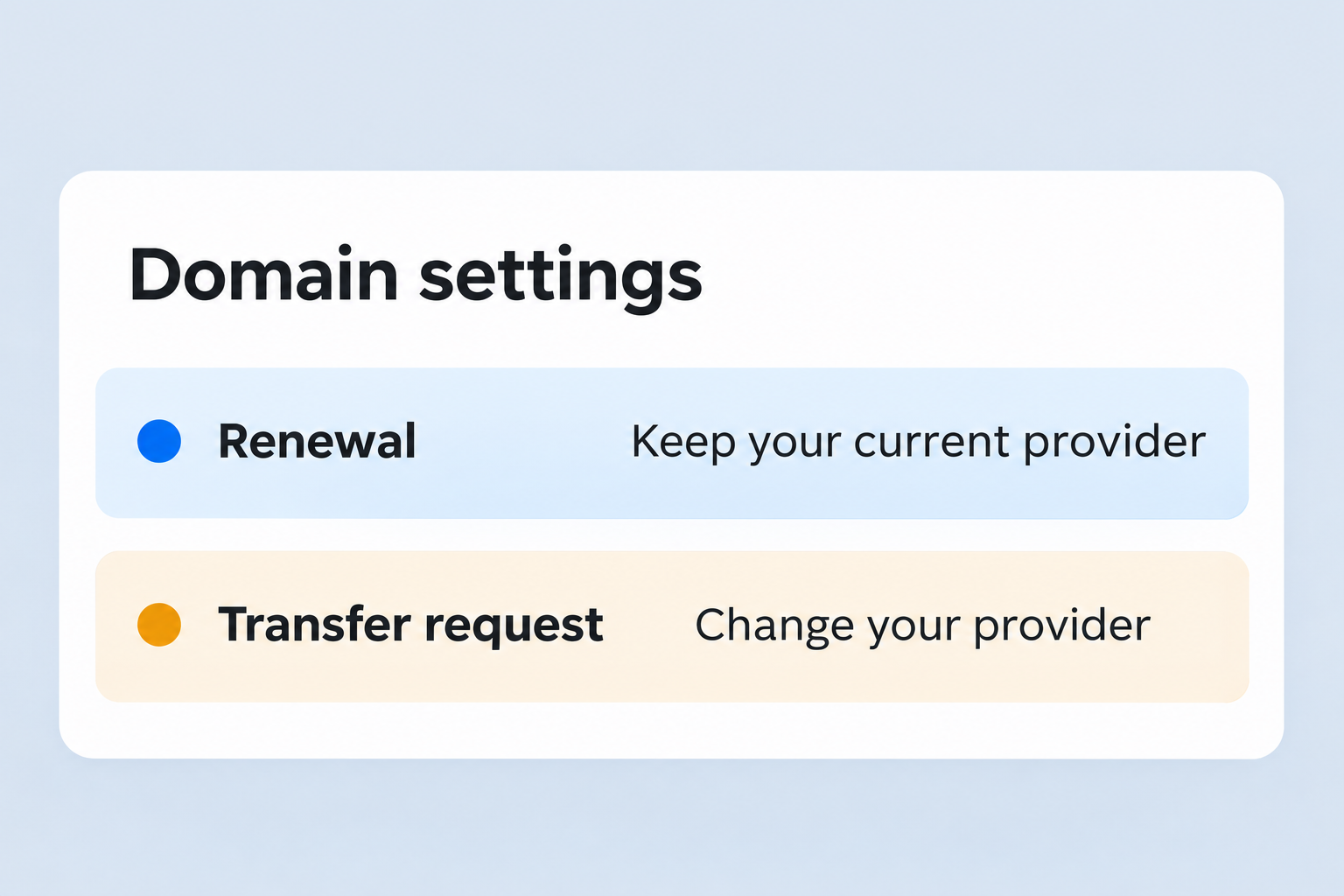
There are three common decisions hiding behind the word “renewal.” Keeping them separate makes the invoice much easier to assess, even if you inherited the website yesterday.
- A renewal extends the domain registration through the provider that currently manages it for you.
- A registrar transfer changes the company responsible for the registration and may include an extension.
- A directory listing buys a placement or promotional service and does not extend your domain registration.
Which records settle the question
The domain’s registration record identifies the registrar for supported domain endings. Your authenticated account or established reseller confirms who actually bills you, when, and for what.
A company name in a lookup result is useful for identifying the registrar. It does not authorize the company on a letter to take your payment.
When the problem needs immediate action
A possible transfer, exposure of your password, or a charge you already paid calls for a different response from an unopened invoice sitting in accounts payable.
Contact the provider you already trust if any of those things happened. If the legitimate domain really is expiring soon, handle that renewal in parallel through the correct account.
Start With the Registration, Not the Invoice Header
Write down the domain exactly as it appears in your website address. Compare the spelling and ending with the name on the notice, not just the words before the dot.
A company can own several similar domains. When the name differs, don’t assume that a bill for one address protects the site or email running on another.
Open the domain provider using a saved bookmark, password-manager entry, or verified contact from older records. Avoid the login route printed on the notice while checking it.
In the account, locate the row for that exact domain. Look for its expiration or renewal date, renewal status, billing history, and the payment method already on file.
If you only see a web hosting subscription, keep looking. Hosting, registration, business email, and optional security or privacy products can be sold on one plan or separately.
A contractor might have set up some of those services through their own account. Ask who can access the registration instead of authorizing a new vendor to take it over.
What to compare with your old receipt
Find a receipt or card statement you already know represents a legitimate renewal, and check the last successful date, merchant name, and description of the service.
The next bill can legitimately cost more, especially after an introductory offer. Verify a price change in the existing account rather than using the new notice to investigate it.
If a bookkeeper already approved the bill, check whether payment actually left the business and whether the real registration changed. Those are separate events, with separate evidence.
An invoice number can identify the sender’s own paperwork without matching anything in your registrar account. Don’t approve the payment because a number looks like a formal reference.
What to Do When You Get a Suspicious Domain Invoice
- Set the invoice aside and ask anyone else who pays your bills to leave it unapproved while you establish who manages the domain.
- Use your registrar bookmark or verified reseller contact. If you don’t recognize the provider, start with ICANN’s registration lookup for the exact domain.
- Compare the existing account’s domain, due date, renewal term, billing channel, and pending orders with the notice. Confirm where a verified payment is supposed to go.
- Ask the provider whether the notice represents a renewal, an incoming transfer, or a separate product. Do not obtain or send a transfer authorization code to resolve a renewal bill.
- If a legitimate renewal is due, pay through the established account and save the receipt. Leave the unfamiliar invoice unpaid unless independently verified.
See ICANN’s renewal and expiration questions for the distinction between a registration deadline, an expiration notice, and the options that may remain after a domain expires.
When the Registrar and the Billing Provider Differ
A website builder, host, or agency can sell a domain using another company’s registrar service. That explains why a lookup can show a name you have never paid directly.
Compare the result with old account emails, receipts, or onboarding records. Ask the existing provider to confirm which account and domain it manages and how your organization should renew.
If an agency controls the account, you may need it to correct ownership and access separately. Do not treat an unexpected transfer notice as an approved solution to that problem.
Also allow for domain endings that have their own local registry and lookup process. Use the registry’s known site when the general lookup doesn’t give you the information you need.
Public registration details may not show who receives the bill or the price quoted in your account. Use them to identify where to ask, not to settle a payment dispute.
If the expiry dates don’t agree
Ask the provider which date applies to your account and when payment is due. The date you find in public registration data isn’t a promise about your billing terms.
Sites that remain available after an expiration date can still be at risk. Confirm the actual status with the provider rather than deciding that the alarm must be false.
If the domain has expired, ask what recovery options apply, what they cost, and who is authorized to request them. Rules and timelines can vary by domain and provider.
Look for the transaction the fine print describes
A request to authorize a transfer from another registrar isn’t the same as an ordinary renewal. You can choose to transfer, but only after you agree to change providers.
One useful test is to ask whether the current provider stays responsible for the registration after you complete the purchase. For a straightforward renewal, the answer should be yes.
If a form says your submission permits a transfer, treat it as a change of provider. A heading such as “renewal assistance” doesn’t change what the form authorizes.
ICANN explains the purpose of a domain Auth-Code: it helps identify the registered holder and is required for transfers between registrars for applicable domains.
If the notice asks you to unlock the domain or supply that code, stop and check with your own provider. Do not email it back to the person asking.
A directory service takes a different route. The fine print might describe visibility, search placement, or inclusion in an index instead of specifying a new term for your registration.
Even if someone delivers the listing, your domain billing remains a separate obligation. You could pay the invoice and still lose service if the real renewal is missed.
Why this isn’t just a new phishing email
In a 2003 enforcement announcement, the FTC said notices made a switch to a different registrar look like renewal paperwork.
The resulting court order is historical evidence of the sales tactic. It doesn’t establish that the operator sent a letter you received today, even if the wording sounds similar.
Other campaigns counterfeit a familiar registrar’s login or checkout rather than selling a transfer. The fake Exabytes renewal emails illustrate why even a correct provider name isn’t enough.
If you paid, signed, or shared account access
Start with what you actually submitted. Preserve the letter or email, any confirmation page you legitimately have, the payment receipt, and the name already printed on your bank statement.
If you paid by card, call the issuer at its verified number. Explain what you thought you were buying and what the merchant actually requested or delivered.
A payment dispute doesn’t automatically secure the domain. Log in to the existing registrar separately, verify its status, and deal with a real renewal before its deadline.
If you submitted a password, use the registrar’s real recovery channel or sign in from a trusted device and replace it with a unique password.
Secure the email account used for recovery when that account may also be exposed. Ask your provider about ending sessions and check that recovery contacts still belong to you.
If you shared a transfer code, unlocked the domain, or clicked a transfer approval, contact the current registrar promptly through its established support route.
Ask whether the domain is locked, whether a transfer is pending or completed, and which action is appropriate. A completed transfer may require that both registrars investigate.
Don’t open a new transfer or start changing name servers to undo the problem without guidance. Those changes could add downtime or complicate the records the registrar needs.
If someone changed DNS, ask the administrator to compare the current records with a known-good export. Protect mail delivery as well as the public website while investigating.
If your investigation reveals a genuine provider’s marketing offer rather than an impersonator, you can still decline the transfer or service. Keep that distinction clear in a payment complaint.
Give finance a way to verify the next renewal
Maintain one inventory line per domain, including the registrar, the billing vendor if different, the account owner, and where to find the renewal notice in the real account.
Put the upcoming renewal on a company calendar that more than one authorized employee can see. If you use auto-renew, check that the card or billing arrangement still works.
Keep at least one trusted route to support and record which team can make changes to account access, payments, and DNS. That reduces the temptation to trust an unfamiliar sender.
A small business doesn’t need a complicated procurement system. One rule helps: a new domain vendor, billing destination, or provider change needs independent approval rather than email approval alone.
If someone manages the website outside the business, agree on the exact account and domain names in writing.
If they leave, hand over recovery contacts and access before the next renewal.
What to retain if you report it
Keep an image of a letter, both sides if the terms are on the back. Preserve the sender, destination, and timestamps from email without redistributing any transfer code or credentials.
Write down what the actual provider confirmed and when. That helps separate a fraudulent notice from a billing or delivery disagreement and preserves the timeline if a transfer is disputed.
You can report a suspected deceptive business solicitation to the FTC’s fraud reporting service and share the notice with the real provider through its approved support channel.
What to check if auto-renew was enabled
An enabled switch says the provider intends to renew automatically. Find the last receipt or upcoming charge and confirm that the payment method is still accepted.
When the domain is an essential business asset, check whether failed-payment alerts reach a current employee.
An old card and a former employee’s email can leave a real bill unseen.
If you have moved the website recently, verify which company kept the registration. A change in hosting is not necessarily a registrar transfer and may not change the renewal invoice.
Never turn off working auto-renew because an unfamiliar company asks you to. Confirm the legitimate renewal first, then decide separately whether any account settings should change.
Frequently Asked Questions
Does a correct domain name mean the invoice is real?
No, because a sender can obtain a domain name without managing its registration. Compare the invoice with your existing account, including the provider, exact domain, term, and amount.
Why is the registrar different from the company I pay?
Your website host or other reseller can arrange the registration with a separate registrar. Use receipts and your established account to verify who is responsible for your billing.
Is a registrar transfer always fraudulent?
Not at all; transferring to another registrar is a normal option when you choose it knowingly. Don’t accept an unwanted transfer because it was described as an overdue renewal.
Can paying for a directory listing keep my domain online?
A directory listing does not extend your registration. Check the account that actually manages the domain and take care of any real renewal obligation through that established route.
What if my legitimate domain is already expired?
Contact your existing provider through a channel you already trust and ask for the account-specific recovery process.
Don’t use an unsolicited bill to decide whether the domain can be restored.
What should I do if I gave out a transfer code?
Reach out to the existing registrar quickly and explain how the code was shared. Ask it to check transfer status and tell you which protections or recovery steps apply.
The Bottom Line
Look up the domain in your established account before following any renewal notice. A real deadline is worth handling promptly, but it does not make the unfamiliar sender your provider.
If the paperwork authorizes a transfer or pays for a directory entry, judge it as that transaction. Keep any genuine renewal in the account that already manages your domain.

Join the discussion
0 commentsShare your experience or ask a question about this article.
Community experiences
Did this happen to you?
Your experience could help someone recognize the same scam. Submit a private report for our team to review.
I experienced this tooReports are reviewed before publication. Sharing publicly is always your choice.
Discussion
Start the conversation
Have a question or something useful to share? Add the first comment.