

A browser extension promising market insight is easy to overlook. Its publisher name, however, might make you stop and think you have found something special.
When a famous investor appears on an extension listing, the important question is not whether you recognize the name. It is who controls the software.
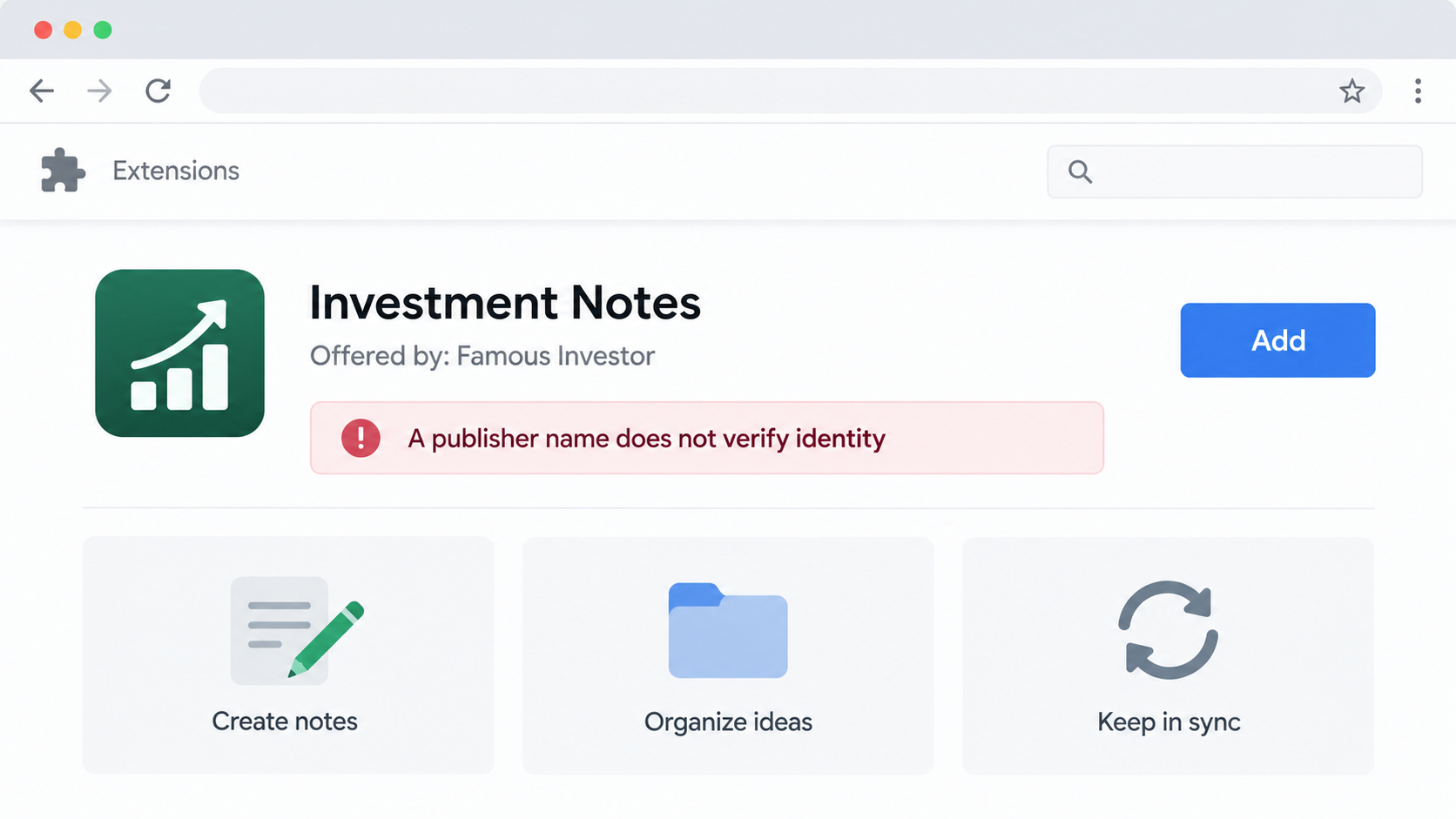
Overview
A familiar name changes the first impression
An extension marketplace can show a publisher name that resembles a well-known investor. That label may feel like an endorsement before anyone reads the permissions.
LayerX researchers, now part of Akamai, documented a group of roughly 30 extensions that borrowed names of financial personalities.
The people being imitated, including Warren Buffett and John Paulson, were not associated with the extensions. Their reputations were used without authorization.
The extension names and descriptions varied. Some looked like productivity helpers, while others suggested privacy or cryptocurrency functions.
The danger may not appear immediately
A user can install one of these add-ons and see a harmless dashboard. A reviewer may see the same thing and find nothing obviously wrong.
Researchers found that certain versions checked browser conditions before redirecting selected users elsewhere. Language settings were one factor in that decision.
Some destinations presented cryptocurrency wallet phishing pages. A page asking for a recovery phrase can transfer control of a wallet to the attacker.
Not every person who installed one of the extensions necessarily saw that destination. The research describes selective behavior, not universal theft.
The operation appears larger than one listing
The investigators found overlapping code, site templates, infrastructure, and support details across extensions that looked unrelated. That points to a reusable campaign.
Its reported install count was only a few hundred across the group at the time of research. That figure is not a count of stolen wallets.
Even a small campaign matters when it can quickly replace a removed listing with a new name, site, and publisher identity.
- The borrowed investor name is a trust cue, not proof of authorship.
- The harmful behavior may be conditional, so a single safe-looking test is not decisive.
- Wallet recovery phrases should never be entered into a page reached through an extension prompt.
- Removal of one listing does not necessarily shut down shared infrastructure.
How the Fake Investor Extension Scam Works
Step 1: A listing borrows a public reputation
The actor chooses a publisher display name associated with a familiar investor or financial commentator. The shopper sees the name inside an official-looking marketplace.
That placement is powerful. People expect an extension store to screen submissions, even though a display name is not a verified identity document.
The listing may describe a note-taking utility, crypto dashboard, privacy tool, or market helper. The function sounds ordinary enough to install casually.
The advertised benefit is not necessarily extraordinary. The real lure is the implied connection to someone whose judgment the user already respects.
Akamai’s report makes clear that the named public figures did not publish the extensions. Similar names on future listings deserve independent verification.
Search for the person’s official website and public announcements. A famous name in a store profile is not a substitute for confirmation.
Step 2: Different brands share the same machinery
Behind the distinct product pages, researchers found repeated components. Several add-ons used nearly identical code and connected infrastructure.
That means a person could compare two listings, see different titles and graphics, and still be evaluating the same operation underneath.
Associated sites reused designs, contact details, or backend resources. Some support addresses connected supposedly separate products to the same infrastructure.
Such overlap is not automatically criminal in ordinary software businesses. Here it mattered because the extensions also showed deceptive publisher identities and phishing redirects.
The investigators identified a shared framework behind many samples, not simply a coincidence of similar marketing language.
For a reader, the practical lesson is that a clean-looking website or support email does not authenticate the publisher.
Checking the exact extension identifier and developer history is more useful than trusting a product name, which attackers can change.
Step 3: Installation gives the add-on a place in the browser
A browser extension runs close to daily activity. Depending on permissions, it may observe pages, open tabs, or interact with web content.
The suspicious group was distributed through extension marketplaces, a context many users consider safer than a random download page.
Store presence alone does not prove ongoing safety. Review systems can miss software that behaves differently for reviewers and ordinary users.
A permission prompt also deserves attention. Ask whether a simple note app really needs broad access to websites or browser navigation.
Some requested permissions may support legitimate features. The question is whether the extension has a credible reason to need them and a trustworthy operator.
If you cannot establish both, the safest choice is not to install it. Browser convenience rarely justifies exposing financial workflows.
People who installed an extension months ago should still review it. An old installation can remain active while infrastructure changes around it.
Step 4: A harmless view can mask a second path
The code examined by researchers did not present the same behavior to every visitor. Some users saw benign dashboards or routine tools.
The extension checked browser language settings and signs of automated testing. Certain non-English environments could be routed toward external sites.
That design helps explain why a friend, reviewer, or security scanner might report a harmless experience while another person sees a dangerous page.
It also makes one-time manual testing weak evidence. A safe screen today does not guarantee the add-on will remain safe tomorrow.
Akamai described checks for browser automation and unusual environment values. Their purpose was to avoid showing the harmful path during analysis.
Users should not try to reproduce those conditions. The safer response is to compare installed extensions against the research and remove suspicious entries.
After removal, check whether any unfamiliar tabs, browser policies, or extensions remain. An attacker can use more than one access point.
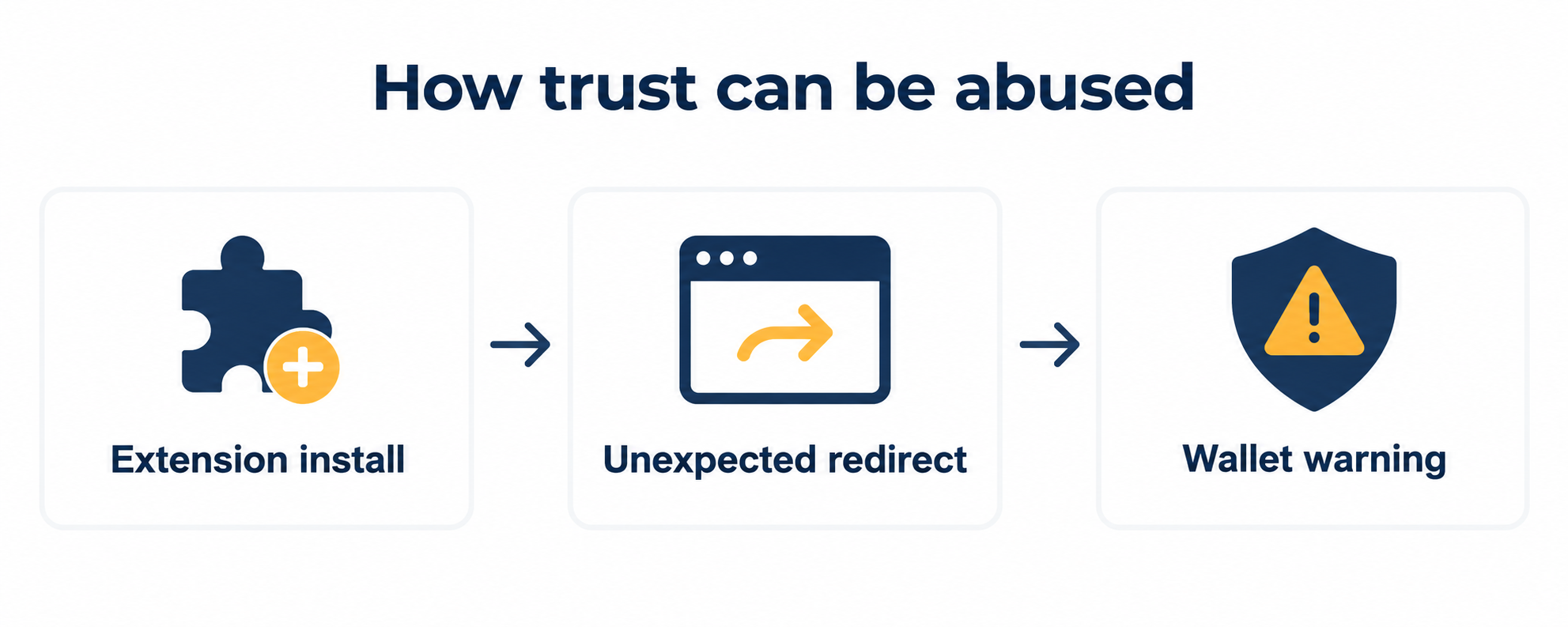
Step 5: A redirect moves the user to a wallet prompt
Some samples constructed destinations while running instead of leaving a plainly readable address in their files. That made quick inspection less revealing.
The user might then land on a page that resembles wallet verification, account restoration, or a routine security check.
The familiar investor name has already shaped the user’s expectations. By the time the page appears, the earlier trust cue may still influence the decision.
That is why the scam begins at installation, not at the final phishing form. The form is the last visible request in a longer chain.
No legitimate investor’s browser extension can verify a wallet by collecting its recovery phrase on an unrelated website.
If the destination asks for secret words, close it. A recovery phrase is the key to the wallet, not an ordinary account password.
Do not paste the phrase into a support chat to ask whether the page is safe. Once exposed, it should be treated as compromised.
Step 6: The phrase gives the attacker control
A recovery phrase can restore the wallet on another device. Whoever has it may be able to move assets without the owner’s permission.
Removing the extension after sharing the phrase does not invalidate that secret. The wallet itself needs urgent migration to a new seed.
Use a clean device and a wallet obtained from its official source. Create a fresh wallet, then transfer remaining assets as soon as safely possible.
Consider token approvals and connected applications too. Some attacks steal through permissions rather than a visible transfer from the main account.
Never pay a recovery service that appears in your direct messages. People reporting a theft are frequent targets for a second fraud.
Record transaction identifiers and addresses for a police report and any exchange receiving funds. A blockchain transfer may not be reversible.
The research did not establish a total value stolen through this group. Avoid turning the install count into an unsupported loss estimate.
What the Marketplace Badge Does Not Prove
Readers often assume the extension store has checked who a publisher really is. A listing process can review software without verifying every biographical claim.
A display name is a field the publisher supplies. It is not a signed statement from Warren Buffett, John Paulson, or any other public figure.
Ratings can be manipulated or can reflect a harmless first impression. A review written before a redirect activates might not catch later behavior.
Download counts also need context. Akamai reported only a few hundred installs, showing that a low-volume campaign can still warrant attention.
If a trusted person genuinely recommends a tool, confirm that endorsement through their established channels, not through text inside the listing.
Check the developer’s real company, privacy policy, history, and requested permissions. Thin or inconsistent details should lower confidence.
None of these checks alone guarantees safety. Together, they can expose the gap between borrowed credibility and accountable software ownership.
A Practical Check Before You Install Any Crypto Add-On
Start with the exact feature you need. If your wallet already provides it, another browser extension may add more risk than convenience.
Find the developer’s official site independently. A marketplace link can point to a site created by the same operator who controls the listing.
Compare the extension name, developer identity, and identifier with information on that official site. Small spelling differences can signal impersonation.
Read the permission request slowly. An add-on that claims to organize notes should explain why it needs access to every website you visit.
Check whether the developer offers a documented support path. A generic inbox and a newly built marketing page provide little accountability.
Look for independent security analysis of the exact identifier. Reviews of another add-on with a similar title do not verify this one.
Keep your browser and extensions updated, but do not assume updates make an untrusted publisher safe. A new version can also change behavior.
For financial accounts, consider a separate browser profile with only essential, vetted extensions. Fewer add-ons mean fewer places for a redirect to begin.
Never type a wallet recovery phrase into a website to troubleshoot an extension. That request is a stop sign regardless of the page’s design.
If you cannot verify the operator, choose another workflow. A few saved clicks are not worth the possibility of losing control of a wallet.
What to Do If You Installed a Suspicious Investor Extension
- Remove the extension immediately. Open your browser’s extension manager and uninstall the suspicious entry. Write down its exact name and identifier first, since similarly named products can appear later.
- Review every installed add-on. Look for unfamiliar tools, duplicate wallet extensions, or new permissions. If the browser is managed by an organization, contact its security team before changing policies or profiles.
- Protect any wallet phrase you entered. Treat it as compromised, create a new wallet from the official vendor on a clean device, and move remaining assets. Merely changing a web password will not protect an exposed recovery phrase.
- Inspect recent wallet activity. Check outgoing transfers, token approvals, and connected sites. Save transaction identifiers and report unauthorized activity to the relevant wallet provider and any affected exchange.
- Secure linked accounts. Change email and exchange passwords if you used them on redirected pages. Enable strong multifactor authentication and end unfamiliar sessions through the providers’ official settings.
- Check the device and browsing environment. Run an updated Malwarebytes scan and use AdGuard to reduce exposure to malicious redirects. These tools help with device and web threats, but cannot reverse a stolen wallet phrase.
- Report the listing and any theft. Use the extension store’s abuse channel, then file with IC3 or your local cybercrime authority. Include the extension identifier, phishing destination, and transaction records without publishing your secret phrase.
If you only viewed the marketplace listing and did not install it, no wallet action is required because of that view alone.
If you installed it but never entered a recovery phrase, removal and a browser review are still prudent. The observed code could redirect users selectively.
Frequently Asked Questions
Did Warren Buffett publish these browser extensions?
No. Akamai’s investigation says the public figures named on the listings had no connection to the add-ons. Their names were impersonated.
Can an extension from an official store still be malicious?
Yes. Marketplace review reduces risk but cannot guarantee every extension’s behavior in every environment or after its backend changes.
Why might the extension look normal on my computer?
The researched samples used conditional behavior. Some browser languages or testing environments received a benign interface instead of a redirect.
Is uninstalling enough after I typed my recovery phrase?
No. The phrase may already be known to an attacker. Move remaining assets to a newly created wallet using a fresh recovery phrase.
Does this mean all investor-branded extensions are scams?
No. The report identifies a particular malicious campaign. The broader lesson is to verify authorship independently and examine permissions before installation.
How many wallets did this campaign steal?
The published research describes several phishing destinations and a few hundred installs, but it does not establish a verified total of stolen wallets.
The Bottom Line
The most effective disguise in this campaign was not a fake login screen. It was a recognizable name placed where users expected a trustworthy publisher.
Confirm who made an extension before installing it. If an add-on sends you to a page requesting wallet recovery words, leave and treat any shared phrase as exposed.

Join the discussion
0 commentsShare your experience or ask a question about this article.
Discussion
Start the conversation
Have a question or something useful to share? Add the first comment.