

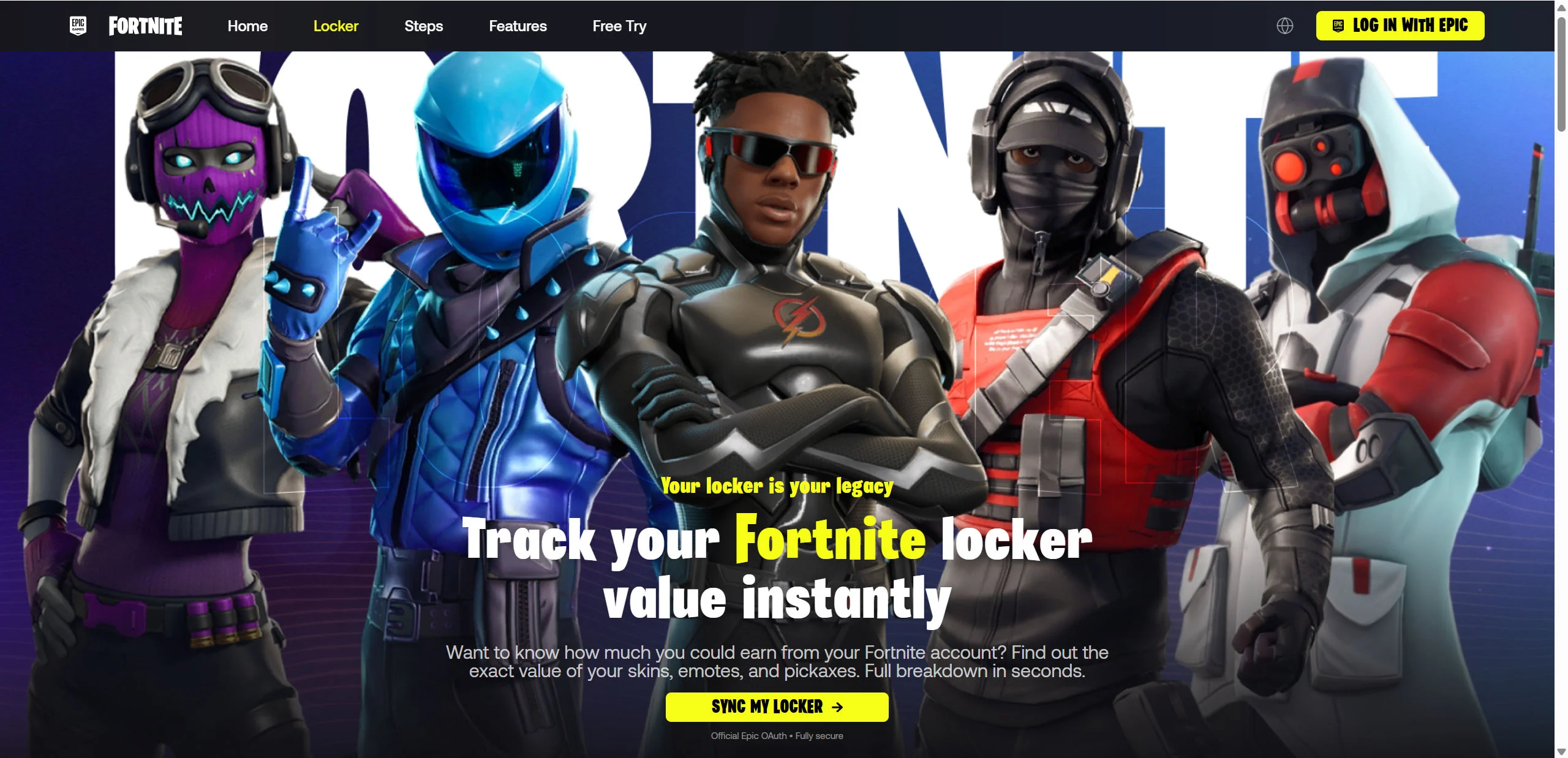
FortLobby.com presents itself as a fast, secure tool that can calculate the cash value of a Fortnite locker. It promises to scan skins, emotes, and pickaxes in seconds, then suggests that players may be able to sell their accounts and receive an immediate payout.
The polished Fortnite design hides a credential-phishing scam. FortLobby is not an Epic Games website. Its supposed Epic sign-in page is hosted directly on FortLobby.com, where the operation attempts to collect the victim’s Epic email address, password, and potentially a two-factor authentication code.
Overview
FortLobby.com is built around a simple curiosity hook. Many Fortnite players have collected years of skins, emotes, pickaxes, wraps, and Battle Pass rewards. Some items are no longer available, so players naturally wonder what their lockers might be worth.
FortLobby turns that curiosity into a reason to surrender account access. The homepage says it can track a Fortnite locker value instantly, produce a full breakdown, and show how much the player could earn from the account.
The site displays prominent buttons labeled “Log In With Epic” and “Sync My Locker.” Underneath, it describes the process as official Epic OAuth and fully secure. That wording is intended to reassure visitors before they inspect the address bar.
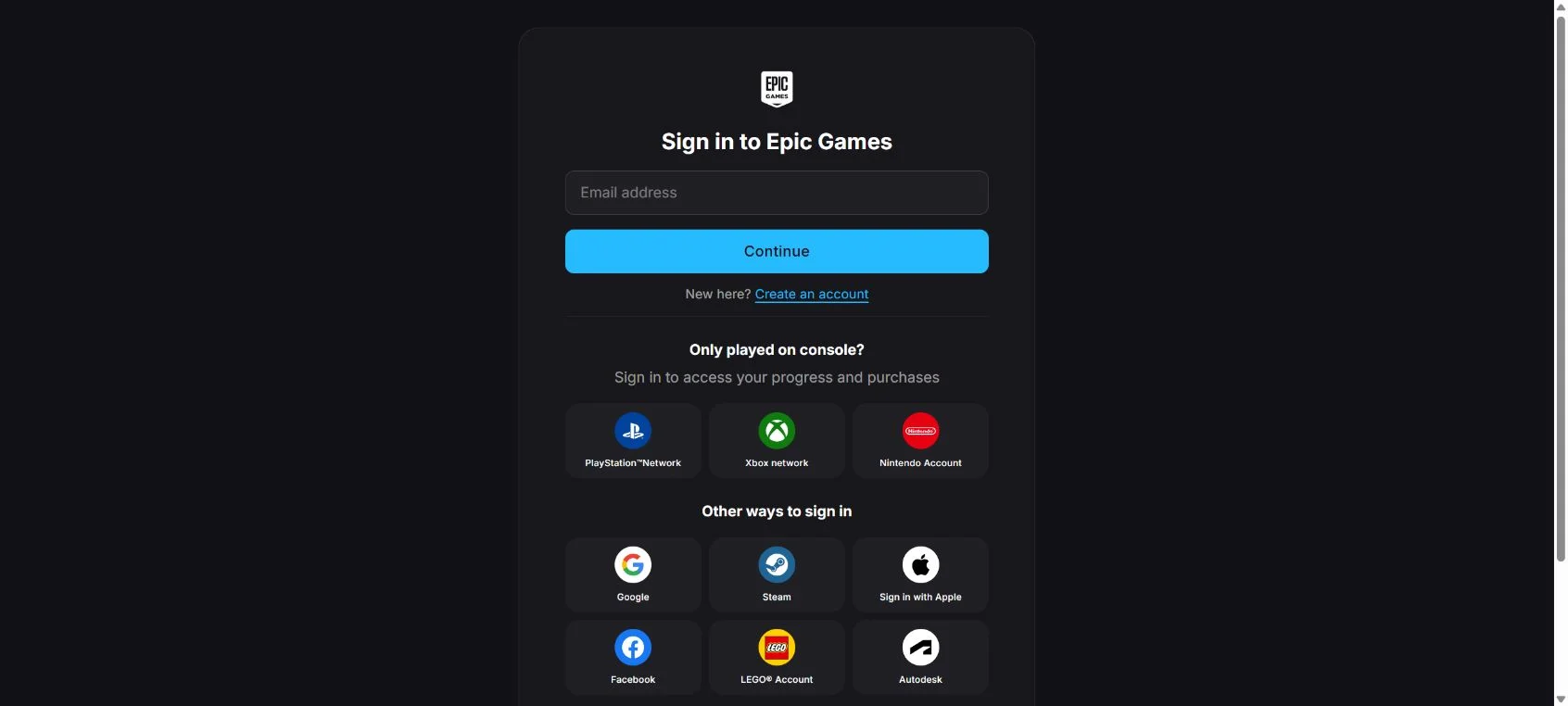
The address bar is the detail that matters. The website is FortLobby.com, not EpicGames.com. When a visitor opens the login page, the URL remains:
https://fortlobby.com/id/login
A real Epic account login should take place on an official Epic Games domain. Reproducing the Epic logo and interface on an unrelated domain does not transform that domain into an authorized authentication service.
The imitation is unusually detailed. FortLobby copies the dark Epic sign-in panel, the Epic logo, the email field, the Continue button, console sign-in choices, Google, Steam, Apple, Facebook, LEGO, and account recovery links.
Some of those secondary links point to real Epic Games pages. This is a common phishing technique. Real help and registration links make the surrounding page feel genuine, even though the field receiving the sensitive information is still controlled by the fake domain.
The page contains an email input, a password input, references to multiple sign-in stages, and numerous hidden trap fields. These elements show that it is designed as a multi-step login imitation, not a harmless locker calculator.
The homepage surrounds that login request with fabricated-looking authority signals. It claims 1.8 million lockers have been checked, $19 billion has been valued, and more than 20,000 syncs occurred that day. The page does not provide independently verifiable records supporting those figures.
It also assigns cash amounts to specific Fortnite cosmetics. Rare items are shown with values ranging from hundreds to thousands of dollars, encouraging the player to believe that an old account may contain a large, easily accessible payout.
The sales language becomes even more direct in the features section. FortLobby says users can cash out, sell the account, and get paid instantly. This conflicts with Epic Games’ Terms of Service, which state that an Epic account cannot be sold, given away, traded, or shared.
This is an important contradiction. An authentic Epic-supported service would not advertise a workflow that depends on selling an account in violation of Epic’s own rules.
FortLobby also copies Epic and Fortnite trademark notices into its footer and links to official Fortnite social media profiles. Those details create the false impression that Epic Games operates or endorses the page. Linking to an official social profile does not make the surrounding website legitimate.
The campaign is not limited to one domain. FortImpact.com and FortMux.com are related Fortnite locker-checker variants built around the same account-value lure.
The branding can change, but the sales pitch remains familiar. The visitor is promised an exciting valuation, told that an Epic connection is required, and moved toward a login page that does not belong to Epic Games.
This overlap does not identify the person behind every domain. It does show why players should recognize the locker-value phishing method instead of trusting a new name simply because it looks polished.
How The Operation Works
1. Short videos and social posts create curiosity
The operation usually begins away from the phishing site. A player sees a TikTok, YouTube Short, Instagram Reel, Snapchat clip, Discord message, or advertisement claiming that a new tool can reveal the value of a Fortnite locker.
The video may show a dramatic total after scanning an account filled with rare skins. It can present the website as a new Epic feature, an authorized partner, or a secret used by collectors.
These promotions are effective because they do not begin with a threat. The viewer is not told that an account will be closed. The message feels entertaining and harmless, so normal suspicion is lower.
2. Fortnite branding makes the landing page feel familiar
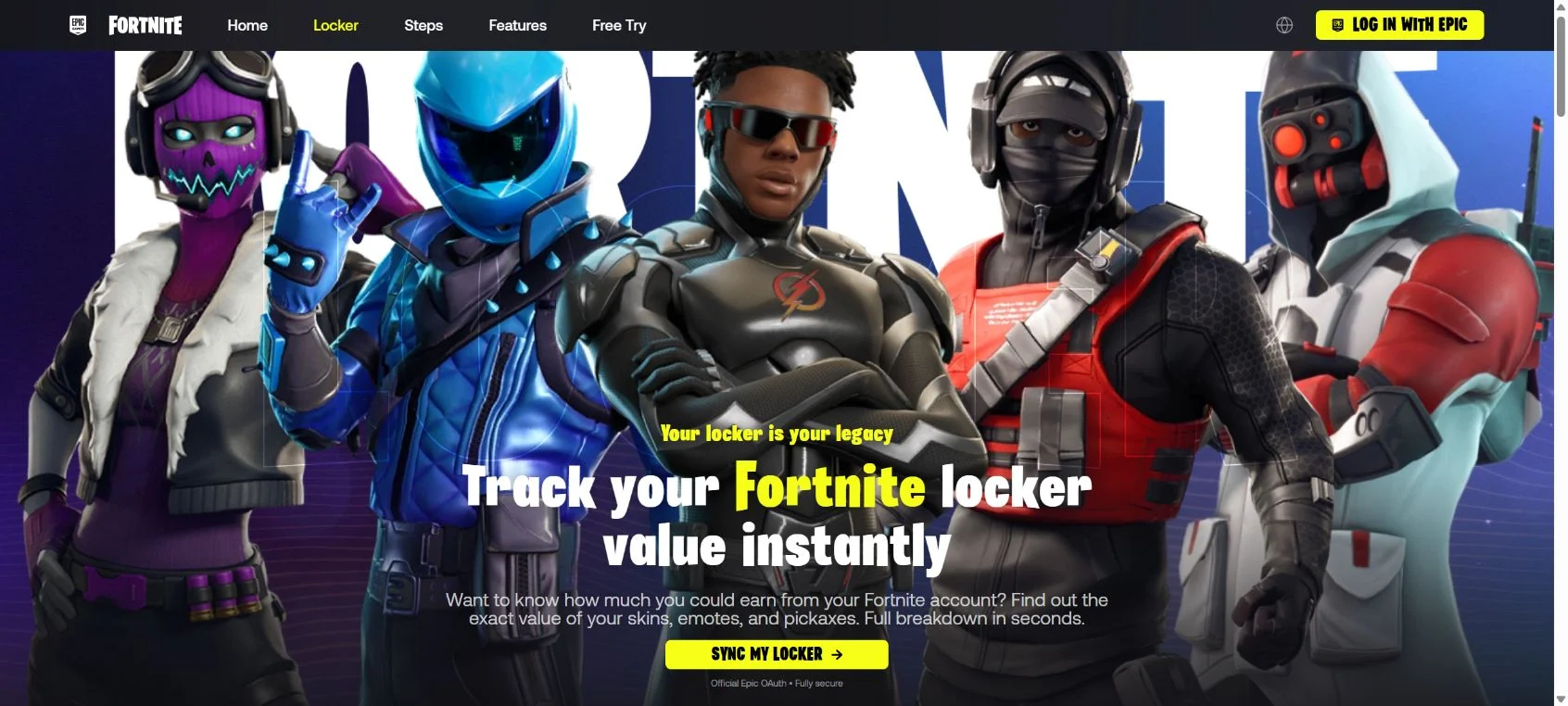
FortLobby immediately shows recognizable Fortnite characters, fonts, colors, logos, and navigation labels. A bright yellow login button resembles the style players expect from Fortnite promotions.
The page does not prominently introduce an independent company or explain who operates the service. Instead, it borrows the identity of Epic Games so the visitor may never ask who is actually requesting access.
A familiar logo is not authentication. Anyone building a webpage can copy an image, color scheme, trademark notice, or social media link. The domain name is more reliable than the artwork.
3. Invented statistics make the service appear established
A new or unknown website faces an obvious problem: visitors may hesitate to be the first users. FortLobby answers that concern with large numbers showing millions of supposed scans and billions of dollars in account value.
The page also includes a counter for syncs performed that day. Numbers that appear to update can create urgency and social proof, even when the website provides no public database or audit confirming them.
The player is encouraged to think that many others have already connected their accounts safely. That perceived crowd can be more persuasive than a direct security explanation.
4. Rare cosmetics are assigned tempting cash values
FortLobby displays famous cosmetics beside large dollar amounts. The purpose is not merely to answer a question. It makes the visitor imagine an unexpected financial windfall hidden inside the locker.
The estimate is especially misleading because Fortnite cosmetics are licensed digital content tied to an account. Epic’s terms prohibit selling or transferring the account, so the displayed total is not an official cash balance that Epic will redeem.
An attacker does not need the estimate to be accurate. The number only needs to be attractive enough to move the visitor toward the login button.
5. The fake OAuth claim removes the final hesitation
Many players know that entering a password on a random website is unsafe. FortLobby therefore labels the connection as official Epic OAuth and says it is fully secure.
Legitimate OAuth authorization normally redirects the browser to the real service provider. The user signs in on that provider’s domain and sees which application is requesting access.
FortLobby does not do that. Its login interface stays on FortLobby.com. A page cannot create an official OAuth flow merely by writing the word OAuth beneath a button.
6. The player enters an email on the imitation page
The first visible step requests the Epic account email address. That information is already valuable because it identifies which mailbox controls a potentially valuable gaming account.
The page can then advance to a password screen that closely resembles Epic’s real login sequence. Because the design remains consistent, the visitor may not notice that no legitimate Epic domain ever appeared.
7. Password and security codes complete the takeover
If a stolen email and password are submitted to the real Epic service by the attacker, Epic may send a two-factor authentication code or login alert to the account owner.
A multi-step phishing page can imitate that request and ask the victim to enter the fresh code. The attacker can use it immediately, before the short-lived code expires.
This is why two-factor authentication is essential but not an excuse to enter codes on an unknown page. A code typed into a phishing site can be relayed in real time.
8. The attacker changes the account’s recovery controls
Once inside, an attacker may try to change the email address, password, display name, linked console accounts, or security settings. The goal is to prevent the real owner from regaining access.
The account may contain purchased content, V-Bucks, stored payment information, creator relationships, and years of progress. Connected PlayStation, Xbox, Nintendo, Google, Facebook, or other identities can increase the damage.
9. The stolen account can spread the same link
A compromised account has credibility with friends. The attacker can use it to send the FortLobby link in private messages, Discord servers, or gaming groups.
Recipients are more likely to trust a recommendation from someone they know. This lets the campaign grow without relying entirely on paid advertisements.
10. New domains replace exposed ones
Once FortLobby is reported and blocked, the same locker-value script can be placed behind another domain. FortImpact and FortMux demonstrate how rapidly new names can enter the same campaign family.
A replacement domain can reuse the same Fortnite artwork, unsupported valuations, account-sale promise, and copied login page. Only the address changes, so the scam can continue after an older name becomes widely recognized.
For this reason, the safest response is based on the behavior, not the latest name. Any unknown website promising a Fortnite locker value and requesting Epic credentials should be treated as phishing.
If You Have Used This Site
If you only opened FortLobby and did not enter a nickname, email, password, security code, or payment information, close the page. Opening the landing page alone does not automatically mean your Epic account was stolen.
If you entered information or attempted to sign in, take the following steps immediately.
- Secure your email account first. Change the mailbox password using the email provider’s official app or website. Use a new password that has never been used elsewhere and enable two-factor authentication.
- Change your Epic Games password. Type
epicgames.comdirectly into the browser or use the official Epic Games Launcher. Do not follow a recovery link supplied by FortLobby or a stranger. - Enable or reset Epic 2FA. Epic supports authenticator apps, email, and SMS. An authenticator app generally provides stronger protection than relying only on email or text messages.
- Review the Epic account email. Confirm that the email attached to the account is still yours. If it was changed, begin the official recovery process even if a linked console login still works.
- Inspect linked accounts. Review PlayStation, Xbox, Nintendo, Google, Facebook, and other connections. Record anything unfamiliar before removing it.
- Check recent purchases and V-Bucks activity. Save receipts and screenshots of unauthorized transactions. Contact Epic support and the relevant payment provider promptly.
- Sign out unfamiliar sessions. Use official security controls to end sessions you do not recognize. Then change the password again if suspicious activity continued.
- Change reused passwords elsewhere. If the FortLobby password was also used for email, social media, Steam, or another service, assume all of those accounts are exposed.
- Preserve evidence. Save the FortLobby URL, screenshots, messages that delivered the link, timestamps, account-change emails, and any transaction records.
- Scan downloaded files. If the site asked you to install a checker, browser extension, archive, or executable, disconnect from sensitive accounts and run a reputable security scan.
- Warn contacts carefully. Tell friends that messages sent from your gaming account may have contained a phishing link. Do not repost the clickable link publicly.
- Use Epic’s recovery process if locked out. Epic advises securing the email first, then resetting the password or submitting an account recovery request.
Do not pay an unofficial “recovery expert” who contacts you after you report the theft. Recovery scammers search social media for victims and promise inside access to Epic in exchange for cryptocurrency or gift cards.
Epic states that its staff will only request a password on official Epic login pages. A support agent should never ask you to send a password, full authentication code, or browser session cookie through chat.
The Bottom Line
FortLobby.com is not an official Fortnite locker calculator. It uses Epic Games artwork, unsupported activity statistics, large cosmetic values, and a cash-out promise to push players toward a fake Epic login hosted on FortLobby’s own domain.
The URL alone exposes the deception. An Epic-branded page at fortlobby.com/id/login is still a FortLobby page. Do not enter an email, password, 2FA code, recovery code, or linked-account credentials there.
FortImpact and FortMux show that the operation is already spreading through additional locker-checker domains. The name can change, but the warning remains the same.
If a website claims it can reveal the cash value of a Fortnite locker, asks you to connect an Epic account, or offers to buy the account, leave immediately. Sign in only through EpicGames.com or the official launcher, and remember that Epic’s rules prohibit account sales and transfers.

Join the discussion
0 commentsShare your experience or ask a question about this article.
Discussion
Start the conversation
Have a question or something useful to share? Add the first comment.