


An app can use Google to sign you in, read data you let it see, or let Google use a feature from that app. Each connection serves a different purpose.
If you’re cleaning up old permissions, the app name alone doesn’t tell you which link to remove. Check its details before you cut off a tool you still need.
Overview
Start with the access direction
Google’s third-party connections guide distinguishes Sign in with Google, a linked account Google can use, and access a third party has to Google Account data.
On a single service you may find one of those entries or several. One can affect a calendar integration while another is how you enter your account at the service.
Open the details of the connection, rather than treating the most prominent removal button as the answer. The right action depends on what you intend to stop.
Removing permission does not remove copies already held
When you remove a service’s Google Account access, you stop the affected access. That does not recall the data it previously copied or make its account disappear.
Google tells users to check the app’s privacy policy and contact that developer about data it has. A deletion request to the developer is a separate decision.
That distinction matters for a file, meeting invite, or contact list imported earlier. Seeing the connection disappear is strong evidence about the permission, not about the receiving company’s storage.
A login change can be more disruptive than a permission change
Removing Sign in with Google stops Google’s automatic sign-in to that service, according to Google. It doesn’t cancel a plan or delete what the app already has.
Before removing a login you still rely on, find out whether the existing service account supports another way in. Confirm it opens your original account, not a blank signup.
- Read which direction the access flows before deleting the link.
- Remove the data permission if the app no longer needs it.
- Keep any login route you still need until an alternate method works.
- Handle that company’s retained copies and billing separately.
All Three Google Connection Types, With Examples
Sign in with Google identifies the account
You may have created an account at a recipe site or online store by choosing Sign in with Google. That tells the site which account to open.
It doesn’t make a third-party service owner of your Google Account. A sign-in connection alone also doesn’t establish that the service can read your entire email or Drive.
Open its entry through the Sign in with Google filter. The details can identify how Google helps you sign in and show when additional link types exist.
If you stop using that connection, the third-party account may still hold orders and receipts. Choose its own access or deletion process if you want to do something about them.
If the sign-in option is the only route you’ve used, confirm whether the provider lets you add another method to the same account. Don’t assume an email address is enough.
A third party can have access to a Google product
An app can ask to read selected Google Account data or manage information in a service such as Calendar. The granted access matters more than the app’s category.
A tool that publishes a schedule might need to add events, while an old tool that no longer runs might need nothing at all. Inspect the actual permission before deciding.
Google’s explanation of access levels distinguishes receiving basic information, seeing data, and managing data in an account. Depending on permission, management can include creating, changing, or deleting data.
This isn’t the same as an Android permission to use a local microphone or camera.
You can remove an app from a device without deciding whether its Google connection should remain.
When the account shows the exact Google products or information it can access, use that list to identify the feature that may stop after revocation.
A linked account can send access in the other direction
In Google’s Linked account category, Google can have access to features or information from the outside service. Google uses a linked streaming service as one example.
Deleting that kind of link can remove features that rely on it on devices using your Google Account. It doesn’t necessarily change how you sign in to the service directly.
An independent subscription can keep running after the integration is gone. Don’t use a smart speaker refusing to start playback as evidence that the streaming plan was canceled.
If you find all three types, review each entry separately. Deleting one link hasn’t told you what the other links still allow.
What to Do Before You Remove a Google App Connection
- Open your Google Account directly and confirm its email. In the third-party connections area, find the exact service and check which connection categories are present.
- Select the connection and review See details. Match the access scope or sign-in route to a specific feature you want to keep or stop.
- Preserve access to a service you still use. Confirm its alternate sign-in or export anything you need before removing the only connection that gets you inside.
- Choose the removal action for that category, then check the entry again. If you suspect abuse, use Google’s reporting and account security tools as well.
- Follow up at the outside service for data it retains, an active plan, or a separate account closure. Confirm each result rather than interpreting a missing connection as deletion.
Make sure you’re in the right Google profile
A browser can have multiple Google Accounts available. Check the address on the connections screen instead of assuming it is the same as the profile you were using yesterday.
A work tool may be connected to an organization account while your personal one has no listing.
Check your own relevant accounts, not the other user’s settings on a shared machine.
If an administrator manages the connection, contact that team. Taking away a work integration without understanding its owner can interfere with services other people need.
App branding can change while a developer name in account settings stays familiar to support.
Compare the publisher and the actual service you’ve used before removing an entry you don’t recognize.
If a permission is unrelated to any app you chose, stop treating it as a routine cleanup and review your Google Account security through the official controls.
Use the control for that particular category
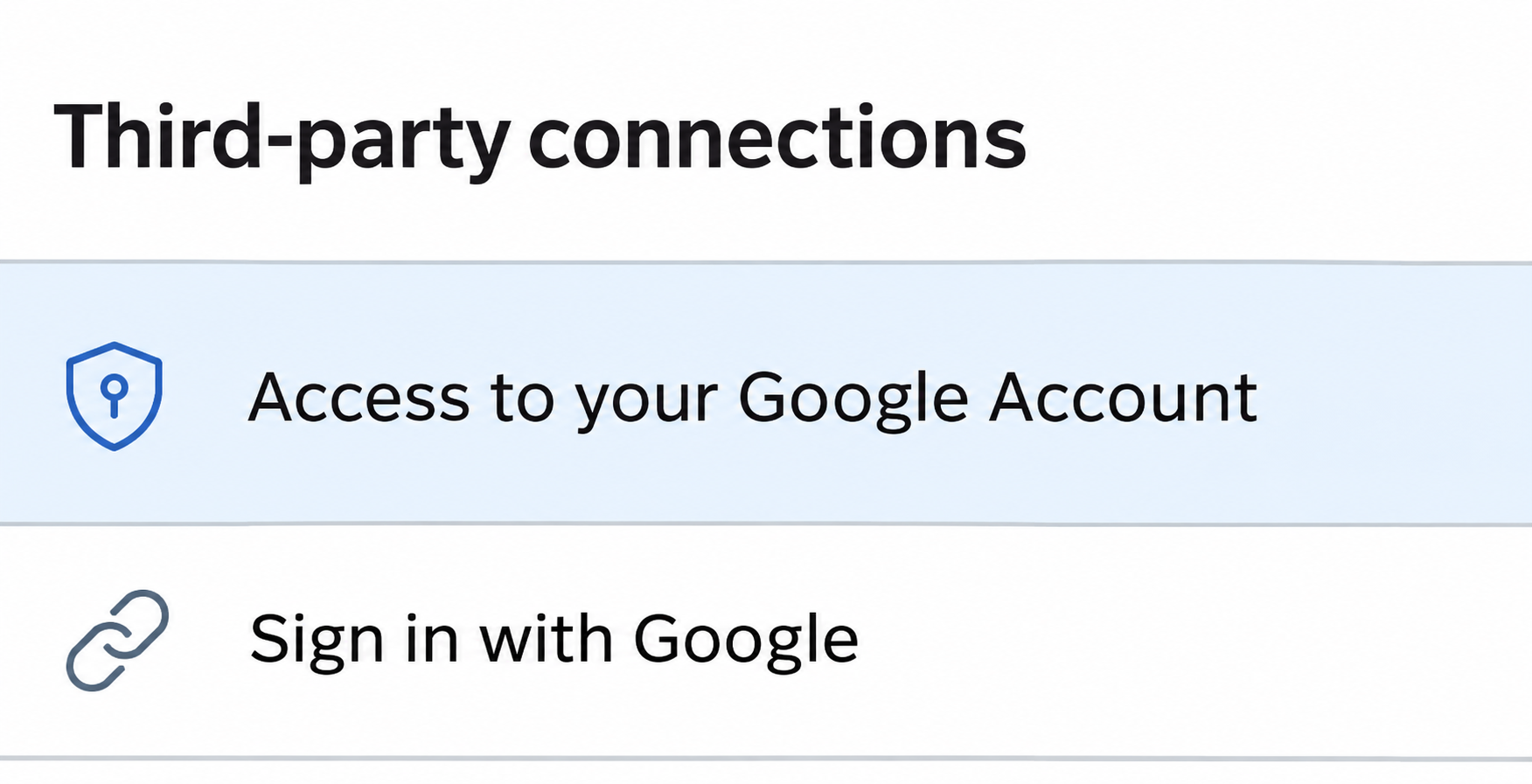
For an app accessing Google Account data, select Access to your Google Account, find the app, and review the details. The official guide gives Remove access for that permission.
For a sign-in connection, use Sign in with Google and inspect the service. Select Stop using Sign in with Google only when you’re ready to remove that login route.
For Google’s access to the service, use Linked account and inspect the details showing that direction. Google’s instructions list Delete link for this type.
These labels are about effects, not about which company owns the account. Check the confirmation screen before proceeding if it offers to remove more connections than you intended.
When you keep a connection, it can help to record which task depends on it.
The name of a permission might be clearer now than it will be in six months.
If the app isn’t listed, look at how you made the account
Using a Gmail address in a normal signup form doesn’t, by itself, give Google a third-party connection to show. The service can still hold a regular account.
Look for original signup or billing notices in your own inbox and check your saved logins. Don’t grant a new app inbox access just to find an old account.
If a password reset goes to a different address, return to the known service directly. Do not assume the missing Google connection means the old profile was deleted.
If you find a billing receipt after removing a connection, use that receipt to identify the merchant and account. Google controls aren’t a replacement for contacting the biller.
What to Check If an App Used Access You Didn’t Expect
Take away the permission and check the affected data
If you didn’t authorize the access, remove the relevant connection from your official Google Account and use the report option in the connection details if it applies.
Look at the product involved and check for changes you don’t recognize. Unexpected calendar entries and altered files need different follow-up; don’t try to repair data by reconnecting the app.
Google’s Security Checkup guidance covers account protections beyond third-party connections. If you suspect someone signed in, check devices and recent security activity separately.
Removing access can’t undo changes the app already made. Preserve important evidence and use the affected product’s recovery options if you find an actual change.
If an app still appears to work after access is gone, consider what stays on the device or at the provider. Cached material and fresh access are different things.
Check the service for its own copies
When a provider imported information before you removed access, ask what it keeps and whether there’s a way to remove that data without closing the account.
You may want to keep a purchased service but remove a copy of a contact list or a schedule. State which data you mean instead of requesting broad account closure.
Check whether there are separate controls for your own records and those shared with others. Follow the service’s privacy process and keep its response with your records.
If you decide to leave entirely, review data export, account deletion and billing in the service. Don’t infer any of them from completion of the Google permission step.
A Calendar Example That Shows Which Link to Keep
Say you signed up with Google for a scheduling service, then later let it add appointments to your Google Calendar.
You want the calendar integration to stop without losing the booking history.
Open the Google data permission first. If that entry is what supplies Calendar access, remove it and keep the separate sign-in connection if you still need to manage bookings.
Check whether old events remain in Calendar and whether the scheduling service still lists the booking. Those records can remain even though you stopped the permission for future changes.
If somebody else relies on invitations, don’t remove them from the calendar in bulk. Decide whether you need to cancel a booking with the provider or simply stop syncing.
You might still need the integration while changing how you sign in. Secure an alternate login first, then review the connection that affects the integration separately.
This example doesn’t imply every scheduling app asks for the same access. Read the product listed under See details and compare it with the feature that is actually in use.
Frequently Asked Questions
Does removing access delete another company’s account?
No, removing access limits use of your Google Account data through that connection. The third-party service still controls its own account and the data it already holds.
Use that provider’s account controls if your goal is deletion. Check how you will sign in if you need access to finish a request.
Can an app have a Google sign-in and a Google data permission?
Yes, Google describes multiple connection types for one service. A service can use one link to get you signed in and a separate one for a product feature.
Open the details and check both instead of assuming revoking the login also turned off every permission. Choose the connection that matches the issue.
Does removing an Android app remove its Google connection?
Removing a device app is not the same as revoking an account connection. Those are separate settings with different consequences.
Use the Google account connections page to see whether the permission remains. The device settings handle things like the app’s local permission grants.
Why can I still see imported data after revoking access?
The service may still display a copy it stored earlier. Revoking access is meant to stop future use of that connection, not delete past copies from its systems.
Ask the developer what it holds and how to remove the relevant data. Restoring permission just to test the copy can give access back unnecessarily.
If I remove Sign in with Google, does my subscription stop?
No, ending that login method doesn’t confirm a billing cancellation. Open the subscription route identified by the receipt, and verify whether it is set to renew.
Keep a working way into the account until the biller matches the plan. Deleting the link can make a later support conversation harder.
Can I block an old app without changing my Google password?
You can revoke an app connection in settings without treating that action as a password reset. That’s enough to address the permission itself if there is no other account issue.
If you have signs of a separate account compromise, review security activity and other protections. A removed app entry doesn’t answer who signed in elsewhere.
The Bottom Line
Read the connection details before you remove a Google app link. Stop the specific permission, sign-in or integration you meant to stop, and check that it is gone.
Ask the other service directly about copies, account access or payments. If someone may have entered your Google Account too, review that separately from the permission you removed.

Join the discussion
0 commentsShare your experience or ask a question about this article.
Community experiences
Did this happen to you?
Your experience could help someone recognize the same scam. Submit a private report for our team to review.
I experienced this tooReports are reviewed before publication. Sharing publicly is always your choice.
Discussion
Start the conversation
Have a question or something useful to share? Add the first comment.