


Someone new joins the family chat, and you can remember a dozen things you said before they got there.
Apple’s November Messages updates give that everyday moment a security angle. What matters is which devices are patched and what the notice actually says.
Overview
Two iMessage privacy issues, two different effects
Apple published fixes for two iMessage group chat vulnerabilities with its November 9 updates. One concerned who could enter a group and receive its messages.
The other concerned a person who had been added to the group legitimately, but might have been able to see messages sent before they joined.
Apple identifies the issues as CVE-2026-113961 and CVE-2026-113960, respectively. Both are listed in its iOS and iPadOS 27.2.1 security advisory.
The update is confirmed, a leak in your chat isn’t
The advisories describe possible effects, not a list of conversations that were exposed. Apple does not report active exploitation of these two issues in those notes.
That distinction matters when someone in a group starts worrying about past messages. The availability of a fix doesn’t establish that anybody actually read them.
Install the applicable update anyway. You don’t need to see an unfamiliar participant before protecting the devices you use for Messages.
Check every device that still uses the conversation
- iPhone and iPad: Use Software Update, then check the version after the installation completes.
- Mac: Compare your macOS release with Apple’s security notes. A patch on your phone doesn’t update the Messages app on your computer.
- Other Apple devices: Consult the advisory for their platform. A release on the same date doesn’t necessarily contain the same fixes.
- Sensitive chat: Review who belongs in the group. If something looks wrong, confirm it with the people you know before making assumptions.
One quick version check may tell you what you need for your phone. If the same conversation appears on a Mac, make time for that check too.
What Apple Changed in Messages
The membership check
When you create a private group, you expect the conversation to be visible to the people who belong to it. A membership check helps enforce that boundary.
Apple says one flaw could allow a remote attacker to join a group and receive its messages. The company says it strengthened authorization validation to address it.
That isn’t a finding that someone cracked the encryption for all Messages conversations. The issue concerns whether someone should have been allowed into a group.
The advisory does not explain enough to determine whether a particular unknown name in your own thread resulted from this flaw. Review the actual membership separately.
The conversation history check
Adding someone now isn’t necessarily permission to show them every conversation the group had before. The second flaw concerns that older material.
Apple says a newly added user could potentially access earlier messages. It addressed the issue by removing the vulnerable code.
Imagine adding a relative to help with a trip after earlier logistics were discussed privately. Who may participate now and who may see the earlier chat differ.
That example illustrates why the distinction matters. It doesn’t mean a new member to your own group necessarily saw any historical message.
What the patch cannot change retroactively
An update can fix the behavior going forward. It can’t take back information a recipient already read, copied, or forwarded.
If you know a password or shared access link appeared in a conversation and reached somebody it shouldn’t, address that item through its own service.
For example, disable the link or replace the password where it was created. Deleting the original message is not the same as canceling a working link.
There’s no reason to rotate everything solely because a security advisory exists. Focus on confirmed or plausible exposure tied to something you actually shared.
Which Apple Updates Include These iMessage Fixes?
iPhone and iPad
Apple lists both fixes in iOS and iPadOS 27.2.1 and iOS and iPadOS 26.7.3. Use the branch offered for your model.
Open Settings, then General and Software Update. Connect to power if needed and follow the installation prompts in Settings.
When the device restarts, check the installed version. If it offers a newer supported version, you don’t need to hunt for the original November build.
Some older devices received a separate update on the same date. Use the notes for that exact release instead of assuming the group chat patches are included.
Mac and Apple Watch
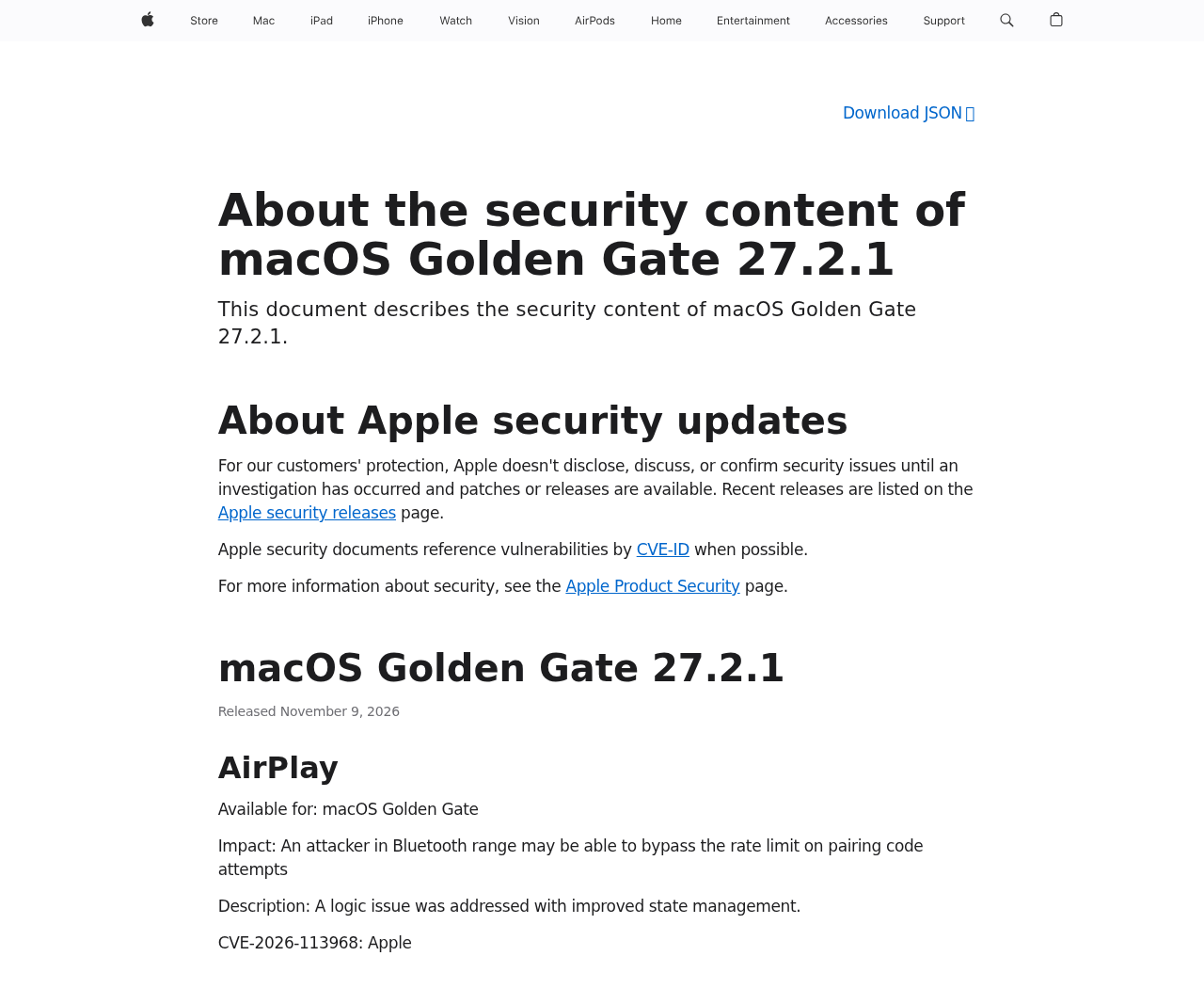
Apple lists the fixes in macOS Golden Gate 27.2.1. Its security release index also lets you check the advisories for other supported Mac branches.
On a Mac, go to System Settings, then General and Software Update. Let the computer finish restarting before relying on it for sensitive conversations.
The watchOS 27.2.1 advisory lists both entries as well. If you use Messages on an Apple Watch, check its own software rather than assuming it followed your phone.
Work or school Macs may be managed. Ask the administrator to confirm the applicable security release if the update isn’t offered to you directly.
When a device can’t take the update
Start with the Apple security releases list and match the software and device family. A model’s newest offered update can differ from another model’s.
If you can’t confirm a fix on an older device, move sensitive conversations to a supported, updated device for now. Ask Apple or your administrator about options.
Don’t use a third-party installer or follow a profile-installation link that someone sends to “fix” Messages. Normal Apple updates can be found through Settings.
Before handing an old device to somebody else, follow Apple’s official transfer and erase instructions. Don’t leave it linked to an account you still use.
What to Do if Your iMessage Group Looks Wrong
- Update the devices you use for Messages. Check the exact software version afterward. Include the Mac or iPad you only use occasionally.
- Look at the group details. Compare the participants against the people you expect. Don’t use a reply in that same chat to verify a stranger.
- Ask a known participant privately. Use a number or another contact method you already trust to confirm who added someone and why.
- Pause sensitive discussion if membership is unclear. Use a verified conversation or an approved secure channel until the group is sorted out.
- Address what might actually be exposed. Revoke a working document link or change a shared credential at the service that issued it.
- Save only what’s needed for a report. Record the time and observable behavior. Don’t post screenshots of an entire private conversation publicly.
A familiar name can still need checking
Names are easy to misread, especially when two contacts use similar labels. Compare the actual contact details if the group lists someone you weren’t expecting.
Ask the person you know whether they recently changed numbers or devices. Use their old number or another established contact if you have one.
There may be a straightforward explanation. Verify that first, but don’t continue sharing a door code or travel itinerary while you’re still sorting it out.
If no one can explain the change, don’t argue in the thread. Move the conversation and preserve the details that Apple Support or your administrator might need.
When an Apple Account issue is also possible
An unfamiliar device in your Apple Account is a different observation from an unexpected participant in a group. Check both separately if you see both.
Use Apple’s account settings to review devices. If something really isn’t yours, use its official guidance for securing the account and check for other unusual activity.
Don’t provide an incoming caller with a sign-in code to “verify the group.” A group chat issue doesn’t require you to read somebody your account code.
For a workplace, report both the chat and account details privately. Your security team needs context, not an export circulated to every participant.
Set a Clear Rule for Sharing Sensitive Information
A group chat is convenient, but the audience changes over time. Before sending something sensitive, take a moment to read who is in it now.
For a one-time code, invite, or access link, choose a route that lets you expire it later. That gives you options if it reaches the wrong person.
If you’re making a group for a new purpose, start a new conversation rather than assuming an old thread has the right people and context.
Tell participants if you move a sensitive discussion. Otherwise someone may keep replying in the original thread without realizing why the conversation moved.
If an old address, itinerary, or code could cause trouble, fix that specific problem. A group message warning everyone about a possible breach may not help.
After you update, confirm any devices you plan to bring back into regular use. A spare tablet can reconnect to the same conversations next week.
How to communicate the update without alarming the group
Send a plain note to the people you know: Apple released a Messages security update, and they can check it through their own device settings.
Don’t attach a download. If you’re helping someone with an older iPhone or Mac, ask for the version and help them locate Apple’s matching release notes.
Tell them whether you saw an actual change to the group or are simply sharing patch information. Those are different reasons for contacting everyone.
If the group is used for a small business, a school club, or family care, agree where to move time-sensitive messages while sorting out access.
Ask participants not to forward private screenshots. A warning about privacy can itself expose information if everyone circulates an image of the conversation.
Change the thing you shared, not just where it was shared
If the group contains a link to a photo album, open the album’s sharing controls. Check whether the link is public or limited to invited people.
If the group contains a door or gate code, check whether it is still active. Ask the person who manages access to replace it if needed.
If the group contains a document, review whether removing someone from the chat also removes them from the document. Usually those permissions are managed separately.
If the item was a personal address or a travel date, there’s no setting that makes it unread. Tell the affected person what was shared and when.
For work material, use the organization’s reporting route rather than relying on a group member’s promise to delete their copy. The owner can assess exposure properly.
Make a new group only when it solves a problem
If you just needed to verify one new participant and they’ve checked out, you don’t have to reorganize every conversation on your phone.
Start fresh when you can’t confidently identify the old audience or need to narrow it. Invite people from your own contacts rather than forwarding the old thread.
Give the new conversation an unmistakable name. Say what belongs in it, but don’t paste the earlier sensitive details just to get everyone caught up.
Where available, use Apple’s group membership controls to manage the old conversation. The available options depend on the group type and number of participants.
Removing somebody doesn’t recall what they already received. If the situation involves a file or account, check its own access settings even after the chat is fixed.
Check what kind of conversation you’re looking at
Messages can show iMessage and other types of group messages. The two vulnerabilities described here are about iMessage, not a blanket diagnosis for every group text.
If the people in a group use different kinds of phones, some group controls can differ. Check Apple’s guidance before interpreting a missing remove button as an intrusion.
Tell support which app, devices, and group type you were using when something changed. That is more useful than sending the complete message history.
Frequently Asked Questions
Which two vulnerabilities did Apple fix?
CVE-2026-113961 concerns unauthorized group membership. CVE-2026-113960 concerns access to past messages by someone who was added to the group.
Does installing the update mean my old messages were exposed?
No. Apple’s release notes describe possible effects. They don’t identify your conversation as affected or say that someone accessed its history.
Does the iPhone patch update my Mac as well?
No. Check each device through its own update controls. The same chat appearing on both devices doesn’t mean they share an operating-system update.
Should I start a new group if somebody looks unfamiliar?
Verify the participant first. If you can’t explain the membership, move sensitive discussion to a conversation with verified participants and address any information already shared.
Will deleting a message revoke a link I posted?
Don’t rely on it. Revoke or restrict access through the service that issued the link. Someone could already have copied the address.
Do all Apple releases from November 9 contain these fixes?
No. Check the advisory for your platform and version. An update released on the same date can contain a different list of security changes.
The Bottom Line
Install the applicable iMessage privacy updates on the Apple devices you use. Check each device separately rather than relying on the version on your phone.
If a chat’s membership looks wrong, pause sensitive sharing and verify the participants through a trusted contact. Revoke any credential or link you know was exposed.

Join the discussion
0 commentsShare your experience or ask a question about this article.
Discussion
Start the conversation
Have a question or something useful to share? Add the first comment.