


You wanted an extra set of eyes on your charts. The download called itself TradingClaw and promised to bring an AI assistant to a trading workflow you already knew.
The ZIP looked like an ordinary desktop download. The most important question now is whether it stayed that way or whether you ran something inside it.
Overview
A Windows threat behind a trading tool
Needle Stealer is Windows malware that can take information from your browser, desktop apps and crypto wallets. One documented campaign offered a fake TradingClaw download as an assistant for TradingView.
The people behind that page were not TradingView. Malwarebytes researchers also distinguished the malicious page from a legitimate startup using a similar name.
Don’t assume that every reference to TradingClaw means malware.
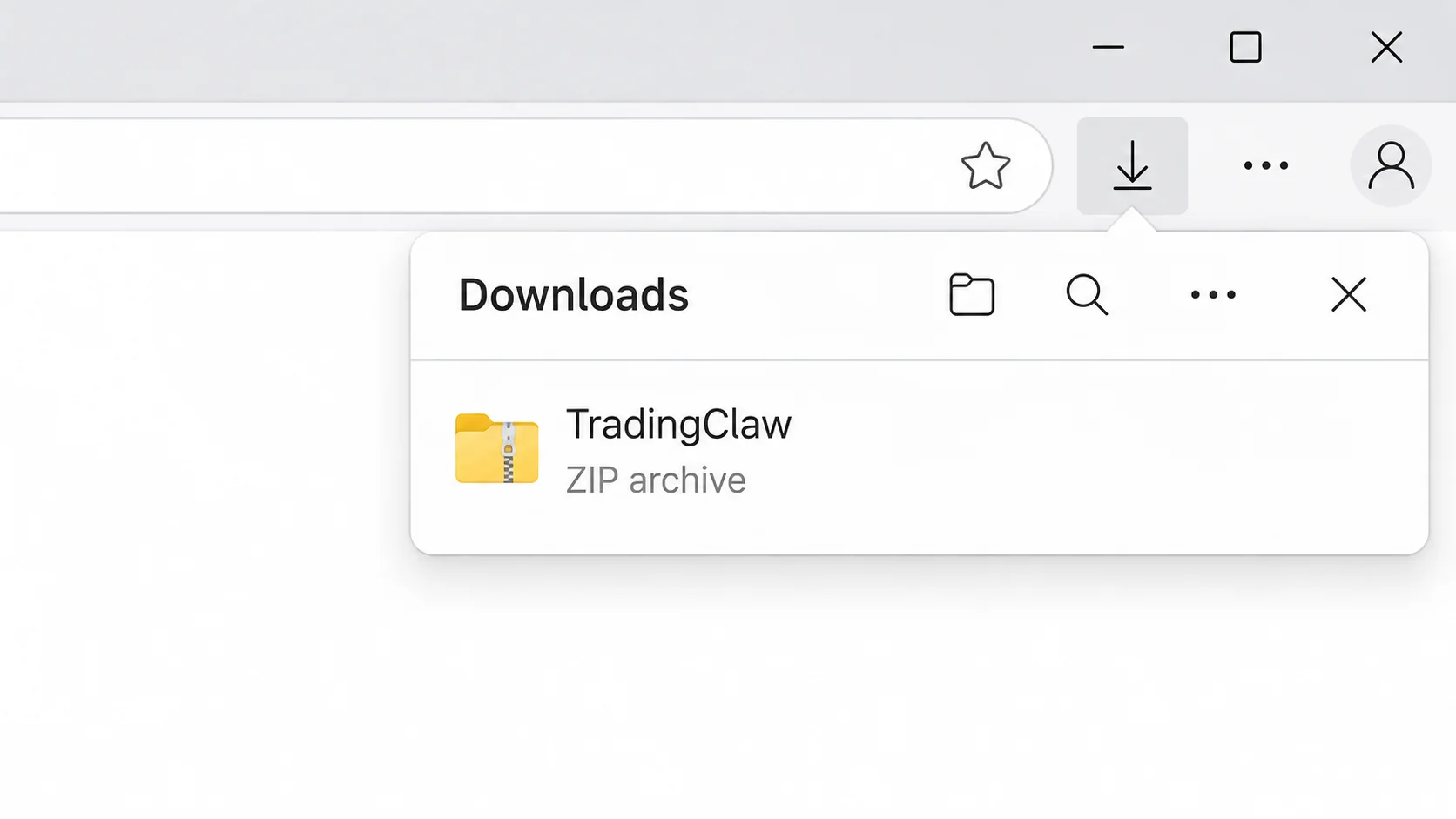
The image shows a reconstructed download row, not the malicious website or a file you should seek out. The original research establishes the ZIP delivery in this campaign.
A stolen session can matter more than a password
Needle can collect browser passwords and cookies. A cookie that keeps you signed in may let someone use an account without first having to reproduce your original sign-in.
There’s also a browser extension component.
Researchers documented variants that could redirect browsing or interfere with downloads, so a site or file that looks familiar is not reliable on that PC.
Make an initial distinction before deciding which accounts are at risk:
- If you saw the offer and closed it without running anything, the documented malware chain did not start through that visit alone.
- If the ZIP downloaded but its contents stayed unopened, ask an administrator before deleting evidence on a work machine.
- If you launched an enclosed program, isolate the PC and respond to possible account exposure from another device.
The Windows cleanup and account cleanup are different jobs
Removing malicious software can stop future collection on that machine. It cannot invalidate information already copied from a browser, and it doesn’t cancel a wallet secret someone else knows.
That’s why the removal guide has two starting points. The PC comes off the network, while a phone or another trusted computer becomes the place to secure accounts.
If this happened on a trading desk or managed company laptop, pass the details to security promptly. You may be looking at shared credentials or accounts that coworkers also use.
How the Fake TradingClaw Download Scam Works
Step 1: The pitch borrows a familiar trading workflow
The software pitch doesn’t need to persuade you to give up your charting platform. It says it can improve a workflow you’re already using by adding an AI layer.
A familiar product in the description is not evidence of a partnership. It can simply give an unfamiliar download a reason to exist and make the offer feel less risky.
Researchers found that visitors didn’t always see the same page. If your bookmark now displays unrelated content, that isn’t a reason to run the copy already on your computer.
If you want a genuine integration, find it starting from the platform you trust. Confirm the developer separately and check whether the platform itself actually lists that tool.
Step 2: The archive looks like software you might expect
The malicious site offered a ZIP rather than immediately asking for a card number or password. For someone used to downloading desktop utilities, that’s an ordinary-looking next step.
The critical action was running the packaged software. Known-looking components inside the archive did not make the package safe, and the machine could be compromised without displaying a clear warning.
You don’t need to unpack the archive again to check its name. Your browser’s download list, the time it arrived and any security alert are enough to start a report.
An ordinary folder icon or a familiar name tells you little about the software inside it. Treat where the file came from as part of its identity.
Step 3: The browser itself can become unreliable
Needle is not limited to gathering passwords saved before it arrived. Its browser component can also interfere with activity after infection, including what you see or receive through a download.
This changes a common recovery decision. If you need another utility, don’t automatically fetch it through the same browser profile that was exposed.
A fraudulent file can look like the result you expected, and a legitimate tab name doesn’t tell you everything the browser is doing.
Use a different device for important account actions.
Look for an extension you never approved or a previously trusted browser that suddenly behaves differently. Neither symptom identifies the malware family on its own, but both are worth recording.
Step 4: The thief can use access after you close the page
Think beyond the trading account that brought you to the download.
The same browser may hold the email address you use to reset credentials for an exchange, bank or work account.
A wallet and an exchange are also different. You can ask an exchange to restrict an account; a self-custody wallet provider cannot simply change the secret behind your existing addresses.
Needle’s reported capabilities include collecting wallet-related information. Record which wallets were available on the PC and whether you approved any transactions while that browser was in use.
Changing passwords on the suspect PC asks you to trust the same device again with newly valuable information. Take it offline first and work from a device you can trust.
Check the Browser Profile You Actually Used
Someone who keeps a separate trading profile may still have a personal profile open in the same browser. The app name alone won’t tell you which data was available.
On a clean device, start from the identities you recognize, then look at the profiles you normally use. Include any shared browser profile that password managers or extensions can reach.
When a provider lets you view sign-in activity, look for sessions you didn’t start and changes to recovery settings. Save enough detail for support before you revoke the access.
If your account uses sign-in approval, don’t accept a prompt while the check is under way unless you started it yourself.
Denying an unexpected prompt is safer than trying to identify it by location.
Some services don’t list all sessions in one place.
If you’re unsure whether a password change will end active sessions, ask the provider to terminate them or temporarily restrict the account.
If you use a broker or exchange, check withdrawals and security changes as separate activity.
Revoking a session doesn’t automatically remove a new withdrawal address or cancel a transfer already pending.
What to Do if You Have Fallen Victim to This Scam
-
Disconnect the Windows PC from the network. Unplug Ethernet and turn off Wi-Fi.
If you’re using a managed computer, tell IT what you ran before restarting, uninstalling or running a personal scanner.
Note which browser showed the download and the time you opened it. Photograph relevant alerts with another device without capturing passwords, wallet recovery details or one-time codes.
-
Secure the accounts that can reset other accounts. On a different device, start with primary email and any password manager with an exposed session, then move to banking and exchanges.
In each service’s security area, review active sessions, sign out unfamiliar ones, change the password and check recovery addresses or phone numbers.
Use the option to revoke all sessions when available.
-
Tell your exchange or bank about unusual activity. Use a known channel, not a contact suggested by a new notification on the affected computer.
Record pending withdrawals or newly added recipients.
With a potentially exposed self-custody wallet, use your verified wallet provider’s recovery guidance from a clean device. Don’t type its recovery words into a site that offers to check them.
-
Review shared access as well as your own accounts. If the browser held workplace credentials, tell the administrator which apps and profiles were in use.
They can assess sessions and API credentials.
Leave the original download and affected browser profile in place if the responder needs them.
Don’t send a ZIP to a colleague or use a public upload service to check it.
-
Document any money movement outside the affected PC. Record dates, account names, references and transaction IDs from your trusted device. Report unauthorized payments through the provider and applicable local authorities.
How to Remove Needle Stealer From a Windows PC
Step 1: Check which user profile ran the download
If it’s a personal PC and you don’t need to preserve forensic evidence, sign into the Windows account you used when the suspicious software ran.
Leave the PC offline for now.
Open Settings > Apps > Installed apps and check what was recently added. Remove a clearly identified unwanted application using its menu, then choose Uninstall and confirm the name.
An infection may not appear as a program you can uninstall.
If there is no matching listing, don’t delete Windows folders or end unfamiliar processes just because their names look odd.
Step 2: Inspect the browser before trusting it with a new session
With the device still offline, open your browser’s extensions manager. In Chrome, use the three-dot menu, choose Extensions, then Manage Extensions. In Edge, use Extensions > Manage extensions.
Record an unexpected extension’s name before removing it. Choose Remove for an extension you can positively identify as unwanted, then confirm the prompt and check that its card disappears.
If the button is absent or the extension returns, stop and get help.
A management policy can be legitimate, and deleting policies blindly may break settings without fixing the actual issue.
If the extension appeared in several profiles, inspect those separately. Don’t turn sync back on until you know whether the same item exists elsewhere and how it got there.
Step 3: Obtain a trusted scanner without relying on the affected browser
Get the Malwarebytes Windows installer from a trusted device. Move only the verified installer to the PC using clean media, or ask an authorized technician for assistance.
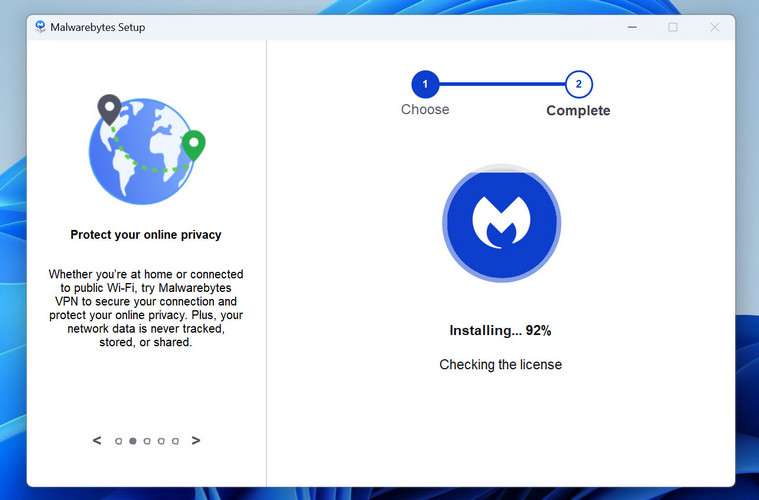
Open the setup file, verify its publisher in the Windows prompt, then click through the installer. If the publisher isn’t what you expected, cancel instead of approving the change.
Setup may need a network connection. If you’re unsure how to allow that without exposing an active infection, keep the PC isolated and have a technician set up the scanner.
Step 4: Run the scan and resolve the results
Find Malwarebytes in the Windows Start menu. On its dashboard, locate the Scanner area and choose Scan.
Wait for the scan to finish so you can review its findings.
If the scan reports threats, review the result list and quarantine the identified items. Follow a restart prompt and then open the program again to check for unresolved findings.
The scan helps address files the software detects, but the browser and account recovery steps still matter.
For recurring findings, return the PC to isolation and ask for a repair plan.
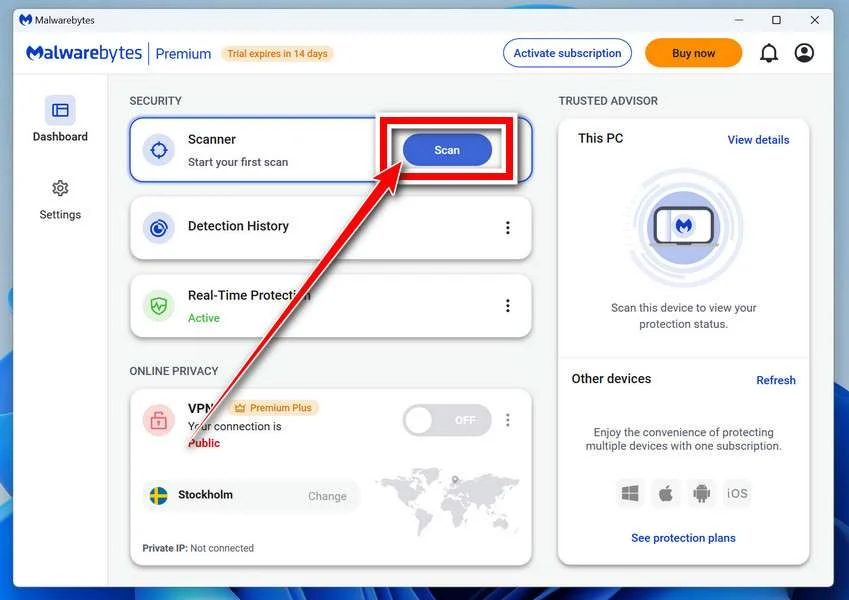
An optional Malwarebytes Premium offer is an affiliate link. You don’t need to buy it to start the manual scan, and it won’t recover stolen account access.
Step 5: Verify the browser and plan for a rebuild if needed
After restarting, reopen the extensions list with sync still off.
Confirm the unwanted item hasn’t returned and check that the profile still uses the search provider and startup page you chose.
Open Settings > Windows Update when it’s safe to reconnect and install the offered security updates. Download replacement apps using an official publisher route, never from the suspect ZIP.
If unwanted policy or downloads persist, use the MalwareTips removal help boards or a trusted technician. An infection with uncertain persistence may require reinstalling from clean Windows media.
Before any rebuild, make a plan for known-good documents, recovery keys and software licenses.
Don’t restore the compromised browser profile, unknown installers or files created by the malware as ordinary backups.
Frequently Asked Questions
Is TradingView responsible for the fake installer?
No connection to TradingView was established for this campaign. The fake page advertised a tool for its users, but that marketing claim did not make it a TradingView download.
Is the ZIP dangerous if I never ran its contents?
In the documented chain, running the packaged program was the important step. Don’t extract and launch it to investigate; preserve or remove the unopened archive based on your responder’s advice.
Can a stolen cookie survive a password change?
It depends on the service and what it revokes. Check active sessions explicitly and sign out devices or all sessions using the provider’s own security options.
Does removing the browser extension get rid of Needle?
The extension was only one possible part of the infection. Use the Windows cleanup above and check for recurrence; don’t assume the browser manager shows everything the malware left behind.
Should I import my old profile after reinstalling Windows?
Don’t import the entire exposed profile as a shortcut. Bring back only needed, verified data and re-add extensions individually from known publishers after you have secured the associated account.
Can a scanner recover a missing crypto balance?
A malware scan can address threats on the computer, not reverse a blockchain transaction or restore a stolen seed.
Save the transaction details and contact the appropriate exchange or reporting service.
The Bottom Line
Don’t run a ZIP because it advertises an AI assistant for a platform you trust. In the fake TradingClaw campaign, that download was the way Needle reached the Windows PC.
If you ran it, disconnect the PC, close exposed sessions from a clean device and work through Windows and browser cleanup. Get help if an unwanted extension or detection returns.

Join the discussion
0 commentsShare your experience or ask a question about this article.
Your progress
Did these steps help?
Let us know how the guide worked for you.
Describe what you see and the step you reached. Keep passwords and other private information out.
Discussion
Start the conversation
Have a question or something useful to share? Add the first comment.