

Prosunny can look like the sort of clothing store discovered during an unusually good seasonal sale, with polished photographs and easy discounts.
The important questions begin after the first impression, when buyers need to identify the seller, merchandise source, return destination, and available protection.

Overview
Prosunny is a real storefront with weak business transparency
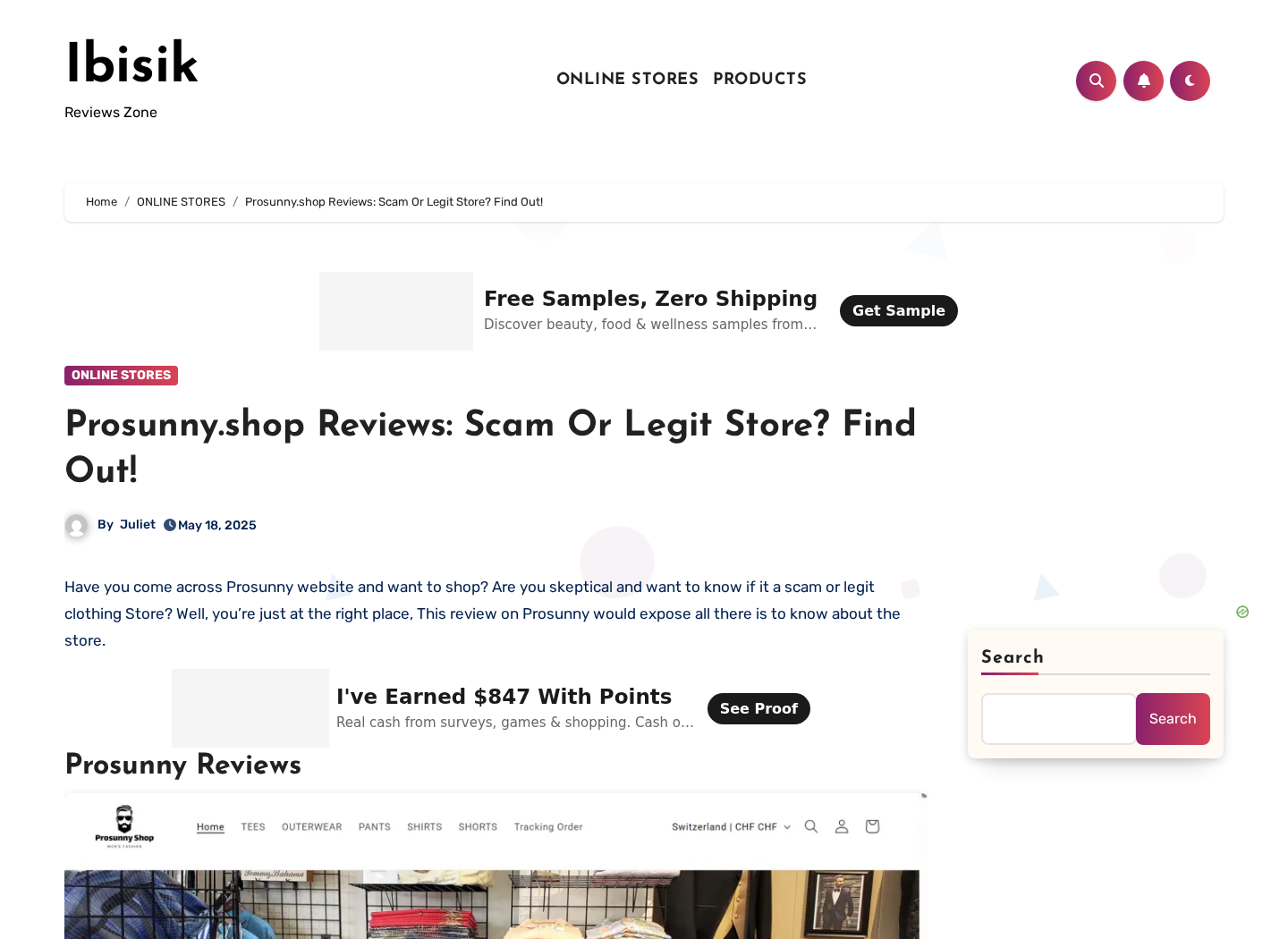
Prosunny.shop has operated as a Shopify fashion store selling men’s clothing, including shirts, pants, jackets, polos, shorts, and casual outfits.
Recent domain-analysis records identify a registrant location in Jiangsu, China, while the store’s public presentation targets international shoppers.
We did not find the clear, durable corporate identity expected from a retailer asking customers to trust it with payment and delivery information.
The main risk is the gap between the storefront and the transaction
Independent reviews describe unusually low prices, copied-looking imagery, limited support, uncertain delivery, and merchandise that may not match expectations.
Those reports do not prove every order fails. They show that the buyer carries substantial risk if the sale goes wrong.
A secure connection and Shopify hosting can protect data transmission while saying almost nothing about product quality, ownership, or refund reliability.
Our recommendation is to avoid ordering
The combined warning signs make Prosunny a high-risk purchase, especially for anyone expecting easy domestic returns or premium branded clothing.
Comparable clothing is available from sellers with verifiable businesses, independent feedback, protected payments, and clearly disclosed return locations.
- The domain was registered in December 2024.
- Public domain data points to Jiangsu, China.
- The store has used a standard Shopify retail setup.
- Independent reviewers flag weak contact and ownership details.
- Large discounts can obscure product and return risks.
- The safest choice is a merchant with stronger accountability.
How the Prosunny Shopping Trap Works
Step 1: Social advertisements display premium-looking outfits
The funnel begins with attractive fashion photography showing coordinated outfits, textured fabrics, flattering cuts, and models in carefully staged settings.
A shopper sees the style first. Material composition, manufacturer identity, garment construction, and original image source receive far less attention.
Advertisements can be targeted toward people already browsing fashion, making the store appear like a natural recommendation rather than an unknown seller.
Always reverse-search the product photographs. Identical images on unrelated marketplaces often reveal generic inventory or copied promotional material.
Step 2: Discounts create a low-risk illusion
Deep markdowns make an unfamiliar store feel worth trying because the apparent savings seem larger than the perceived danger.
Crossed-out prices may suggest a genuine former retail value, although the product might never have sold consistently at that amount.
Multiple-item promotions increase the order before the buyer has tested sizing, fabric, delivery, support, or return handling.
A $30 experiment can quietly become a $150 bundle once free-shipping thresholds and volume discounts appear.
Step 3: A professional template supplies instant credibility
Shopify gives merchants a functional cart, product grid, payment integrations, policy templates, order emails, and encrypted checkout capabilities.
These tools are used by excellent retailers and questionable stores alike. Platform quality cannot verify the merchant using it.
A padlock confirms encrypted traffic between browser and server. It does not confirm honest descriptions, authentic brands, or responsive refunds.
Trust must come from a traceable company, credible history, independent customer experiences, realistic policies, and consistent fulfillment.
Step 4: Store reviews replace independent evidence
A young store can display many glowing reviews before independent platforms show a comparable record of verified purchasing experiences.
Review widgets can import, filter, duplicate, or manually publish testimonials. Their presence is not independent confirmation.
Repeated wording, generic names, identical photography, perfect timing, and uniformly enthusiastic ratings deserve scrutiny.
Search the exact domain, contact email, product title, and image outside the store before assigning weight to onsite feedback.
Step 5: The overseas supply chain becomes visible after payment
Processing delays, international tracking, customs movement, or unfamiliar logistics partners can reveal where an order is actually being fulfilled.
Overseas fulfillment is not inherently deceptive. The problem is allowing shoppers to assume domestic inventory, support, and returns.
Long transit creates more time for the advertisement to disappear, policies to change, or dispute deadlines to approach.
Capture the promised delivery estimate before ordering and compare it with the first carrier scan after shipment.
Step 6: The received item may not match the emotional purchase
A photograph can make inexpensive polyester resemble wool, linen, cotton, suede, or structured tailoring under controlled lighting.
Buyers may encounter different colors, printed textures, thin fabric, inaccurate sizing, loose stitching, or a silhouette unlike the model image.
A product can technically arrive while still leaving the shopper with a strong misrepresentation complaint.
Record the unopened parcel, shipping label, garment tags, packaging, measurements, fabric label, defects, and comparison with the listing.
Step 7: Return costs can erase the promised refund
A return policy may sound reassuring until support supplies an overseas warehouse and makes the customer pay tracked international postage.
Returning low-value garments can cost nearly as much as the order, particularly when insurance and tracking are required.
Sellers may offer a small partial refund or discount to keep unwanted merchandise, avoiding return handling while preserving most revenue.
The customer must decide between an expensive shipment, an inadequate settlement, or a payment dispute.
Step 8: The storefront can change faster than complaints travel
Online stores can replace themes, collections, contact details, and domains much faster than a traditional retailer can relocate.
Once reputation deteriorates, similar inventory can be moved to another brand with new reviews and a fresh advertising account.
This pattern does not prove that every connected-looking store shares ownership. It explains why transaction evidence matters immediately.
Save policies as files or screenshots because a live page can be edited after your purchase.
The Product, Price, and Image Problems
Price should be compared with the identical item
Do not compare only the crossed-out price with the sale price shown on Prosunny.
Search the product image, title fragments, size chart, and unusual description phrases across major marketplaces and image-search engines.
An identical garment sold widely for less suggests private labeling or dropshipping rather than a unique fashion design.
Fabric claims must match the sewn label
Terms like premium, breathable, soft-touch, artisan, and luxury describe impressions rather than measurable fiber content.
The listing should state percentages for cotton, polyester, viscose, wool, elastane, leather, or other materials.
If the package arrives, compare the sewn label with the page. Photograph any difference before washing or removing tags.
Sizing charts need garment measurements
Generic small-through-XXL labels vary enormously between factories, countries, cuts, and product batches.
A credible listing provides chest, waist, hip, rise, inseam, shoulder, sleeve, and garment-length measurements where relevant.
Without those details, the buyer absorbs a predictable fit problem and may then face costly international returns.
How to Evaluate a Prosunny Listing Before Paying
Reverse-search the product photograph
Save a clear product image and run it through more than one reverse-image search service before treating the design as exclusive.
Matching photographs can reveal the same garment on wholesale catalogs, marketplaces, and unrelated boutiques at very different prices.
Compare seams, buttons, print placement, model pose, background objects, and cropping. Sellers often mirror or slightly alter the original picture.
An identical image does not prove which seller owns inventory, but it exposes when a boutique story rests on generic catalog material.
Inspect the size chart as a technical document
A letter such as medium means little without bust, waist, hip, shoulder, sleeve, rise, and inseam measurements for the actual garment.
Check whether measurements describe the body or finished clothing, whether stretch is included, and whether the chart changes between products.
Generic charts copied across dresses, sweaters, and trousers signal that returns may become more likely before the parcel even ships.
Ask support for a garment measurement in writing. A vague reply is useful evidence about the service buyers can expect later.
Read the return policy from the last sentence upward
The attractive promise usually appears first. The costly conditions often appear near the end, inside exceptions, definitions, or separate shipping pages.
Look for the return country, authorization requirement, tracking standard, restocking deduction, original-shipping exclusion, and deadline measured from delivery.
If no return address appears before purchase, request it. “Contact us for instructions” gives the seller control after the customer has paid.
A refund policy is only as useful as the route required to use it. International postage can exceed the value of inexpensive clothing.
Test whether support behaves like a retailer
Ask specific questions about material percentages, dispatch country, return destination, stock location, and the responsible legal entity.
A functioning retailer should answer without converting every question into another discount or an urgent instruction to order.
Search the support email, telephone number, and policy phrases in quotation marks. Reuse across unrelated stores suggests a shared template or operator.
Keep the answer beside your receipt. It may later support a dispute if the delivered product or return location contradicts the representation.
Also compare the checkout currency with your card’s billing currency. Conversion fees can increase the true cost beyond the displayed sale price.
Do not let a countdown prevent this review. Legitimate clothing remains measurable tomorrow, while a rushed order can create weeks of return problems.
If you still proceed, purchase one inexpensive item first and avoid a large wardrobe order based solely on promotional photographs.
Use a credit card or protected wallet, never bank transfer, cryptocurrency, gift cards, or another payment method with weak dispute rights.
Record the final checkout screen before submitting. It should show quantity, shipping, taxes, currency, delivery estimate, and every selected option.
That single screenshot can later resolve disputes about accidental duplicates, undisclosed fees, or delivery promises that vanished after payment.
Company, Address, Support, and Fulfillment Checks
The public business identity is too thin
Our review did not establish a clearly presented legal company with a verifiable retail history matching the Prosunny brand.
A brand name is not a legal identity. The buyer needs the entity accepting payment and responsible for warranties and refunds.
Check the checkout, receipt, privacy policy, terms, card statement, and parcel paperwork for consistent company names.
The domain registration points toward China
Recent third-party domain records list a December 20, 2024 registration and a registrant location in Jiangsu, China.
That does not prove wrongdoing. It is important when shoppers believe they are dealing with a local Western boutique.
Country-of-operation information should align with shipping estimates, consumer rights, returns, customs, and customer-support hours.
Support should answer practical questions before payment
Ask where merchandise ships from, where returns go, who pays postage, whether duties apply, and whether sale items remain refundable.
Also request the legal company name and a phone number capable of locating an order.
No reply, scripted answers, or refusal to disclose the return country should end the purchase.
A parcel sender is not necessarily the retailer
Packages may show a domestic logistics center that consolidated, relabeled, or delivered international merchandise.
That warehouse may not accept returns and may have no authority to issue refunds.
Use only the return address supplied in writing after authorization, then confirm delivery with tracking and photographs.
What to Do If You Ordered From Prosunny
- Save the sale evidence. Capture the product page, material claims, size chart, price, discounts, delivery promise, policies, cart, confirmation, and advertisement.
- Track the shipment carefully. Record every scan and compare the actual origin, delivery time, parcel weight, and sender with the information promised.
- Film the opening. Show the sealed package, label, contents, tags, defects, measurements, and any difference from the listing in one continuous recording.
- Request a written remedy. Describe the problem precisely and ask for the return address, authorization, deadline, refund amount, and responsible company.
- Do not accept endless discounts automatically. A partial refund may be practical, but compare it with your loss and legal rights before agreeing.
- Use payment protection. If the item never arrives or is materially misrepresented, contact the card issuer or payment provider with organized evidence.
- Protect your accounts. Change any reused password. Run Malwarebytes after suspicious downloads, and use AdGuard to block deceptive shopping ads and redirects.
- Report the store. Notify Shopify, the advertising platform, consumer-protection authorities, and relevant brand owners if copied trademarks or product images appeared.
Is Your Device Infected? Run a Free Malware Scan
Slow performance, constant pop-ups, or strange behavior? These are classic signs of a malware infection. The fastest way to find out is to scan your device with Malwarebytes Free — one of the most trusted malware removal tools available.
The free version detects and removes the most common threats, including:
- Adware — the cause of those annoying pop-ups
- Browser hijackers — unwanted redirects and changed homepages
- Trojans and spyware — hidden programs stealing your data
- Potentially unwanted programs (PUPs) — software you never asked for
👉 Select your device below — Windows, Mac, or Android — then follow the simple steps to download Malwarebytes, scan your system, and remove any threats it finds. The scan usually takes 5 to 20 minutes.
Run a Malware Scan with Malwarebytes for Windows
Malwarebytes is one of the most popular and trusted anti-malware tools for Windows — and it’s completely free for removing infections. It catches threats that many antivirus programs miss, including adware, browser hijackers, and trojans. Follow the steps below to scan and clean your PC in just a few minutes.
Download Malwarebytes
Click the button below to download the latest version of Malwarebytes for Windows from the official source. The free version is all you need — it will scan your computer and remove adware, browser hijackers, and other malicious software at no cost.
Download MalwarebytesOfficial installer for Windows 11 and 10. Your download starts right away.Want real-time protection? See Malwarebytes Premium Malwarebytes Free for WindowsScans and removes malware at no cost
-
Install Malwarebytes
When the download finishes, open your Downloads folder and double-click the MBSetup file. If Windows shows a User Account Control pop-up, click “Yes” to allow the installation.

Follow the On-Screen Prompts to Install Malwarebytes
The setup wizard will walk you through a few quick screens:
-
Choose where you’re installing the program — “Personal Computer” or “Work Computer” — then click Next.

-
Malwarebytes will now install on your device. This usually takes under a minute.

-
When installation is complete, the “Welcome to Malwarebytes” screen will open automatically.

-
On the final screen, click Open Malwarebytes to launch the program.

-
Enable “Scan for Rootkits”
Before scanning, turn on rootkit detection so Malwarebytes can find even the most hidden threats. Click the Settings gear icon on the left side of the screen.

In the settings menu, find “Scan for rootkits” and click the toggle so it turns blue.

Done? Click “Dashboard” in the left pane to return to the main screen.
Start the Scan
Click the blue Scan button. Malwarebytes will automatically update its virus database and start checking your computer for malware.

-
Wait for the Scan to Finish
The scan checks your entire system for browser hijackers and other malicious programs, so it can take 5 to 20 minutes depending on your computer. Feel free to do something else — just check back occasionally to see the progress.

-
Quarantine the Detected Threats
When the scan is done, you’ll see a list of everything Malwarebytes found — malware, adware, and potentially unwanted programs. Click the “Quarantine” button to remove all of them at once.

Malwarebytes will now remove the malicious files and registry entries and move them safely into quarantine.

-
Restart Your Computer
Some threats can only be fully removed after a reboot. If Malwarebytes asks you to restart, click Yes. Once you’re logged back in, Malwarebytes has finished removing the threats it found.

That’s it — your Windows PC is now clean of trojans, adware, and other malware, and should be back to running smoothly.
If you are still having problems with your computer after completing these instructions, then please follow one of the steps:
- Run a computer scan with ESET Online Scanner
- Ask for help in our Windows Malware Removal Help & Support forum.
Run a Malware Scan with Malwarebytes for Mac
Malwarebytes for Mac is a free on-demand scanner that removes the malware other security software tends to miss — adware, browser hijackers, and unwanted programs included. Cleaning an infected Mac with Malwarebytes has always been completely free, and it’s our go-to recommendation. Follow the steps below to scan and clean your Mac in just a few minutes.
-
Download Malwarebytes for Mac
Click the button below to download the latest version of Malwarebytes for Mac.
Download MalwarebytesOfficial installer for macOS. Your download starts right away.Want real-time protection? See Malwarebytes PremiumMalwarebytes Free for MacScans and removes malware at no cost -
Open the Malwarebytes setup file
When the download finishes, open your Downloads folder and double-click the setup file to begin the installation.

-
Follow the On-Screen Prompts to Install Malwarebytes
The Malwarebytes for Mac Installer will guide you through a few quick screens. Click “Continue” and keep following the prompts until the installation completes.



When the installation is complete, Malwarebytes opens to the Welcome to Malwarebytes screen. Click “Get started“.
-
Select “Personal Computer” or “Work Computer”
Malwarebytes will ask what type of computer you’re installing it on. Click either Personal Computer or Work Computer, whichever applies.

-
Start the Scan
Click the “Scan” button. Malwarebytes will automatically update its detection database and begin checking your Mac for malware.

-
Wait for the Scan to Finish
Malwarebytes will scan your Mac for adware, browser hijackers, and other malicious programs. This can take a few minutes, so feel free to do something else — just check back occasionally to see the progress.

-
Quarantine the Detected Threats
When the scan is done, you’ll see a list of everything Malwarebytes found. Click the “Quarantine” button to remove all the threats at once.

-
Restart Your Mac
Malwarebytes will now remove all the malicious files it found. Some threats can only be fully removed after a reboot — if Malwarebytes asks you to restart, allow it. Once you’re logged back in, your Mac is clean.

That’s it — your Mac is now free of adware, rogue browser extensions, and other potentially harmful software.
If you are still experiencing problems while trying to remove a malicious program from your computer, please ask for help in our Mac Malware Removal Help & Support forum.
Run a Malware Scan with Malwarebytes for Android
Malwarebytes for Android automatically detects and removes dangerous threats like malware and ransomware so you don’t have to worry about your most-used device being compromised. Aggressive detection of adware and potentially unwanted programs keeps your Android phone or tablet running smooth.
-
Download Malwarebytes for Android.
You can download Malwarebytes for Android by clicking the link below.
Get Malwarebytes for AndroidOpens Google Play in a new tab.Want real-time protection? See Malwarebytes Premium for AndroidMalwarebytes for AndroidScans your phone and removes malware at no cost -
Install Malwarebytes for Android on your phone.
In the Google Play Store, tap “Install” to install Malwarebytes for Android on your device.

When the installation process has finished, tap “Open” to begin using Malwarebytes for Android. You can also open Malwarebytes by tapping on its icon in your phone menu or home screen.

-
Follow the on-screen prompts to complete the setup process
When Malwarebytes will open, you will see the Malwarebytes Setup Wizard which will guide you through a series of permissions and other setup options.
This is the first of two screens that explain the difference between the Premium and Free versions. Swipe this screen to continue.
Tap on “Got it” to proceed to the next step.
Malwarebytes for Android will now ask for a set of permissions that are required to scan your device and protect it from malware. Tap on “Give permission” to continue.
Tap on “Allow” to permit Malwarebytes to access the files on your phone.
-
Update database and run a scan with Malwarebytes for Android
You will now be prompted to update the Malwarebytes database and run a full system scan.

Click on “Update database” to update the Malwarebytes for Android definitions to the latest version, then click on “Run full scan” to perform a system scan.

-
Wait for the Malwarebytes scan to complete.
Malwarebytes will now start scanning your phone for adware and other malicious apps. This process can take a few minutes, so we suggest you do something else and periodically check on the status of the scan to see when it is finished.

-
Click on “Remove Selected”.
When the scan has been completed, you will be presented with a screen showing the malware infections that Malwarebytes for Android has detected. To remove the malicious apps that Malwarebytes has found, tap on the “Remove Selected” button.

-
Restart your phone.
Malwarebytes for Android will now remove all the malicious apps that it has found. To complete the malware removal process, Malwarebytes may ask you to restart your device.
That’s it — your Android phone is now clean — no more malicious apps, adware, or browser redirects.
If you are still having problems with your phone after completing these instructions, then please follow one of the steps:
- Restore your phone to factory settings by going to Settings > General management > Reset > Factory data reset.
- Ask for help in our Mobile Malware Removal Help & Support forum.
Stay Protected: Block Ads and Malicious Sites
Now that your device is clean, keep it that way. Most infections start with a malicious ad or a fake download button — so blocking them at the source is your best defense.
We recommend AdGuard, which blocks malicious ads, phishing pages, and dangerous redirects before they can reach you.
👉 Download AdGuard and browse safely
Frequently Asked Questions
Is Prosunny.shop a legitimate clothing store?
It has operated as a functional store, but weak transparency and independent warnings make it a high-risk merchant we would avoid.
Does Shopify guarantee Prosunny orders?
No. Shopify supplies commerce technology. It does not automatically guarantee merchandise quality, delivery, descriptions, refunds, or seller conduct.
Where is Prosunny located?
Recent domain-analysis data points to Jiangsu, China. We did not verify a transparent retail headquarters matching the international presentation.
Why are the prices so low?
Possible explanations include generic inventory, dropshipping, artificial comparison prices, lower materials, clearance, or misleading listings. Price alone cannot identify which applies.
Can I return a Prosunny order?
Request current written instructions first. Do not assume the parcel sender accepts returns, and calculate tracked international postage before shipping.
What payment method is safest?
A credit card generally offers stronger dispute options than bank transfer, debit, gift cards, cryptocurrency, Cash App, or irreversible payment methods.
The Bottom Line
Prosunny combines bargain fashion, limited accountability, China-linked registration details, and a purchasing process that can leave customers carrying return and quality risks.
The store may ship some orders, but delivery alone does not cure misrepresentation. Choose retailers that disclose ownership, materials, fulfillment, and practical returns before payment.

Join the discussion
0 commentsShare your experience or ask a question about this article.
Discussion
Start the conversation
Have a question or something useful to share? Add the first comment.