


A sign-in alert can make you stop whatever you’re doing. When it names a city you’ve never visited, even a quick call starts to feel sensible.
One message using the Robinhood name takes advantage of exactly that reaction. The details are specific, but they don’t tell you where to turn for help.
Overview
What the reported Robinhood email claims
The message says an unfamiliar device signed in to a Robinhood account. The reported example mentions Warsaw, an iPhone 8, and Chrome, along with a supposed IP address.
The wording lets you ignore the alert if you recognize the activity. If you do not, it directs you to a phone number presented as customer support.
That last instruction is the important part. The email supplies the route it wants you to use to investigate the event, rather than letting you verify it through Robinhood independently.
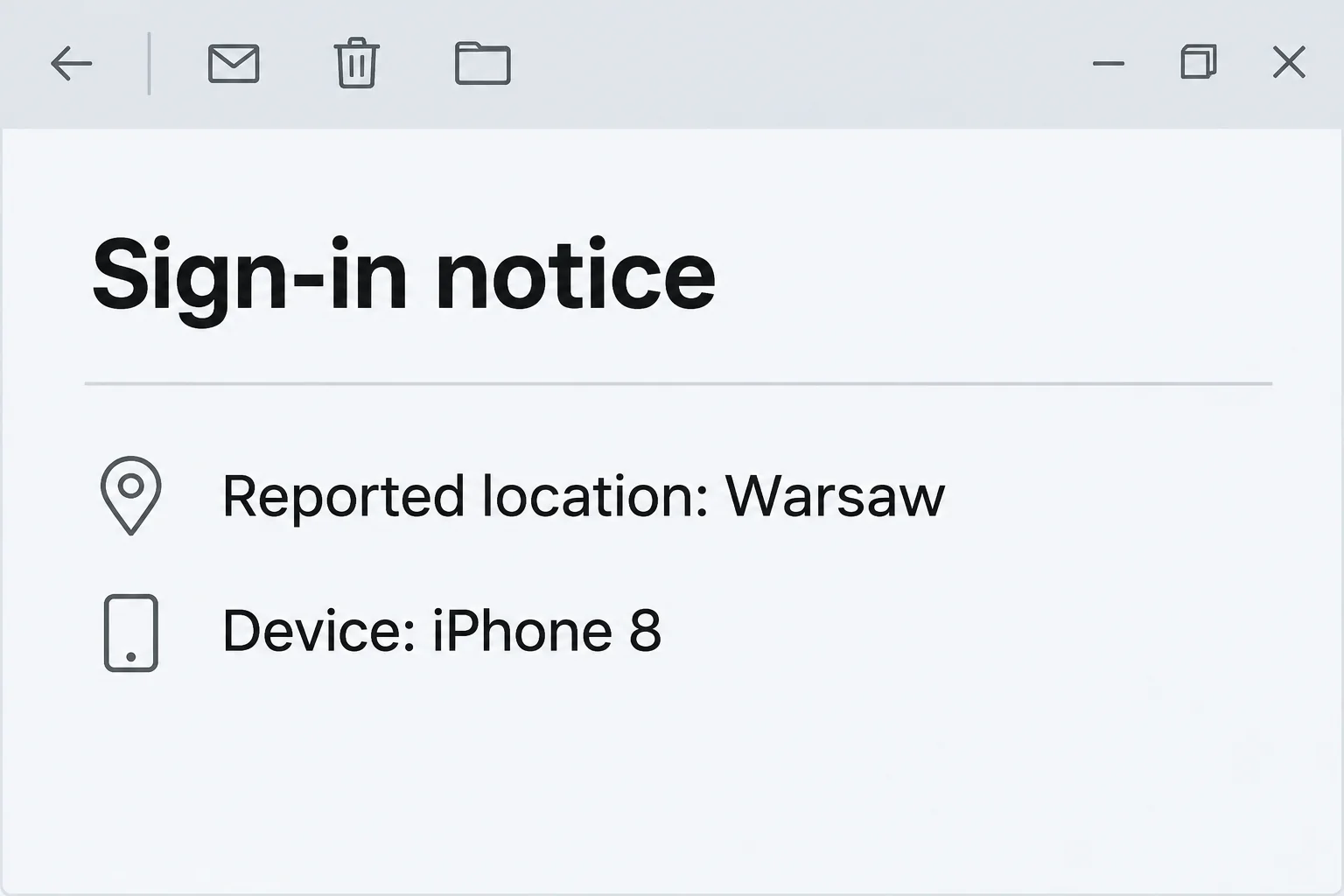
The image above recreates the location and device clues without the number or sender details. It does not show activity from an actual Robinhood account.
A callback scam is different from a fake sign-in link
Some fraudulent Robinhood messages take people to a web form. This version is about getting the reader onto a phone call outside the platform’s support process.
The example does not prove that anyone signed in from Poland. It also does not substantiate what every caller would be asked to do after dialing.
Support impersonators can ask for passwords, security codes, screen access, or a transfer. Those are risks to prepare for, not things we can attribute to every call from this email.
The real brokerage isn’t responsible for somebody using its name. Its official scam guidance explains why you should verify suspicious contact through its established channels.
What to check before calling anyone
An unfamiliar city is a reason to check your account, not a reason to use the number supplied in the message. A real alert can be verified independently.
- Open Robinhood from the app icon or a bookmark you already use.
- Review devices and recent transactions inside the account, if you can sign in.
- Start support from the account or the official help center if you need help.
- Keep the original email for reporting without dialing its number or replying.
You can receive an impersonation email without having an account. The message alone doesn’t show that anyone opened a brokerage account in your name.
How the Robinhood Callback Scam Works
Step 1: Present possible account access as an emergency
The alert names a financial account, which makes the possibility of an intruder feel more immediate than a routine message from a retailer.
It also asks you to decide whether the activity was yours. A surprising city and an old phone model invite a quick answer without showing anything from your real account.
There is no need to check whether the displayed IP address belongs to that city. A plausible location does not prove the alert came from the brokerage.
The sound first move is to open your account separately. If you find unfamiliar activity there, deal with it through Robinhood’s own process regardless of what the email says.
Step 2: Let the alert choose the phone number
Nothing in the message requires a phishing login page to get the conversation started. The phone number does the work a misleading sign-in button might do in another case.
Do not assume that a toll-free prefix makes a support number legitimate. It tells you little about the organization or person who answers the phone.
You might also find the same number reposted elsewhere. Multiple appearances do not authenticate it, especially if they are copies of the email, forum posts, or search results.
Run the check in the other direction. Start from your existing app or the broker’s official website and see what contact route it provides.
Step 3: A call can turn suspicion into a request for access
Once you dial, an impersonator can react to what you tell them. They might focus on your password, a code, an existing position, or a payment method.
The requests may sound like fraud prevention. A caller can describe a security code as proof of identity or say a transfer will protect your funds.
Don’t repeat a code, give control of your screen, or move money at the direction of somebody reached through the email. End the conversation and verify through the app.
A real company can also return a call you requested. The distinction is whether you began the request through the company’s known support route and can confirm that process there.
Step 4: Any later loss depends on what was shared or approved
Calling does not automatically give a stranger access to your account. The risk changes if you disclosed a password, approved an unfamiliar sign-in, installed software, or sent a payment.
The caller may already know part of your contact information. Giving them more details can help them make a later message sound like a continuation of the same case.
If somebody moved money or changed your account, don’t wait for the person who answered the email’s number to explain it. Use your transaction records and the official support process.
A screenshot is useful if it helps you explain what happened. Keep that evidence for your broker, bank, or security team, without posting your balances or personal information in public.
How to Verify a Robinhood Sign-In Alert
Check the real account from a route you normally use
Open the app directly from your device. If using a web browser, type the address you already know or use a trusted bookmark.
Open Security and privacy, then select Devices. Choose a device to see its details, or select Remove device to sign out a device you don’t recognize.
If the menus look different, use Robinhood’s device monitoring guide for the current route. Removing a device may require verification when it signs in again.
Then review transaction history for anything unfamiliar. Pay particular attention to new transfers, withdrawals, trade activity, and changes to where money can be sent.
If the timing or location looks unusual but you recognize the activity, don’t ignore other signs. A device entry can look unclear, so check the important account changes too.
Contact support without letting the message set the terms
Use Robinhood’s in-app support or its official contact instructions. Choose the option that matches your account and region rather than dialing a number copied from the notice.
If you request a callback, look for the official notification that identifies the number Robinhood will call from. That request starts on your terms, not in the email.
If you cannot sign in, begin at the official help center in a new browser tab. Don’t use a second message from the same thread as your recovery route.
Tell support whether you only received the email, whether you called, and whether anything was shared or approved. Those distinctions make it easier to choose a response quickly.
Read the sender and the account records as different kinds of evidence
The documented example uses the subject “Newly registered sign-in attempt.” Its displayed sender resembles a brokerage address, but the screenshot alone doesn’t authenticate who generated or sent it.
An email app can display a name chosen by the sender. Even a genuine address wouldn’t explain whether the help number inside the body is safe to call.
If your security team asks for the full message, use its approved reporting feature or follow its instructions for sharing the original. A screenshot doesn’t preserve delivery headers.
Keep separate notes about what the message claimed and what the account displayed. An unfamiliar device and a withdrawal are different findings, even on the same day.
Confirm which records belong to you before sending them anywhere. The broker can help interpret its own activity, but an unsolicited caller shouldn’t see your account screen.
If you recently changed phones, check the device date against that change. Recognizing a phone doesn’t explain a separate new bank link or payment destination.
You can also ask support to clarify which event would generate a real notice. That helps you distinguish a genuine device approval from a request to call.
What to Do If You Responded to the Fake Alert
-
End the call and pause further approvals. Hang up if the person asks for a code, a transfer, or access to your screen to cancel an alleged sign-in.
Don’t let the caller move you to an alternative number or chat. If you’re worried the account is already exposed, open support from a separate device you trust.
If all you did was read the email, preserve it for reporting and mark it as phishing. There is no need to treat the email alone as an installed program.
-
Secure the brokerage login and the mailbox behind it. If you shared a password, replace it through the real service from a device not involved in any remote access.
Review recognized devices and any recently updated account details. Tell official support if you approved a security request you did not initiate.
Check the email account if it uses the same password or receives brokerage recovery messages. Replace reused passwords and remove unfamiliar access where your provider allows it.
-
Report any money movement through established channels. Give Robinhood the details of unrecognized activity through its app or help center, including when it happened and what you see.
If a linked bank account or card was involved, contact that institution through its own app or trusted number. Ask what steps are available for the specific transaction.
Keep the dispute or case number, dates, and relevant transaction references. Don’t pay a stranger for recovery or approve another transfer to reverse the first one.
-
Treat remote access as a separate device issue. If you installed software or granted control, disconnect the affected computer.
Use another device for brokerage and bank contact. Tell support exactly which account screens were open or which approvals you made while the other person could see them.
Ask your IT team or a qualified technician to check the affected device before you use it again for sensitive tasks. A password change won’t remove remote access software.
-
Watch for follow-up calls and preserve the useful records. A second caller might claim to know about the same alert or your first conversation.
Keep the message, call time, and a short note about what was requested. Store anything with account information privately and provide it only through official channels.
Don’t trust a follow-up just because it includes details from earlier. Open the account independently and use the established case number to check progress.
Frequently Asked Questions
Does a Warsaw sign-in alert mean a person in Poland accessed my account?
No, the reported location appears in the fraudulent email. Look for an unfamiliar device or account change inside Robinhood before treating the displayed city as a real login.
If the account itself shows activity you did not authorize, report that independently. You do not need to decide whether the email was related before getting help.
Is the toll-free number the right way to contact Robinhood?
Don’t use the number supplied by the suspicious message. Start support from the official app or help center, which gives you contact options for the account you actually use.
If you need a callback, request it through the official route. Do not treat an incoming caller’s display name as proof of who is on the line.
Can someone log in just because I called the number?
The call itself doesn’t give the recipient your password or approve a sign-in. Review what you shared and whether you gave access, entered a code, or approved a request.
If you gave the caller no account information and did not install anything, report the contact and watch for follow-ups. Don’t confuse a conversation with confirmed device compromise.
What if I don’t have a Robinhood account at all?
The presence of an alert is not proof that an account exists in your name. Avoid interacting with it and use the broker’s official support if you have independent evidence.
An unrelated notice from a bank or a credit record may deserve its own check. Don’t use the suspect email as the route for that investigation.
Does this version install malware when the email is opened?
The documented email asks for a callback, rather than demonstrating a file infection when it is read. The risk changes if someone persuaded you to install software during the call.
If that happened, move financial recovery to a separate device and arrange help for the affected one. Tell the responder which software you opened or what permissions you granted.
What if a real warning arrives at the same time?
Check the actual account from the app regardless of which messages arrived. A fake email can coexist with real account activity, and the two should be evaluated separately.
Report any unauthorized changes using the broker’s official process. Never let the existence of a real problem make the callback number in a suspicious email trustworthy.
The Bottom Line
Don’t call the number in the Robinhood alert. Check device and transaction activity inside your existing account, then contact Robinhood through a route you opened yourself.
If you shared a code, approved access, or moved money, tell official support what happened as soon as possible. Include your bank if its account or card was involved.

Join the discussion
0 commentsShare your experience or ask a question about this article.
Community experiences
Did this happen to you?
Your experience could help someone recognize the same scam. Submit a private report for our team to review.
I experienced this tooReports are reviewed before publication. Sharing publicly is always your choice.
Discussion
Start the conversation
Have a question or something useful to share? Add the first comment.