


An iMessage claiming to be from SingHealth Polyclinics says your outpatient bill is unpaid. It mentions Health Buddy and Mobile Pay, both names a real patient might recognize.
That familiarity is exactly why the link deserves a closer look. You can check whether you owe anything without opening the payment route in the message.
Overview
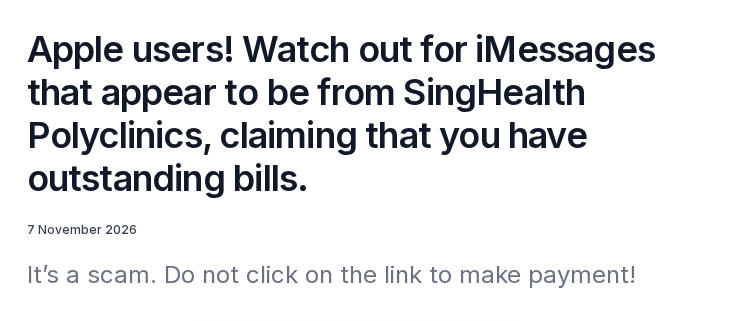
ScamShield identified this fake SingHealth Polyclinics iMessage on November 7, 2026. It warned Apple users not to follow the link in the outstanding outpatient bill message.
What the fake bill notice says
The example says an outpatient bill is overdue and points to Health Buddy for the balance and invoice. It also names SingHealth Mobile Pay for payment.
Those are genuine names, but the address attached to the text is a lookalike. In the example, familiar words appear on either side of a different registered domain.
That matters more than the message bubble or the name at the top. A sender can repeat the names of actual healthcare services without being authorized to collect payment.
What the notice does not show
ScamShield published the message and identified the address as suspicious. Its public warning does not show a completed checkout, a particular form or a victim’s bank statement.
Do not assume opening the message gave someone your health information. The important questions are whether you followed the link, submitted anything or authorized a payment.
If the sender calls afterward, knowing the clinic’s name is not proof of identity. Ask the genuine clinic whether the bill exists and what payment methods it accepts.
Check the real invoice through a route you already trust
Use HealthHub or the official SingHealth billing service. If you use Health Buddy, start from the app already on your phone rather than an address copied into the iMessage.
- Ignore the link in the reported message and go to the billing service directly.
- Match the clinic, date, patient and amount against your actual appointment records.
- Call the clinic independently if the invoice is missing or you care for another patient.
- Call your bank promptly if you submitted card details or authorized a payment on a suspicious page.
How the SingHealth Outpatient Bill Scam Works
Step 1: An ordinary clinic follow-up becomes the reason to click
The message does not claim to offer a large refund or threaten immediate arrest. It borrows a routine job: checking what you owe after a clinic visit.
For someone who actually visited a polyclinic, that is plausible timing. The timing does not mean the sender could see that appointment or any private medical records.
The same message can also catch family members who manage appointments or invoices for relatives. If a bill is not yours, verify who it belongs to before paying.
Receiving the message when you have not visited a polyclinic is another reason to pause. You do not need to open it to disprove a debt.
Step 2: Real service names make the false address easier to miss
The message mentions Health Buddy and detailed invoices. That is familiar language for a real patient who has used an app to pay a public healthcare bill.
The official warning highlights a lookalike containing the healthcare name, with a misleading familiar-looking fragment after a slash. Words after the first slash do not identify the website operator.
On a small screen you may see only a preview or the first line. Avoid trying to read a clipped address as proof that it belongs to the clinic.
The example appeared in an encrypted iMessage conversation. Encryption protects the conversation from outside observers, but does not tell you whether the sender works for a polyclinic.
Step 3: The decision moves from checking a bill to trusting a payment route
Do not use the link to find out whether the message is real. The relevant information is in the verified patient account or with the clinic’s billing team.
If something asks you to sign in, enter card details or approve a prompt after following the link, stop. The advisory does not confirm which requests any destination served.
A page could copy a logo or display a plausible receipt without creating a record in the clinic’s billing system. Compare payment status with the actual provider, not that page.
There is no need to try a small payment to see what happens. A small charge does not authenticate a merchant, an invoice or a sign-in request.
How to Check a Real SingHealth Polyclinics Bill
Look it up rather than trusting the reminder
SingHealth Polyclinics’ patient information lists several payment routes, including HealthHub, online payment, SPEED Pay and self-service stations. Pick a route from the clinic’s instructions.
Start a separate app session or go to the official page independently. If you need to install an app, find the verified publisher from the healthcare provider’s own site.
Look for the patient, clinic and date before you compare the balance. If you paid earlier, check the payment history or ask for the official invoice.
For a family member, use the appropriate patient access and avoid asking them to forward sign-in codes. Ask the clinic what authorization it needs if you cannot view a bill.
Allow time for a same-day bill to appear
The SingHealth Mobile Pay FAQ says an invoice may be finalized at the end of the day. A real bill need not be visible immediately after an outpatient visit.
That timing is not a reason to pay from an unsolicited message. If the bill is missing, check again through the official channel or ask by phone.
The official documentation also describes real billing notifications. Do not treat every text about a medical bill as fake, but do not make a link your proof either.
Check whether the app you use is changing
SingHealth’s Health Buddy page currently says the app will discontinue in February 2027 and directs patients to HealthHub. Use the provider’s own notice to verify timing.
That change is separate from this iMessage. An unexpected message about an app migration, account refresh or new payment method should not be treated as the authority for any transfer.
When in doubt, ask the clinic whether you should use HealthHub or another current route. Keep the number from an official directory, not from the suspicious conversation.
Find out whether the invoice was already paid
A household might have an automatic payment arrangement, or one relative may have paid without telling the person who got the message. Check the history before treating it as outstanding.
For Health Buddy payments, the official FAQ explains how to find paid invoices in the Payments history. Compare the date and clinic, not just the amount.
If someone else is paying, agree on who handles the invoice before opening a payment session. A shared note with the date can prevent a second legitimate payment too.
Do not share your Singpass password or the entire medical invoice to coordinate payment. The clinic can explain what details a caregiver needs and the proper access route.
Ask for the billing team, not the sender in the conversation
Use the contact list on SingHealth’s own Health Buddy FAQ or call the polyclinic from a number you independently obtained. Ask what information is needed to check the bill.
Describe the visit date and which clinic was involved. A billing agent can help you distinguish a patient invoice from a balance that only appeared on an unfamiliar website.
Tell the clinic if you do not recognize the visit or the amount. You do not need to start a payment to check whether the notice refers to you.
Do not assume someone who replies in the original conversation has looked up your records. Ask the official team to confirm the invoice without quoting any code from the message.
What to Do if You Clicked or Paid
- If you only received the iMessage, leave the link alone and verify any real charge through the clinic or its official app.
- If you opened the link without supplying anything, close it. Note whether it prompted you to download a file, grant access or do anything else.
- If you entered card details or paid, call your bank using a number from your card or its official app. Explain what was entered or approved.
- If you entered Singpass credentials or accepted a prompt you did not initiate, use the official Singpass support route to secure that access promptly.
- Save the date, sender, screenshot and any payment reference. Do not post an unredacted patient name, bill or identity number while warning others.
If the clinic still shows a balance after a payment
Do not pay again through the suspicious page. Check whether the transaction posted and ask the clinic to confirm whether it received money for that exact invoice.
When contacting the bank, identify the time, amount and payment method you used. A card authorization, a transfer and a password disclosure need different responses.
A bank dispute is not a guaranteed refund. Ask what the bank needs from you and when, then keep its reference number with your other records.
If you got a follow-up call or message
Someone may claim to correct a mistaken payment or protect a patient account. Do not use a caller’s links, install an app or pass on a code to fix it.
End the conversation and reach the bank, clinic or Singpass yourself as appropriate. A second person who knows what happened may be working from information you already gave.
If you need help identifying the message, ScamShield lists its 24-hour helpline at 1799 in Singapore. Contact your bank first if a payment or card is affected.
Keep the evidence needed by each organization separate
The bank needs information about a payment or card exposure. Singpass support needs the sign-in events you saw. The clinic can check a visit and its billing status.
Take a screenshot of the suspicious message for evidence, then record what happened in order. Include any amount and the time a payment or sign-in was authorized.
If you took a screenshot of your medical bill, keep it separate from the scam example. You can warn family members without forwarding the private information on that invoice.
If an unfamiliar app or permission appeared after the click, record its name without reopening the link. Ask the relevant support provider about the permission you actually granted.
Check whether an earlier payment is pending rather than absent. Ask your bank and the clinic to interpret their own records before approving another charge for the same visit.
Until you know which payment was accepted, keep the transaction reference, receipt and bank case number. None of those documents requires you to stay in contact with the original sender.
Frequently Asked Questions
Is the SingHealth Polyclinics unpaid bill iMessage real?
ScamShield identified the November 7 example as a scam. Real healthcare bills exist, but the message’s link is not how to establish what you owe.
Look for the invoice through an official patient service or call the polyclinic independently. Do not use a number supplied by the same message you are checking.
Does SingHealth ever send real bill reminders?
Yes, SingHealth’s documentation describes outpatient bill notifications, including SMS in some circumstances. That does not validate this separate iMessage or the address it contains.
A real reminder does not stop you from checking the same bill independently. Go to the authoritative service and match it to your actual care.
How do I know whether Health Buddy or HealthHub is the real app?
Use the download and migration information published by SingHealth or HealthHub, not a link embedded in the unverified message. Check the actual app publisher before installing.
If you already have the service, open it from your device and check for an invoice there. The app name in the text is not evidence of who sent it.
Is a blue iMessage bubble a sign a clinic sent it?
The messaging channel does not prove the sender represents SingHealth. ScamShield’s actual warning describes an iMessage, not a message that turned out to be safe because it used Apple’s service.
Even the name of a real service inside the message is no substitute for verification. Use the account or published contact route you reached yourself.
What if I cannot find a same-day outpatient bill?
SingHealth says its system may finalize the invoice later in the day. Wait and check the official service again, or contact the clinic if you need to confirm the timing.
Do not take the missing invoice as a reason to follow a text. If there is a genuine amount due, the clinic can tell you how to check it.
Should I report the message if I did not pay?
Yes, you can report the impersonation or ask ScamShield for advice even if no money left your account. Keep copies private if they identify a patient.
If you did pay or submit credentials, tell the relevant provider the exact action first. Reporting a message does not by itself stop a payment or secure access.
The Bottom Line
The fake SingHealth notice is not evidence of a debt. Leave its link alone and check your actual clinic account or call the real billing team.
If you already shared payment or sign-in information, act on what you disclosed. A bank or identity provider can help where another reply to the iMessage cannot.

Join the discussion
0 commentsShare your experience or ask a question about this article.
Community experiences
Did this happen to you?
Your experience could help someone recognize the same scam. Submit a private report for our team to review.
I experienced this tooReports are reviewed before publication. Sharing publicly is always your choice.
Discussion
Start the conversation
Have a question or something useful to share? Add the first comment.